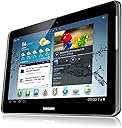
๐ฒ Elevate Your Everyday with the Galaxy Tab 2!
The Samsung Galaxy Tab 2 is a 10.1-inch tablet featuring 16GB of storage and powered by Android 4.0. It offers seamless multimedia access, robust communication capabilities, and a sleek design, making it an ideal choice for professionals seeking both productivity and entertainment.
| ASIN | B0080OYLM6 |
| Age Range Description | Adult |
| Battery Cell Type | Lithium Ion |
| Best Sellers Rank | 414,776 in Computers & Accessories ( See Top 100 in Computers & Accessories ) 4,617 in Tablets |
| Brand | Samsung |
| Brand Name | Samsung |
| Camera Description | Front, Rear |
| Colour | Silver |
| Customer Reviews | 4.3 out of 5 stars 534 Reviews |
| Digital Zoom | 4 x |
| Front Photo Sensor Resolution | 0.3 MP |
| Global Trade Identification Number | 08806085009288 |
| Graphics Description | Integrated |
| Hardware Interface | USB 2.0 |
| Human Interface Types | Touchscreen |
| Item Weight | 581 g |
| Lithium Battery Energy Content | 8 Watt Hours |
| Manufacturer | UnAssigned |
| Manufacturer Part Number | GT-P5110TSABTU |
| Memory Slots Available | 1 |
| Memory Storage Capacity | 32 GB |
| Memory storage capacity | 32 GB |
| Model Name | Galaxy Tab 2 |
| Model Number | GT-P5110TSABTU |
| Model Year | 2012 |
| Model name | Galaxy Tab 2 |
| Native Resolution | 1280 x 800 pixels |
| Network Connectivity Technology | Bluetooth, USB, Wi-Fi |
| Operating System Family | Android |
| Operating Systems | Android 4 |
| Operating system | Android 4 |
| Other Special Features of the Product | Webcam |
| Processor Brand | Samsung |
| RAM Memory Installed | 16 GB |
| RAM Size | 1 GB |
| Rear Webcam Resolution | 3 MP |
| Screen Size | 10.1 Inches |
| Screen size | 10.1 Inches |
| Total USB Ports | 1 |
B**N
1st tablet
I bought this tablet just over a week back and have since used it every day. It was purchased primarily as a book reader (larger screen than dedicated readers) and for web browsing. I am not interested in games, video playing etc so did not need a higher spec. The only other tablet I considered was the Google Nexus 10, but for my pupose not worth the extra cost. I have a black/silver one, which I prefer to white. My daily computing needs are met by a desktop and laptop running Linux Mint, so using Android for me is preferable, not having to use either MS or Apple. First impresions are very good, it found the wireless very quickly and no problems connecting, enter password first time and it connects flawlessly. Apps are easy to use, mostly use Kobo, Reader Hub and Aldiko for reading, and the stock browser. I have installed my usual favourites (Firefox and Opera) but at the moment I have not decided which to use most of the time. Screen resolution is fine, everything clear. Response is smooth and quick, change between portrait/landscape mode is quick. The only thing I have found that causes any lag is if I am using a book reader for a pdf file that contains large images, it can take a few seconds to load the image, but not a problem. Charging time seems to be about 20-25% per hour, but slows down when getting near fully charged. Probably charge it every couple of days. Some things I have done: Created 'plain' grey wallpaper I am not a fan of 'eye candy' Turned off the gps, bluetooth, location services Turned on cpu power saving Turned off screen power saving Turned off auto screen brightness, set at about 50-55% Put the few apps I use together on one desktop/screen I like the option to upgrade the storage, a benefit over the Nexus etc The Polaris Office suite (wordprocessor) was able to open a .docx file perfectly, better than I had been able to do in Office! and LibreOffice, not that I would like to do much word processing on a tablet. I doubt if I will ever use the cameras I bought a case (Amazon, ยฃ8.95) with pen and screen protector, perfect I can plug it in to my Desktop and laptop usb ports, it is recognised immediately and I can copy files straight on to the tablet Installed a file 'manager', ES file explorer I think this is a very good tablet, perfect for what I want and would thoroughly recommend it. Check the price when buying as it changes quickly. Also, the stock gets quickly sold but is replaced quickly. For some reason the silver/black one was cheaper than the white one when I purchased.
D**B
It blew me away.
This is a great device. Forget the negative reviews you might see complaining that it hasn't got this or it's not that. Ok, so the display might not be quite up to Retina standards in the Ipad, but honestly, it's just great. Pros: Great screen for the price, good build, fast enough, operating system easy to upgrade; memory is expandable; battery lasts all day, Samsungs ยฃ50 cash back if bought before end of December 2012; Including this discount the device cost me ยฃ190, a steal! A great buy, especially for a first time tablet buyer like me. Cons: Not alot really, except that you can't print to a non samsung printer unless you pay for an app; Speakers are a bit tinny but there is a headphone jack to improve the sound. Other comments: I would highly recommend that you register your tablet with a tracking website such as SamsungDive for example. From there you can track the tablet if it is lost or stolen, and also lock it and wipe it's memory. So there's no guarantee you'll get it back, but at least your personal information won't be available to steal. As a first time tablet buyer I am quite impressed by it's screen and it's functions in such a compact device. The colours are vibrant, it displays photos really well (better than my PC monitor) and it's quick. Pages scroll quickly and smoothly and applications start up without undue delay. The google maps app is slick, in that it pans, zooms and rotates the map reasonably smoothly (with a good internet connection). I have read occasional reviews which said that it stuttered slightly when playing a game. This might be because they didn't check the power saving settings where you can speed up the processor but it uses up more battery (which incidentally has lasted me all day on a full charge, 10 + hours surfing the web, watching occasional videos and playing with apps). I connected it to my PC and easily updated the operating system to Android 4.1 Jellybean using the Kies software from the Samsung website, it takes about half an hour. I have had many hours of fun over Christmas getting to know the Android way of doing things, and finding out what it's capable of, for example the voice recognition can make searches quick and easy. Although plastic, the build quality is very good. The speakers are a bit tinny but what do you expect in something of this size and price? There is a headphone jack if you want to improve it. A big plus is that the memory is expandable using an SD card, so why spend a fortune getting a tablet with 32GB built in memory when a 16GB SD card only cost about ยฃ10?. (By the way, I don't think you can put apps onto the SD card, only photos and documents, but the 16GB of internal memory seems ample room for my apps. I've downloaded 10 in addition to the preloaded apps and also 3 e books and have still got 10GB left. The only criticism I have is that it won't print to a non- Samsung printer unless you buy an app for about ยฃ8, but it's not such a big deal for me because I can email documents to myself and download/print off my PC, but might be for someone else. so come on Samsung, don't be so tight and give us a free app! The only other observation is that this is my second tablet - the first one (purchased from another retailer) had a fault in that the trim did not quite meet the screen at the top in the middle, thus leaving a small dust gathering gap, and it went straight back; it shouldn't really have left the factory, but I will forgive Samsung for that because there has apparently been a massive rush on tablets, and there is Samsungs ยฃ50 cash back offer too, increasing demand.
R**S
Excellent for the Price
Bought @ ยฃ279 from Amazon, with ยฃ50 Cashback from Samsung, so net ยฃ229. Great price for a quality item. At this price you are looking at half the cost of the equivalent ipad. Build quality is fine, nice solid feel and good screen. Major reason for buying over the ipad (as well as cost obviously) was the expandable storage. A cheap 32Gb microSD card takes total storage to 48Gb so plenty of room for loads of music and media. I have an iphone as well, and I have to say the whole IOS/Apple/itunes environment is a bit slicker than the Android environment, but not by much. Certainly not enough to justify the price difference. One minor gripe is that you may find a few of your favourite apps might not work on this device; for example Sky Go is not compatible, nor is Flipboard, so double check if certain apps are really important to you. Overall my experience so far has been excellent, and the Tab has proven a fantastically capable piece of kit.
A**E
I've owned it for a year and I still love it
It's now almost a year since I bought my first tablet - the Samsung Galaxy Tab 2 10.1". My wife had already taken the plunge at that point and bought the Galaxy Tab 8.9" model which had impressed me very much. Because of that and the fact that I already owned a decent Samsung Android phone I knew that this tablet was the way to go for me. I chose the 10.1" over the smaller model because I found it much easier to view the larger screen, and the extra weight wasn't really an issue for me. Given the choice between black or white models I went for the silver/black one - partly because it hides dirt better than white plastic but also because I prefer the look of this one. Samsung have released various updates to the operating system in the time I've had it and the current one is Android 4.1.1 which a version of Jellybean. The updates have been really simple to install (almost automatic) and ownership has been pleasant and fault free. I remain impressed by the battery life of this tablet even when using it to play movies. In previous summers I've enjoyed reading books in the sunshine but this year I've also had the opportunity to watch films and television programmes whilst sitting outside in the garden. Okay, I did have to keep the screen shielded from the sun to avoid glare but it was still an enjoyable experience and a nice change from reading. The in-built speakers are fine for basic browsing or YouTube but if I'm listening to music or watching a film then I'll generally opt for headphones anyway, but I have used the tablet with this excellent little speaker which works very well with it XMI Xmini Uno Portable Mini Speaker for iPhone/iPad/iPod/MP3 Player/Laptop - Gun Metal Grey I've tried different cases for the tablet but found that this one IVSOยฎ Samsung Galaxy Tab 2 10.1 P5100 P5110 Slim-Fit Folio Cover Case With Multi-Angle Stand - NOT Fit Galaxy Note 10.1 N8000 N8010 (Black) works best for me by far. It looks good, offers decent protection and when I take it off the tablet still looks like new. I did invest in a microSD memory card to use with it which has enabled me to store masses of music, photos, books and films without issue and is a much better choice than paying extra for inbuilt memory due to the extra flexibility a removable card offers. By using an adaptor it's also possible to use a USB drive with this tablet. It's hard to pick fault with this tablet and I can only think of a few things that I'd like to see improved on in future models rather than any actually gripes - things such as even better sound, less screen glare etc. To anyone looking for a good 10.1" tablet that won't break the bank I can definitely recommend this one.
M**N
An excellent tablet.
Had this for just under a year now and it's still one of the best tablets around, for one of the best prices. Physically, it has survived well. It has been in a good quality protective case from the start and hasn't broken. I never got round to putting a screen-protector on it, but I needn't have worried; in a good quality case and if treated well the screen stays scratch free. Like all tablets, the screen will pick up finger marks but these are only visible in reflected light. The battery life on stand by is excellent, lasting 2-3 days 'just sitting there'. I've not used it continuously until the battery ran out of power, but for the cake recipe, ebook or browsing reddit for 2-3 hours the battery copes very well and ultimately much better than a laptop. With full brightness it can be a little difficult to read in direct sunlight, but is sufficiently illuminating that I have it at one-quarter brightness when inside. The micro-sd slot allows for the total memory to be expanded, which is a definite advantage over some of the similarly-priced tablets on the market. The software has kept up equally well. Android is an intuitive operating system to use and is supported by a lot of developers, already having a large database of apps available. The tablet also handles running and switching between open apps remarkably well. Overall, would definitely recommend spending a little extra on this tablet - you won't be disappointed!
M**M
no spell check
Quick to start and been realy usefull but there are several realy irritating things. Some websites try to send you to a 'for mobile devices' version but not all work, the tend to be designed with phones in mind but this has a good sized screen so the mobile versions are not realy helpfull. Frustratingly some companies are more focused on ipad, so issues with websites not working on this seem less of a priority, 4od doesn't work properly for example though you can get round this by changing the time on the tab by 1h, just remember the time is wrong. : ) punctuation is on a second keyboard display, really could do with some like ' being on main keyboard. Biggest issue for me NO SPELL CHECK. It drives me nuts, there is just predictive txt, no good at all for a dyslexic like me. Another disappointment is that you can't copy and paste (so far as I have found) or move though text with arrow keys which is a pain as the touch screen is just not acurate eough even with my little fingers to easily get your cursor to a particular spot say if you want to add a letter or word in a bit of text you have typed. All of thos means its a pain to email on if its any more than a hello to your mate. Wether the keyboard attachment would improve things I don't know yet as I haven't got one yet. Sound and pic are both good, I've used mine for tv, bbc iplayer and some others all work amd do so better than my laptop. I can very easily put photos and things up on my tv which is internet ready sony. Yet to manage to move web page onto the tv so say I can watch the second half of some program on the big screen but that maybe due to tv being diffrent brand or my ignorance. You can get a plug in device that lets ypu do that though as my Dad has one and uses this tablet with it successfully. This is my first tablet and I think several issues I have are things common to all tabs. If they improve the functionality when you want to type a document or write and email and make it so I can hook this up to my printer (not found any way to do this so far) then it will be realy good but at the moment I still find I need a proper pc or laptop to do things like emails or stuff like this, I am currently using my tablet but I have no clue how many spelling errors there are and it would be much easier on a laptop. A spell check and arrow keys to control the cursor would significantly improve things. Another disapointment is you can't change the background colour from bright white, hard on the eyes when reading a book or somthing. Even an offnwhite would be better but the option to personalise this aspect would be again a big improvement. Battery life astounded me in the begining, less now not sure if thats because its not as good as it was (there has been a update since I got this) or just that i have got use to being able to use it for a long time without charging. I fear the last update has slowed things down a bit and not realy improved anything.
K**R
Love this Tablet.
Decided to buy a bigger screen tablet as my 7" was just too small for web browsing. Saw this Tablet when it was reduced and even though it was the older model with the older operating system I took a chance. From the moment I took it out and switched it on I have loved the ease of use and the way it guides you if you want to register with Samsung services, Google play, movies and all the others. Have read other reviews that say it updates to the newer operating systems. Not sure if thats true or not as I haven't had any notifications telling me that thats happened but the Tablet is fast anyway and certainly feels smooth and quick when web browsing. I also bought a Micro SD card to boost the storage and perhaps I'm not up to speed with how to store things but I have only been able to put things on it by using it on my laptop to drag and drop then putting it back in my Tablet. Have downloaded a lot of programmes from BBC i-player and even though the SD card is empty the 16GB on the Tablet is quickly filled and then I am informed of insufficient storage. If this is my only complaint however then it is still a great Tablet and a great buy at this price. Have since explored in depth the storage settings and can now store all my downloads on the SD card without having to remove it from the tablet.
B**E
Depends on what you want it for
Most of what needs to be said about this unit has already been said. I's light, slick, has good battery life etc etc. HOWEVER Don't let anyone fool you into thinking its a substitute for a Windows laptop. If you're prepared to allow Samsung / Google access to all your data and communications, it's a doddle to set up and use with a Gmail / google / samsung / whatever else account. If you want to use your existing POP3 or Office 365 (Exchange) account, you've a fight on your hands. I gave up after 3 hours! If I were to take a charitable view, I could observe that the OS has yet to be developed to support other email types. If I were to be more cynical, I would suggest it's a deliberate ploy on the part of the above to get your information onto their servers. As a result, I always have this creeping suspicion that whatever passes through my accounts may not necessarily be private and I certainly do not transmit any sensitive or financial data from it as the quality of any firewall (is there one?) is the subject of much debate. This inhibits my use of it as I will not buy anything on line with it or access any password-protected sites. Another area of limitation is the simple transfer of files to a PC. You would think this is simple, right? Not so! It's as though a gremlin has been put in the OS to make it difficult and unreliable. I'm still working on it but again the easy solution is to use a provided online account. There we go again with the suspicion of data harvesting. Both these highlight my third gripe. I have been forced to retract a lot of the venom I have spat at Microsoft in the past. ICS is still a young OS and cannot reliably perform anything like the diversity of operations we routinely expect from Windows. And if it doesn't do what it should, the support is with various forums, not from the manufacturer as MS do. Don't get me wrong, I know MS have had their sights on world domination from day 1, there OS's are horribly resource-hungry and they have a glorious tendency to screw up all our systems regularly every Tuesday! However, I am finding it very frustrating trawling through the forums for help instead of going to MS's fairly good support site. Having said all this, I do enjoy using it and, after a few fights and setting up yet another email account with Gmail, its versatility is very useful and it is a joy to use. I have little doubt that a Tablet with Windows OS would have been much easier to set up and integrate with my office systems but they start off at twice this money and I anticipate battery life will be challenged by another bulky Windows OS. Conclusion: You get what you pay for. In relation to an iPad, I think the Galaxy wins hands down on price alone. I looked at Apple but the equivalent was going to be 50% more with the same toys attached. In relation to a Windows tab, you can buy at least two Galaxy's for the same price. In relation to a laptop - there's no more point comparing than there is putting a family car up against a van. They're for completely different uses. Am I pleased with it? For the money, yes. Would I make a different decision in the light of my experience? No - because I didn't want to spend any more money, but I did need something in a hurry. ON that basis alone, I feel I made a good choice. Would I buy another? Probably not - I'd wait until I had some more cash to get a windows machine, purely for easier integration with my office systems.
Trustpilot
2 days ago
1 day ago