Desertcart purchases this item on your behalf and handles shipping, customs, and support to Tunisia.
🚀 Upgrade your Mac’s heartbeat with speed and space that professionals swear by!
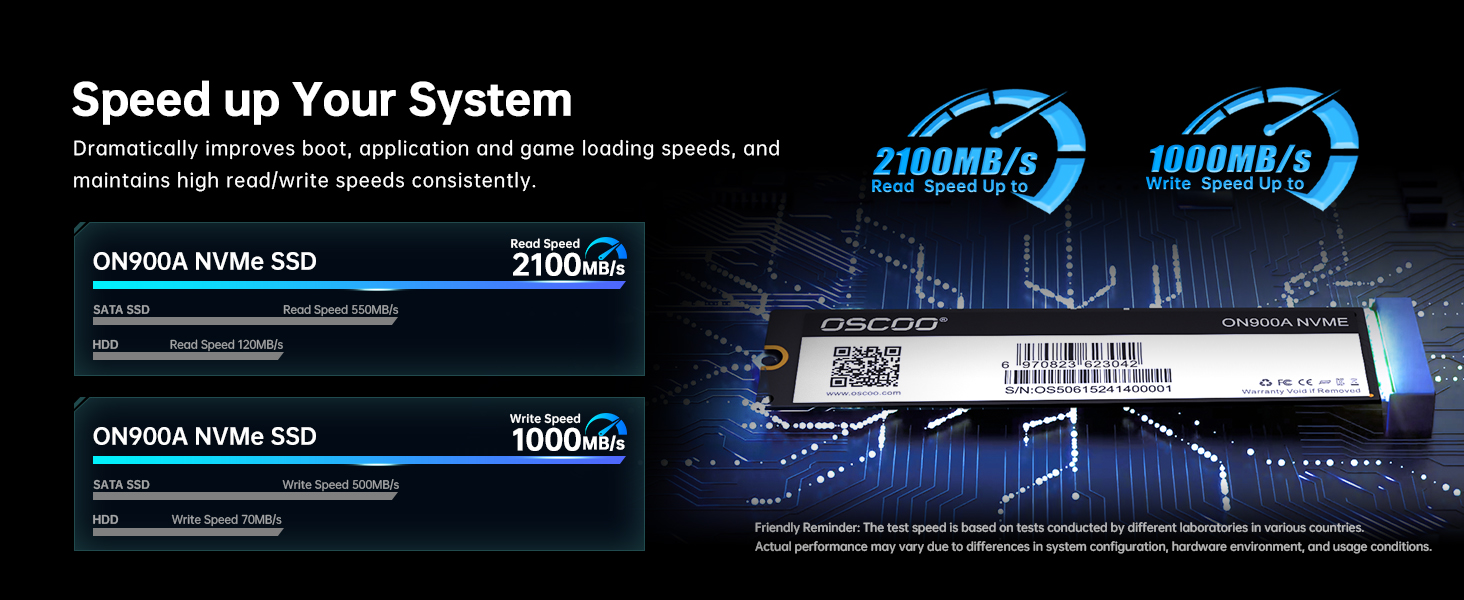
The OSCOO 1TB NVMe SSD ON900A is a high-performance internal storage upgrade designed specifically for select Mac models from 2012 to 2018. Featuring PCIe Gen3.0x4 interface, it delivers read speeds up to 2100MB/s and write speeds up to 1650MB/s, ensuring faster boot times and smoother workflows. Compatible with macOS 10.13 High Sierra or later, it supports easy installation with multiple macOS reinstall options and includes advanced features like hardware encryption, TRIM support, and SMR technology for enhanced data security and reliability.


| Additional Features | Backward Compatible, Data Recovery Service, Hardware Encryption, SMR Technology, TRIM Support |
| Asin | B0DTTK2RVR |
| Best Sellers Rank | #184 in Internal Solid State Drives #1,745 in Computer Internal Components |
| Brand | OSCOO |
| Built In Media | Quick Start Guide |
| Cache Memory Installed Size | 1 TB |
| Color | Black |
| Compatible Devices | Desktop, Laptop |
| Connectivity Technology | PCIE |
| Customer Reviews | 4.4 4.4 out of 5 stars (65) 4.4 out of 5 stars |
| Data Transfer Rate | 2100 megabytes_per_second |
| Digital Storage Capacity | 1 TB |
| Enclosure Material | 3D Nand Flash |
| Form Factor | M2 |
| Hard Disk Description | Solid State Drive |
| Hard Disk Interface | PCIE x 4 |
| Hard Drive Size | 1 TB |
| Hardware Connectivity | PCI Express x4 |
| Installation Type | Internal Hard Drive |
| Item Weight | 6.09 g |
| Manufacturer | OSCOO |
| Media Speed | 1700 megabytes_per_second |
| Mfr Part Number | ON900A |
| Model Number | ON900A |
| Number Of Items | 1 |
| Read Speed | 3500 megabytes_per_second |
| Specific Uses For Product | Business, Gaming, Personal |
| Unit Count | 1 Count |
| Warranty Description | 3 Year Manufacturer |
User
Works great.
Works great. Installed and setup everything you need.
User
It fits
Easy install, setup, and file recovery.
User
Saved My MacBook — Fast, Spacious SSD Upgrade - READ THE INSTRUCTIONS!
I purchased this OSCOO 1TB NVMe SSD because my original drive failed, and my MacBook wouldn’t boot up — it was completely dead in the water. I figured I’d give this replacement a shot and also get an upgrade in storage and speed, and I’m so glad I did.PRO TIP: READ THE USER MANUAL! I almost returned the SSD because my MacBook didn’t recognize it at first. The manual’s instructions in Step 3 are PERFECT — you must follow every step. I initially missed the part in Disk Utility to show all devices, and you must select the SSD and erase it. Once I did that exactly as the manual outlined, my MacBook booted up perfectly, and now it feels like new — super fast and responsive.What I love about this SSD:Spacious 1TB storage — plenty of room for photos, videos, apps, and projects.Fast performance — PCIe Gen3.0 x4 offers smooth file transfers and app launches.Solid build quality — feels reliable and well-made, supporting TRIM and SMART for long-term durability.Bottom line: This SSD saved my MacBook and gave it a brand-new lease on life. Follow the manual carefully, and you’ll get a fast, spacious, and dependable upgrade that’s well worth it.
User
MacBook Pro mid 2014 and iMac 27” retina late 2015 SUCCESS
I purchased two of these one for my mid 2014 MacBook Pro and one for my late 2015 27 inch retina. They both work perfectly. You do have to do the apple tango to do it correctly whether that’s using another computer to install the latest operating system using a USB drive or transferring a new version of the operating system from one computer to an external hard drive and then transferring that to applications and installing from within the system so that it recognizes the SSD. Once the latest software was on the internal hard drive, the computer finally recognized the SSD. It is possible thanks to the help of ChatGPT. I found a YouTube video of the company that makes these in China and they are very professional. I am having no issues, if I do, I will update. I learned the hard way to back up my computers now on an external hard drive anyways. Thank you China / Oscoo for making an affordable SSD that can bring my old computers back to life.
User
Buen producto
Lo compre para actualizar un iMac de 27, y funciona bien, sin novedad
User
2017 Macbook Air
It works great in a 2017 Macbook Air. The speed is normal and a good price
User
Doesn’t work
Installed it correctly and it fit perfectly. It doesn’t work at all.
User
READ THE INSTRUCTIONS
love this, helped me so much with siting my laptop again! just please read all the reviews and read ALL THE INSTRUCTIONS! if not you will definitely have some trouble
User
SSD replacement
Everything I needed to replace my drive. The SSD was just like they stated and the included screwdrivers made the job easy.
User
Compatible with 2017 A1466 13-inch MacBook Air. Easy install!
EDIT: This SSD worked as expected ! Found out that my computer came with extra adaptor that was added by the previous owner thus we were confused about why the pins don't fit.The screwdrivers worked well, the packaging was reasonable to open, and the install process appears easy.---Note: In case you have this pin issue, you'll need to remove the adaptor in your laptop for this to fit correctly.
User
Rubbish
Mac Pro does not recognise the drive
User
結果使えず
最初は問題なく認識して、OSインストールもできたのですが、その後スリーブからの復帰時に「?」アイコンが出現。トラブルシューティングを試みるも状況が悪化し、ついにはディスクユーティリティでも認識されなくなり万事休す。返品しました。
User
Good but patience required
Good product, good delivery time. Fortunately read reviews before purchase and fitting and made a bootable installer on a USB stick. This was either going to be plug and play as such or I’d have issues like other purchasers! Mine was the latter, didn’t recognise the drive and although trying usb stick and my Time Machine backups I was not having any success, in the end I tried internet recovery and left it overnight to to what happened! It did finally recover and recognise the drive but took multiple attempts to re install Catalina and finally my Time Machine backup and ended up all good. I’m no computer whizz so can’t explain exactly how I got it to recognise the drive, but am happy I’ve now got 1tb storage. Also I had two drives created Macintosh HD and Macintosh HD -Data, had to rename the data one to enable Time Machine backups.My laptop was MacBook Pro A1502 early 2015, hope this helps.I think as other people have said once working seems good but of kit, but be prepared to be patient!
Trustpilot
1 month ago
1 week ago