🎮 Capture. Stream. Dominate. Your game, your stage.
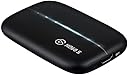
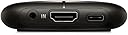
The Elgato Game Capture HD60 S is a compact, professional-grade capture device designed for gamers and content creators. It delivers smooth 1080p60 video capture via USB 3.0 Type-C with ultra-low latency, enabling seamless live streaming to Twitch, YouTube, and more. Included cables and plug-and-play setup make it ideal for anyone looking to elevate their streaming and recording quality instantly.


| ASIN | B01DRWCOGA |
| Batteries | 1 Product Specific batteries required. |
| Best Sellers Rank | #45,573 in Computers & Accessories ( See Top 100 in Computers & Accessories ) #20 in External TV Tuners |
| Customer Reviews | 4.2 4.2 out of 5 stars (24,901) |
| Importer | Supertron Electronics Pvt Ltd, "Supertron House", 2, Cooper Lane, Kolkata-700001, Toll Free# 1800-425-5464, [email protected] |
| Included Components | Game Capture HD60 S, USB 3.0 Cable, HDMI Cable |
| Is Discontinued By Manufacturer | No |
| Item Dimensions LxWxH | 7.5 x 11.2 x 1.9 Centimeters |
| Item Weight | 359 g |
| Item model number | 1GC109901004 |
| Manufacturer | Corsair Memory Co. Ltd., Corsair Memory Co. Ltd., 5F.-1, No.5A, Hangxiang Rd., Dayuan Township, Taoyuan County 33747, Taiwan, (886) 3-3995803, [email protected] |
| Net Quantity | 1 Count |
| Packer | Corsair (Hong Kong) Limited, Suite 2602-03, 26/F, Millennium City 5, 418 Kwun Tong Road, Kowloon, Hong Kong, Toll Free# 1800-425-5464, [email protected] |
| Product Dimensions | 7.5 x 11.2 x 1.9 cm; 360 g |
| Release date | 7 July 2017 |
S**J
Awesome Product!! Just buy it!
Elgato HD60 S is a great product which I love. I needed it to make youtube videos and it is the perfect thing i needed to make my videos. Would defintitely recommend buying this. But also make sure you have a good laptop to capture. Intel i5 is the minimum. It is great. It has zero lag passthrough and its just like playing the game on the laptop. Buy it without looking back.
J**I
Overall good product.
Does its work over-all. If you have 2 syatems or laptop and pc or pc and console or laptop and console it works best. I am using it for my camera, it works very good with it as well . Only thing is the 1080p quality.
R**I
best audio video reader
bhai ye bahut tagda hai, audio or video dono bina lag k real time transfer karta hai. Mai isko abhi apne oneplus 8t mein use kar raha hun, badiya chalta hai. 3 saal hogaya hai abhi bhi waisa hi hai.
M**A
Good picture quality
Amazon
P**I
Elgato does not work properly
I bought it for gaming but this elgato doesn't work well when i connect this elgato with my pc its captured only my desktop and audio of my pc but this does not capture any game like fall gyus gta 5 and many more, so please i requesting you to exchange this elgato with another one who does work very well, i tried to find amazon customer care but no one help me out there so please replace it with another one as soon as possible
S**A
Good performance but came without user manual and a charger
This is the first time that we had purchased a capture card, and this piece came without a user manual and a charger. It took us a good deal of time to figure out how to use it, because even on Elgato's site we could not find a video or a user manual. So the first time when the lights blinked we said Wow! to our engineer. Good performance of the Card.
I**O
For PUBGM - Be careful, product is good, read pre-requisite.
Before buying please read carefully the system requirements to run (support) this device, you should have an windows 10 operating system to use this, if you don't have win10 you will find a few youtube videos to run this with previous versions of windows, and May be you will manage to do so but trust me it's a pain in the A**. And performance wise its good, good for recording and streaming pubg on android (as I'm using android), and also you need a phone with type-C usb (there is two types of type-C use, you will need USB 3.1 version, type-C with USB2.0 version will not support MHL), So before buying it for streaming or recording from your phone be careful that your phone have usv type-C with 3.1 support and also have MHL support ( all phones doesn't have that, do you own research)
E**A
Must have product for new YouTubers
High quality recording.. low frame drop when recording or streaming..A game when i play, i get150 fps without recording and 142-145 fps with recording... In streaming approx 140 fps.
S**I
Excellent capture device with knowledgeable support staff and amazing performance
Before I get to the review I'll quickly detail my computer specs since it may matter. i5-4690k 16gb ram nVidia GeForce GTX 1070 1TB Samsung 840 Evo SSD which I had the software set to use for recording storage So I actually purchased this on May 11th so I could record my (admittedly rather bad) gameplay from my consoles. When I got it I had a few issues which I'll detail but first I'll go through the pros. First off the unit is really easy to setup. Just download the software from the website and install it then connect the device. If you wish you can install the software ahead of time while you wait for a unit you ordered to arrive. The software itself is pretty stable. I didn't have any real issues during recording. The only one I had, which may of very well been user error, was that it seemed to be "recording" where the clock was moving but it didn't record. I had messed with some settings prior so I reset everything to default and it worked fine after. I'm actually able to get full 1080p 60fps without issue. This worked fine out of the box. It may have to do with my specs though and as such your mileage may vary. There are steps on the Elgato help site that can work towards improving performance if for some reason you are not able to get that. The recording was clear and didn't have any frame drops. Please be aware if you are trying to play the video via VLC and getting frame drops or what appears to be a scrambled picture please try another player that might actually use the system decoder. VLC uses its own decoder and it seemed to have issues when I tested my first couple of recordings. When I used a different player it worked fine. If people have to know I do use K-Lite Codec Pack but I don't think that was what fixed it but it may affect what system decoder was actually used. The fact that I use that doesn't constitute an endorsement or recommendation of that software. The issue with VLC may be resolved in a future update of the software if it isn't already. Elgato Support is very very good. They communicated via email and there may be a delay but responses are from actual people and I didn't have any troubleshooting based auto-replies. I did get one for the initial email receipt but that just gave appropriate response timeframes so that expectations could be established. Kudos to them for doing that. You do not have to hook up the HDMI out if you don't want to. For me I was just using it to hook up to the computer and using the software is perfectly acceptable. The delay is pretty much invisible. I was able to play the game using purely the feed from the software without any real issue. Now for the cons. My unit had a seemingly loose USB connection. When moving the unit would sometimes disconnect. I did get the unit replaced with Elgato where the issue continued. As a second step they actually sent me a replacement USB 3 to USB C cable (same as what was in the box) and that seems to have resolved the issue. So... if your unit seems to drop out while you are moving it then it may be advisable to just try a different cable and see if the issue persists. I can only guess there was a loose wire in the connector that plugged into the Elgato HD60 S. If the unit does happen to disconnect while the Game Capture HD program is running then it may crash. This may result in the loss of the recording or corrupted data in it. For the most part, this is a minor issue because it shouldn't disconnect on its own anyways.
S**X
Good capture card that gets good results
I bought this so I could share my switch gameplay with friends. The set up was fairly simple, and granted while it took me awhile to properly configure the software so that there wouldn't be input lag when using my PC monitor as display, the result was as if I had just connected my switch to a monitor. My only criticism is that the capture card should have on board presets to make it more convenient to transfer settings to other PC's.
H**D
قطعة التصوير
اي شخص عنده قناة انصحكم فيها وشريتها قبل سنة ونص والى لان كويسة وما اختربت وقادتني كثير وحتى سعرها رخيص مقارنة على باقي الاماكن
Á**O
Mejor Capturadora del mercado
Estamos ante la mejor capturadora del mercado junto con su hermana Elgato HD 60 Pro, salvo que esta ultima tiene conexión PCI y no se puede usar en portátiles. Hay que conectarla si o si en un USB 3.0 para poder exprimir su potencial y poder ver en el software de Elgato EN DIRECTO SIN LAG NINGUNO lo que esta sucediendo en la consola que estamos capturando. Y esta es su principal novedad, la ausencia de lag y el poder jugar a la PlayStation 4 por ejemplo desde la propia pantalla del PC. Esto es esencial si solo tenemos 1 monitor en casa para el pc y la consola, no tenemos que estar constantemente cambiando entre canales HDMI, jugamos directamente viendo la imagen en el software de la capturadora porque no hay latencia alguna. Pero todo esto tiene un coste y es que necesitamos un buen equipo para que esta capturadora funcione correctamente. Es necesario un procesador i5 de 4 generación (i5 4XXX) MINIMO para que funcione. De otra forma habrá problemas como que el audio se corta o la imagen se rompe. Su software se actualiza a menudo y soporta incluso streaming en las plataformas mas conocidas. Podemos controlar el volumen del juego, de nuestra voz, etc... Podremos añadirle la imagen nuestra de una webcam que tengamos conectada, y muchas cosas mas! El único punto negativo puede ser el precio, pero hay que recordar que si adquirimos esta capturadora estaremos adquiriendo la MEJOR capturadora del mercado. Eso si, hay que comprobar si tu equipo aguantará con ella y asegurarnos de que al menos cumplimos con el requisito del procesador.
C**A
Excelente capturadora si no juegas en 4K.
Es una excelente capturadora de video. Es muy fácil de usar y su tamaño compacto le da un plus ya que no ocupa mucho espacio. El cable tiene buena longitud, ni muy largo ni muy corto. Yo tuve que devolverla porque juego en Xbox One X en 4K y esta capturadora no trae 4K pass-through, esto significa que tengo que sacrificar el juego en 4K para poder capturar el video porque graba a 1080p. Si tienen Xbox One normal o S, PS4 o Nintendo Switch no pasa nada, solo alcanzan 1080p y no tendrán problema alguno pero si tienen Xbox One X o PS4 Pro, les recomiendo la AverMedia Live Gamer Extreme 2 (GC551) que fue la que yo compré para resolver este problema ya que ésta última sí cuenta con 4K Pass-through y puedes jugar en 4K y grabar a 1080p sin necesidad de un splitter HDMI. Le doy las 5 estrellas porque mi problema no fue culpa de la capturadora sino mío por no informarme sobre el tema, además lo poco que la usé jaló perfecto y no se calienta para nada. Espero les sirva esta reseña para elegir su próxima capturadora de video.
Trustpilot
2 months ago
2 days ago