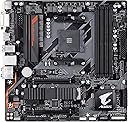
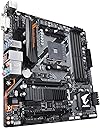


🚀 Elevate Your Build with GIGABYTE AORUS!
The GIGABYTE B450 AORUS M motherboard is a powerful Micro ATX solution designed for AMD Ryzen processors, featuring advanced thermal management, high-quality audio, and customizable RGB lighting. With support for USB 3.1 Gen 2 and multiple display outputs, it’s perfect for gamers and professionals looking to enhance their computing experience.

| ASIN | B07FWY246F |
| Best Sellers Rank | #1,665 in Computer Motherboards |
| Brand | GIGABYTE |
| Built-In Media | Motherboard |
| CPU Socket | Socket AM4 |
| Chipset Type | AMD B450 |
| Compatible Devices | Gaming Console |
| Compatible Processors | AMD 1st Gerenration Ryzen , AMD 2nd Gerenration Ryzen |
| Customer Reviews | 4.6 out of 5 stars 4,264 Reviews |
| Global Trade Identification Number | 00889523014387 |
| Graphics Card Interface | PCI Express |
| Item Dimensions L x W x H | 12.25"L x 4.22"W x 15"H |
| Item Type Name | MicroATX Motherboard |
| Item Weight | 2.51 Pounds |
| Main Power Connector Type | 24-Pin |
| Manufacturer | Gigabyte Technology |
| Memory Clock Speed | 3600 MHz |
| Memory Slots Available | 4 |
| Memory Storage Capacity | 1000 TB |
| Mfr Part Number | B450 AORUS M |
| Model Name | B450 AORUS M |
| Model Number | B450 |
| Number of Ethernet Ports | 1 |
| Number of Ports | 1 |
| Platform | Windows 10, Windows 8, Windows 8.1 |
| Processor Socket | Socket AM4 |
| RAM Memory Technology | DDR4 |
| Ram Memory Maximum Size | 64 GB |
| S/PDIF Connector Type | Optical |
| System Bus Standard Supported | SATA 3 |
| Total Number of HDMI Ports | 1 |
| Total PCIe Ports | 20 |
| Total SATA Ports | 6 |
| Total Usb Ports | 14 |
| UPC | 889523014387 |
| USB 2.0 | 2 |
| Warranty Description | 3 YEARS |
T**Y
Realiable support for XPM memory and BIOS updates
So i bought this motherboard to replace my Asrock b450m Steel Legend, after lots of problems with Asrock and lies about supported XMP memory plus Asrock destroyed four M.2 SSD drives in one year !!!! I got fed up, since ive already got a mini pc from Gigabyte and was quite satisfied with the quality, stablity and support ive decided to swap my motherboard from my gaming rig with Gigabyte B450 AORUS M. Positive: - actually supports XMP that they claim to support and works flawless. - PCIex slots are better placed duo the fact that the M.2 SSD is placed right under the GPU - PCIex x1 not usable when installing graphics card - PCIex x4 usable with graphics card installed - M.2 SSD slot is fitted with heatsink (i decided not to use since my case is well ventilated) - BIOS is less fancy but actually does what it supposed to do. - Plenty USB ports and better placed (2x USB2.0 / 4x USB 3.1 gen 1/ 2x USB 3.1 gen 2) Negative: - lack of fan headers 2 sys fan, 1 cpu fan header (you'll need to use splitters) - no water pump header (if you use an AIO cpu cooler you already lose 3 connectors) - only 1 M.2 slot - finicky M.2 slot, difficult to install and you need to install the spacer under the SSD (took me 2 tries because the first boot the SSD was not found duo bad contact and had to re-seat the drive) So far i had around 1 week to test out this board and i'm already more satisfied then with the Asrock board. I didn't need to reinstall all windows but i did had to re-activate windows, everything just ran and started fine without any problems after swapping the board. I let it run for 2 days non stop, without any hickups or crashes. I ordered some fan header splitters because the lack of connectors on the board. The user manual is significantly smaller but explains very well how to install and configure. The board came with BIOS version F60 and ran my Ryzen 2600x out of the box. Will certainly buy Gigabyte again !
M**M
Good board - rocky start - great for an SSD based home lab server
This board is exactly what I was looking for when planning out my 2U server based Proxmox cluster. I needed an AM4 socket micro-ATX board with both PCIe 16x and PCIe 4x slots and 6 SATA 3 ports. for a SATA SSD based build (vs NVME) this offers the potential for up to 6 SATA 3 drives. Although that drops to the typical 4 if you install and NVME drive. With Ryzen APU chips being sold for a huge premium, I was able to save money over going APU by buying an base PCIe 4x video card (low performance, thes are home lab servers) and combine that with Ryzen 5 1600 CPUs, the new AF code versions, and get great performance at a low cost. I own four servers based these mainboards with that combination now. I did need to upgrade the bios to the latest F50 bios for the board to correctly work with the PCIe network cards I am using and for XMP support correctly for the 64 GB of low budget pc3200 RAM I purchased for each server. Prior to the update the RAM would only work at the stock 2133 speed and the two extra network cards per server were showing up as available within the OS, but were not functional. After the bios update everything is working exactly as it should. For the money these seem to be a great choice with a unique combination of features. For a gaming PC there would be a lot of alternatives to this board, but for a budget home lab server this board is boss.
B**Z
Great B450 Micro ATX board that doesn't compromise on features.
There are several reasons why I chose this motherboard, but here is the most compelling: an abundance of RGB headers and customization options. This has 2 of the 3pin 5V Addressable RGB headers, one at the top and one at the bottom. This will work well with most of the addressable RGB fans popular now, each individual LED can be manipulated. Next to the bottom 5V is a 5pin RGBW header, for strips that have an additional warm white LED. In addition, there is a 12V 4pin RGB header for standard 12V light strips and fans. I don't care for its placement by the PCI express slots, but its hard to argue with more options. I defy you to find a micro ATX board with this many lighting features. Aside from the RGB fun, this is a solid B450 motherboard. I have found the many 4pin PWM fan headers to be well placed and accessible. You could actually run 2 graphics cards in crossfire, not an option on most micro ATX boards. The included M.2 heatsink is robust, also lacking in most micro ATX MB. At this price, this is going to be hard to beat. I paired this with 16GB of Corsair Vengeance memory rated at 3000Mhz. I dropped in an Athlon 200GE processor for testing and was pleased with the results. With the latest F3 BIOS, I was able to unlock the multiplier, then overclock the $55 chip to 3.6Ghz with no additional voltage, and it is rock solid. Unfortunately when I loaded the XMP profile, for the 3000Mhz memory, it will only run at 2666Mhz. This is the Athlon CPU's limitation, as other reviewers have found around the interwebs. With other second gen Ryzen processors I see no reason for memory limitations. It was a tough decision for me, between this and the ASUS tough B450M. Ultimately the better features and customization options won me over. I am now buying a second Aorus board, as I am giving the first one to my Mother. -buzznut
P**S
Great for stock. But a pain to overclock.
The board for the most part is great. Small but with good features and the two extra pcie slots are not useless in their locations. If you are just going to run stock or OC the ram only then go for it. The board is great for that. CPU over clocking works and you can hit the speeds you would like with a B450 board but even undervolting sucks cause changing the offset for V-Core even a little can mess with boot stability and it's stock voltages on a 3700x is uncomfortably high. The board uses that voltage offset garbage so it's just silly. It's good but I wish more like other companies that this bord would just let us put in a constant voltage. LET ME HIT 1.225v and move on with my life!!!
B**I
Good motherboard for the price
A lot of negative reviews seems to be that their boards came dead on arrival which is understandable but it can happen to tech that is this delicate during shipping. You can always get an exchange or a return for it. I would recommend this board if you're looking for something on the cheaper end and planning on keeping your current rig for the next 3+ years. PROS- -IO selection is great for this board, it has multiple 3.0 and two 3.1 USB slots which is one of the more attractive features of this board. The slots aren't all scrunch together in one area which makes it look better when cables are plugged in. Some boards I've had in the past will leave a lot of dead room and have ports that can conflict with the actual cable. This board is great if you plan on having multiple devices plugged in the back. -the BIOS for this motherboard is very easy to navigate -supports m.2 -supports several RGB components like LED strips and the RGB on some cpu heatsinks. CONS -the location of the m.2 drive would be under the graphics card which creates a couple of problems, If the drive fails then replacing it would require removing the graphics card. If you run a particularly hot card then this could affect the temps of the drive. I don't use m.2 drives so this isn't an issue but if you plan on installing one just know that its very close to the graphics card. I'm not sure how well the "thermal guard" work for this but nevertheless the location could be in a better place. -this is a microatx so if you plan on using a large graphics card then there is virtually no room to use the PCIe 2.0 expansion.
J**F
Best Budget Micro ATX Motherboard
The previous motherboard I owned was the Gigabyte B450M DS3H, and honestly, I wish I had bought this motherboard instead. This motherboard is amazing. My biggest complaint about the DS3H was that the GPU slot was too close to the end of the motherboard, and even a gpu like the RX 580 blocked usage for one of the sata slots. The Aorus M solves this by pushing the gpu slot a bit higher up while also having the sata slots pointing out to the side rather than upward. These two changes meant everything to my build. I upgraded from the RX 580 to an RTX 3070, and it was the worst GPU for the old B450M. It covered three out of the four slots it had while also touching up on the only sata slot available. However, the Aorus M allowed me to use the three sata slots I needed while also giving the 3070 some room to breathe. This motherboard also has a whopping EIGHT USB ports: two 3.1 generation 2 USB slots, four 3.1 generation 1 USB slots, and two regular ol' USB slots. This was more than enough for what I needed, and it's been a life saver. The IO shield is black, so just a head's up for people who care about the color of their computer parts. One last thing I want to talk about is the motherboards M.2 slot. When in use, it disables three of the six sata slots available (four SATA, two ASATA). SATA slots 3, 4, and 5 become unusable, while SATA slots 0, 1, 2 still are (check the user manual to see which slots are which). This is a perfectly fine compromise that I'm ok with, but I don't speak for everyone. The cherry on top: the motherboard comes with a heat sink, so for any M.2 SSDs that do not come with a heat sink, this motherboard's got your back. Overall, this is an amazing micro ATX motherboard that I would 100% recommend to anyone. Hope this review helped!
E**E
works great so far!
as of right now im typing from the computer I put this board in. I pulled my 3year old am3+ board from my 2006 alienware aurora area 51 sleeper project and installed this am4 board with 16gigs ddr4 ram and a ryzen 5 2600 processor. my evga GTX 1080 needed a cure for it's bottleneck. Iv'e got a scythe 120mm heat pipe cooler that was originally on my am3+ board and I was able to literally move the mounting brackets from one gen board right to the other. installing windows 10 was easy. I left all the original bios settings alone. this motherboard is set to boot in legacy mode by default which might be a pain for users with integrated graphics on their processor. im fine with legacy because I plan on installing linux on the side of windows 10 later on anyway. I used my memorex usb cd/dvd drive to install windows, I set it to legacy memorex in the bios first boot priority. I reinstalled steam but haven't gotten a chance to play a game on it yet. it's wicked fast with the processor I chose for it running on a 500gb ssd. the board does have rgb but I left that alone too because you cant see into my computer anyway. lol, these am4 motherboards are getting scarce during the corona pandemic and im so glad to get one brand new. 5 stars! Note: you really don't need the driver disk that comes with this board. I kept it but I didn't use it and everything works fine without it. Edit : I have not at all flash updated the bios on this motherboard. It came with bios version f50, I'm hoping that bios is compatible with the ryzen 5 3600 as I may upgrade from the 2600. I've seen the horrors behind flash updating this particular board, some have resulted in a brick. Which is why I've been so reluctant to flash from it's factory bios. I've also read about this in some places. The bios ROM on it now works fine. I don't want the headache of using a eeprom programmer to fix a bricked board as it may not even fallback to the backup bios.
D**.
Micro ATX that performs well on a budget
i honestly didnt intend to get a Micro ATX board.. i prefer full size, for space and upgradeability later on. but, i procrastinated, bought this.. then awhile later, got my AMD Ryzen 7 CPU.. then memory,.. then new SSD.. then realized what i got.. i just didnt read it.. ( insert homer simpson DOH!! right here ). that aside.. it seems to perform well.. not the gaming ability MB you will want for really REALLY hardcore gaming,, but,, will do. my graphics card is technically ancient, so i cant say i have "pushed" this MB combo very hard. but, it seems stable, and runs what games i do run on it, without issue. no overheating, and i only run the upgraded "Stock" heatsink that comes with the Ryzen 7.. those fancy schmancy water cooled units are a bit on the overkill side, even if you run hardcore.. but hey,, if it makes u sleep better at night.. lol.. jus' kidding.. i think the water cooled heat sinks, have gotten to the point finally of being worth the hassle and money, from years ago when they didnt really do any better, than a quality air cooled heat sink.. so just some "What the heck" stuff. if you are "space limited".. yea.. this will fill the bill nicely. if NOT, i would go Full sized ATX MB-- and would get an Aorus brand one for sure..
M**H
رائعة
سعر مناسب واداء رائع كاغلب موذربور جيجابايت مش عارف ليش الناس تدفع الف الفين على موذربورد مع ان مذربورد اقل من ١٠٠ دولار يودي الغرض
D**U
Lo que mas me convenció...
Es una excelente placa, sin dudas lo que más me convenció es que trajera el puerto pcie x16 en el primer slot, ya que casi todas las placas micro atx lo traen en el segundo y cuando las colocas en un gabinete micro atx la tarjeta de video queda casi ahogada por el cubre fuentes, con esta placa tu tarjeta de video queda más desahogada y respira mejor, por lo que obtienes mejores temperaturas y por lo tanto menos ruido. También me agradó que ya venga con disipador para el ssd m.2. Lo que no me gustó mucho es la posición del cabezal del usb 3.0 me gustaría mas que lo trajera en un lateral. Ahí abajo es difícil de conectar.
ア**ス
コスパ最高
Intel系MBからこちらのMBに乗り換えました。Windows10は再インストールせずに起動出来ましたがドライバがいくつか入りません。あらかじめダウンロードしておいたものを入れたら解決。次にBIOSアップデートをしたらWindowsがクラッシュ。結局OSのクリーンインストール。クリーンインストールだとドライバは問題なく全て認識されていました。 結論。Windows10でもクリーンインストールが時間的コストの最短です。 安定度は抜群です。
R**L
Best Gaming MOBO for a decent price
This motherboard is suitable for decent gaming. However all the BIOS updates needs to be installed first and than.. let's game.... ONE POINT THOUGH RGB could be better otherwise fully satisfied with this.. until my usage till date.
A**N
I bought 2 of these to upgrade my friends' computers
For the price I am super happy with these motherboards. The Installs went super well, the build quality is super amazing. I put Ryzen 2700Xs in the computers as an upgrade and it was plug and play basically (A loose cable on the second PC I was helping my friend with his first PC building experience). I don't have any complaints at all about the board. The motherboard looks really cool and professional, the IO has a good number of USB slots and other ports. Genially I give this board 9.5/10 at least at this price point. Overall I am very happy with this motherboard. No complaints from me, If I need to I would buy this board for another build. I cannot recommend this board enough to people on a tighter budget with Ryzen you cannot really beat the price to performance now. Sorry for no pictures, I gave the PCs back after the builds before I could take pictures.
Trustpilot
1 month ago
1 week ago