Desertcart purchases this item on your behalf and handles shipping, customs, and support to Tunisia.
🚀 Elevate your desk game with Acer’s powerhouse 9-in-1 dock — because your workflow deserves the best!
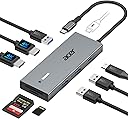
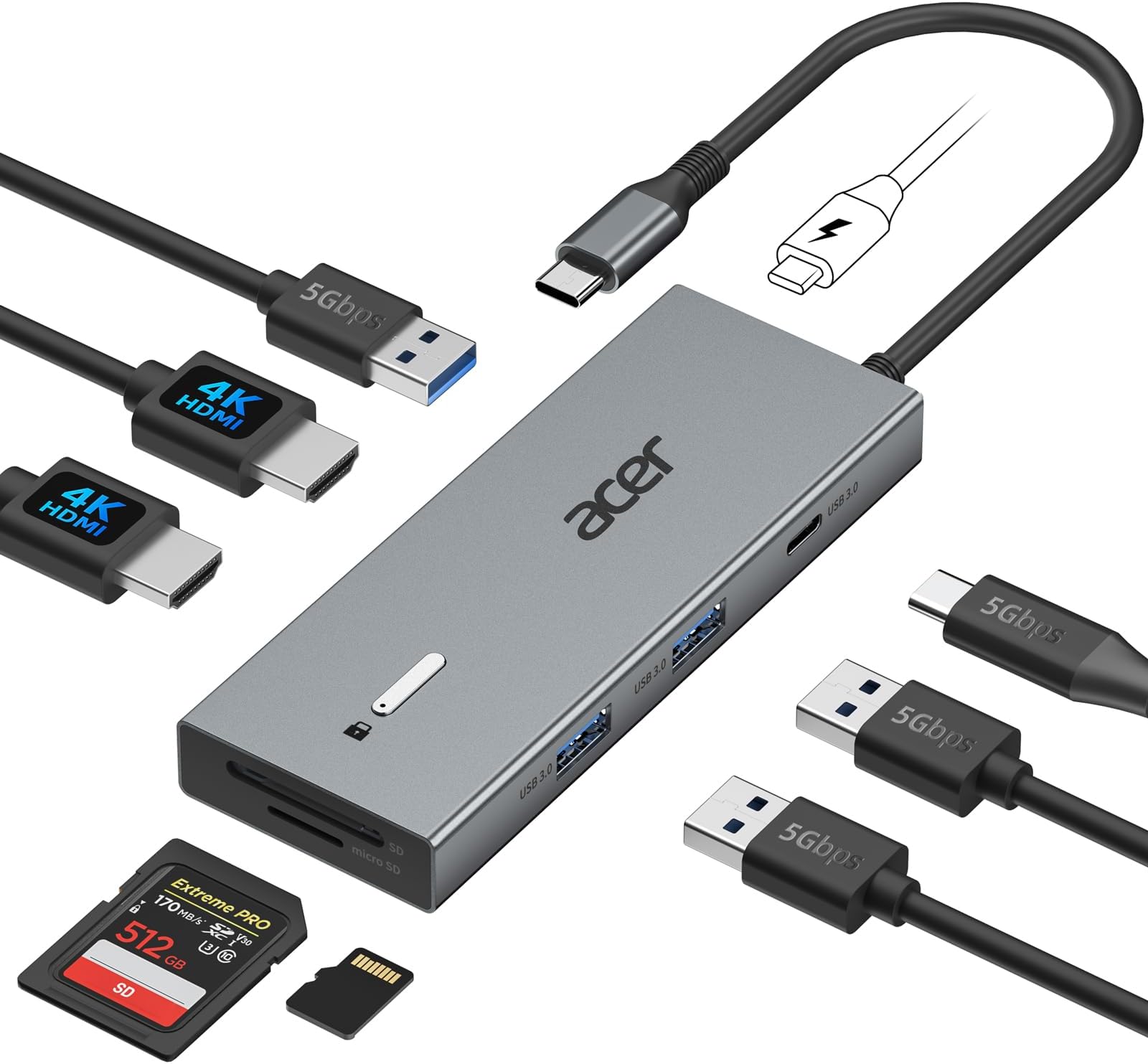
The Acer USB-C Docking Station is a versatile 9-in-1 hub designed for professionals seeking seamless dual 4K@60Hz display support, fast 5Gbps data transfer, and up to 100W power delivery. Its durable aluminum build and universal compatibility with Windows and macOS laptops make it an essential upgrade for any modern workspace.


| ASIN | B0DW85W3FV |
| Additional Features | Fast Data Transfer |
| Best Sellers Rank | #129 in Computers & Accessories ( See Top 100 in Computers & Accessories ) #13 in Laptop Docking Stations |
| Brand | Acer |
| Color | Grey |
| Compatible Devices | 𝐖𝐢𝐧𝐝𝐨𝐰𝐬 𝐚𝐧𝐝 𝐦𝐚𝐜𝐎𝐒 𝐝𝐞𝐯𝐢𝐜𝐞𝐬 𝐰𝐢𝐭𝐡 𝐃𝐢𝐬𝐩𝐥𝐚𝐲𝐏𝐨𝐫𝐭 𝐀𝐥𝐭𝐞𝐫𝐧𝐚𝐭𝐞 𝐌𝐨𝐝𝐞 (𝐃𝐏 𝐀𝐥𝐭 𝐌𝐨𝐝𝐞)—𝐒𝐮𝐩𝐩𝐨𝐫𝐭𝐢𝐧𝐠 𝐝𝐢𝐬𝐩𝐥𝐚𝐲, 𝐜𝐡𝐚𝐫𝐠𝐢𝐧𝐠, 𝐚𝐧𝐝 𝐝𝐚𝐭𝐚 𝐭𝐫𝐚𝐧𝐬𝐟𝐞𝐫. Including Acer, Dell, Lenovo, Surface, HP, ASUS, MacBook, Samsung laptops and smartphones, as well as accessories like mice and keyboards. Compatible Devices 𝐖𝐢𝐧𝐝𝐨𝐰𝐬 𝐚𝐧𝐝 𝐦𝐚𝐜𝐎𝐒 𝐝𝐞𝐯𝐢𝐜𝐞𝐬 𝐰𝐢𝐭𝐡 𝐃𝐢𝐬𝐩𝐥𝐚𝐲𝐏𝐨𝐫𝐭 𝐀𝐥𝐭𝐞𝐫𝐧𝐚𝐭𝐞 𝐌𝐨𝐝𝐞 (𝐃𝐏 𝐀𝐥𝐭 𝐌𝐨𝐝𝐞)—𝐒𝐮𝐩𝐩𝐨𝐫𝐭𝐢𝐧𝐠 𝐝𝐢𝐬𝐩𝐥𝐚𝐲, 𝐜𝐡𝐚𝐫𝐠𝐢𝐧𝐠, 𝐚𝐧𝐝 𝐝𝐚𝐭𝐚 𝐭𝐫𝐚𝐧𝐬𝐟𝐞𝐫. Including Acer, Dell, Lenovo, Surface, HP, ASUS, MacBook, Samsung laptops and smartphones, as well as accessories like mice and keyboards. See more |
| Customer Reviews | 4.1 out of 5 stars 2,479 Reviews |
| Data Transfer Rate | 5 gigabits_per_second |
| Enclosure Material | Aluminum |
| Hardware Interface | HDMI , MicroSD, USB 3.0, USB Type C |
| Item Highlight | Laptop Docking Station with 4K@60Hz HDMI, USB A&C 3.0, SD/Micro SD, 100W PD Compatible with Acer/Dell XPS/HP/Mac (0.65FT) |
| Manufacturer | acer |
| Mfr Part Number | ODK4K0 |
| Model Number | ODK4K0 |
| Number of Items | 1 |
| Number of Packs | 1 |
| Number of Ports | 9 |
| Operating System | Windows, macOS |
| Special Feature | Fast Data Transfer |
| Total USB Ports | 4 |
| Total Usb Ports | 4 |
| UPC | 195133286442 |
| Unit Count | 1 Count |
| Warranty Description | 1 Year Manufacturer |
W**R
Works perfect.
Works perfect in my office set-up. I attach a monitor to it so that I have my laptop monitor and an additional much larger monitor for photo and video editing. It has many other options of connections. I use it to connect my camera and the power. It is only plugged into my laptop as needed. It works great. Nice and small, which is what I needed for my home office.
J**S
Great customer service
After 4 months of working properly, the docking station became erratic and started to overheat after 15 minutes of use, then shutting down until it cooled. A call to U.S. based Acer customer service was one of the best experiences I've had in some time. The agent asked a few good questions and said she would refer my problem to her products support team. As promised, she called back the next day saying a new docking station was being mailed. This is as good or better than I could hope for. Acer made a loyal customer. Thanks
J**H
Possibly the best USB-C dongle I own
I’ve been using this dongle for the better part of a year now, and I’m legitimately blown away by its quality, ESPECIALLY for the price. To illustrate my points: this has replaced my Anker 555, which is a really phenomenal USB-C adapter. Firstly: the HDMI port DOES work with 4k60Hz. My big qualm with Anker dongles and docking stations is that, in my experience, they tend to only support up to 4k30Hz on older displays. My monitor at work is an ancient Asus ProArt 32 inch 4k, and it supports 4k60Hz. The Anker 555, 565, 575, and 310 all limit the monitor to 4k30Hz, which is a real pain. With this Acer dongle 4k60 runs perfectly fine across any monitor regardless of age or HDMI version (assuming the HDMI version in question supports 4k60 in the first place.) Additionally, I’m quite fond of the dongle’s port layout. It’s considerably slimmer than competitors, and I appreciate that the only port on the back is the PD in port. HDMI on the end opposite to the attached USB-C cable, and then the data and card slots on the side facing you. I work as a photographer, so I have to move a lot of hefty files around. I’ve been thoroughly impressed by the stability of this dongle’s connection, and I’ve even measured transfer speeds at up to 6Gbps when *ONLY* using an attached thunderbolt SSD. This isn’t how I normally use the dongle, of course, but after being impressed by the data transfer stability I wanted to measure it’s cap, hence the use of an SSD that exceeded the dock’s bandwidth limitations. This, while impressive, is not me saying that the dock has higher bandwidth than advertised. Rather, this is an indication that the dongle is a high grade USB 3.1 connection, where this sort of performance can be occasionally found in certain scenarios. I’ve found the dongle’s PD pass through charging to be reliable and safe. The dock, as expected, gets warm while in use, but it’s never been hot in my experience. Top it all off with the thoughtful placement of the PD port on the rear being positioned to connect the attached USB-C cable when not in use and you have a phenomenally designed, easy to use, and reliable product. 10/10, no complaints from me. This product has placed Acer on my list of trustworthy brands, 100%.
J**.
Unable to contact anyone about problems with it.
Worked great for the first week then monitor started going off and on and finally quit coming on at all. Had to connect monitor cable directly to my laptop for it to work. Acer said I had to call seller, ( NewEase Tech Gadget Store) for warranty or replacement, which I did. I called 4 separate times and each time 15 to 35 minutes on hold without being able to talk to anyone. So I had to order another one, only this time a different brand. Anyone want my old one, you can use it for a great paper weight.
J**Y
Nice Dock, though issues with 2.4Ghz wireless mouse nano receiver.
Nice dock, works great with my Microsoft Surface, except I had trouble with the Lenovo 300 wireless mouse with this. The mouse was not responsive and would jump around/delayed reactions. Did some googling, read the dock maybe causing interference, and to use an USB-A extension cord for the mouse adapter. That worked. Basically a dongle for the mouse dongle. I routed that closer to where my mouse/pad were. No more unresponsive mouse.
C**N
Works great!
Just what I needed. Works with two monitors with hdmi ports perfect for working from home from a laptop. Had an on off switch and other ports to be useful. This is also the cheapest “dock” I found that gets the job done
G**N
Can't recommend this dock. Worked for a few days then started having issues
It seems like a decently built dock and did work for a few days. After those days I initially started having issue with the HDMI port intermittently not working. That was annoying then i started having issues with the USB ports being intermittent, it also started to buzz when ever plugged in. So i can not recommend this dock as it did not hold up too what I would call standard use
E**I
You are Going to Need a Different Power Supply
The product is really nice. It works well with my laptop. It has plenty of ports, and I like that it allows you to use SD and micro-SD cards. The cable is a little short; I probably should have opted for the version with the longer cord that plugs into the laptop. The only issue that I have is that I could not use my OEM power supply with the device. The OEM power supply is rated at 65W; however, when I plugged it into the docking station, I kept getting a low charging warning. So, I had to plug my power supply directly into my laptop and plug the docking station into the Thunderbolt port. That solved the problem, for me. Otherwise, I like the docking station. It is compact and is capable of doing what I need it to do. I would recommend this product to anyone who would ask me.
K**L
Hub completo e versatile
A**.
nvt
Easy connect and does the job
N**R
Great product!
A lot of docking stations out there, however this is the perfect one for me. Works amazingly well, and quite cheap too!
A**R
Mam wątpliwości.
Przejściówka którą otrzymałem nie przesyłała do monitora obrazu z iPada Mini 7. Dlatego została Zwrócona.
A**A
Buon prodotto a prezzo umano
Finora funziona perfettamente, testate tutte le funzioni dichiarate compreso il tasto di lock. Per la cronaca il mio portatile è un Dell Precision 3591. Unico difetto che ho riscontrato è in stagione calda la temperatura africana che raggiunge, ma adesso che non fa più tanto caldo è solamente tiepidino.
Trustpilot
3 weeks ago
2 days ago