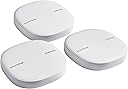
🚀 Elevate your home WiFi game with smart coverage and control!
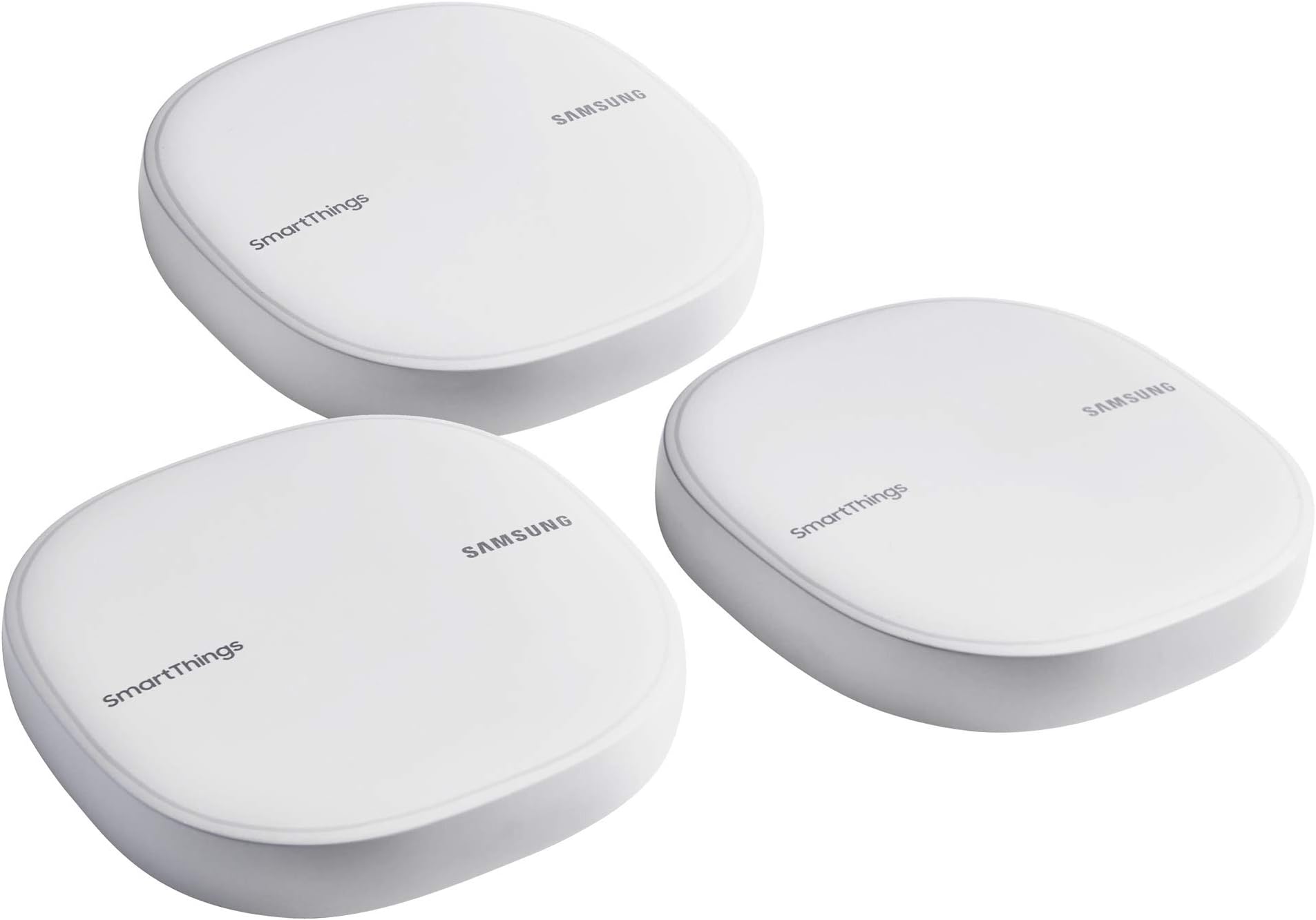
The Samsung ET-WV525KWEGUS Mesh Router 3-pack delivers expansive, AI-driven WiFi coverage up to 4,500 sq.ft., doubling as a SmartThings Hub to connect and manage over 100 smart devices. With seamless app control, advanced security, and easy setup, it’s designed for modern smart homes craving reliable, fast, and secure connectivity.


| ASIN | B07FCQ726C |
| Antenna Location | Home |
| Antenna Type | Internal |
| Best Sellers Rank | #114,137 in Computers & Accessories ( See Top 100 in Computers & Accessories ) #757 in Whole Home & Mesh Wi-Fi Systems |
| Brand | Samsung |
| Built-In Media | Adapter, LAN cable, Quick Start Guide, Routers (3) |
| Color | White |
| Compatible Devices | Smartphone |
| Connectivity Protocol | bluetooth, wi-fi, z-wave, zigbee |
| Connectivity Range | 4500 Square Feet |
| Connectivity Technology | Wi-Fi |
| Control Method | App |
| Controller Type | amazon_alexa, smartthings, vera |
| Coverage | 4500 square feet |
| Customer Reviews | 4.2 out of 5 stars 650 Reviews |
| Frequency | 5 GHz |
| Frequency Band Class | Dual-Band |
| Global Trade Identification Number | 00887276266831 |
| Has Internet Connectivity | Yes |
| Has Security Updates | Yes |
| Is Electric | No |
| Is Modem Compatible | No |
| Item Type Name | Mesh Router |
| Item Weight | 0.46 Pounds |
| LAN Port Bandwidth | 1000 Mbps |
| Manufacturer | Samsung HI |
| Maximum Upstream Data Transfer Rate | 1300 Megabits Per Second |
| Mfr Part Number | ET-WV525KWEGUS |
| Model Name | ET-WV525KWEGUS |
| Model Number | ET-WV525KWEGUS |
| Number of Antennas | 3 |
| Number of Ports | 1 |
| Operating System | Android 5.0::iOS 10 |
| Other Special Features of the Product | WPS |
| Router Network Type | mesh |
| Security Protocol | WPA2-PSK or WPA2-Enterprise |
| Smart Home Compatibility | Smart Home Compatible |
| Special Feature | WPS |
| UPC | 887276266831 887276275338 |
| Unit Count | 3.0 Count |
| Voltage | 100 Volts |
| Warranty Description | 1 year manufacturer |
| Wireless Communication Standard | 802.11ac |
| Wireless Compability | 802.11ac |
A**E
Streamlining my mesh network and smart home!
Background: I have a fiber optic line at home that was previously running through Google Wifi routers and a SmartThings standalone v2 hub. Most of my devices are wifi (Leviton and Lifx), with a few GE z-wave switches and an August Smart Lock (z-wave plus). 2 Alexa dots for voice control. Pros: Setup x2 The SmartThings Connect felt more straightforward to setup and connect vs the Google Wifi. Each node was recognized on the first time and I was able to position them throughout the 2 story house for maximum coverage and access to the smart devices on opposite ends of the house. You do have to download the Plume app to maximize the information and setup process, but that's not necessary to get the ball rolling though. Setup is honestly the hardest part with all the different individual pieces I've done. I tried different ways to make it all work together and so far this has been the most straightforward and all encompassing. Tweaking all of the settings and schedules will happen in time, but being able to get it running in one evening was critical. Pros: Apps. The ability to access all the devices and the majority of their settings was important to allow my wife to have a simplified solution. I had no issue integrating all of the other items with the exception of the August lock. Neutral: August Lock compatibility So this isn't related to the hub as much as the app. The newer app doesn't support the August lock which I didn't realize beforehand. I had to go back and install it in the classic app. I am hoping for additional support for the August lock. Cons: Migration This probably won't apply to everyone but going from a v2 hub to a the integrated router/hub solution had it's issues. I had to run ST Classic app, ST app, and troubleshoot the devices. Once I figured out the process on one, it was a lot easier for the other ones. I had two hubs on the app at one time and could only delete the old hub off of the browser version of ST (not through the hubs). Overall: I think it's a great hub. The setup was a lot (a lot a lot) easier than Google Wifi and even the ST v2 hub (surprisingly). Overall functionality compared to Google wifi seems similar, as well as peak speeds. I'll fine-tune the settings soon to see if I can improve. The key to this was ease of use and reducing the amount of control items i have to deal with as my previous setup failed intermittently. I haven't seen that with the Samsung router/hub in the past week at all. Happy smart home user here!
F**G
Ultimate companion for my Smart Home
I purchased this for a new home I recently moved in. I bought hue bulbs a couple days ago to go along with my Amazon Echo. After I had installed bulbs, I realized that I needed a separate hub to automate my smart home stuffs together. Long story short, after doing some research, I realized this is a perfect product for my smart home, some of them are using wifi technology and some of them are based on zigbee. This is not just a router, it has SmartThings Hub inside as well. You can connect tons of devices, such as lights, sensors, cameras, and more to automate your home based on if-then triggers. Setup was extremely easy too. I just had to download the SmartThings app then connect the Ethernet cable and power cable to one of SmartThings Wifi devices since all the devices are the identical. Then, I could see the popup for setup in SmartThings app when the LED is blinking green and red. All ready to setup. Tap add button on popup and couples of minutes later your Wifi system is ready to go. I tried a router with a repeater before but still had dead spots, but this mesh system, no more dead spots and fast speed in room to room. This router seems not for a power user who likes to change network settings, does not support vpn, dmz, twin up or others, but this support tons of smart home devices and automations as smart home feature, thus if you want a mesh wifi system with easy setup and smart home then this is an absolute choice.
B**E
AMAZING Mesh, Stable and Faster with built-in SmartThings Hub
SmartThings mesh wifi is a true excellent solution if you have a multi-level dwelling and Wi-Fi coverage issues. I have a 4000 square foot home in Chicago northern suburbs and I am also smartThings user and have about 30 smart home sensors and gadgets on my home network. I have used many types of router devices in my home to improve wifi coverage. Apple Airport, Netgear Nighthawk X8, multiple router types, extenders, booster etc. SmartThings Wifi was the PERFECT choice for me. Since I have been using SmartThings Hub and sensors for three years, I was very interested in new SmartThings products - Wifi and new sensor. I bought SmartThings wifi 3pack first and reviewed carefully all materials and websites. Based upon my research that I've done, SmartThings wifi uses AI based mesh wifi. It adapts to home Wi-Fi in real time and deliver upgraded Wi-Fi performance every day. I realized that SmartThings wifi uses Plume's Adaptive Wi-Fi technology and Plume is a company for Wi-Fi mesh specialty that they provided solution to Comcast and Samsung and received investment from them too. Its technology is very interesting!!!. They said that SmartThings wifi learns Wi-Fi needs and optimizes bands and channels for the best Wifi performance. It is AMAZING mesh technology with traffic balancing, as well as management radio resources. I believe it is a groundbreaking Wi-Fi technology!!! Setting up SmartThings Wifi was so simple and clear, SmartThings app automatically detected smartthings wifi and I just did click. For advanced Wifi settings. I downloaded Plume app and it showed how many Wi-Fi devices were connected on each router and band & channel I've been using. Graphic looked like solar systems and it was very interesting app. As time goes on, the channel and band changed. It seems SmartThings wifi takes advantage of uncongested Wi-Fi frequencies based on AI algorithm. I will post details again. I'd recommend this for people struggling with weak Wi-Fi signal, people who want to get the fast internet and people who use smart home devices like sensors, thermostat and Arlo camera. I bought three pack but a single SmartThings wifi is great as a router with a modem rather than using the gateway the internet provider rents.
G**S
The Good, The Bad, and The Ugly
Where to start ... Let's start at the beginning. I first got involved with SmartThings just as Samsung was getting ready to buy the SmartThings startup. I was very excited to see this great new product get the backing it needed. Fast forward to today, in my opinion, Samsung never invested sufficient and proper support to this product. Still, I've stuck with this product and have been relatively happy with it except with the relatively week capability of their app and I could never get SmartThings to connect to switches and door locks to work in my garage and workshop because the Smartthings signal just could not reach that far out. I had installed wifi access points that successfully provided wifi to the garage and workshop, but did nothing for z-wave or zigbee automation (SmartThings in my case). Now enter SmarThings Mesh - a product that can handle wifi and z-wave/zigbee home automation. Now I'm really excited ... until I tried to implement it. Don't get me wrong - Once installed and everything works - Great! Getting there - not so much, but be aware, it really isn't difficult once you know how. Following is my journey. First, it is important to understand that for this product there are two different support organizations - SmartThings & Plume. Let me explain - in the past, Samsung was not into internet wifi/router manufacturing and support. So they did something smart - they partnered with Plume who knows all about internet, routers, and wifi. You need to look at this product as almost two separate, yet in one, product - SmartThings & wifi router. The creation of the SmartThings Mesh was a really smart move on Samsungs part because it solved a big problem for those of us with out-buildings or otherwise large properties - it can support wifi, z-wave, and zigbee to otherwise unreachable locations. BUT Samsung is SO STUPID, because they do not supply any written or in-house technical support that knows how to implement it. Samsung provides what I call a "picture guide" for quick install ... and that may be sufficient for the average 1500 sqft house, but for anything more complicated - NOT. So, I needed to call SmartThings support - more than once - and discovered that no one in Samsung has a clue how to install this in a true mesh environment - in fact after a few calls, I was told it could not be done and could only be installed as a wifi extender (not the same thing as a mesh). I even boxed the entire thing back up to return. Then I found a YouTube video that implied he got it to work, but didn't indicate how. I decided to call Plume, who I found out actually have tech support that know more than audio/video and were very helpful - got it all working. Still, what I discovered with Plume is that they know very little about SmartThings. Now, if Samsung really wants to get "Smart", they need to hire Plume for all of SmartThings support - I believe that they are capable of training their staff to be knowledgeable in all aspects of internet and smart-home connectivity - and Samsung should stick to appliances and audio/video. But now that I'm here, im relatively happy and have all the connectivity I wanted. So what's missing - we all have to push Samsung to build a "smarter" Smartthings app that can provide push automation beyond the basics, but that's a subject for another review. --This is an update to my first Review -- I hav had the Mesh up and running for a while now and I'm pretty happy with it and it meeting my needs on the Smartthings side, but as an internet router it is lacking. I've been dealing with internet routers since the mid 1990's and the Sansung Mesh is the only router that can not be accessed by the user be entering its local ip address. If a parameter needs to be changes in the router, you have to go through tech support. This used to be acceptable because Plume was handling tech support for the router portion, but as of 6 months ago, Samsung cut ties with Plume. WHAT A MISTAKE!!! Yesterday I spent almost an hour with a person that was trying to gather enough info to escalate my issue. This afternoon I get an email from someone else asking about my phone an app version of Smartthings so she could provide - my issue has NOTHING to do with my phone or app - never even mentioned my phone or app in the hour long conversation the day before. All I can say is that Samsung Support was and still is totally clueless when it comes down to actual technology.
E**N
Very Disappointed
I bought this with the hope of finally having fast reliable internet through out my small house sadly that was not the case. I got the main router set up just fine and all the other hubs linked together without any issue but that’s where I started having problems. When I went into the app to check the signal strength the main hub of course had a perfect connection but the hub in my bedroom had a poor connection and my bedroom is literally 2 rooms down from the main hub. Ok so I set up the second hub in the living room and at first the connection read as excellent then I went to check it a bit later and it was reading as poor as well. Thinking that this may be a glitch in the app I thought I’d do some real world testing so I tried watching a show in 1080p on the TV in my bedroom and it played just fine no buffering. So my next test was to try and play a 4K movie that’s where again I started having issues it was constantly changing quality from 4K back to 1080p. Now my internet is pretty fast at 200mb/s so it can definitely handle 4K I’ve done it many times with my old Netgear router that died on me. Now I’m not necessarily saying that this router is garbage after doing some research of my own into this I really think it ultimately depends on the layout of your house and my layout is admittedly not that great but this review is just from my own use case scenario. Next I’d like to talk about the app I think it’s a bit of a clunky experience, first you have to download the Samsung Smart Things app to get the router set up, next you have to download the Plume app to use the more advanced features of the router. Now I’m pretty tech savvy but in my personal opinion this just an extra unnecessary step and I personally don’t think the Plume app is very user friendly it took me quite some time to figure out where everything was in the app. Now if your curious about this mesh system from Samsung and you have the money to spare I’d say try it out it may actually work great for you and your setup. It ultimately depends on the speed of your internet and the layout of your house it just sadly didn’t work for me. After returning this I actually bought the Google WiFi mesh system with three units and it works great for me all the hubs have great connection and they are in the same rooms as the Samsung ones were plus the app is simple and easy to use but it is a bit barebones and doesn’t have very many advanced features. In the end I don’t feel that there is any perfect WiFi system for everyone you really just have to try a few and see what works best for you in your environment.
J**L
Definitely recommended
I live in a single-story house approximately 2,100 feet in size. I was using an Apple Airport Extreme as a router/base station and an Apple Airport Express as an extender. Both were functional but few of my devices would successfully connect in the 5GHz band, and 2.4GHz was definitely congested. As a result, streaming audio and video was susceptible to interference from our microwave, among other issues. Maybe some of the problems could have been solved with further site analysis, and manual channel selection. Maybe not. While I was reluctant to spend money on replacing otherwise-good equipment, I was attracted to the advertised capabilities of the Samsung/Plume system to optimize band usage and speed, so I decided to give it a try. For an old networking dog like me, the highly automated nature of the SmartThings WiFi installation -- as well as the fact that a smart phone is absolutely required for setup (as noted in fine print on the box -- was slightly jarring. But, for normal people it will be a delight, and is likely very much like what Apple would have done if they were still making networking equipment. Creating a functioning wireless network and adding the two extenders was an absolute breeze. For anything more complicated, you download the Plume software in addition to Samsung's own. Via Plume, I reconfigured the wireless network to use my preferred range of private IP addresses (not necessary for anyone doing a first-time install), and then I had to go configure a lot of client devices to match my new network name. (Though I don't have the last word in a connected home, there's an AV receiver and four Blu-Ray players that support streaming, two Apple TVs, an Amazon Fire TV. three Chromecast Audios, a wireless printer, a Synology NAS, Hue light bulbs, an IP phone adapter, two Haiku fans, and whatever else I've forgotten to mention at the moment. I also sometimes stream to TVs using either Miracast or AirPlay, which of course had added to the network congestion.) The software of course has facilities for creating guest networks and other functionality. (There's a constellation-like map of your network, too, though I didn't find that very useful.) It also shows you all connected devices and can show you how much bandwidth they're using, and you can selectively cut off any of them. (For some reason, during the first couple of days I had the network up, I wasn't getting any indications of bandwidth used, but that feature started working on the third day.) As others have likely mentioned, each SmartThings WiFi unit is identical, with an "in" port for connecting to a DSL or cable modem, and an "out" port for adding wired devices. Additional "out" ports, as the Apple Airport Extreme had featured, might have been nice, but I solved that roblem easily by adding a $15 D-Link switch. Anyhow, here's the bottom line. I expected an improvement, but perhaps not much of one. But I'm happy to say that since the installation of the SmartThings WiFi system, there is good connectivity throughout my house, and that every device that's capable of doing so (which means everything except my fans) is connected using the 5GHz band. No more congestion, and no more microwave interference. And, just about the full bandwidth of my 115 Mbps cable connection is available anywhere in the house, to all of my devices. (Before, they were lucky to get less than half that speed.)
N**.
Great when it works, but frustrating otherwise
I've had these mesh routers since 2018 and am considering upgrading to a new system from a new company. It may be a good opportunity to get wi-fi 6E, but then I'll need to think about a SmartHome hub for my existing ZigBee and Z-Wave devices. Plus Matter (Thread) is a new upcoming standard. The Samsung SmartThings mesh wi-fi is wonderful when it works. The three hubs provided whole-house coverage for internet (2.4 GHz, 5 GHz) as well as smarthome devices (ZigBee, Z-Wave). If setup goes smoothly, it's great. However, more often then not, troubleshooting and re-setting up the wi-fi mesh is frustrating. Using the mesh routers requires an app via the phone, which has changed ownership and names several times. It's now called Plume HomePass. If connection to this service is down, then you'll be unable to troubleshoot your own hardware. When troubleshooting, it's often unclear whether you should just wait for the flashing green light or flashing red light, whether you need to power down everything and retry (modem, then router, then wired computer), or try something else. Researching solutions is frustrating, as both the hardware and software get rebranded or sold to different companies. SmartThings used to be their own company until Samsung bought them. My routers are called Samsung SmartThings Wi-Fi. Samsung stopped manufacturing devices with the SmartThings brand, and now the closest thing is Aeotec. On the software side, the app had some old name, then became Plume, and is now Plume HomePass. Sometimes your internet searches will yield semi-promising results, but the instructions and screenshots may be for an old version of the app or the app under its previous name, so it's outdated. The system is meant to be plug-and-play. While Plume HomePass has some features like custom DNS, seeing devices on the network, separating devices, setting limits, it doesn't have some more advanced features. In particular, there's no way to route all traffic though a virtual private network (VPN) service. (Turning this on has several benefits, and in the the case of internet speed troubleshooting, it can help avoid throttling from your internet service provider.)
A**E
First impression - Very easy to set up and Excellent Wi-Fi performance
AWESOME PRODUCT. I just set up this today. it was very impressive. I have a decent size home and have areas were the Wi-Fi coverage is lacking. I first tried to setup a repeater before. The thing was a bear to setup. Installing smartthings Wi-Fi was so simple and each device is a breeze via smartthings app. It took about 7 min according to smartthings app's guide. Smartthings Wi-Fi has solved my dead spots problems in the back yard and bedroom. The whole house now has strong Wi-Fi signal and the smartthings app is simply designed for Wi-Fi and easy to use. Wi-Fi coverage is good. Also, product design is so great and package is outstanding too. Actually I love purple color. I'm completely satisfied with it so far.
C**N
Muy buena cobertura, funciones muy limitadas
Vivo en departamento y tal vez mesh wifi es un exceso, pero con tanta interferencia no habÃa manera de cubrir toda el área con un solo punto por lo que opté por este mesh para reemplazar mi router y mi hub Smartthings. La cobertura y velocidad es increÃble, cubre perfectamente todos los lugares y me da más de 80mbps en todos lados por lo que pude eliminar muchos cables de red que tenÃa en mi centro de entretenimiento. El único punto que le resto es que Plume es muy limitado, además de que no está disponible en México y tuve que usar una cuenta americana. Con Plume puedes configurar modo Bridge o modo Router, pero las opciones son muy limitadas comparadas con el router dedicado TP-Link que ya tenÃa por lo que opté por dejarlo en modo Bridge. En modo router no pude hacer funcionar UPnP, para poder abrir un puerto debes hacer una reservación de IP primero y agregas puertos de manera individual, muy tedioso. La recopilación de consumo de datos me gustó, pero no recopila datos de dispositivos que estén conectados por Ethernet, solo via wifi por lo que es limitado si quieres ver el consumo de estos dispositivos. El bloqueo de publicidad es muy útil, pero por desgracia está ligado a TODOS los dispositivos de una persona y esto en un par de ocasiones me causó problemas en algunas páginas. El hub de Smartthings funciona de maravilla, por lo que si tienes algo de automatización puedo recomendar este mesh sin problema. Pero si requieres funciones más avanzadas debes usarlo con un router adicional.
R**A
Muy recomendable
Excelente calidad del producto. Simplemente conectar el primero se nota la diferencia de la calidad en la señal al concluir la red todos los rincones de la casa tienen excelente señal. La aplicación Plume otorga muchas opciones adicionales y permite monitorear el uso de la red. Los balanceos son muy buenos ya no hay deficiencias en el uso no aglomeraciones.
C**N
Plume no esta disponible en mexico
Funciona bien, ayuda con la cobertura del wifi, el único problema es que la app de plume la tienes que instalar fuera del store ya que no esta disponible para México. Una vez instalada la app plume la gestión es muy sencilla.
M**A
Fácil instalación y garantiza la conectividad en todo el hogar
La instalación fue súper fácil, instalé los 3 dispositivos en las dos plantas de mi casa en 10 minutos. No requiere conocimientos técnicos avanzados para usarse. La app de Plume esta disponible y operativa en Mexico al menos para iOS, no se si igual para Android.
L**A
IMPRESIONANTE CAMBIO EN WIFI (de Airport a MESH Samsung)
Extraordinaria funcionalidad Wifi, de un Internet de 30 MB, me dió 100 MB; y me expandió hasta el último rincón internet. Nota: yo contaba con 2 Airport extremes previamente... para nada comparados con la tecnologÃa MESH. ESTOY IMPRESIONADO, LA MEJOR INVERSION QUE HE HECHO.
Trustpilot
3 weeks ago
1 day ago