Desertcart purchases this item on your behalf and handles shipping, customs, and support to Tunisia.
📸 Backup Brilliance Meets Speed & Space — Never Lose a Moment!
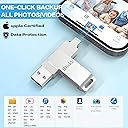
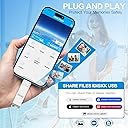
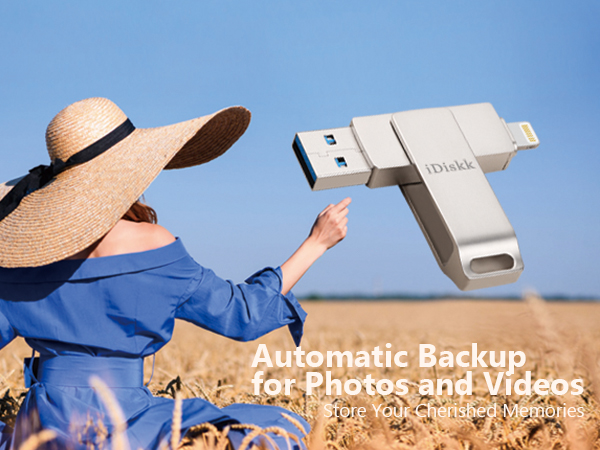
The iDiskk MFi Certified 256GB External USB/Lightning Photo Stick is a sleek, portable storage device designed for iPhone and iPad users. Featuring USB 3.0 for rapid data transfer, it offers massive 256GB capacity to free up your device’s memory. With one-click automatic backup and broad Apple compatibility, it ensures your photos, videos, and files are securely stored and easily accessible. Stream media directly from the stick, making it an essential travel companion backed by 24 months warranty and encrypted privacy protection.


| ASIN | B07GPB7YF3 |
| Additional Features | Gifts for parents and iPhone users, Lightweight, MFi Certified lightning port, One-click backup flash drive, Portable photos videos flash drive for iphone ipad |
| Best Sellers Rank | #275 in USB Flash Drives |
| Brand | iDiskk |
| Compatible Devices | Laptop, Mobile, Tablet, Television |
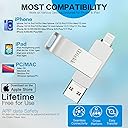
| Compatible Phone Models | iPhone 5S, iPhone 6, iPhone 6 Plus, iPhone 6S, iPhone 6S Plus, iPhone 7, iPhone 7 Plus, iPhone 8, iPhone 8 Plus, iPhone SE (1st & 2nd generation), iPhone X, iPhone XR, iPhone XS, iPhone XS Max, iPhone 11, iPhone 11 Pro, iPhone 11 Pro Max, iPhone 12, iPhone 12 Mini, iPhone 12 Pro, iPhone 12 Pro Max, iPhone 13, iPhone 13 Mini, iPhone 13 Pro, iPhone 13 Pro Max, iPhone 14, iPhone 14 Plus, iPhone 14 Pr… |
| Connectivity Technology | USB |
| Customer Reviews | 4.3 out of 5 stars 11,119 Reviews |
| Flash Memory Type | USB |
| Global Trade Identification Number | 06939277090268 |
| Hardware Connectivity Technology | USB Type A |
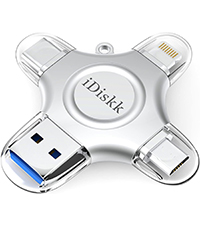
| Hardware Interface | Lightning , USB |
| Item Dimensions D x W x H | 2.36"D x 0.55"W x 0.35"H |
| Item Weight | 20 g |
| Manufacturer | iDiskk |
| Memory Storage Capacity | 256 GB |
| Mfr Part Number | iDiskk-U006-256GB |
| Model Name | iDiskk-U006 |
| Model Number | iDiskk-U006-256GB |
| Number of Items | 1 |
| Read Speed | 100 megabytes_per_second |
| Special Feature | Gifts for parents and iPhone users, Lightweight, MFi Certified lightning port, One-click backup flash drive, Portable photos videos flash drive for iphone ipad Special Feature Gifts for parents and iPhone users, Lightweight, MFi Certified lightning port, One-click backup flash drive, Portable photos videos flash drive for iphone ipad See more |
| Unit Count | 1 Count |
| Write Speed | 48x |
J**D
Confident Memories Are Backed Up
AMAZING! Don't pass this up. Bought for my iPhone 13 Pro to backup pics and vids. It comes with an extremely intuitive app that makes backing up a breeze. Can't recommend enough. Pros: 22k pictures went fast and only drained the battery a little bit. App works wonderfully, even when stopping and starting again. Cons: Videos take a long time! Because you can't plug the phone in, you either have to pause to charge, or put phone on a mag charger and go without phone. It is taking about 1 hour per 100 videos to backup, and I have 3300. It eats the battery fast! It's going to be a while. Still, I feel confidence that my memories are backed up.
M**3
Great little drive
Love this. Can put a ton of photos and videos on and easy to use.
J**N
Works great!
I bought this as a birthday present for myself and so that I could use it during the BTS Love Yourself Tour Concert in Citi Field. I knew that having a 16 GB iPhone 6s would not be enough to take all the videos I wanted to take during the concert; I only had about 3 GB of storage free on my phone, even with all of my apps offloaded and no other pictures or videos on my phone, and I knew that would not last me throughout the 4 hour concert. It worked flawlessly and fast, during each intermission throughout the concert I was able to backup all of my videos under a minute and delete them off of my phone to free up my storage. Transferring the videos and pictures to my laptop was a breeze as well. It also works great between my iPad mini 4 and my iPhone 6s. The only reason why I give this product 4 stars is because my device could not initially detect it. Whenever I plugged it in, the windows that were supposed to pop up did not pop up. I thought it was an issue with my phone running iOS 12, so I tried to plug it into my iPad mini 4 running iOS 11.4. It worked great, so I tried to update my iPad to iOS 12 to see if iOS 12 was the problem. After the update, the OTG was still working perfectly fine with my iPad. It was definitely a problem with my phone, in that case. I was frustrated that it wouldn't work, and I tried resetting my phone to factory settings and then restoring my data with a backup. That still was no good. I was about to send it back when I decided to try making it work one last time. I reset all of the settings on my phone without deleting my data off of it. Luckily, that did the trick to get my phone to be able to detect the USB. After that, I've had no problems using the OTG for transferring my photos and videos. Furthermore, during the concert I wanted to take videos and photos directly to the OTG (the app lets you do that), but it was extremely laggy and did not start and stop when I wanted it to. As a result, I just used my phone to record and uploaded the videos afterwards.
D**U
A must have for privacy ! Add to your Anti-hacker arsenal
recommend for anyone concerned about privacy . You can mute, turn off, not allow -etc etc , but that will not stop someone from listening to your every word! Really - it happens , it happened to me , and utilizing weak security protocols from my FORMER cell provider , my entire identity was stolen by someone access my phone illegally, one they captured my passcodes via my camera and my information thru 24 / 7 ease-dropping, by the time it was discovered it was too late , I would not dare allow anyone to use a phone in my home , or around me without a mic-block and Camera cover - it works and my hackers tried to disable remotely with no success! I keep extra security keys and covers , that I let people around me use to keep our conversations private , at my house you can leave your phone in your car, or use privacy tools ! Once someone gains access to your camera they can see your passcodes or your s keystroke counter to learn it, in real time I was able to screen record a hacker using my user id and passcode, but once I added the NFC card with a second security key , they could not use the passcode alone, they had to have the physical card and key or it would not allow access. A must have for todays AI -black hat hacker world !!!
L**O
Easy to use
Great product easy to use
T**K
warning for PC owners editing iPhone video files imported via this flash drive to your PC
For the last few years, I have been editing video on my PC from shows I attend. Eventually, I arrived at the iPhone as a necessity as it can handle 'loud' concert audio with minimal to nonexistent clipping or distortion. The 'rub' is getting the files from the iPhone to my PC. More often than not, these files are HUGE as I often let the phone record the whole show. In order to get the video files off my phone, I had to use a cable to attach the phone to my PC USB, which often took a long time, sometimes hours because if the download failed, I would have to reboot both the iPhone and PC and start the download again. For a show, this sometimes took hours of rebooting and restarting the download. So I discovered this, a flash drive w/ an iPhone/USB jacks I bought the 265gb. Initially, out of the box, the instructions seemed pretty straight forward. You have to download an app, a pop up opens to go to the App store the first time you plug the flash to your phone. After download, I tried transferring one 1.3gb file. In the app, you chose the file you want to transfer, then 'copy' it. Moving it to my destination, my PC, I select the PC and paste it. It took a few minutes, but so far so good for the file to download. The issue came when I tried to run the file that I transferred over from the iPhone. Even though it still reads as a .MOV or MP4, it won't play the VIDEO in the microsoft video player or Windows media player, you just hear the audio, but it will play in the VLC player. From what I gathered, Microsoft removed the HEVC video extension from Windows 10. My PC's w/ older operating systems can play this file with the regular windows players but my newer PC w/ Windows 10 will not. Turns out you have to buy the codec from the Microsoft store for $0.99 to play the video on your PC w/ anything other than a VLC player. For video editing, I had to also shell out $5.99 to get the codec in order for my editing software to recognise the file :P. Again, the older version of my video editing software was able to play this file, but my upgraded newer software will not play it at all. So that's the warning. Even though moving the file from my iPhone to the drive was pretty straight forward after you install the app. Somewhere along the lines, the file gets changed to a different file requiring an HVEC video extension to play. My editing software can handle the files I download directly (by cable) from my iPhone to my PC, but the same file that I transferred using this flash drive has been converted and you will need to get the HVEC extension (unless you've downloaded the VLC player, which will play it) *** Extra Extra Warning, there's a limit to the size of file you can upload to the drive. I was able to move a 1.3gb file in my above review, but when I tried to upload larger video files to the flash drive, I got a warning that the file was too large. I haven't found anything to say what the max file you can upload, but it kind of defeats the purpose of getting the 256gb flash drive when you can't move large files (nowadays, files are HUGE) if you are limited by the file size you can upload. The video I was able to upload onto the flash was 23 minutes long. I was unable to upload a 30 minute file video :P Dropped my rating from 4 stars to 3 stars. It still works fairly well as a flash drive to pull smaller files off your iPhone (though the conversion of a video file is annoying), but now I have an over priced iPhone flash drive that won't do what I hoped it would do when I purchased it....back to the hours of trying to download from my iPhone via cable :(
B**W
Great Product. Great Price.
Timely received, easy to use. Great price.
T**N
Ripped off in terms of wasted time and effort... being retuned at whole foods on sunday!!
this does not work... piece of junk... all idiskk apps are no good.. instructions are lame and amazon product posting is inadequate.. the apple ios is not comptable with ios 26.3.1... these people know the product is defective but they are still trying to sell this thing to unsuspecting consumers at an inflated price when they know there are problems!! this is junk and sandisk i-Xpand lightning was the first warning shot recently that millions of legacy iphone users are are being driven off a cliff in terms of support and compatibility as sandisk i-Xpand lightning went, so goes all the rest of these suppliers trying offload defective inventory... amazon needs to intervene and clean this up!! from ms copilot: Your iDiskk Lightning flash drive not being recognized by the iDiskk Pro / iDiskk Max app is almost always caused by one of three things: app deprecation, iOS compatibility changes, or hardware/firmware issues specific to Lightning accessories. The pattern matches exactly what’s happening with SanDisk iXpand and other Lightning-based drives right now. --- What’s actually happening 1) iDiskk changed apps — and older drives no longer work reliably iDiskk’s own support page states that their Lightning drives require the iDiskk Max app to function on iOS devices. citeturn0web_search_orchestrator0WebPages0 But many older iDiskk drives were originally paired with iDiskk Pro or iDiskk Player, and those apps have not been updated for modern iOS versions (16–18). When the app falls out of sync with Apple’s accessory security requirements, the drive simply won’t mount. This is the same failure mode you saw with SanDisk iXpand. --- 2) iOS 16–18 tightened Lightning accessory security Apple’s newer iOS builds require Lightning storage devices to respond to updated authentication checks. If the firmware inside the drive is older, the phone will: • Not show the “Accessory Connected” popup • Not hand off control to the app • Not mount the drive in Files This results in the exact symptom you’re seeing: the app opens but shows no drive detected. --- 3) Some iDiskk Lightning models are no longer supported iDiskk quietly retired several Lightning-only models around 2022–2023. Their support list now focuses on newer 4‑in‑1 MFi-certified drives that include USB‑C, USB‑A, and Lightning. citeturn0web_search_orchestrator0WebPages4 Older single‑Lightning models often fail on modern iPhones even though they still work on older iOS devices. --- How to confirm the cause These checks will tell you which failure you’re dealing with: • Does the drive work on a computer (USB‑A side)? If yes → the drive isn’t dead; it’s an iOS/app compatibility issue. • Does it work on an older iPhone/iPad (iOS 14–15)? If yes → your current iOS version dropped support. • Does the iDiskk Max app show any permission prompts? If not → iOS is blocking the accessory handshake. --- What you can realistically do Try these (they sometimes work): • Delete iDiskk Pro, install iDiskk Max (the only app iDiskk still documents). • Remove your case and reinsert the drive firmly. • Restart iPhone → plug in drive → open app immediately. • Test on another Lightning device if available. What will not work: • Using the Files app (Lightning drives never appear there). • Using adapters or extenders. • Expecting iDiskk Pro to be updated — it’s effectively abandoned. --- If you want a Lightning drive that still works in 2026 Here are the currently supported iDiskk models (from the shopping results you triggered): shoppingturn0shopping_assistant0products0 This is one of the few Lightning drives still MFi-certified and actively supported on iOS 12.1–17+. It uses the newer iDiskk Player app, not the old Pro app. --- What I need from you Which exact iDiskk model do you have? If you can tell me the model number or describe the connectors (Lightning-only vs 4‑in‑1), I can tell you definitively whether your unit is still supported or permanently incompatible with modern iOS.
M**S
Super ok
Amei. Copia direta do celular, indico
D**M
Very reliable and easy to use
Ordered this product as I was needing some storage for my iphone which is only 16 gb. Arrived at my door with proof through email by the shipping company with picture at my door. Great packaging. Opened both with no defect or any open boxes and such. It was a plug and play and downloaded the app needed and it was good to go! Hoping 265gb would be an option but 128 is big enough and I bought two of it. Overall I love the product. Will recommend and will buy again! Good accessory while on the go!
ゾ**ゾ
不満は見つかるけど全体的に満足
・たまに読み込みエラー ・アプリのTouch IDセキュリティがUSB側でPCに差し込んだら意味ない ・フォルダ名の設定で禁則処理があったら説明なく読み込み失敗になる ↓ のような不満点は確かにあったけど、それぞれ対処は可能だし、何より ・Lightningに挿したらすぐに読み込んでくれる ・転送の状況がファイル数のパーセンテージで出て直感的にわかりやすい ・PCからも編集可能で複数本でのデータやり取りもできる ・純正のUSBリーダーやSDカードリーダーより読み込みが早い(体感ですが) というメリットの方が勝って、複数本購入しました!
M**R
Brilliant product
My iphone memory was getting full so ordered it. L This is outstanding and extremely easy to use. Very sleek. Worth the cost. The speed of transfer is also very good. Overall very useful.
R**Y
Qick and Easy
The storage unit worked first time.
Trustpilot
1 month ago
2 days ago