


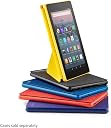
Fire HD 8 Tablet (8" HD Display, 16 GB, without Special Offers) - Black (Previous Generation - 8th)
Product ID: 78948273
💾16 GB Storage (up to 400 GB)
📱8" HD Display
🔋10 Hours Battery Life
🔥 Elevate Your Entertainment Experience!
The Fire HD 8 Tablet features an 8" HD display, 16 GB of internal storage (expandable up to 400 GB), a 1.3 GHz quad-core processor, and up to 10 hours of battery life. It includes hands-free Alexa capabilities, dual-band Wi-Fi, and a 90-day limited warranty, making it perfect for streaming, gaming, and more.


F**N
Amazing Deal for the Price
I bought the tablet on Prime Day for a discounted price. For $50 I knew it was not going to be better than my previous tablet which was an iPad Air (1st generation) for which I paid 16 times more than the Fire HD 8. Since I gave my iPad to my daughter for school, I needed a tablet for myself. I didn't want to spend more than $500 on a tablet for sure, so this tablet was perfect for my budget. All I use my tablet for was to watch videos and reply to emails, so I knew I didn't need a powerhouse like the new iPad Pro. And most definitely I needed something portable, which the iPad Pro definitely isn't. So I decided to try out the Fire HD8. Honestly I am genuinely surprised with how much the HD8 has to offer. For $50 I was able to do a lot, so here are the cons and pros after using it for 1 month. Pros: Very affordable (get the one with ads, ads are only on the lock screen totally not intrusive, you save $15.00, close to 20% off total price) Alexa hands-free (amazing feature to control all my smart appliances at home) 720p video SD Card (unlike the iPad) Feels sturdy (I feel that if I drop the tablet it won't break fairly easy) Battery life (pretty solid battery for a small tablet, about 10 hours from my experience) Cons: Limited amount of apps from the Amazon app store (absolutely no google apps at all, made from google anyways, only knock-offs) Speakers (they are not very loud and it's very apparently once you start to consume media, but they are ok) Cameras (every time you open the cameras you'll feel as if you're back to 2005, but not a deal breaker for me though) Not a full Android experience (you will need to install the Play Store APK in order to get android apps, but not a lot of people will be able to) Laggy (it is laggy at times, especially if you have multiple apps open in the background, so try to close any apps you're not using) SD card slot is a very difficult to pop open... seriously (might have been just my unit though) Screen (resolution is adequate, especially considering the price, but it doesn't get too bright) Conclusion: In conclusion, I would totally recommend the HD 8 because I feel that for the price you are getting a lot. That being said, don't go in and expect the performance of an iPad because you won't find it. If you go in and know what to expect, you will enjoy the experience like I have. 6 Weeks Later: The tablet broke down on me. It got stuck on the booting screen. I called Amazon and the lady who helped me was absolutely not knowledgeable on how to fix the problem. She sent me a replacement instead, which I was happy for. 2 days later I receive it on my door. I opened the package and it was a refurbished unit sent to me. How do I know it was a refurbished unit? Well, it said so in the box it came in LOL. I paid for a brand new unit the day I bought it, and 6 weeks later it breaks down and now I am stuck with a REFURBISHED tablet. Needless to say, I am very disappointed that Amazon sent me a refurbished HD8 instead of another brand new one, but at least it works, for now anyways. I will post a follow up to see how the refurbished replacement holds up. Follow up: I have been using my HD8 for a while now and after the replacement was sent I have had no issues whatsoever. Battery lasts 2 days for me and I am pleasantly surprised. Definitely recommend it!
J**N
Surprised by the overall quality - buy one today
For years I thought about getting a cheap tablet for simple browsing, but Noooo, I had to have a name brand with all the bells and whistles. Fast forward a few years and a few dead batteries later, it was time to replace my name brand "doorstops". I've always hesitated with Fire HD tablets after reading reviews that indicated that they were slow, unresponsive, limited Apps in the Amazon store, yadda-yadda-yadda. Well, I bought one for an elderly family member last Christmas and played around with while I set it up. I was very impressed with this 8-inch especially after putting the Google Play store on it in order to install the Youtube App that she just had to have. I was so impressed that less than a month later I bought the 10-inch version. About a month later, I realized that the 8-inch version was the perfect size and fits your hand well while couch surfing. I then bought the 8-inch and haven't turned the 10-inch on ever since. It was passed the return date so I'm kind of stuck with 10-ich unless I decide to regift it. But again, I'm still impressed. Does it have a storage limitation? Yes, but that's what an micro-SD card if for and they are cheap. Does it have RAM limitation? Yes, but as long as you know that upfront and try to play games that require a lot of RAM, this tablet will suit you just fine. It's perfect for browsing, checking your e-mail, causal everyday games, watching Prime videos, Hulu, etc. The screen has great resolution for the price and form factor. Sound is fairly nice for a small tablet, better than most. I honestly don't miss my old "Sammy Note" at all. Overall the latest generation of Fire HD tablets are the best entry-level tablets money can buy. Need the Google Play Store? Do a Google search for "Play Store on Fire HD" and install it using the many steps-by-step instructions found on the net. It works, it's "easy" to set up and gives you access to all the Apps you "think" you need to have on a 8-inch Android Tablet. Still on the fence? Why? Don't procrastinate or hesitate due to the negative reviews from people who were too cheap to buy a tablet with a processor and the RAM designed for more powerful Apps. For the price and the casual use cases I mentioned above, this is the best value out there. Get one and see for yourself! The Jazzman
B**Y
Pros and cons
Pros: The best tablet for the money out there IF you're willing to commit to the Amazon system (especially Amazon Prime). For tablet uses, I was. Brand-new updated version (Sept. 2018)(though, it's basically the previous version with a couple of newer improvements (?) Highly reliable, rugged, likable, user (idiot) - friendly, great place to start if you never owned a tablet before. I'd strongly suggest an add-on purchase of a cheap ($10-20 bucks) extra SD micro card for memory storage. It's super easy to pop-in, once you've seen a video (YouTube). The tablet should last years, with the automatic updates. Cons: And this is a big one: it's anti-Google/ Chrom./ Android. Yes, you can work around that with sideways apps., etc. but, essentially, Amazon only wants you to use THEIR apps. from THEIR app. store and THEIR search system, THEIR videos, music, etc.. A real irritation. Google-Amazon-Android: start working together. Make it easier for us. Another big problem for me right now is access/viewing my longer than 20 minutes videos on their system, including those on my Amazon Drive cloud system. You're kidding right, Amazon? Because, not only is this not a problem on my Android system, I was able to access/view via an Amazon Drive download app the Drive on my PREVIOUS Fire (HD 6 - 2016) (and, yes, I still can there ...). It's not permitted with this new version; only the "Photos" and "Videos" apps. which limit to 20 minutes. Long story short: I can access/view my long videos via my separate Google Drive anywhere, but I can only "download" same videos (e-mail link) if I use Amazon "Photos", "Videos" or "Drive" (unless <20 minutes). Unless there's some third-party app. wrap-around I haven't discovered yet, this is a big minus. Even if there is a third-party app. somewhere, it's a major inconvenience. I may rethink my future commitment to Amazon tablets if they don't modify this limitation, in the future. Finally, "Alexa". It's still in it's infancy, with a number of glitches. Unfortunately, this new 2018 edition is the first big roll-out of it, and so far, it's really just a gimmick, not terribly user-helpful.
C**Y
Nice upgrade from Fire 7 (kids edition)
Purchased as a bday gift for my 5-yr old daughter who enjoyed her Kindle Fire 7 kids edition for several years. The Fire 8 HD a nice upgrade...much more powerful, can run the latest and greatest apps, longer-lasting battery (compared to the Fire 7 it lasts at least a few hours longer between charges), and the 8" HD display is crisp/sharp, more than large enough for kids' movies and videos. A no-brainer add-on (if you purchased for a kid) is a durable case made of EVA foam...there are many available that will protect the tablet from wear & tear as well as everyday bumps and general abuse. Kids will drop and abuse tablets no matter how careful you might consider them. A case with a stand is the best option because I found that my 5 yr old daughter would always lean the Amazon-included kids case (Fire 7 kids edition) against random objects to keep it more upright. The stand makes things a lot easier for them. Additionally, a tempered glass screen protector will keep the tablet's touchscreen shielded from spills, drops, and greasy kids' fingerprints, well worth it. Last but not least, go for a micro SD card. You should be able to find 128GB micro SD cards for under $25. 16GB of internal storage is large enough for the OS and updates, but most kids will chew through that storage quickly once they figure out how to download apps, books, and games from the Amazon app store. If your kid hasn't figured that out yet, they will eventually. Amazon FreeTime makes books and games easily accessible for kids, and those eat up storage space like it's going out of style. Overall the Fire 8 HD is a big performance boost from the smaller Fire 7 predecessors. It has a fairly beefy quad core CPU, and the HD display is much sharper than the non-HD displays on the older Fire 7 models. Perfect tablet for younger kids ages 4 and up. 5 stars for ease of use, versatility, and price/performance. A much more reasonable, cost-effective alternative to a brutally overpriced iPad, which IMO is way too much $$ to spend on something a kid will toss around and use in a limited manner. Amazon's Fire tablets are the best option out there for kids (and adults who aren't concerned with 3D processing power on a tablet).
T**R
What you waiting for this is litteraly stealing?
Picked up this awesome piece of machinery for $50 and I honestly don't know what else you could spend $50 on that would be better in anyway regardless the product. Why these new Fire tabs aren't all 5 star reviews is because as Americans we've become spoiled and entitled brats at the behest of being 100% removed from how technology like this is made(among many other things). Mass consumerism largely due to the shocking low prices of electronics put together by 8 year old guy who non-white human beings making just enough that only 1/4 of them want to commit suicide but fail a lot of the time cause there's nets around the building where tablets like this are made. 1000's of these people are forced to live on site, work, eat, sleep and work again for pennies, or yen. Anyway about how cool this thing and the 10" Fire are. If you want an iPad mini go spend $500 on one, ya know cause it's an Apple and for many people that means your a cool guy. You also get bent over and take it everytime they release a new machine, phone or otherwise. $180 for Airbuds? If I had the money, I don't but if I did I'd buy a set of Bluetooth buds right here on Amazon and have $150 left over to buy the 10" Fire HD tablet(I have one but that's not the point.) Apple makes a well built quality product that's extremely overpriced much of that due to the brand being a status symbol. Oh yea and they're closed sourse so the generic mouth breather can operate the thing the way Apple wants them too because Jobs knew a long time ago people are generally stupid drones, I'll give them something they want and make them pay for every facet of the thing along the way buying only apple, which will in it of it self add to the demand making their bottom end only grow. Buy this tablet, it's incredible even if it were $250 its worth it. Adding Google Play and a different loader to make it a bona-fide Android device takes a novice with MS an hour or so. Remove the adds by calling an telling Amazon customer svc that they're slowing your tablet down to the point of having a negative experience with your new device and they will do it for free. 1.3Ghz Quad core processor with 1.5GB of RAM may not be cutting edge but it's solid specs for a tablet that is capable of doing just about everything your phone can. I have a Note8 and while it's faster can run more programs it was also $1000. Still tho I can do everything I want on this tablet that my phone does just a bit more quickly. Sorry for the incomprehensible rants I just don't see anyway this thing doesn't deserve 5 stars. Unless your so delusional and unself aware you think this is a budget ipad that will work identically beside that $500 paperweight... Wait, thats the problem and reason for the less then positive reviews. Get your life and a 8"Fire HD.
B**A
Where are all the Mobile Banking Apps?
As a retired senior who travels a lot, I bought the Amazon Fire HD 8 Tablet to keep track of the things that were important to me. These are: 1) Email, 2) Facebook, 3) News, 4) Weather, 5) Calendar, 6) Maps & Directions, 7) Stock Market, 8) Amazon Store, 9) YouTube, and 10) Mobile Banking. It does all these things quite well except for one, Mobile Banking, and that is probably the most important to me. Amazon has pre-installed on the HD 8 tablet their own version of Google Play called simply the "Appstore." It has a lot of apps, but I could find only one Banking App, and that was for Wells Fargo. That was useless for me so I tried banking using the SILK browser. This is a very good browser overall and I was able to enter my online banking site without any problems. But it was still not as good as a dedicated banking app. I had problems viewing my statements which are in PDF format. I eventually found a way to view them, but it took a little bit of fussing around to make it work. Overall, the Fire HD 8 is an excellent tablet. It does nine of the ten things I wanted it for extremely well. It has exactly the right balance between a good-sized screen and the ability to hold it in one hand. I especially like the buttons being on the top surface so I don't accidentally push the volume or power button when holding it in my hand. The display is clear and bright and easy to read, even for seniors. It's not quite as crisp as an Apple iPad or Samsung Galaxy, but the difference is minimal and I'm quite pleased with it. Charging was fast and battery life between charges appears to be as good, or maybe a little better, than my Samsung 7 inch tablet. I updated the internal memory to 128 GB using a Micro SD card I purchased on Amazon for less than $20. That should be enough memory for just about anything I plan to do. Upgrading the memory took only a few minutes and was much easier than I expected. The sound is in stereo and comes out of two small openings along one side of the tablet. It is loud enough for most purposes, but I purchased a portable battery-powered stereo Bluetooth speaker to use when I want to listen to music, watch a video, or listen to audio-books. The Bluetooth speaker connected in a matter of seconds and works flawlessly. The Bluetooth connection means I don't have to mess with cables and plugs to connect the speaker, especially convenient when I'm traveling. My message to the Amazon HD 8 development team is to update the Appstore so that at least the top ten US banks are represented there. My bank has a very good app on Google Play, but I can't access it because there is no Google Play app on the Amazon Fire. I've since found out it is possible to install Google Play on the Fire HD 8, but the process appears to be somewhat complicated. I will attempt this next, but it is quite annoying that I would have to do this myself just because Amazon and Google have a slight disagreement between them. In conclusion, I hope the Amazon Fire development team can obtain the wherewithal to either offer more banking apps in their own Appstore, or provide the HD 8 with Google Play pre-installed so we users can download existing apps. If they could do that, this tablet would beat just about any other tablet on the market in terms of usability and durability.
G**N
This is not a tablet. If you are ok with no Google, go for it...
This is not a tablet. It is a mobile screen designed to sell Amazon products. Everything you do on it is Amazon-branded, and you can pretty much only do Amazon-branded things. Look at your Amazon music, listen to your Amazon movies, and buy more Amazon stuff. Every screen has Amazon on it. If you don't watch out, you will accidentally open something Amazon. Thankfully it is no easier to buy something on it than on the Amazon site. Whew, what a relief! Did I say Amazon? In fact, they tell you all of this pretty much, you just don't see it because you are excited by a tablet for under $100. You get what you pay for. Yes, the screen is dark. No, changing the settings will not fix it. The screen is exactly as big as they said, and exactly as bright as they didn't say. They are serious about ads on the lockscreen: it costs $15 to eliminate those helpful, non-Amazon ads. They tell you that (well, not the price), so it is ok. But you cannot even control which icons show up on the screen. Amazon knows what you need. IMPORTANT SUBSEQUENT NOTE: Screen can be "fixed" under Settings -> Automatic Mod Switching (set to off), then re-adjust your brightness. This does not save the product, but makes it much more useful. No, you *cannot* run Google, other than Amazon-sanitized Google search. You must use Amazon's browser, which will not go to the Google Play Store. You cannot install Google. This is intensely frustrating. There is no Google. Yes, I am serious. And no one on the interwebs could ever possibly be smart enough to crack Amazon's secret code. No Google for you! But, if you are willing to put up with more Amazon in your life, it is ok. It is a $60 dollar disappointing and slightly annoying screen. By the time you buy screen protector, case, and no-ad option it comes out to about $107. So, a $107 screen that is noticeably dim. The resolution is ok. Battery seems ok. If you plug it into a slow USB slot and watch Pluto (see below), the battery won't run completely down for a long time, if ever (depends on how much Pluto is tasking it). If you just want Pluto on in the background (I don't know if you can access it, actually), it is ok. If you just need to stop burning your phone screen to have Pluto in the background, it is ok. Actually what I bought it for, except I wanted Google. If you want a tablet for your kid for school, don't buy it. If you want a tablet to do work on, don't buy it. If you like Google and you don't want to go through a maze of non-existent instructions on the youtubes, don't buy it. Please do not buy this for your child, they will be disappointed. If you just want to access your Amazon stuff, it is decent. Oh, by the way: turning it "off" with the button may not make the sounds stop, like your music or your Pluto (if it indeed works). I discovered that today. What other little surprised might I have in store? Why do I suspect that all is brighter in Amazon's browser? This earns a guarded meh from me. Your disappointment may vary. P.S. If there were a way to add Google, and Amazon made it go away, I would erase this whole review and write such a nasty review I would be banned for life. From Amazon. P.P.S. Buy an SD card with this... a 250G SanDisk (Samsung may be OK too) is a good deal is you can afford it. Otherwise you will only be able to store one (1) movie. Add about $50 to the price tag (so now we are in the $160 range). Card can be purchased easily from Amazon using this device. Share and Enjoy!
D**M
My third Fire
Overall I love my Kindle Fire HD. It's my third. It's great for reading, of course, but also functions so well as a tablet that I only use my full size laptop for bookkeeping, word processing, photo organizing; things I need to store on, or print from, the computer or want a bigger screen. In most cases the Kindle connects better to the internet and works faster. Good size. Comfortable in my hand. My original Fire is many years older and smaller, can't remember which generation, one of the first Fires. I've had it for years. I still use it most every day because It is smaller and I carry it in my purse for lunch and down time reading and checking email, etc. Has charging port on the side. That one is like a Timex, takes a lickin' keeps on tickin' . Been dropped multiple times, with and without cord attached; stepped on, you name it doesn't phase it. This third one is replacing my second, same size, earlier generation. The reason for replacement is my ONLY complaint about 8 inch Fire HD in general, and I really hope it's been remedied on this newer generation. Second still worked just fine but started having charging issues. I'd put it on the charger overnight, and in morning would not be fully charged, if at all. Port wiggled. Researched it and found its a common issue with the Kindles like this with a top mounted charging port. Drop it with the cord attached and the port soldering breaks inside. Many videos on how to fix it yourself...very delicate work, beyond my skill set. Places to have it repaired, none near me. I'd have to mail it, wait weeks to get it back and it's pretty expensive. One person suggested using a magnetic cable. This actually worked for a long time, until the port end of the cable fell apart inside the port. So, come Black Friday sale decided to just get a new one, since cost was not much more than repair would have been. So far have not one complaint about this newest Kindle Fire HD. I am hoping the port issue is not an issue in this one. I am , however, being extra careful with it when I use it , on occasion, while charging. I highly recommend the Kindle Fire HE 8. Also, kudos to Amazon customer support👍 I replaced my Kindle Fire HD without being aware of trade in program credit toward new Kindle Fire HD8. Contacted them to see what could be done since I was doing it backwards. They applied the credit to my account in the form of a gift card, before I traded in my old one. As always, Amazon support is awesome.
Trustpilot
1 month ago
2 days ago