Buy anything from 5,000+ international stores. One checkout price. No surprise fees. Join 2M+ shoppers on Desertcart.
Desertcart purchases this item on your behalf and handles shipping, customs, and support to Tunisia.
🚀 Elevate your workspace with 4K clarity—because your productivity deserves the sharpest edge!
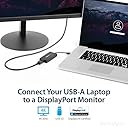
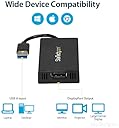
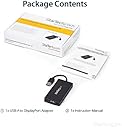
The USB32DP4K is a USB 3.0 to DisplayPort adapter that enables 4K UHD (3840x2160 @ 30Hz) output from any USB-A port, compatible with Windows, macOS 10.14+, ChromeOS, and Linux. Designed for professionals seeking to expand their display setup without upgrading hardware, it supports dual monitors including ultrawide displays up to 3440x1440. USB bus-powered and lightweight, it offers plug-and-play installation with automatic driver support on most platforms, backed by a 3-year warranty and expert technical assistance.


| ASIN | B00OPI0XS2 |
| Best Sellers Rank | #22 in USB-to-VGA Adapters #6,076 in Computer Cables & Interconnects |
| Brand | StarTech.com |
| Built-In Media | User manual, cable or connector. |
| Color | Black |
| Compatible Devices | Audio/Video Device, Laptop, Monitor, Projector, Television |
| Connector Type | DisplayPort/USB |
| Current Rating | 1 Amps |
| Customer Reviews | 4.3 out of 5 stars 220 Reviews |
| External Testing Certification | CE, FCC, DisplayLink |
| Finish | Mirror,Projector |
| Global Trade Identification Number | 00065030858380 |
| Input Voltage | 5 Volts |
| Item Dimensions | 3.5 x 1.8 x 0.6 inches |
| Item Type Name | A/V Cable |
| Item Weight | 2.08 ounces |
| Item dimensions L x W x H | 3.5 x 1.8 x 0.6 inches |
| Manufacturer | StarTech.com |
| Mfr Part Number | USB32DP4K |
| Model Number | USB32DP4K |
| Number of Items | 1 |
| Number of Ports | 1 |
| Package Quantity | 1 |
| Power Plug Type | No Plug |
| Smart Home Compatibility | Not Smart Home Compatible |
| Specific Uses For Product | Monitor,Projector,Tv |
| UPC | 065030858380 |
| Unit Count | 1.0 Count |
| Warranty Description | 2 Year |
| Warranty Type | 3-year warranty |
G**S
Works with iMac
I needed to connect 2 external monitors to my iMac (Retina 5K, 27-inch, 2017, macOS Big Sur 11.2), so I could get 3 independent displays (including iMac's own built-in monitor). But I have one of 2 iMac's Thunderbolt (USB-C) ports already used by external SSD HD. I tried another adapter but that one only allowed mirrored displays through 1 remaining Thunderbolt port. So the only option was connecting 1 monitor through Thunderbolt and another one through USB 3, which I have done with this adapter. It works! Update: I installed another monitor, so now I have a total of 4 monitors, 2 of them are connected with Startech adapters. Supports macOS 12.0.1 Monterey.
D**Y
Startech - Making Ai possible
Easy video out for Ai server. Can't beleive I've never owned one of these. 4k usb video adapter works like a charm. Good build quality, looks clean, and I expected this thing to run brutally hot, but it hardly even gets warm. If your Windows Update is disabled, it probably won't plug and play. They do have drivers for all operating systems on the website. After quick, easy install, it really is plug and play. My GPUs are unmounted from Windows Host OS for Hypervm assignment, so no video out for Host machine. This StarTech DisplayLink saved the day, and beats the heck out of the server's on board AMI video over LAN (1080p, connectivity issues, etc, requires secondary PC). If anything, StarTech isn't charging enough for this little guy! [Psyche! ... its great but seriously guys... chill on the price, any more and I'd just buy a flippin VR headset...) Gamers beware - laggy, but perfectly good for general tasks, and great 4k video quality.
D**H
Works great on my Macbook Air!!!
Works perfect on my Macbook air after installing the drives from startech.com. It comes with a cd but the cd only has MSFT drivers to install. Not to mention macbook airs don't have cd drives. I went on the website and it took about 10 minutes to install and set up. Once it was up and running I am not able to run dual monitors on my Macbook. I have one monitor connected to the thunderbolt connection and the other running through this usb 3.0 4k video card. It works great and has a very clean resolution. I was skeptical at first but I can not assure anyone that you will NOT be disappointed.
A**R
Installation Problems
This is a very good adapter but with some problems. My goal was to attach an NEC PA322UHD monitor to an HP laptop and to set their different resolutions of 1920 x 1080 (hp) and 3840 x 2160 (NEC). I tried everything but couldn't do it and my computer froze. This resulted in three calls to the excellent Star Tech support line and an assurance that setting up these two resolutions was possible with their adapter. It was actually done by a very patient technician working directly on my computer. But to establish these resolutions required some weird workarounds that didn't really work. Finally I gave up and had the technician set the resolution to 1920 x 1080 on both monitors. The fact that the second (35 inch) screen doesn't look too bad has to do with the quality of the NEC which has adjustments for everything and allowed me to increase sharpness significantly. I am disappointed with the way things worked out, but will look back on the annoying glitches as sort of like a mouse trying to make friends with a gorilla.
C**N
Works Great!
Works perfectly on my 2016 13" MacBook Pro. This MacBook only supports 2 external displays + built-in monitor out of the box, but adding this display adapter lets me reach 3 external displays + built-in just fine. The drivers installed just fine on High Sierra. The documentation on the support website says to avoid using it on docking stations that use Fresco Logic based chips. My dock is the OWC Thunderbolt 3 dock, and although it is Fresco Logic based, it seems to handle the adapter fine so far. For software development I notice no lag in rendering either. This review is for the 4k version of the adapter.
C**A
stopped working after about 6 weeks
J**G
M1 Macbook Pro 2nd Monitor
Works Great! I use an Anker usb c hub: https://www.amazon.com/gp/product/B07DFYQXY7 Then connect this startech display link adapter to it. It has worked flawlessly in the few days I've had it. Very happy with the results. I now have 3 external displays, 1 native usb c display that also charges my mac. Then this displaylink adapter display, plus an ipad Pro i'm utilizing as a side car display. That is 4 displays in total counting the macbook pro display.
M**Z
Wow. I’m in disbelief! Amazing.
I bought this card thinking it’s a USB 3.0 external graphics card that does 4k so probably a lot of jitter and good for basic web surfing, word processing, never video. I also never expected it would work on an ultra wide 4k display - that’s where I’m even more shocked. I can’t believe I’m saying this - on an ultra wide UHD display resolution of 3440 X 1440 from an Intel i7 laptop with 16gb of ram already pushing 2 4k standard displays I could watch a video with no noticeable lag at full resolution. This thing is achieving over 30 FPS and it barely increases CPU and memory usage. Did aliens create this ? Is this from the future? I wouldn’t go do any gaming ... it would be a fun test that maybe someone else can try but for an external usb graphics card for this price is unreal.
F**0
Ottimo
Bello
A**E
Perfekte Ergänzung für Geräte ohne DP Alternate Mode
Mein privates und das Firmenlaptop unterstützen zwar USB Type c für Daten und Power Delivery, können jedoch kein Bild darüber übertragen. Um Monitor, Peripherie und Strom über denselben Anschluss mit nur einem Kabel abzudecken ist dieser Adapter perfekt. Eine Alternative zu der integrierten DisplayLink Grafikkarte existiert meines Wissens für diesen Anwendungsfall nicht.
P**N
Works on linux
Work on Linux Mint 21.1 I have downloaded the official driver from their website, and it worked on reboot. Play nice with nvidia-driver-525. I can see a little lag/ghosting between the HDMI and displayLink monitor. But it's barely noticeable, nothing that would affect workflow.
L**N
muy util
viene con disco para el drive, pero en la pagina estan los drives descargables, funciona para conectar 3 monitores, es entrada mini display a usb3, para que en la mac mini o en otras macs se recomienda conectar un monitor a cada puerto. Uno a HDMI, otro al thunderbolt y por ultomo este a las entrada USB3 para asi serar la entada de vieo y funcioan perfectamente.
C**N
Works perfectly with a Macbook 14 M3 Pro
Easy installation of the software required to make this adapter work, allowing me to have more than 2 external monitors connected to my macbook. StarTech delivers once again!
Trustpilot
1 month ago
1 month ago