Desertcart purchases this item on your behalf and handles shipping, customs, and support to Tunisia.
💼 Elevate your NAS game with WD Red — where storage meets smart performance.
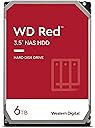
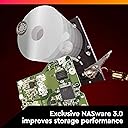
The Western Digital 6TB WD Red NAS Internal Hard Drive (WD60EFAX) is a 3.5-inch SATA HDD designed specifically for personal and home office NAS systems. Featuring a 5400 RPM spindle speed, 256MB cache, and NASware firmware, it delivers reliable, energy-efficient storage with up to 180TB/year workload support. Backed by a 3-year limited warranty, it’s optimized for seamless integration in up to 8-bay NAS setups, making it the go-to choice for professionals who demand dependable, high-capacity storage.


| Additional Features | Data Recovery Service |
| Asin | B07MYL7KVK |
| Best Sellers Rank | #135 in Internal Hard Drives |
| Brand | Western Digital |
| Built In Media | Internal Hard Drive |
| Cache Memory Installed Size | 256 |
| Color | Red |
| Compatible Devices | Television |
| Connectivity Technology | SATA |
| Customer Reviews | 4.5 4.5 out of 5 stars (12,499) 4.5 out of 5 stars |
| Data Transfer Rate | 180 megabits_per_second |
| Digital Storage Capacity | 6 TB |
| Enclosure Material | Information Not Available |
| Form Factor | 3.5-inch |
| Global Trade Identification Number | 00718037860947 |
| Hard Disk Description | Mechanical Hard Disk |
| Hard Disk Form Factor | 3.5 inches |
| Hard Disk Interface | Serial ATA |
| Hard Disk Rotational Speed | 5400 rpm |
| Hard Drive Size | 6 TB |
| Hardware Connectivity | SATA 6.0 Gb/s |
| Hardware Platform | Mac, PC |
| Installation Type | Internal Hard Drive |
| Item Dimensions L X W X Thickness | 5.79"L x 4"W x 1.03"Th |
| Item Type Name | Internal Hard Drive |
| Item Weight | 580 g |
| Manufacturer | Western Digital |
| Mfr Part Number | WD60EFAX |
| Model Name | WD Red NAS Internal Hard Drive |
| Model Number | WD60EFAX |
| Number Of Items | 1 |
| Read Speed | 180 megabytes_per_second |
| Specific Uses For Product | business, personal |
| Unit Count | 1 Count |
| Upc | 718037860947 |
| Warranty Description | 3-year manufacturer's limited warranty |
User
Used to Easily Replace Failed Drive in Tivo Roamio
I considered throwing away my six year old Roamio, model 846500, when it failed. The Tivo wouldn't get past the "Welcome" screen. I fixed the failure in less than an hour with only this WD20EFAX drive, and now have four times the storage as a bonus. The internet knowledge base (and the Weaknees company that's probably the best third party support company for Tivo) says that this failure mode is almost always caused by a failed hard drive. They also recommend this particular model replacement drive. Replacing the drive in Tivo Roamio is extremely easy. It's easy both both physically and because this Tivo will automatically format a new drive (as long as the drive size is 3TB or less) and automatically load all the required Tivo software during boot up. You will, unfortunately, lose any recordings and such drive-kept data as channel lists, scheduled recordings and One-Passes, and so on that were on the old failed drive. There are plenty of decent videos on the internet to show how to do this, but here is a quick procedure to give you an idea of how easy it is: Remove two torx head screws in the back of the unit and use a thin blade such as a common dinner knife to carefully pry up the top of the box. Remove three torx screws that attach the drive's adapter rails to the box and disconnect the drive's data/power cable by pulling the connector away from the drive. Remove the drive mounting rails from each side of the drive, noting their original position, by removing the two torx screws connecting each rail to the drive. Using the new drive, put everything back together. Reconnect the Tivo to your TV system, plugging in the power cable last. Plug in the Tivo's power and let the system boot up. Be patient because it will take some time for the Tivo to automatically format the drive and load all the software needed. Follow the screen guide to set up the Tivo as for a new unit. Your current account with Tivo and any monthly or All-In programming are still in place because the account is based on the box'es ID number which is stored on Tivo's motherboard rather than its hard drive. Voila...You just saved yourself the cost of a new Tivo and upgraded your video storage capacity, as I did!
User
Western Digital NAS Hard Drive
This is not your average Western Digital desktop hard drive. The WD Reds are made for heavy duty, high duty cycle use. They are made for use in Network Attached Storage devices. The NAS environment can really torture a hard drive. Especially when it has to support a lot of users and devices. This hard drive is made to be able to function in such an environment.I have a Terramaster NAS in my home network. That system has two Seagate Ironwolf hard drives. It has been flawless in operation. I attached an external hard drive enclosure to the Terramaster to have a backup of all the data. The hard drive enclosure does not come with its own hard drive. You get to choose, depending on your needs. I bought this WD Red hard drive to use as the backup for the Terramaster. I backup the data from the NAS on this hard drive and then store the drive in a safe location.The WD Red has been flawless. It is easily the equivalent of the Seagate Ironwolf. The operation is silent and reliable. I have not had any issues with these NAS hard drives. Yes you can use a regular desktop hard drive for this purpose. A WD Blue caviar hard drive will also work. However, the WD Red is a more robust hard drive. It is more expensive than a regular desktop hard drive. But the reliability and peace of mind are worth it.NAS hard drives will also work on your desktop computer. You can swap out your WD Blue hard drive for this one. You will get added durability and dependability. But it will only be worth the extra cost if your computer is regularly stressed. A one-user desktop PC that gets used for 5 hours per day is not under stress. However, if you have a PC that is used for security monitoring purposes or as a home server, then yes, invest in a more robust hard drive.I love solid state hard drives for their performance and lighter weight when used on a laptop. However, for storage purposes, I still prefer a mechanical hard drive. If I were building my own desktop PC, yes, I would use a NAS hard drive such as the WD Red. But I would not throw out a working WD Blue that comes with a new PC. Evaluate your needs carefully.A data storage system used in a business setting should have robust hard drives. If you are a content creator on Youtube, get at least a four bay NAS storage device and fill those drive bays with WD Reds or Seagate Ironwolves. If you surf the internet, shop online, and basically only consume social media, then a regular PC with a traditional desktop hard drive will be good enough.Highly recommended for NAS Storage systems and heavy-duty desktop use.
User
Perfect for RAID 0 NAS replacement drive
We now have several of these... used in home Network Attached Storage (NAS) devices as redundant drives across the network so we don't lose our files and pictures and what.not.This particular one was purchased as a SPARE drive... better to have it and not need it than need it and not have it!We've found these drives to run well, and mostly cool in our NAS... sometimes as the weather heats up and things get to pinging around the network a bit, they can get a little warm, but since the NAS reports the temp and alerts me, I try to ensure things run sufficiently cool and well-ventilated to keep the drive healthy.SPEED, STORAGE capacity and NOISE level of these drives is all excellent.Total Satisfaction!
User
Old reliable
WD Red is a workhorse for NAS devices. I bought a PR2100 NAS device five years ago preloaded with WD Red 2 TB drives. Only now has one of the drives started to report errors, but still hasn't failed. This is running the drives 24x7 for five years. I bought these 4 TB units to replace the older drives, the procedure was painless, and now I have double the space for five more years. I may repurpose the error-free drive in a desktop computer and see just how long it can last.This is not a gaming drive, there's no high-performance aspects to these drives. They're made to keep working for extended periods of time with no rest. And they do it well.
User
Failed 3 years and 2 months after install
I installed 4 of these into my Synology NAS. I have had one of the four fail 3 years and and 2 months after install. The warranty is 3 years (wah wah).This is the first failure that I have had with these drives. Luckily it is in a RAID config in the NAS so no data has been lost.
User
Great Drives for Upgraded NAS
I had a NAS server with x2 2TB WD Reds in it, and I was looking to upgrade, as I was reaching capacity. These have been fantastic so far. They're holding up well, and the transfer from the old drives to the new ones was relatively quick given the amount of data that was on there. Shipping hard drives can be tricky, but they were packaged well and very protected. They also are both functional, so I didn't receive any duds, which is wonderful. They're quiet and running just fine so far. Speeds are great, everything I could hope for. WD drives have always treated me well, and I am more than happy with these. Crossing my fingers that they will last me a nice long time with the upgrade! Highly recommended!
User
Excelente disco para NAS
Hasta el día de hoy siguen funcionando y ya van cerca de 3 años
User
Not appropriate for NAS usage
I've been a long time fan of using WD Red drives in my servers and they've served me well... until now. These drives are SMR, which renders them useless for NAS. They'll work great, I've got no complaints about performance, and the four I own are all working fine 2.5 years later without a single reallocated sector. However, when you resilver to replace a failed drive, the SMR technology completely falls apart and turns it into literally a 2 - 3 week long process (VS under 24 hours for a standard CMR drive). If you're at one drive of redundancy then you'd better hope you don't get a second drive failure that month... and you're NAS performance is going to be terrible during the process as well. Thus these drives are not significantly better than any cheap drive, for a significant price premium. What's worse, when I bought my drives there was zero indication that they'd switched from CMR to SMR drives in the WD Red product line, and even today they don't explain why that matters. As such, I'd be extremely nervous about buying a WD drive in the future, as who knows what new cost-saving technology they'll silently implement.Aside from performance and reliability, the next most important aspect of a NAS drive is the warranty. Harddrives fail, regardless of the company or price point, so if you're running a NAS with several drives then you're inevitably going to get some that die prematurely. I've had to send a couple drives in for replacement, and the process is typically doing an RMA on the manufacturer's website and they'll ship a replacement to you for free. WD now charges to replace defective drives. They want you to mail your drive to them, at your own expense, then once they receive it and process it in a couple weeks they'll mail you a refurbished replacement with you paying for shipping ($8 for it to arrive in ten days, upwards of $50 for faster shipping). If you want them to ship immediately you need to pay $25 (non-refundable) plus the cost of the replacement drive (refundable after they receive and process your old drive). Yes, that's right, if they send you a dead drive then you'll need to pay another $50+ and wait for weeks for a replacement. Oh, and the replacement will probably have thousands of hours of use so you can look forward to repeating the process in another year or two.
User
El completo perfecto.
Es perfecto para el NAS de synology.
User
Funciona muy bien.
Funciona muy bien.
User
received in 1 day
received in 1 day only (maybe because I am "prime subscriber"), but the product I received is good. I install it to replace different brand of hard-disk in my Apple Time Machine Capsule which already broken only after few years. Hopefully this brand is last longer
User
Goed en snel geleverd
Harde schijf NAS was defect, meteen een RAID1 aangemaakt met een 2de dezelfde harde schijf. Goed verpakt, snel geleverd.
User
WD Red 6TB 3.5-Inch NAS Internal Hard Drive – 5400 RPM – WD60EFAX Review
If you are looking for a dependable, purpose-built hard drive for a NAS setup, the WD Red 6TB WD60EFAX is a very strong choice. This drive is designed specifically for 24/7 network-attached storage environments, and that makes a real difference compared with standard desktop hard drives.What stands out first is the 6TB capacity, which gives plenty of room for family backups, business files, media libraries, surveillance storage, and shared network data. For home users, small offices, and prosumers, 6TB is a very practical size because it offers a strong balance between storage volume, affordability, and long-term usability.From a technical standpoint, the 5400 RPM class design is actually one of this drive’s selling points. Some buyers focus only on higher RPM numbers, but for NAS usage, 5400 RPM often means lower heat, quieter operation, and reduced power consumption. In a NAS enclosure running day and night, those advantages matter. Less heat can help with system stability, and quieter performance is especially valuable if the NAS is located in a home office or living area.Another major benefit is that the WD Red line is engineered for RAID-optimized NAS systems. That makes this model much more suitable for multi-bay enclosures than a normal desktop drive. It is intended to handle the vibration, workload patterns, and always-on demands common in NAS environments. For users building a Synology, QNAP, or similar system, that NAS-focused engineering is one of the biggest reasons to buy this model instead of a generic internal HDD.In real-world use, this drive is ideal for:File backup and recoveryShared office documentsPhoto and video archivesPlex and media server storageSmall business NAS deploymentsHome cloud setupsPerformance-wise, you should view this drive as a reliability-first storage solution, not an ultra-high-speed workstation drive. That is exactly the point. It is built for dependable storage, sustained operation, and consistent NAS performance. If your priority is safe, steady, long-term storage rather than maximum raw speed, this drive fits the job very well.Key strengths1. NAS-specific designThis is not just another 3.5-inch hard drive. It is tailored for NAS systems, where drives need to work continuously and reliably.2. Excellent capacity-to-value ratio6TB gives substantial storage without jumping to the premium pricing often seen on larger-capacity models.3. Cooler and quieter operationThe 5400 RPM architecture helps reduce noise and heat, which is a big plus in always-on environments.4. Good choice for RAID arraysEspecially useful for users building or expanding multi-drive NAS systems for redundancy and shared storage.5. Trusted WD Red brandingWestern Digital’s Red series has long been a go-to option for NAS users who want storage that is designed for the correct workload.Buying perspectiveThis is the kind of drive that makes sense for buyers who want peace of mind, storage efficiency, and NAS compatibility. It is especially attractive for anyone upgrading from smaller drives or replacing standard desktop HDDs with something better suited to 24/7 network storage.For affiliate marketing or buying guidance, the strongest angle is simple:the WD Red 6TB WD60EFAX is a smart buy for anyone who wants a reliable, NAS-ready, energy-efficient storage drive from a trusted brand without overspending on unnecessary performance.Final verdictThe WD Red 6TB WD60EFAX is a solid, practical, and highly usable NAS hard drive that delivers where it matters most: capacity, reliability, quiet operation, and NAS-focused engineering. It is a product that suits both home and small-business users who want dependable storage that can run continuously with confidence.Recommended for: home NAS users, small office storage, RAID arrays, media servers, and backup systems.Best selling point: a purpose-built NAS drive that balances storage capacity, low noise, and dependable 24/7 performance.Overall rating: 5
Trustpilot
3 weeks ago
3 weeks ago