Desertcart purchases this item on your behalf and handles shipping, customs, and support to Tunisia.
🚀 Upgrade Fast, Work Smart, Stay Ahead!
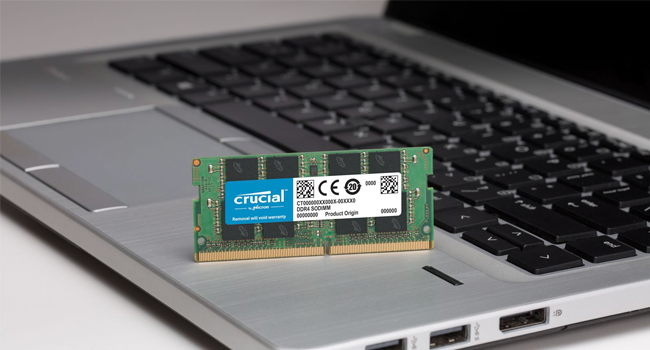
The Crucial 4GB DDR3/DDR3L 1600 MT/s SODIMM is a high-quality, dual-voltage laptop memory module designed to boost system responsiveness and multitasking efficiency. Featuring a standard 204-pin unbuffered form factor and CL11 latency, it offers easy installation and reliable performance for older and current laptops alike, making it the perfect cost-effective upgrade to extend your device’s usability.


| ASIN | B005LDLV6S |
| Additional Features | nv: Company Program^Crucial | DDR Timings^CL=11 | DIMM Type^Unbuffered | Density^4GB | Error Checking^NON-ECC | Megabytes^4096 | Memory Type^DDR3 PC3-12800 | Package^204-pin SODIMM | Platform Category^DDR3 | Replenishment Flag^Y | Speed^DDR3-1600 | Voltage^1.35V | VolumeDiscountBucket^HIGH |
| Best Sellers Rank | #103 in Computer Memory |
| Brand | Micron |
| Column Address Strobe Latency | 11 |
| Compatible Devices | Laptop |
| Computer Memory Size | 4 GB |
| Customer Reviews | 4.7 out of 5 stars 10,265 Reviews |
| Data Transfer Rate | 1600 MHz |
| Form Factor | Laptop |
| Global Trade Identification Number | 00649528754240 |
| Item Weight | 9 g |
| Manufacturer | Crucial |
| Memory Form Factor | SODIMM |
| Memory Generation | DDR3 |
| Memory Speed | 1600 MHz |
| Mfr Part Number | CT51264BF160B |
| Model Name | Crucial DDR3/DDR3L 1600 MT/s SODIMM Memory |
| Model Number | CT51264BF160B |
| Number of Items | 1 |
| Number of Packs | 1 |
| Number of Pins | 204 |
| RAM Memory Technology | DDR3 , DDR3L |
| RAM Size | 4 GB |
| Special Feature | nv: Company Program^Crucial | DDR Timings^CL=11 | DIMM Type^Unbuffered | Density^4GB | Error Checking^NON-ECC | Megabytes^4096 | Memory Type^DDR3 PC3-12800 | Package^204-pin SODIMM | Platform Category^DDR3 | Replenishment Flag^Y | Speed^DDR3-1600 | Voltage^1.35V | VolumeDiscountBucket^HIGH Special Feature nv: Company Program^Crucial | DDR Timings^CL=11 | DIMM Type^Unbuffered | Density^4GB | Error Checking^NON-ECC | Megabytes^4096 | Memory Type^DDR3 PC3-12800 | Package^204-pin SODIMM | Platform Category^DDR3 | Replenishment Flag^Y | Speed^DDR3-1600 | Voltage^1.35V | VolumeDiscountBucket^HIGH See more |
| UPC | 088020859464 604715282333 649528754240 014445070788 013686000554 021111528542 132017820194 099505457600 013201127230 804067420517 698013041839 731215076985 163120527809 088021515109 920066749517 013040059471 001910719600 772450671160 |
| Unit Count | 1 Count |
| Voltage | 1.35 volts |
J**S
easy Upgrade That Works Like a Charm
This Crucial 4GB DDR3/DDR3L RAM stick was an easy and affordable way to give my older computer a boost. Installation took just a couple minutes — popped it in, powered up, and it was recognized right away. The speed bump made a noticeable difference for everyday use like web browsing and light photo editing. It runs cool and stable with no issues or crashes. If you’ve got an older system that needs a little extra life, this memory upgrade does the trick without breaking the bank.
P**Y
Awesome is an understatement!
Holy Smokes!!! I am using an Acer Aspire Windows 7 laptop with 4gb of ram. I was so frustrated with the lag and slow response of everything lately that I started to look at buying a new laptop, but did not want to get Windows 10 or 11. I love Windows 7 and have many programs that are only compatible with W7 and besides I love the look and feel of W7. Easy to navigate and customize and I'm used to it since I've had it for almost 10 years now. I don't like change and learning new things at my age. I have another identical computer at our winter home, which means I would need to buy two new laptops, which I hesitated to do. Decided to upgrade the ram (why I didn't think of it sooner, I don't know) so I ordered the compatible ram. I am 70 yrs old (female) but somewhat tech savvy so I followed YouTube videos; turned off my pc, unplugged it, removed the battery and opened the back. (that was the most challenging part; but once I learned the screws did not come out completely, only loosened) I was able to pry off the back, and install the ram into the open slot. Put everything back together and had my fingers crossed for a successful install. Voila ! Started right up (I did have trouble with the internet connection and needed to use the F3 key on the keyboard), but then All Was Well. Feels like I have a brand new computer. So fast! Wow! No more yelling at my computer and getting frustrated. If I can do it, anyone can....... And I can use my beloved Windows 7 hopefully for a long time to come.
B**E
It works.
Easy to install. Works.
D**Y
Worked perfectly in Lenovo laptop - UPDATE: 10/19/16 Sony Vaio too
Crucial is a name I trust for quality laptop memory because it works out of the box, and doesn't fail. This one appears to be like the dozen or so others just like it that I've purchased in recent years - quality built, easy to install and works flawlessly; as expected. A great cheap upgrade to laptops running Windows 8 with only 4GB installed, but two slots for memory (one not used). After boosting several laptops (Lenovo, HP, Toshiba) from 4GB to 8GB, I can tell you that no matter what processor you have installed, more memory will never be a bad decision. I highly recommend this Crucial memory for its consistent quality and stability. --------------------------------------- UPDATE: 10/19/16 - Having had such great success using Crucial memory in my Lenovo I decided to throw a stick into my Sony Vaio S series laptop running Windows 8 (Core i5 1.6Ghz with 8GB memory installed). By adding a WD Blue SSD drive and another 8GB of memory from Crucial, I've now given new life to a 4 year old laptop. It now takes under twenty seconds to boot and zips through multiple applications while running video at the same time. A great upgrade for very little money! I will definitely continue to buy Crucial brand memory for my computers. ---------------- ------------------------
A**M
Easy to install and works fine after install
Crucial 4GB Single DDR3 1600 MT/s (PC3-12800) CL11 SODIMM 204-Pin 1.35V/1.5V Notebook Memory Module CT51264BF160B Snapped in easily into the Dell Inspiron N5050 laptop. Just make sure to firmly press the memory module nicely into slot. If the module doesn't fit into the slot correctly (even though the side clips make a click sound during install) it won't be recognized by the BIOS or task manager. Try to adjust the angle to get it pushed into the slot nicely by starting with 45 degrees. It won't give any sound but, it will sit nicely into the slot which you could feel. It's been a day I'm running with it. Will update this post if I see anything different.
B**N
Works great
Works great. No issues so far.
M**N
4GB of RAM for the cost of lunch for two? I'll take RAM all day long
Bought this for my office Dell Inspiron One 2330. It's been hobbled by having only 4GB of ram (and further hobbled by supporting only 8 in total). it arrived in 2 days and was a snap to install. Essentially you remove the panel behind the stand, unscrew the 4 screws holding the stand on the back, then 4 smaller philips screws on the bottom of the display frame and pop out the frame. A small - cheap - cover over the memory slot bay pops off and you insert the new memory. The BIOS auto-recognizes the memory but if you want to be sure, at boot just press [F2] when you see the Dell logo and go into the BIOS and look. F10 to exit and boot to your OS. That's it. I'm actually running Photoshop CC, CorelDraw and other apps on this machine (but not a heavy user so can't justify a "real" computer), and although they take forever to load, the additional ram is certainly noticeable. If you're just running multiple apps like I do most of the day you'll see a difference too. I run a dual screen setup with Thunderbird, Chrome, Firefox, Excel, Word, and Pandora streaming all the time. Then Access about a third the time on top of this as well as some small stuff like "stickies" and other utilities. Overall the system is much smoother with less latency. I'm old as dirt and remember the first time I had to add 4 MEGS of ram to my 486DLC. It cost $320. So now I got 1000 times as much memory for 11% the cost. Amazing. (actually I remember my first 8088 PC with an amber monitor and twin 5.25" floppies. No hard drive. Yikes!. So anyway, for about the cost of lunch for two at Applebee's or Chili's you can max out the ram on your computer in less than 10 minutes. Unless you have some Windows updates waiting to spring on you. Do that first. Seriously. Really. I'm not kidding. :-)
B**E
Crucial is good, but buy new if possible
I first ordered used-very good from A-Tech Components, but it didn't function at all. They didn't respond to a query, but Amazon took care of me. I then ordered new from MemoryMasters and it works great (in the same device). I've worked with/bought Crucial for decades, and when I care, I lean toward Crucial, because saving my time and avoiding pain are worth what usually is a very small amount extra. Note to self: don't cheap out on RAM, buy new and avoid someone else's problem. Note to others: RAM is so fundamental to computers and devices that quality is the only sane way to go. Crucial has been solid and reliable and quality for decades.
P**J
I reliaze the real power of processor with this RAM upgrade..
I got it for Rs.1395. Its fully compatible with my Hp Pavilion G6-2101tx. Its a low power RAM (1.35v) however it has dual compatibility that means it can also operate on 1.5v without any problem. Regarding this particular RAM, it very reliable branded module and price tag is also very attractive. So go for this product without any hesitation. Now I want to tell you the difference that I feel in my laptop after inserting this, by which you will find the result yourself. My laptop comes with 2gb of RAM. With 2gb and windows 10(64 bit) installed, i can open only 4-5 applications easily, but beyond this, my system starts lagging everywhere. Even on just Chrome opened , 60-80% of my RAM were in use. But after adding this RAM( now total of 6gb RAM), I test it and i opened near about 30+ applications without any single lag (See my attached screenshot) and RAM used only 60-65%. Then I load a heavy game(usage was 75-80%), but I still face no any lag and it switch between apps very fast. Earlier with 2gb ram, when I run an os in virtual machine, it runs so slow and I cant use even one app with Virtual machine running, but after adding RAM, my Virtual machine is fast enough and i can run other apps too without any issue. I can realize the real power of my processor now which was degraded by low RAM earlier. So guys if you have low RAM, then I'll definitely recommend you for an upgrade to see the real power of your system. And one more thing I want to mention here that, i read some reviews that peoples are getting the wrong RAM model that is CT51264BF160BJ not CT51264BF160B ( letter "J" at last), but i ordered it from "SunriseNanotech" seller and they send me exact the same product as it mentioned on page. So no problem at all. I post a long review because I realize that reviews helps the buyer a lot. I want to cover all the points which I seeks when I was planning to buy this product. Hope that this will help others in their buying decision. Hit the "YES" button below if you find this helpful.
M**U
Best RAM for budget price.
It matched with my DDR3 ram. i was having an old Toshiba L655 laptop with 4 GB RAM . So i decided to upgrade it, i doubted whether it will match with my old system or not but there was nothing to install or configure. I just fixed my new RAM to the slot and switched on the laptop. That's it . No installing or anything. My system spec automatically upgraded to 8 GB RAM . Now i can open multiple app at a time. This is the best option for upgrading your DDR3 RAM .
A**O
Facil de instalar
Excelente memoria, funciona muy bien, muy fácil de instalar
H**T
Schnell, günstig, problemlos: Empfehlenswert!
2 x Crucial CT51264BF160B Arbeitsspeicher 4GB (1600MHz, CL11, 204-polig) DDR3L-RAM Habe für meinen Intel BB NUC5i5RYH Rock Canyon i5 High Desktop-PC (Intel Core-i5 5250U, 2,7GHz, kein Betriebssystem) neuen Arbeitsspeicher benötigt, da in diesem Rechner nur DDR3L-Module mit 1,35V verwendet werden können. Es war also nicht möglich bereits vorhandene SO-DIMMs, die mit minimal 1,5V arbeiten, weiter zu nutzen. Nach etwas Recherche bezüglich Preis-Leistung und aktuellen Anforderungen, habe ich mich für Crucials CT51264BF160B entschieden. Bei der Gelegenheit wurden gleich zwei Module bestellt, um auch den Dual-Channel-Modus des NUC-Boards nutzen zu können. Erst im Dual-Channel-Modus kann die volle Leistungsfähigkeit des Arbeitsspeichers an sich, als auch der integrierten Intel-Grafik HD 6000, die im Shared-Memory-Verfahren auf den Arbeitsspeicher zurückgreifen muss, abgerufen werden. Der Leistungs-Unterschied zwischen Single- und Dual-Channel-Betrieb liegt je nach Szenario in etwa bei 30%. Habe beide Module direkt einem Speichertest unterzogen, den beide Module anstandslos bestanden haben. Dieser ist vor allem dann wichtig, wenn man vor hat Linux als Betriebssystem zu nutzen, da hier RAM-Fehler nicht ganz so einfach verziehen werden, wie unter Windows. Ebenfalls problemlos verlief ein Stresstest mit Prime95, bei dem ich die vollen 8GB RAM ausgelastet habe. Von der Performance her sind es zwar nicht die derzeit schnellsten Module, der Aufpreis für die etwas schnellere Alternative mit 1866 Mhz war mir persönlich aber derzeit zu happig. Das Timing wurde vom Board direkt korrekt erkannt (CL11). Die Gesamtspeicherleistung beträgt nach SiSoft Sandra 13,54 GB/s unter Windows 8.1. Beim Windows 7 Leistungsindex wird ein Wert von 7,5 erzielt. Geekbench 3.0 32bit (2 x 4 GB) Speichertest: 2037 Punkte (Single), 2547 Punkte (Multi) Geekbench 3.0 32bit (1 x 4 GB) Speichertest: 1849 Punkte (Single), 1880 Punkte (Multi) Unigine Valley Basic Setting: 10,7 fps (1 x 4 GB), 14 fps (2 x 4 GB) Fazit Crucials CT51264BF160B mit 4 GB funktionieren bei mir anstandslos und liefern eine ordentliche Performance ab. Das Preis-Leistungsverhältnis (26 Euro zum Kaufzeitpunkt bei Amazon) finde ich derzeit klasse. Empfehlenswert!
A**B
High Quality Memory and a Perfect upgrade for the Asustor AS5002T-DC1C NAS.
This memory was well packaged in a sturdy plasic housing that was easy to open. I purchased this RAM as an upgrade for my Asustor AS5002T NAS which came with just 1 GB pre installed. As usual with Crucial it arrived quickley and fitted easily with no problems, and my NAS immediately saw the 4GB on powering up. Be advised that you cannot leave the supplied 1GB chip in the first slot and add this chip to the second slot as the chips have to be matching pairs. The max total being 8 GB ie 4GB in each Memory slot. Slot one must be occupied. The memory chips are aligned by the cut out slot in the connectors and inserted into the socket at an angle lifting vertically as they are pushed in and engaging with the holding clips into the notches you can see on either side of the board. If you are uncertain there are plenty of clips on You Tube showing the method. Memory is susceptable to static so only hold by the edges and touch any earthed metal before starting especially if you have a nylon carpet etc. Once you have inserted the memory and powered up your equipment should start its power up sequence. If it hangs you have a problem with the memory, it is either incompatible, faulty or not inserted correctly. Try powering off and re-inserting it before going further. I had no problems with this Crucial memory, it looks well made and is functioning fine. As the price is reasonable I highly recommend it.
Trustpilot
3 weeks ago
2 weeks ago