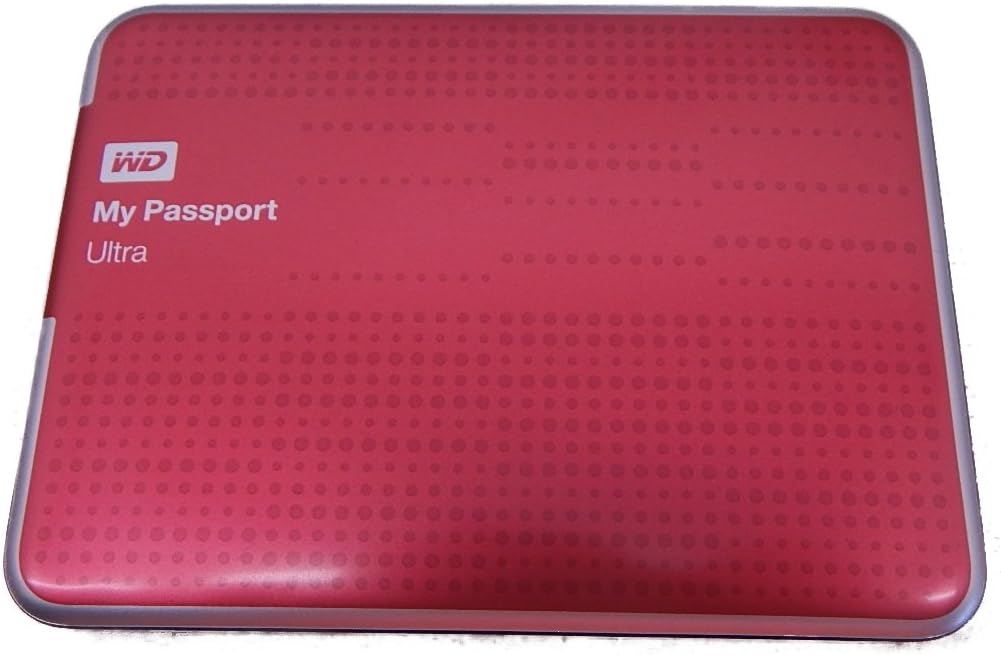
Desertcart purchases this item on your behalf and handles shipping, customs, and support to Tunisia.
๐ผ Backup like a boss โ secure, speedy, and sleek storage on the go!
The WD My Passport Ultra 1TB is a portable external hard drive featuring ultra-compact design, USB 3.0 connectivity with up to 5 Gbps transfer speeds, and robust security via hardware encryption and password protection. It supports automatic local backups and Dropbox cloud integration, compatible with Windows out of the box and Mac after reformatting. Perfect for professionals needing reliable, fast, and secure storage with a stylish red finish and a 3-year limited warranty.
| ASIN | B00EAS8M0S |
| Additional Features | Password Protection and Hardware Encryption |
| Best Sellers Rank | #1,596 in External Hard Drives |
| Brand | Western Digital |
| Built-In Media | Portable Hard Drive, Quick Start Guide, USB Cable, Wd Smartware Pro Software |
| Cache Memory Installed Size | 1 |
| Color | Red |
| Compatible Devices | Laptop |
| Connectivity Technology | USB |
| Customer Reviews | 4.5 out of 5 stars 1,278 Reviews |
| Data Transfer Rate | 5000 megabits_per_second |
| Digital Storage Capacity | 1024 GB |
| Enclosure Material | Plastic |
| Form Factor | Portable |
| Global Trade Identification Number | 00718037807720 |
| Hard Disk Description | Portable |
| Hard Disk Form Factor | 2.5 inches |
| Hard Disk Interface | USB 1.1 |
| Hard-Drive Size | 1 TB |
| Hardware Connectivity | USB 3.0 |
| Hardware Platform | PC;Mac |
| Installation Type | External Hard Drive |
| Item Weight | 5.44 ounces |
| Manufacturer | Western Digital |
| Media Speed | [EST] 5 Gbps (5000 megabits per second) |
| Mfr Part Number | WDBZFP0010BRD-NESN |
| Model Name | My Passport Ultra |
| Model Number | WDBZFP0010BRD-NESN |
| Number of Items | 1 |
| Special Feature | Password Protection and Hardware Encryption |
| Specific Uses For Product | Personal |
| UPC | 718037807720 102930721618 071030589896 |
| Warranty Description | 3 year limited warranty |
J**N
GREAT Little Portable Drive
I did not download, nor use, the WD software that came with this drive. WD has a good reputation, and I suspect the SW provided would be worth using. But this drive was purchased for one function. This drive was recognized by the USB3 port on my desktop loaded with Windows 7 64 Bit. I bought this drive primarily to run periodic SYSTEM IMAGEs as a back-up to the software and files loaded on the internal Hard Drive. Unlike my other 1 TB WD external drive (not a My Passport version), it runs off the USB Power and does not require a separate power supply. Yeah! Windows 7 recognized the drive immediately and loaded the drivers. Works like a champ. And the USB 3.0 high speed transfer rate makes System Image backups lightning quick (compared to my other USB 2.0 external drives). I got the RED version because it was priced lower than the silver/black siblings on Amazon. Worth every cent spent. PS: I also used this drive on my HP Laptop as well using an USB 2.0 port for a back-up of my System Image (WIN 7). It ran using the USB 2 power without an issue, although the data transfer rate was considerably slower as expected.
F**O
1TB storage at a good price,...
And it comes in four different colors! First, most people can use extra storage these days. Secondly, everyone should have a backup drive any way. My Passport Ultra by Western Digital does both very well. This drive works well on both PC's and Macs, and as a Mac user, I was concerned whether this product would be fully compatible with OSX 10.9.1. Yes, you can buy this in a Mac-only version (also made by WD), which costs about $5-$10 more; or you can save the money by getting this one. I got this one. It won't work on a Mac right out of the box, but following the simple reformatting instructions made this drive fully compatible with my operating system. Apple's Time Machine backup program works well with this drive, I have it backing-up my data twice a day. It has worked flawlessly during the three months that I've had it, and anyone who needs 1TB of storage in a small, portable package should give this product a serious look. It comes with the USB cable and is compatible with both USB 3.0 and 2.0. It works quietly, with little or no noticeable vibration. The finish is solid and attractive. Other 1TB portable drives I looked at were priced about $10-$20 more than this one, so the net savings after FREE SHIPPING from Amazon was at least $20. When my storage need increases (hopefully not, but most likely it will), I will be looking at WD's 2TB My Passport Ultra at $108 and free shipping on Amazon. Until then, this one will do the job!
M**O
Excellent quality.
I simply love this portable external disk. Not only is its price very according to the device, but I would say one gets more than one pays for. The quality of the portable disk is very, very good. Its capacity is not exactly 1TB (as expected) but it is pretty close to it. I use it to back up my MacBook Pro with Time Machine and it works perfectly. The only situation is that the disk comes set up for Windows computers and it has to be reformatted to be able to be used with Macintosh computers (before doing this, move all the files already in the disk such as set up instructions and software to your computer, those can be copied but the disk's contents cannot be edited until it is reformatted). The only expectation that was not entirely met was the color of the disk: I expected more of a burgundy/maroon color to it but because it has a glossy finish, it is more of a pinkish red.
R**E
Good Drive - Be careful to follow instructions
This is a nicely built and well designed external hard drive. However, the users manual is too complex and the software WD Software is difficult to follow - so be careful to review it carefully. It keeps track of your initial backup and updated file if you use the WD Smartware software in the correct way. I found that I was not scrolling down far enough on the WD Smartware Software screen and so I wasn't using the Backup options correctly. I found that my best bet was to backup only daily at a specific time and to then click on the clock icon at the bottom of the backup tab and choose "backup now". You don't have to do this, but I found it best for me to avoid confusion and also because I do casual backups from time-to-time and don't need continuous backups. It can be used on more that one PC/Laptop and keeps the files separately identified - that's another reason for me not doing a continuous backup option. It also only backups files that have been changed after your initial backup. Also to avoid confusion and problems - when plugged into a PC, it will often popup a message asking if you want to backup "using MS Windows backup" - "DON'T DO THIS" or it will just give you a fragmented backup that is hard to track. Use the "WD Smartware" only to do your backups and it will track your files and revision just fine.
M**R
Fast, Lot of GB, Secure!
This is the 2nd new Passport I bought. Both work perfectly. I am a writer, artist, teacher and need LOTS of storage. Secure, dependable storage! My new HP computer has a broken DVD burner. Or its the crazy fancy software that came with it. It keeps erasing all my DVD's! I burn files to DVD. Take the DVD out. Put it in back in later to take a file off the DVD and cannot; the computer pops up a window saying it has to format the DVD; It then erases the DVD. Lost many files. I bought the Passports to use as storage, a DVD alternative. It's much faster than DVD, holds a lot more files and I do not lose my files. No formatting problems. All my files are on one Passport drive and copies on another Passport and a 3rd older drive (Seagate) that still works after a few years. I bought Passport due the many positive reviews and quick answers to my questions. Another reviewer taught me how to block auto backup so my old files are not replaced. I set the transfer only when need and overwrite if I choose. Passport is small pocket size, can 'travel with my office'; books, pictures, videos in my pocket to-from California, South Boston. (In video I mentioned it took under 30 minutes to transfer 18 GB of files. Correction; it may have taken about 20 min. The popup window when the transfer starts says a certain time, might have said 30 minutes but it turns out to be less time.) Video shows functions.
V**Y
The drive looks nice, and appears to be of good construction
I had been using a Seagate FreeAgent Go 640GB portable drive for about three years now, and wanted something with some more space and higher transfer speeds. I purchased this drive for it's beefy 2 TB of storage space and speedier USB 3.0 interface. Out of the box, you get the drive, a 15" USB 3.0 cable, soft pouch, quick install guide, and a 3-year limited warranty. The drive looks nice, and appears to be of good construction. Doesn't look or feel cheaply made. I like how compact it is. It's about an inch shorter in length than my FreeAgent Go, and maybe a millimeter or two thicker. The included soft pouch is a nice addition and helps keep dust and dirt off of it. Not an ideal case solution if you're prone to dropping things or somewhat rough with your belongings, so you might want to invest in a more rugged case. It works fine for me though as I keep mine in a messenger bag when on the go, and it's a nice addition considering most other drives don't come with anything. The included USB cable is long enough to plug into the USB port on the front of my PC and reach my desk's surface. So, thumbs up there. Functionally, the My Passport Ultra 2TB works as advertised. Transfer rates are roughly 3x faster than that of a USB 2.0 drive. I noticed the difference in speed right away when transferring large files (1-5GB+), taking only 2-3 minutes instead of 5-10 minutes or longer depending on file size. I work with large media files all day long, so the bump up in transfer speeds is really nice. The drive is very quiet while running. You wouldn't even know that it's on except for a tiny little LED indicator light to the right of the USB connector port. So, why only four stars? Hardware-wise, The Passport Ultra is no different from WD's regular Passport series of portable drives. They're the same exact drives, only slightly different in appearance. What the regular Passports lack from the Ultra is the soft pouch, the Ultra label, and WD's misleading labeling on the box that touts, "Auto & Cloud Backup Plus Security." The "Auto" backup is merely referring to WD's abysmal backup software included on the drive, WD SmartWare (more on that later). The "Cloud" backup is basically instructions on the box for setting up a DropBox account. No kidding! They're advertising cloud storage on the front of their packaging like it's a feature they're offering. Flip the box over and you'll see that it's nothing more than an advertising gimmick for DropBox with instructions on how to set up an account.
K**A
Great purchase
Years later I still have ot and it works well
M**H
Perfect storage solution and rugged for travel.
I use my WD to store my music collection, documents, audio and ebooks, art, pictures, things like that. I consider it my library. I perform tasks that rely on speed on my Thunderbolt disk. If you intend using an external drive as a storage unit, this is tops. If you are planning on using your external drive as a power user performing tasks, this ain't for you, get something that's really fast, get yourself a speedy Thunderbolt drive. Of course, it'll cost you for the speed and performance upgrade. Although formatted in NTFS for a PC use, I own an Apple Mac so I simply reformatted from PC to Mac compatibility with Apple's Disk Utility application. Once in the HFS+ Apple format I don't require the included software. So don't let it's PC pre-formatted disk stop you from purchasing if you own a Mac. I considered the Seagate Backup Plus Slim Portable External Hard Drive. Seagate is just as good as WD in performance, but my past experiences with Seagate: costs more, required firmware upgrades, less dependable. No WD ever died on me. While this may no longer hold true, I went with my experience.
K**X
great portable HD
Initial Review: the MP portable external HD came in a nice little package. It came in relatively quickly. it came in with all the cables I need, and a little black pouch. It is even smaller than I anticipated which is a plus, for a portable device. it is beautifully coloured, and in perfect condition. Usage Review: after using it for a few month, it still operates perfectly. It is very quiet, and does not require external power. in comparison to my old external hard drive(not to be named), which not needs external power, and is very loud, also trumps in transferring speed. I used my external HD for pictures, music, and movies at times. for a 1 TB device, it filled up quickly. In hind sight I should have purchased a large capacity device. Overall Review: the MP external HD is very pleasant to the eyes, small enough to be carried easily, and there are often sales or discounts on such units. if you plan on using it for music and videos, I would recommend getting a larger one than the 1TB one I got. It tends to get filled up rather quickly. It is extremely easy to use, just plug and go. the transfer speed is very fast, and has held up over time.
L**I
Exceptional portable drive for a great price
Came sooner than expected. Sleek-looking design and great performance. Over-all, a great deal. Setup was relatively easy (I skipped the WD software). I chose to manually install the Driver. All instructions can be found within the User Manual (.PDF Format) that comes loaded onto the drive. Makes almost no noise (inaudible over the subtle noise of my case fans). As per usual, a small LED flashes when the drive is in use. USB cable is around 15".
M**M
Fast, quiet, & more than efficient!
You can't really go wrong for the price on this one when it's 25% off on Amazon - and you never have too many external portable drives these days - for backup alone! My older model was starting to act up, so I was able to back it up on this one with room to grow. Not only did I manage to do so fairly quickly, but when my old one would kick up a fuss and stop working during the backup process, this model would pause & pick up where it left off once I reconnected it - rather than to have to start over. Fantastic!! (and I haven't even used all the functions on it) The Red is cool too - especially when you want to colour-code your life (red for back up - blue for music - black for docs/file - green for pictures/vids - ect). At the discounted price, why wouldn't you have a portable digital filing system?
J**R
Great drive - one of the best portable drives out there!
Great hard drive. Fast, quiet and small. I have bought a few of these WD passport drives for family members and only had a problem with 1 of them (out of 5). The rest are perfect! My only issue is that the USB 3.0 micro connector is flimsy. I have had one cable fail on me already - it freaked me out and at first I thought the drive was wonky. Fortunately, you can find replacements for dirt cheap.
A**A
had a bump and stopped working. piece of jumk ...
had a bump and stopped working. piece of jumk. lost a ton of photos, save your money and print your photos
Trustpilot
3 weeks ago
1 month ago