Desertcart purchases this item on your behalf and handles shipping, customs, and support to Tunisia.
⚡ Power Your Productivity, Connect Like a Pro!
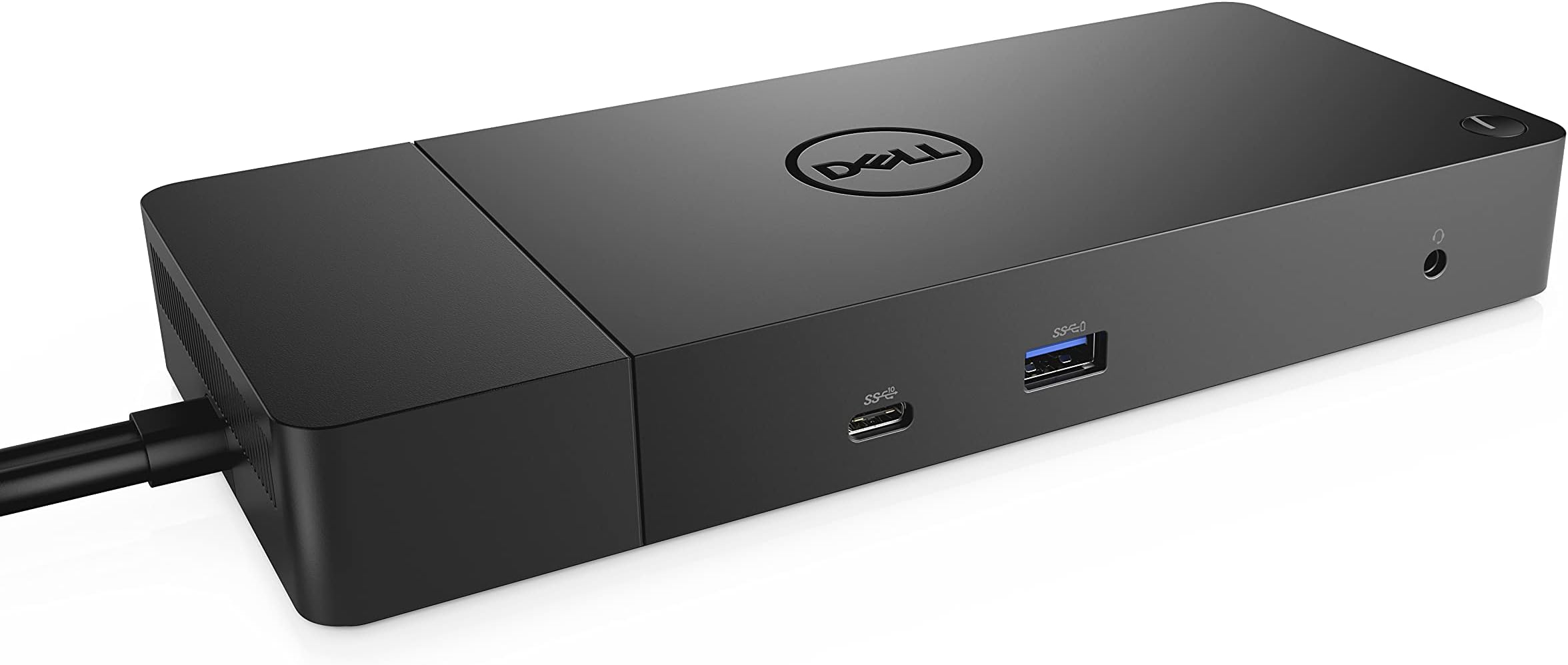
The Dell WD19 180W Docking Station delivers a powerhouse 130W USB-C power delivery, dual 4K DisplayPort outputs, and Gigabit Ethernet connectivity in a sleek, compact design. With 13 versatile ports including USB-C, USB-A, HDMI, and Thunderbolt 3, it’s engineered to elevate your workspace efficiency and keep you seamlessly connected across multiple devices.

| Asin | B07S3XHMP1 |
| Best Sellers Rank | #855 in Computers & Accessories (See Top 100 in Computers & Accessories) #94 in Laptop Docking Stations |
| Brand | Dell |
| Color | black |
| Compatible Devices | Dell Notebooks/Tablet PC |
| Customer Reviews | 4.1 4.1 out of 5 stars (1,513) 4.1 out of 5 stars |
| Global Trade Identification Number | 00884116345923 |
| Hardware Interface | USB |
| Input Voltage | 230 volts |
| Item Dimensions L X W X H | 8.1"L x 3.5"W x 1.1"H |
| Item Weight | 1.3 pounds |
| Manufacturer | Dell Computers |
| Mfr Part Number | KXFHC |
| Model Number | DELL DOCK-WD19 180W |
| Number Of Items | 1 |
| Number Of Ports | 13 |
| Total Number Of Hdmi Ports | 1 |
| Total Usb Ports | 5 |
| Unit Count | 1 Count |
| Upc | 884116345923 |
| Warranty Description | 3 YEAR MANUFACTURER |
| Wattage | 180 watts |
User
Easy Connection, Clean Desktop
I bought the The Dell WD19 180W Docking Station for my home office. I had to do something with all the peripherals that I had connected to my laptop and all the wires laying all over my workspace. So far it has worked perfectly with my Latitude 3590, 2 monitors (1 using HDMI/1 using USB-VGA Adapter), a J5 USB 3.0 7 Port hub with my 3 FreeAgent drives attached, and CAT-5 Network connection.The only minor issue I've encountered so far is that the 2nd monitor using the USB-VGA adapter does not run video very well which is something that I expected. But it works perfectly fine with other applications I've placed on that monitor. (Remote Desktop connections, Office Applications, QuickBooks, etc.)To date I've experienced no connection dropouts or problems with the docking station and it's great to be able to go mobile by just disconnecting one cable!I'm very happy with this purchase!
User
Fixed a lot of issues I had with a cheap port replicator.
First, I bought a doc that had more than the recommended wattage to eliminate any passthrough power issues. On the negative side, it only had one HDMI port and a Display port, so I had to buy an adapter for my second monitor. It did not have an 1/8" mini-pin stereo adapter for my external speaker. So, I had to resort to a blue tooth connection that comes with its own issues on reboots, etc. Having said all that, I love it! All the instability issues I has with an underpowered doc and port replicator went away. It was expensive but worth the price. I'll take stability over price every time.pat
User
Dell Quality Docking Station-Easy to Install and Use
Purchased this model WD19 180W with 130 watt power delivery for my new Dell XPS 15.7 " 9530 laptop. It easily recognized all the monitors and connections. No complex install procedures at all.I usually run my laptop at my work desk with two monitors in extended mode. And I close the lid of the laptop so I can place it out of the work surface area. The docking station instantly knew what I was doing and appropriately configured the video drivers accordingly. If you have a 130 watt battery in your laptop be sure and purchase either the WD19 or WD19S docking station with 130 watt Power Delivery (the 90 W power Delivery is not supported). You can also use the higher end station WD22TB4 with 130 watt if you need the advanced graphics.I am using a Display Port 1.4 Cable to an HDMI terminal to connect to the monitors. No degradation of signal and easy to configure the display settings. The ports on the docking station are generous: 1x USB-C 3.1 (Gen 2), 1x USB-A 3. 1 (Gen 1 with power Share), 2x USB-A 3. 1 (Gen 1), 1x combo Audio/ headset, 1x audio out. Video ports: 2x DisplayPort 1. 4, 1x HDMI, 1x USB-C multifunction DisplayPort, 1x Gigabit Ethernet RJ45.One feature I really like is the sleep button on the docking station. I press it and the computer goes to sleep as do the monitors. And when I return and press the same button all returns to exactly where I wsa. This routine is often complex and can lead to restarting the computer and awkward monitors displays. Dell has figured this out.
User
Insane Fan Noise
This docking station worked great for a year and then the fan started running extremely loudly and on a weird cadences. First it was for 3 seconds over and over and now its about 10 seconds every 2 minutes. Its extremely loud and obnoxious to the point of being unusable. Apparently, this is a bug with these dell docks that only a certain % of them have. Dell will give you a replacement for this issue but I'm not sure about used amazon products. Buyer Beware. Feel free to reach out to me about this negative review if you want to take your defective product back for a refund. I have the latest firmware installed and investigated troubleshooting options. There are none other than getting a new dock or ripping out the fan.
User
The Ultimate Workstation Upgrade (But Maybe Not for Everyone)
I believe in creating a productive and comfortable workspace, and the Dell WD19 docking station has been a game-changer for my home office setup.This powerful docking station expands my laptop's connectivity, allowing me to connect multiple displays and peripherals and even charge my devices with a single cable.Here's why I'm giving it a four-star rating:Connectivity Powerhouse: This docking station offers a wide range of ports, including HDMI, dual DisplayPort, USB-C, USB-A, and Ethernet. I can connect my laptop to two external monitors, a keyboard, a mouse, an external hard drive, and a wired network connection with a single USB-C cable.High-Resolution Display Support: The WD19 supports dual 4K displays or a single 5K display, providing crisp and vibrant visuals for multitasking and demanding visual tasks. I've been using it with two 4K monitors, and the image quality is excellent.Fast Data Transfer: The USB-C and USB-A ports offer impressive data transfer speeds, making moving files between my devices quick and easy.Powerful Charging: The 130W Power Delivery pass-through charging ensures that my laptop stays powered up while using the docking station. This eliminates needing a separate laptop charger and keeps my workspace clutter-free.Stable and Reliable: I've been using this docking station for several months, and it's been incredibly stable and reliable. I've never experienced any connectivity issues or performance hiccups.Why Not a Perfect 5 Stars?While I'm very happy with the Dell WD19, there are a couple of drawbacks that prevent me from giving it a perfect score:Compatibility: This docking station is primarily designed for Dell laptops. While it might work with some non-Dell laptops, compatibility can vary. It's essential to check the compatibility list before purchasing.Price: The WD19 is a bit pricey compared to other docking stations. However, the performance, features, and reliability justify the cost, mainly if you rely heavily on a docking station for your workflow.Overall: If you're looking for a powerful and versatile docking station to enhance your productivity and create a streamlined workspace, the Dell WD19 is an excellent choice, especially if you have a compatible Dell laptop. It's a reliable, feature-rich solution that significantly improved my home office setup.
User
Works like a charm
With the WFH situation, I wanted to be able to connect two monitors. As my laptop was designed for travel, I don't have a lot of ports. Connecting with adapters (I tried three) slowed the machine down and the monitors did not function quick enough. My IT department suggested this docking station and I am fully set up with two monitors and a printer with no lag. I went with the higher power version and do not regret it.
User
Works out of the box, no issue, no config
Had the much beefier version of this unit supplied by corp. IT and it almost never worked well. Had to plug and unplug etc. and ethernet was issue. Finally replaced with this unit. It takes same 180W power supply and has required ports. Plug and play, works perfectly. Took less time to set this up then my normal routine of unplug and replug the unit over and over every morning.
User
As described
Haven't tested it 100% but I'm sure it's going to work
User
Productivity Boost
This is exactly what I needed for my home office set up. Charges my laptop while I use two screens. Major productivity boost. A little larger than I would like but if that’s my only complaint I’m good. Great product.
User
Alta qualità e robustezza
Prodotto di qualità eccellente per assemblaggio e materiali usati. Mi consente di collegare il mio laptop DELL Vostro 5490 con un solo cavo USB-C.La diponibilità di porte lo rende molto versatile per collegare molte periferiche evitando di utilizzare le porte del PC.Il prezzo è elevato, ma se avete molte periferiche ne vale la pena
User
Excellent!
Great product, just had to buy new monitor cables, but it works a treat! It even arrived early - brilliant.
User
Docking station
Great for cable management and running multiple accessories without having to plug them all directly into the laptop meaning swapping between laptops and unplugging the laptop is quick and easy. Basically does what its supposed to do
User
CONFORME A LA DESCRIPTION
Pratique pour le chargement de différents supports pour PC
Trustpilot
3 days ago
4 days ago