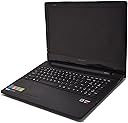
๐ผ Elevate your everyday grind with Lenovo G50 โ where power meets portability!
The Lenovo G50 80E30181US is a budget-friendly 15.6-inch laptop powered by an AMD Quad-Core A8-6410 processor and 6GB DDR3L RAM, delivering reliable performance for professional multitasking. It features a spacious 500GB HDD, a versatile DVD SuperMulti drive, and a vibrant HD widescreen display. With Bluetooth 4.0, USB 3.0 connectivity, and a lightweight design under 5 pounds, itโs built for managers and millennials seeking dependable productivity on the go.
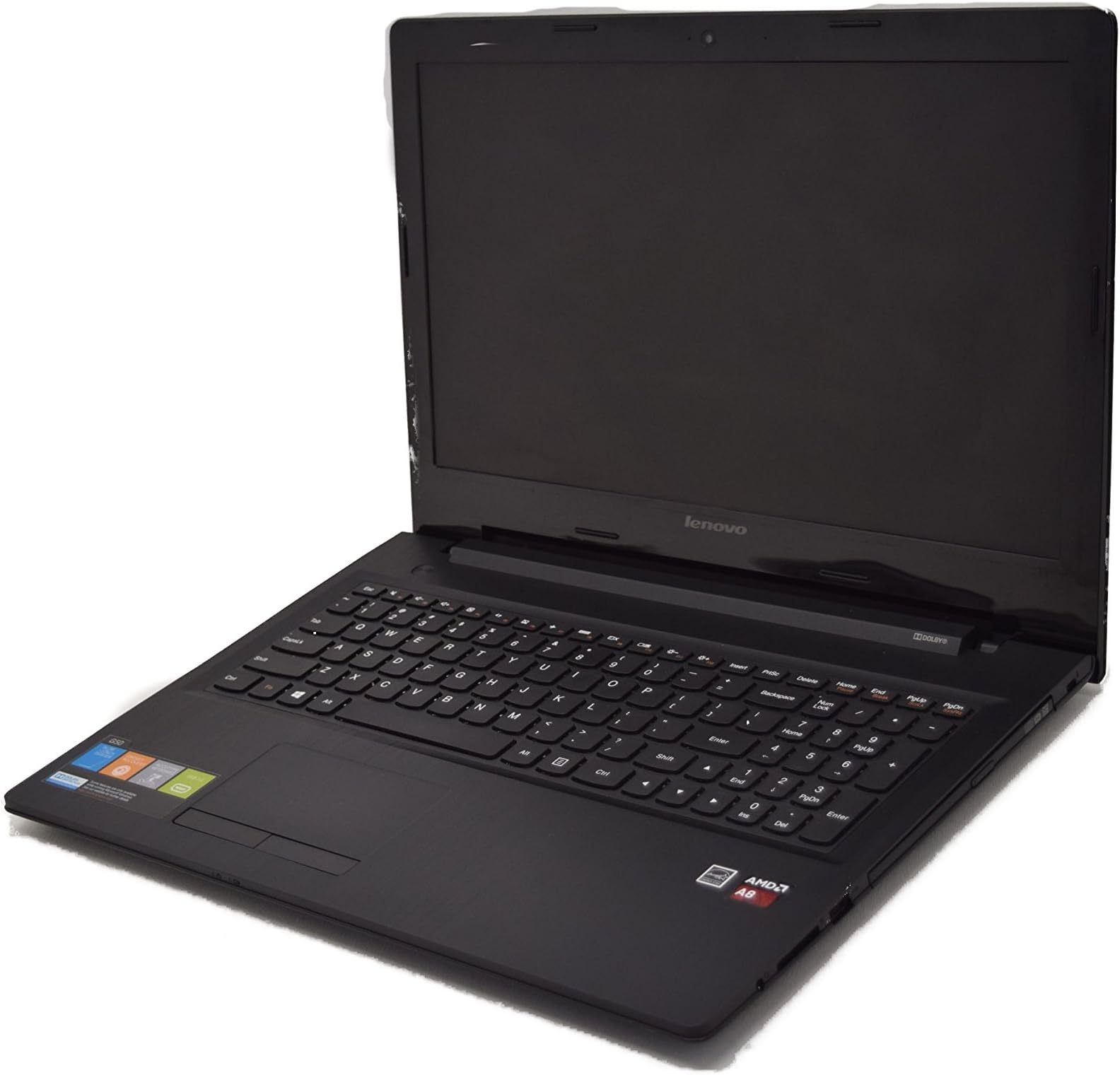
| ASIN | B00VIPM9JQ |
| Audio Output Type | Speakers |
| Audio features | This product includes built-in speakers |
| Automatic Backup Software Included | Webcam |
| Battery Cell Type | Lithium Ion |
| Battery Life | 4 hours |
| Best Sellers Rank | #166,567 in Computers & Accessories ( See Top 100 in Computers & Accessories ) #31,730 in Traditional Laptop Computers |
| Bluetooth Version | 4 |
| Brand | Lenovo |
| Built-In Media | laptop |
| CPU Model | AMD A8 |
| CPU Model Generation | 3 |
| CPU Model Number | 1 |
| CPU Model Speed Maximum | 2 GHz |
| Camera Description | 0.3 MP webcam |
| Color | Black |
| Compatible Devices | External mice, keyboards, storage devices, printers, and other accessories that support USB or Bluetooth connectivity |
| Connectivity Technology | USB |
| Control Method | Touch |
| Customer Reviews | 4.0 out of 5 stars 289 Reviews |
| Display Resolution Maximum | 1366x768 |
| Display Technology | LED |
| Display Type | LCD |
| Form Factor | Laptop |
| Graphics Card Ram | 6 GB |
| Graphics Coprocessor | AMD Radeon R5 |
| Graphics Description | Integrated |
| Graphics Ram Type | DDR4 SDRAM |
| Hard Disk Description | HDD |
| Hard Disk Interface | USB 3.0 |
| Hard Disk Rotational Speed | 5.4E+3 rpm |
| Hard Disk Size | 500 GB |
| Hard-Drive Size | 500 GB |
| Hardware Interface | Bluetooth, CD-RW, DVD-RW, USB |
| Human-Interface Input | Microphone |
| Item Dimensions L x W x Thickness | 14"L x 1"W x 10"Th |
| Item Weight | 4.6 pounds |
| Keyboard Description | Laptop keyboard layout |
| Keyboard Layout | QWERTY |
| Lithium-Battery Energy Content | 32 watt-hours |
| Manufacturer | Lenovo |
| Memory Clock Speed | 2400 MHz |
| Memory Slots Available | 1 |
| Microphone Form Factor | Built-in |
| Model Name | Lenovo G50 80E30181US |
| Model Number | G50 - 80E30181US |
| Model Year | 2015 |
| Native Resolution | 1366 x 768 pixels |
| Notebook Pointing Device Description | Touchpad |
| Number of Ports | 3 |
| Operating System | Windows 8.1 |
| Optical Storage Device | No |
| Other Special Features of the Product | Webcam, Numeric Keypad |
| Power Device | AC adapter |
| Processor Brand | AMD |
| Processor Count | 1 |
| Processor Series | AMD A8 |
| Processor Speed | 1 |
| RAM Memory Installed | 6 GB |
| RAM Memory Slot Total Count | 1 |
| RAM Memory Technology | DDR4 |
| RAM Type | DDR3 SDRAM |
| Ram Memory Maximum Size | 6 GB |
| Resolution | 1080p |
| Screen Size | 15.6 inches |
| Speaker Description | The Lenovo G50 laptop has built-in speakers. |
| Specific Uses For Product | Business |
| Supported Monitor Maximum Quantity | 1 |
| Total Usb Ports | 2 |
| Touchpad Feature | true |
| UPC | 889233631539 |
| Unit Count | 1 Count |
| Video Output | HDMI |
| Video Processor | AMD |
| Voltage | 7.4 volts |
| Warranty Description | 1 |
| Wireless Compability | 802.11b, 802.11b/g, 802.11bgn |
| Wireless Technology | Bluetooth, Wireless |
M**R
Flawless In Specs & Operation
I write in praise of this laptop, for the money spent, its specifications far outpace anything out there. One brief comparison. For the same amount of money that I spent here at Amazon, Lenovo offered a 15.6" laptop with a dual core processor and 2 GB of RAM; compare that to this machine's quad core processor and 6 GB of RAM! Indeed, to get a machine with comparable specs, I would have needed to spend $200 more. Besides specs, the machine is flawless in operation. When I first plugged it in, the first decision I needed to make was whether or not I wanted to upgrade to Windows 10 from 8.1. Since I have been a part of the Beta testing program since its inception, for me, that was a no brainer. The upgrade went smoothly, with no warnings or glitches during the upgrade, which took less than an hour to complete. Besides text work and illustrations, my most frequently used programs are high-end photography programs, including many of which tend to be high users of memory such as Photoshop and the Franz line of products from Europe. All of these programs run very well under Windows 10, and this laptop has yet to object to anything I've thrown at it. Heck, even the audio quality is good, no doubt due to its Dolby stereo component. Could this laptop be improved? Sure, throw in a SSD and its speed will be bumped up significantly. Which points out another great feature of Lenovo computers - they're very easy to upgrade. Turn the machine over and memory and hard drive access doors are easily viewed, opened, and components upgraded or repaired. As I said, I write in praise of this laptop. I'd easily recommend it to a friend, and couldn't be happier with my purchase.
T**T
Good laptop for the price...
First off, this laptop is HUGE! It's a lot larger than I was expecting, so if you're looking to use this for travel I'd opt for a smaller laptop... this fit into my suitcase barely but left no room for anything else once combined with the charger. I use a Lenovo Yoga Pro 2 for everyday use, I purchased this for my dad as a spare computer. Going from the Lenovo Yoga to this is night and day, but they are in completely different price brackets. For the money, the laptop is great... has a good processor, memory and HDD compared to others in it's price range. However, if you're used to a faster i5 or i7 computer and switch to this... it feels incredibly slow. Things are unresponsive, takes long to power on/shut down and windows sometimes freezes. But like I said... great entry level laptop if you're using it for basic tasks such as Microsoft Office and the internet. It comes preinstalled with a lot of bloatware from Lenovo... Lenovo is pretty notorious nowadays for loading up their computers with junk (and even had problems loading up malware before). I would recommend to do a full reinstall of the OS from scratch to remove all the junk, or, clean up through your control panel. There will probably be around 10 things running that you don't really need or want when you first get this laptop.
F**Y
Runs Linux great.
Great laptop. It's a great overall laptop with excellent value for money. Al the components the laptop are very easy to access, removing 4 screws on the bottom allows easy access to the fan (for cleaning) HD, RAM and WIFI card. I ordered a Samsung SSD drive with the laptop for added performance. The Samsung 850 EVO installed easy with no issues. Ubuntu Linux installed easily however I did see issues with the WIFI disconnecting on Ubuntu 14.04, however upgrading to 15.10 resolved these issues. All the hardware features work normal under Ubuntu including volume buttons, brightness buttons ect. Keyboard - The keyboard has a soft loose feel to it. I don't have any doubts it will last a few years. Battery - The battery will last about 2 hours of normal use. Power supply - Power supply is small. PSU runs very hot. Hot PSU's often have a shorter life. Screen - The screen is OK however you will see problems with the color gradient. If your using the laptop for general use this is fine, but I wouldn't recommend it for photographers. All it all it's a good quality cheap laptop that works great with Linux. The screen is the only reason it looses a star.
K**T
Yay new computer! For things and stuff!
The delivery came on time and the computer booted up quickly the second time I booted it(after the uninstalls). The keyboard does not bug me too much, but I have gradually gotten used to different set ups. It is quirky but still functional. I attached a picture of the programs I had left after my uninstall spree and while I am sure I could uninstall even more I am leaving it here. It is enough for the computer to be fast but not so much as to have the demon lords raise up from the cyber netherworlds and take claim to my computer. Windows 8.1 is weird, but you can upgrade to 10 for free or wait as I plan to do until Windows 10 has its stuff more together. When it is installing Windows 8.1 do the custom install because you can uncheck a lot of crap about how it is going to send info to windows for marketing purposes. I had no problems with the wireless but I installed the other driver anyways. I also installed firefox, chrome, and libreoffice(it is like microsoft office but free and faster). The screen does not bug me. I took a color hue test and came up with in standard results. It is not like "OMG this screen is so clear I can practically see my future in these pixels!" it is just pleasant and for the price point great. Sorry for rambling, but I hope this is useful!
A**R
Display is off, but overall good buy
This is a pretty decent computer for the price, however the colors are all a bit off. It's not a big deal if just casually searching the web, however I like to draw digitally, and so it is does get a bit annoying having all the colors a slightly different tone. I've tried fixing it on my own, with no luck. I'm not sure if it's just my computer, or if this is a common issue. It also doesn't have that high of a brightness setting. Both of these issues are noticeable when watching Netflix, youtube, etc. The computer also has a small crack on the screen, I have moved across the country though, and I think that was just me not packing it as well as I should have. I have done some online gaming, and it works well with that. It doesn't slow down, and runs at a good speed. The settings do have to be set a bit lower however. I have played Minecraft and a few MMOs, but this computer doesn't have the compatibility for larger scale games, so just keep that in mind. So overall it works well, it seems fast, and I have no issues with lack of space on this computer. The only issue in my opinion is the screen's display being dark and off-toned. For the price though, if you just want a computer for simple tasks, this works well.
L**I
VERY unhappy with the keyboard
I'm a big fan of Lenovo wo when i had to buy my son a laptop for school i immediately searched my favorite brand for products that were in my price rang (laptop 15 in screen with memory and a dvd). I saw this one from lenovo under 350 and decided to buy it. I also compared it to the acer aspire in the entry level but decided not to purchase due to the lack of dvd player. reason i'm giving this such low rating is because of the damn keyboard. it's an extended keyboard but unlike my other lenovo which has one, the keys are smashed together and not set apart from the main keyboard keys. so (an experienced typer) i find myself at an offset angle when attempting to type because the f and j key are not centered like you would expect. another issue is the distnace between the outer edge of the laptop to the track pad to the space bar. the outer edge of the laptop is not smooth and presses on the arms. this is a major design flaw. my son is not a typer like myself and still pecks at the keys and he's a lefty so perhaps this won't be an issue to him like me. my humble (strong) suggestion is if you're buying this to use for an everyday laptop i' strongly consider my feedback because i see this being an uncomfortable device to work on. good luck
S**R
Nice big light weight laptop
i looove my new laptop it is nice and smooth and it is actually faster then my desk top pc. the size is pretty nice and had a free win 10 upgrade available. It is a textured plastic which i like the ports are nice and snug so no loose items. the battery life is not so good so be sure u have a back up battery or power source. Mine lasts about 3-4 hours and then dies. I use mine for work so its actively on with multi things running at the same time. The set up was simple and i love the look of it all. However i have issues with some of the apps and dl apps from the store but this is a common issue with 8.1 apps happends on my win 8.1 pc as well
B**S
Junk
After going through 2 faulty hp laptops in a month, I decided to try Lenovo. We have Lenovo pcs at work and they are made well and are very reliable. Setup was pretty easy, haven't upgraded to windows 10 yet. Dolby sound is excellent (better with headphones). It does have a lot of bloatware as other reviews have mentioned, it took me 30 minutes to uninstall and I definitely noticed a performance increase. Edit 10/30/15 I am sending this unit back. The keyboard is awful it doesn't register some keys that are pressed. The keyboard isn't solid and dips in the center when typing. I've learned my lesson buying laptops under $500.
C**C
some problems.
So far so good. One thing. I had trouble with the internet loading so I switched to Chrome as my default. Downloaded windows 10 successfully. Speed is good. Memory is good.
A**R
Four Stars
replace well my older computer get less warmer good for long period utilisation.
C**N
Terrible computer
Once I received it and turned it on it prompted me to update to Windows 10. It took 3 days to install all the updates. Once I finally got to use it, it was the slowest computer I've ever used. It prompted me to use mcaffie antivirus so I did. Once I turn on mcaffie it turned off all my windows defender. I instantly got a virus a day later trying to watch despicable me 2. Haven't been able to use it since. I asked for my money back. No luck I'm stuck with it. Maybe it was all my fault because I'm not good with computers. But I feel this computer is a piece of junk.
Trustpilot
2 weeks ago
2 months ago