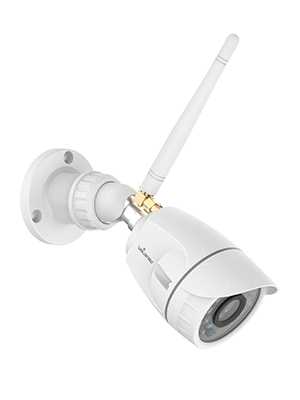
๐ Secure Your Space, Anytime, Anywhere!
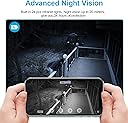
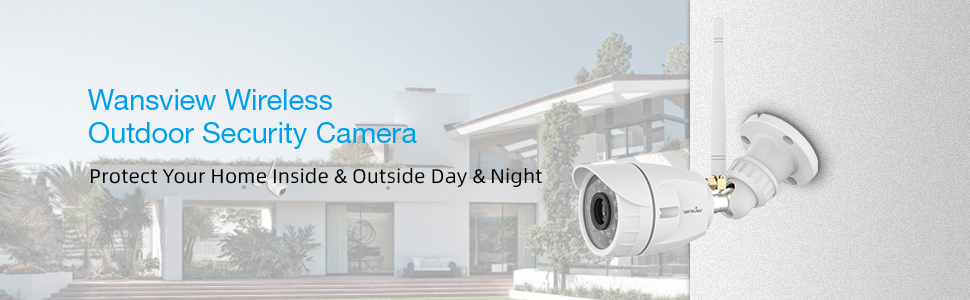
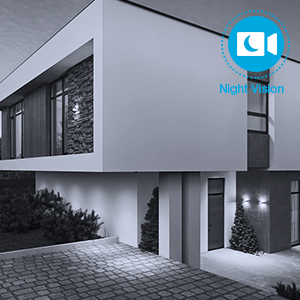
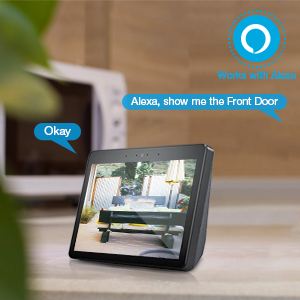
The Wansview Outdoor Security Camera offers 1080P HD video quality with a 2 Megapixel lens, ensuring clear surveillance both day and night. It features IP66 waterproofing, making it resilient against harsh weather conditions. With motion detection capabilities and real-time alerts sent to your phone, you can monitor your home from anywhere. Compatible with Alexa, this camera integrates seamlessly into your smart home setup while prioritizing your privacy with advanced encryption technology.


| ASIN | B07WNLB2RG |
| Alert Type | Motion Only |
| Antenna Location | Surveillance, Outdoor Security |
| Best Sellers Rank | #5,466 in Bullet Surveillance Cameras |
| Brand | wansview |
| Built-In Media | 1 camera, 1 power supply |
| Color | White |
| Compatible Devices | Alexa |
| Connectivity Protocol | Wi-Fi |
| Connectivity Technology | Wireless |
| Control Method | Voice |
| Controller Type | Amazon Alexa |
| Customer Reviews | 4.0 out of 5 stars 7,092 Reviews |
| Enclosure Material | Aluminum |
| Form Factor | Bullet |
| Indoor Outdoor Usage | Outdoor |
| Indoor/Outdoor Usage | Outdoor |
| Item Dimensions | 6.23 x 2.33 x 2.33 inches |
| Item Type Name | W4-W |
| Light Source | LED |
| Manufacturer | Smarteye |
| Manufacturer Warranty Description | 1 |
| Mfr Part Number | W4-W |
| Model Name | Outdoor Security Camera Wansview 1080 P Wireless Wifi Home Surveillance Waterproof With Night |
| Model Number | W4 |
| Night Vision | Night Color |
| Number of Items | 1 |
| Other Special Features of the Product | Night Vision, Motion Sensor, Waterproof, HD Resolution |
| Power Source | Corded Electric |
| Recommended Uses For Product | Surveillance, Outdoor Security |
| Room Type | Hallway, Living Room, Study Room possibility |
| Special Feature | Night Vision, Motion Sensor, Waterproof, HD Resolution |
| Specific Uses For Product | Surveillance |
| UPC | 767311992713 |
| Unit Count | 1 Count |
| Video Capture Format | MJPEG |
| Video Capture Resolution | 1080p |
| Water Resistance Level | Waterproof |
| Waterproof Rating | IP66 |
| Wireless Technology | Wi-Fi |
| Zoom Type | Digital Zoom |
C**Z
Absolutely amazing for the price, only a few drawbacks, totally worth the savings!
This product is fantastic for the price I give it five stars! It is reliable and fairly easy to use, very easy to install! We were just on vacation and saw people in our yard and called our NYPD precinct. Although the cops refused to do or check anything without us there in person (ugh), it was good that we got the footage and now can see where we need to secure better! Overall though, there are a couple of downsides. The footage stops in motion detection often slightly before people are done moving within the area. This made it hard to tell whether the trespassers in our yard actually made it up our stairs and broke our glass or not, which was nerve wracking. Luckily it seems they hopped the fence instead, but because the footage stopped short, it made for a very anxious ride home from vacation. The motion alerts are great and night time vision is excellent. We have this installed inside to see through a window, and it sees through the window outside to our backyard SO well! You can set the level of motion detection you want which is nice. The size of the span of the camera is also great, we have two of these and one of them doesn't look like it's pointed in the direction to see things on the side, but it is! Pretty easy to set up and only $7/month to get 7 day rolling footage for up to four cameras. The app is super simple and will drain your battery if you watch for long periods of time of course, but for $30 you really can't beat it especially if you're like us trying to save money in a home that is not in quite as safe of a neighborhood or is going downhill with more crime in pandemic times. I wouldn't say it's super high def for people in the distance (we have ours covering up to a roughly 25x20 ft area), but good enough to see faces very decently and very well up close, and downloading footage is pretty easy as long as you have motion alerts set up. Both of us are able to view it on our phones too. Totally worth buying this and saving all that cash for very few downsides, really no need to spend $200 on a Ring or something plus their monthly fees unless you've just got that extra cash to burn--and even if you do...still buy this camera and put the rest towards a worthy cause like helping theatre artists and other hard hit industries get through this pandemic! ;)
R**Y
Detailed long term review W4 camera, 5 stars.
Detailed long term review W4 camera, 5 stars. By far, the best bang for the buck considering the camera and free app with some room for improvement. Picture quality is way better than Ring. Not too long ago there was an incident in front of my neighbors house across the street. She has a Ring camera. The police used the footage from my W4 which was much further away. After putting these cameras through the paces over the last 9 months, Iโm impressed, especially for the price. They have been through snow, rain and summer heat and are still going strong. These cameras run on 12 volts: off grid, camper and RV applications! In addition to security uses, I have one camera mounted to a scrap of wood and clamped to a floor joist in order to remotely monitor my sump pump in the basement. Very handy given the floods our region experienced this past week. THE GOOD: Price Good camera resolution during the day also in low light without the built in IR LEDโs being turned on. The camera is so sensitive, in my situation, I leave the night vision LEDโs off. Easy setup for us non IT geeks. Point the camera at your cell phone and you are done. Because the camera runs on 12 volts, it makes them incredibly versatile. These will work perfectly with solar setups, running on battery backup, off grid applications, automobile uses, RV installations, and in out-buildings. They do not market this fantastic ability yet it is a highly desirable capability. For example, it is quite easy to run a 12V line in a tree to power a covert camera. For solar use, I would like to know the device's upper voltage limit i.e. during the battery charge cycle where voltages rise. In some of their newer (other model) cameras, they have taken a huge step backward by powering them via USB instead of 12 volts. WIFI range. Highly functional bug free user app. I am very impressed with its functionality and ease of use. The app allows a wide range of custom camera setup parameters. The free portion of the app allows +- 5+ second recordings of motion alerts. You can download these to your local device before they disappear in 24h. Alert schedule, sensitivity, IR LED control, alert area and more can be set from the free portion of the app. The app even includes a diagnostic function. The paid version offers longer web storage. Kudos to the app developer, it is easy to use and very functional. It is such a relief that they do not spam you with constant emails as other poor apps do. Scheduled alert notifications are highly customizable and very quick to alert. If I take a stroll in the yard too late at night during my set alert times, bells and tones immediately sound. Mounting options are versatile. I have both of my cameras mounted upside down, software allows an easy flip of the image. RFI: These cameras are Radio Frequency Interference quiet. Perfect for Amateur radio operators. Using a spectrum analyzer, I swept from .900 to 54.00 megahertz. I found no hash or birdies. I receive notifications when there is a software update to the camera. Updates are completed with a single button press within the excellent app. The seller is very responsive with quick emails. I ordered two of their newer W9-W cameras, unfortunately, one of the color sensing chips failed within 3 days. I had a replacement at my door within a week without having to go through Amazon. All my other cameras have been holding up very well over the last 9 Months. These survived outdoors in a Buffalo NY winter. These integrate seamlessly with Alexa Show. I can simply say Alexa, show me โCam 1โ and then the video pops right up. On the Alexa app, go to add devices. THE BAD: No memory card slot. ROOM FOR IMPROVEMENT: When mounting upside down, flipping over the sun & rain shield would work if a small portion of an unused portion of the circuit board were cut out. This can be accomplished by the company with little to no cost. Put a very small quick disconnect near the far end of the wiring. This will allow users to drill a much smaller hole during installation. The alert notification alarm is loud without the ability to change it. A few changes in the already excellent app would allow users the ability to select alert tones. When setting up the camera alert zone, please add the ability to draw a โDo not alertโ box even if it is within the alert area. For instance, Looking down my driveway, my neighbors vehicle lights directly across the street constantly will trigger an alert. I can not box them out without eliminating intended coverage. Drawing a small โdo not alertโ box within that small section would allow full intended coverage without nuisance alerts. Recently I took advantage of an early release sale on their new W9 camera. I have found it to be functionally similar to the W4 review above with the added ability of remote pan, tilt, memory card and 2-way sound. After I spend some time putting the W9 through its paces, I post a review.
N**R
Decent camera for the cost
Decided to try this based on its low cost. Other than having to figure out how to get power up to the corner of the attic, it is a simple install being a wifi connect. Image quality is good for oververall view of what is going on. Not going to be able to get super details on someone to positively identify if something is stolen. Much higher resolution would be needed for that. But I knew that when buying and still like it for what it is. Motion works well during the day other than picking up trees moving or shadows moving even. Perhaps most cameras would be the same. But at night it picks up bugs all night long. No matter the setting. The "infrared" LED's are visible as red to the eye...so maybe that is attracting them...I thought they should be not visible to us...but also insects are attracted to infrared anyway. The app for controlling it is ok...but would really like some additional settings and ability for local storage. I am not paying $70 a year for the cloud storage...way to much when you can get Ring storage for $30 a year. So storing local would be nice but I have not figured out how to do that yet...and I suspect with some of the glitchiness it may not work well. If you need a serious security system with recording....going to have to spend more $$. But for what this is...I still like the ability to view live on my phone from anywhere and see what is going on. I like that even without paying the cloud fee you see the days activities. I just wish the record length was longer. It only captures a couple seconds and that is not near long enough.
R**S
Works Great with Alexa & Good Value for the Money
We have now purchased 4 of these cameras. First let me disclose we were not looking for recording as we use a wired system with DVR. Our goal was to be able to see our driveway and entry doors while watching TV when not in view of the wired system's monitor. The Wansview cameras have mainly satisfied that objective. Each of these cameras were configured quickly and easily through the app with no issues whatsoever. Actually, the simplicity is impressive. They were up and running within five minutes with no issues at all. I've had other devices which have taken several trials to set up but these went smooth. I did not have to use the supplied power supply as I already had 12 volt wiring to each of the locations I was placing the cameras and just tapped into that source. The picture quality is good even on a 50" television. Night vision is fine and is typical of IR cameras. Our cameras are positioned anywhere between 25 and 60 feet away from the router. I did experience one camera losing connection but I ended up moving and tightening the antenna and so far no other disconnections. The Wansview app is simple and straightforward. I did not opt in to cloud storage so I cannot attest to it's features. I have read reviews of others trashing the app but its design serves our purpose. But, lag time is a major disappointment. When we launch the app, it takes about three to four seconds to connect to the cloud and then another 10 to 20 seconds to connect and show the live feed. This may be typical of wifi cameras but I'm not sure. It does work good with Alexa but again, up to 20 seconds to show the live feed. The only other suggestion to Wansview would be a way to turn off the camera in the app to reduce data usage. However, for people using the cloud for storage, this would prevent recording and be counterproductive. All in all, this is a good camera and the price is unbeatable. Picture quality is real good for a camera at this price point. Each camera was extremely easy to set up and configure. I do recommend this product and I may even expand later to increase our coverage and will definitely use another Wansview camera.
T**S
Can use w/out internet & w/3rd party apps - but did not stay up for 24 hours without needing reset.
I really wanted this to work. One of my criteria was to avoid using the WAN. I was worried because several folks commented that this was not possible. But you need to know that this camera does, in fact, support most monitoring apps that can handle RTSP protocol. You need to use the Wansview Cloud app for the initial setup but I have been using the Android Tiny Camera app with fine success. I then block the camera's access to the internet at my router. This prevents the Wansview Cloud app from working. But that is what I want. I can also report that in trying to mount the camera at about the farthest point from my router on my house, the frame rate was so reduced that it often was 0 frames/second. I have since added a wifi antenna similar to those sold here on Amazon for $7 that sits at the end of a 6 foot cable and that has solved the problem. I do not know if this issue was the included antenna - which worked fine indoors during my testing - or if it was the proximity of the power supply to the antenna/camera that caused this or if it was a weak signal issue (although my phone works outside farther away than the camera was from my router). Finally, this camera, once in position and working nicely, refused to stay up and delivering video for over 24 hours. It just stopped and needed to be reset. That is just plain unacceptable. So back it goes. I got a TopDome Wifi Bullet Camera instead and it seems far superior but a little more $.
J**Y
UPDATED: Awesome Cameras! Worth the money!
UPDATE: So after using these a few months, i have removed 2 stars for 2 reasons. The third reason on here is just to warn you about internet speed. 1. Motion detection doesn't work that great. I have had people walk in front of these cameras and they didn't pick them up. It wasn't until they passed back that they were picked up. So the motion is iffy, and that isn't a good thing at all. Someone could come onto my property and leave without motion picking them up. 2. I have had to remove the cameras from where i placed them to connect them to my wifi again and again. I don't know if they do a firmware update or what, but they go offline and have to be removed and reconnected. As i write this it is night time and my cameras are offline as i didn't see they were off until sun had gone down. So if someone was to come into my property tonight, i won't have a clue that they did. 3. They slow down my internet service down big time. Now this doesn't have anything to do with me removing the 2 stars. I knew my internet was gonna take a hit, but i just didn't realize it would slow down so much. So be warned! You have to have high speeds if you plan to use these. I bought these as someone was coming into my property and messing with my stuff. The last time someone cut of a piece of chain from one of my trailers, so had to replace it. It wasn't expensive, but it annoyed me. So i ordered theses and i liked their reviews better, and i haven't been disappointed. The video quality for both day time and night time are great! I can even see the vehicles that pass on the road in front of my house. The motion detection was iffy at first, but since the firmware update they have picked everything up. I would definitely buy these again. To prove that, i am about to order another one so i can place a second one on my drive way. So if you looking for a camera, don't hesitate and buy this one!
B**C
Great Camera - Wansview W4/W5 works great with Blue Iris. Awesome cameras.
Biggest fear with buying new cameras is will they work with your monitoring software? I use Blue Iris and can say that yes, Wansview has done a great job with their camera's making them so the purchaser can use the Wansview service or if they have their own monitoring software they can use that. The camera is well built, small, and has excellent video. I'm very surprised for the price at the quality. The Ethernet cable, power, and reset button all have rubber covers to protect from the outside elements. The camera has plenty of IR LED's and throws a lot of light for the camera at night. Note the LED's are not the invisible type, they do show a slight red glow at night, but they work great. If using Blue Iris, install the Wansview app on your phone, get the camera connected up through the app (I used the Ethernet method). Once working, you can change the name, password (change the password as the default uses special characters) and other information in the camera. First off though, update the camera's firmware. The Wansview software will tell you that an update exists. Go ahead and install the update. This takes about 5 minutes to be patient. One the update is complete, use the Wansview phone app to get back into the camera. At this point you'll see the settings gear, click on it, go to local settings. You'll see two options "Local" and "RTSP" click on the RTSP. This provides you with all the information you need to connect to Blue Iris. Check the attachment for the Network IP camera configuration page in Blue Iris. This camera works great. I love the small size and quality of construction. Most of my cameras are Wansview. As long as Wansview continues to make cameras that I can use with or without their service I'll continue to purchase their product.
K**M
Quick and Easy to Set Up and Start Monitoring!
I bought this camera to monitor my carport during the day when I'm not home. I've been using this camera for a few months now and it's been great! A few things about the use of this camera: Setup So quick and easy - it took me less than 10 minutes from having this camera in the box to be monitoring my carport. It was quick and easy to set up and the user guide had very easy-to-follow instructions to get the camera running in minutes. App Use The app is easy to use and user-friendly. I am able to adjust the settings for my camera from the app and monitor any motion alerts that come in. You can also pay extra each month for cloud storage to review your alerts. Picture Quality For the cost of this camera, I was impressed by the picture quality. I can see very clearly during the day and even at night when it's totally dark I can easily make out anything that might be moving in my alerts. This gives me peace of mind when I am away from home. Cost of Camera I chose this camera due to it being the lowest cost outdoor camera at the time. I was thoroughly impressed by this camera for the price. Overall, I would highly recommend this camera! The only drawback is that you cannot speak into the camera nor does it pick up sounds, but other than that it's a great quality, low-cost outdoor camera!
Trustpilot
5 days ago
3 days ago