Desertcart purchases this item on your behalf and handles shipping, customs, and support to Tunisia.
๐ฎ Dominate your game with ASUS TUF VG27AQ โ where speed meets precision!
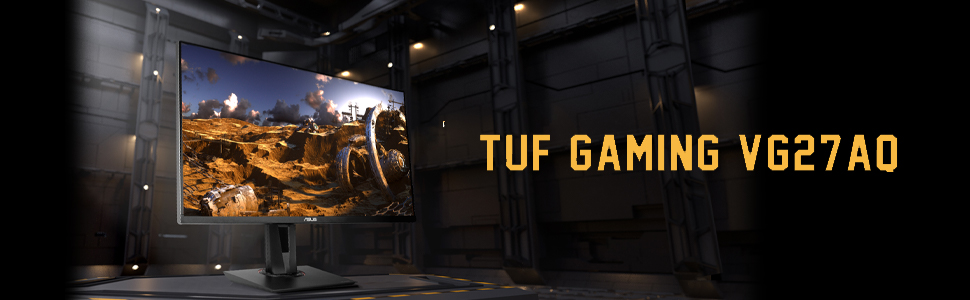
The ASUS TUF Gaming VG27AQ is a 27-inch WQHD (2560x1440) IPS gaming monitor featuring a blazing 165Hz refresh rate (overclocked), ultra-fast 1ms MPRT response time, and G-SYNC compatibility with ELMB Sync technology to eliminate tearing and ghosting. Designed for marathon gaming sessions, it includes ASUS Eye Care technology and an ergonomic adjustable stand. Shadow Boost enhances visibility in dark scenes, while versatile connectivity options and built-in speakers complete this high-performance package.

| ASIN | B07WQ4FXY9 |
| Adaptive Sync | G-Sync Compatible |
| Additional Features | 165Hz Refresh Rate, 1ms Response Time, Built-In Speakers, Height Adjustment, Pivot Adjustment |
| Aspect Ratio | 1.78:1 |
| Best Sellers Rank | #1,222 in Electronics ( See Top 100 in Electronics ) #42 in Computer Monitors |
| Brand | ASUS |
| Brightness | 350 candela_per_square_meter |
| Color | Black |
| Color Gamut | 99 |
| Compatible Devices | Computer, Desktop, Gaming Console, Laptop |
| Connectivity Technology | HDMI, display port |
| Contrast Ratio | 1,000:1 |
| Customer Reviews | 4.6 out of 5 stars 4,763 Reviews |
| Display Resolution Maximum | 2560 x 1440 pixels |
| Display Technology | IPS |
| Display Type | LED |
| Global Trade Identification Number | 00192876306444 |
| Hardware Connectivity | DisplayPort, HDMI |
| Image Contrast Ratio | 1,000:1 |
| Included Components | DisplayPort cable / HDMI cable / Power adapter / Power cord / Quick start guide / Warranty Card |
| Item Dimensions D x W x H | 19.96"D x 24.41"W x 8.31"H |
| Item Type Name | ASUS TUF Gaming VG27AQ 27โ Monitor, 1440P WQHD (2560 x 1440), IPS, 165Hz (Supports 144Hz), G-SYNC Compatible, 1ms, Extreme Low Motion Blur Sync, Eye Care, DisplayPort HDMI |
| Item Weight | 12.8 pounds |
| Manufacturer | ASUS |
| Model Name | VG27AQ |
| Model Number | VG27AQ |
| Mounting Type | Wall Mount |
| Native Resolution | 2560x1440 |
| Number of Component Outputs | 2 |
| Picture Quality Enhancement Technology | TรV Flicker-free TรV Low Blue Light G-SYNC Compatible |
| Power Consumption | 65 watts |
| Refresh Rate | 165 hertz |
| Resolution | QHD Wide 1440p |
| Response Time | 1 milliseconds |
| Screen Finish | Matte |
| Screen Size | 27 inches |
| Screen Surface Description | Matte |
| Specific Uses For Product | Gaming, Personal, Photo Video Editing |
| Total Number of HDMI Ports | 2 |
| Total USB 3.0 Ports | 2 |
| UPC | 192876306444 192876296769 |
| Viewing Angle | 178 degrees |
| Voltage | 240 volts |
| Warranty Description | 3 Year Warranty with ARR |
| Warranty Type | 3 Years Manufacturer Warranty |
K**S
Very Good Monitor For Price
Absolutely love this ASUS TUF Gaming 27โ monitor. The picture quality is super sharp, colors look great, and the refresh rate makes gaming feel incredibly smooth. Huge upgrade from my old monitor. Everything from FPS games to watching videos looks amazing on it. The size is perfect for both gaming and everyday use, and the thin bezels give it a really clean setup look. Setup was easy right out of the box and the stand feels sturdy and adjustable. I also noticed almost no motion blur or screen tearing while gaming. For the price, this monitor is honestly hard to beat. Great performance, great quality, and exactly what I was looking for in a gaming moni
J**T
Excellent Semi-Budget 1440p 155hz Monitor
Ordered VG27AQ a few weeks prior and have had zero issues with the screen so far after initial calibration/setup. Zero dead/stuck/bright pixels, lucky! For an IPS screen, it's great to look at (and extremely bright, you can use the monitor at 0 brightness and still see the picture quite well- most of the calibration profiles I've seen leave it at 0). You can see it from all angles very clearly and even from far back. I sit relatively close to the screen with my desk setup, but it's exactly what I wanted as I can only have one monitor on the desk. I have only noticed a little bit of backlight bleed in the lower right corner, but it's a very small area and overall quite acceptable for an IPS screen with such a thin bezel. Have not noticed any IPS glow when sitting dead center or even slightly off (as a note, there is always variation with manufacturing, so some monitors might have either more than mine). I have used it to play both PC and Switch, and it works great for both, no complaints (the speakers are indeed a little weak, but they are only 2 watt and more for function than real use and at least it has speakers to do so). The only unfortunate part in my temporary setup is that the MSI laptop I'm using (GS65 Stealth with RTX 2060) combined I suggest/recommend expecting to just use fullscreen settings with games on the Asus (I suspect it's more the laptop than the screen, once I build my new desktop I will confirm if this is still the case with a desktop 1070). The refresh rate is excellent, one of my older screens is an old 1080p Dell VA panel from around 2014 and the refresh rate is around 7ms so I would sometimes miss quick reaction mechanics in some games despite the nice screen quality otherwise with what it offered. I had zero build quality issues on my Asus, everything in the box looked to be in order and all included hardware was perfect and complete. For the price and what the monitor brings, it is definitely a good value as long as there aren't any pixel or manufacturing issues. There are better monitors with picture quality, but usually those are VA panels which have their own set of characteristics and a 3 year warranty (the comparable LG 27GL850 only has a 1 year warranty which is short when compared to their competitors like Asus and Acer).
J**H
A Powerhouse for Gamers on a Budget
If youโre in the market for a high-performance gaming monitor without breaking the bank, the ASUS TUF Gaming 27โ 2K HDR Monitor deserves a spot at the top of your list. Designed with competitive gamers in mind, this monitor blends speed, clarity, and durability โ all at a price that makes it a no-brainer. Design & Build: Tough, Sleek, and Gamer-Ready True to the TUF (The Ultimate Force) name, this monitor has a bold, rugged design that screams durability. The stand is sturdy, with full tilt, swivel, and height adjustment options, making it ergonomic and versatile for all types of desk setups. Its narrow bezels also make it a great option for multi-monitor rigs. โธป Performance: Smooth, Crisp, and Responsive Whether youโre grinding ranked matches or exploring open-world adventures, the ASUS TUF Gaming monitor delivers an immersive experience: โข WQHD resolution (2560x1440) offers significantly more detail than standard 1080p, without the GPU demands of 4K. โข The 165Hz refresh rate and 1ms response time make gameplay ultra-smooth and nearly blur-free โ a game-changer for FPS, battle royales, and racing games. โข With Adaptive-Sync technology (FreeSync and G-SYNC compatible), screen tearing and stuttering are virtually eliminated. โธป Visuals: Vivid HDR & Color Accuracy HDR10 support enhances the dynamic range, making darker scenes richer and bright scenes pop. While it doesnโt hit the peak brightness of higher-end HDR monitors, it still adds noticeable depth and realism to games and movies. For a monitor at this price point, the contrast and color reproduction are genuinely impressive. โธป Connectivity & Features The monitor includes: โข 2x HDMI 2.0 โข 1x DisplayPort 1.2 โข 3.5mm audio jack It also comes with ASUSโs GamePlus features (crosshair overlays, FPS counters, and more) and Shadow Boost, which brightens dark areas in games without overexposing the bright ones. โธป Pros: โข High refresh rate with crisp 1440p resolution โข FreeSync & G-SYNC compatible โข ELMB for motion blur reduction โข Sturdy, adjustable stand โข Great price-to-performance ratio Cons: โข HDR is decent, but not true HDR1000 quality โข No built-in speakers โข Color calibration may be needed out of the box
R**B
TUF IPS Panel Colors are very vivid and vibrant, better than Acer IPS 27 versions.
What I like: 1- TUF IPS Panel Colors are very vivid and vibrant, better than Acer IPS 27 versions. 2 - Very good refresh rates, briefly ran AAA games, and frame rates are stable. 3 - Built in Speakers are adequate, not great 4 - Built quality superior to Acer with height, tilt, and swivel stand. Acer only tilts and swivels, not height adjustments. 5 - Abundant HDMI and DP ports with included cables. What I don't like: 1 - Speakers are ok, given the price. Some instances. I find that my Acer monitor speakers perform better. 2 - Monitor stands is good, but not as modern-looking as some of the other competitive models. 3 - Does not come in other colors, white or red. Tired of all black peripherals. 4 - Price could be more competitive, but you pay a premium for higher refresh rates with better than VA panels.
J**S
Perfect for what I need it for
Finding the right monitor was a CHORE. I'm looking to begin game development, but finances and computer both do not allow for a great dual monitor set up option. I researched and researched endlessly, trying to find a monitor that would accommodate both gaming and artwork. I had to lean more heavily into the gaming side of things because I do have a Huion tablet that I use for art and I figured that would help determine true color pretty fairly. The pros: The screen is bright and clear, with no dropped pixels. It's 100% adjustable in my opinion and the ability to changes heights and adjust angles in a large spectrum means no matter what my back is doing or how I am leaning, I can find an appropriate positioning for the monitor to comfortably accommodate me-- a blessing with a back injury. I'm not a competitive gamer and don't play FPS games other than the Borderlands series and Halo: Combat Evolved and Halo 2. These games as well as my simpler 2D games run very smoothly with no tearing or ghosting that is noticeable to me-- I'm no expert though. I've also got a cat who likes to bat at sprites and moving objects on my screen. Now, she is very small and has very soft paws, but she's put some weight behind her pawing without doing damage to the screen. Obviously I try to mitigate this behavior, but it speaks to sturdiness that no scratches or anything are being left. cons: I really found few cons, but I'm a simple person. The speakers aren't ideal, but I don't get a monitor for speakers. The biggest issue is when I adjust my visual settings to a state where they initially look GREAT but then I put my art on it. From there I realize the white balance is WAY off from what I'd expect. Scanned art pieces that were originally showing up perfectly become washed out. All that means as an artist is paying attention to my settings, or keeping a paper copy of traditional art next to the screen so that I can adjust colors to match. All in all I couldn't be happier with this monitor. It's great for the price range and does everything I need it to.
A**W
Brilliant so far, panel is great as I expected with a IPS panel. No complaints!
Right out of the box, extremely happy with this monitor. It was featured in a Linus Tech Tips episode recently, and I managed to find it for much less than the price I saw just now (~$800). Actual MSRP is in the 450$ range, so don't get ripped off if you're looking at this monitor as an option. It is no 800$ monitor, but by no means is it a slouch either. Assembly was silly easy. Attach base, plug in power, plug in HDMI or DP cable, and you're in business. Only gripe I have at this point is the IO ports on the back are a little close to the monitor backplate. I was originally going to use a Cable Matters DP cable that had locks on it, but the thicker plug on that one necessitated I use the cable that came with the monitor. It also was really difficult to get the cable to click into the monitor due to the same close tolerances. Finally got it in place, and the monitor fired right up. Ran the Heaven benchmark in order to tweak the settings to where I wanted them, and also see how the monitor performs. Initially, there was a bit of flickering. Opened up Windows Display settings and maxed the Hz at QHD, and it seemed to dramatically reduce it, but there was still a teeny bit of zig zagging in shadow borders. I found the OC option in the Monitor's menu, and that immediately resolved the issue. I still followed up by maxing the Hz selection under both Windows Display options and Nvidia Control Panel, haven't looked back. I was able to OC the monitor using Nvidia to 165(!)Hz, and have had zero flickering or stuttering. Color me impressed! I know the monitor is advertised to 155Hz, so being able to push it beyond that is a nice add on. The ELMB function is pretty amazing too! image is buttery smooth, and I can read text on windows while moving them around. I wouldn't say it's crystal clear, but it's definitely nice! IPS Panel looks amazing sitting next to my 4K IPS monitor as well, color between the two on default settings are very similiar, brightness is about the same as well. I expect for the money, the backlights will hold up better than the other monitor I purchased. If anything changes or this monitor quits, I'll update this review, but I think ASUS hit the nail on the head with this one. Very happy with the monitor! EDIT: It's 6/15/2022, and this monitor is still running strong. Absolutely no backlight loss, image is bright and crisp as always. I'd imagine there's been some brightness loss as the monitor ages, but it isn't enough that I notice a change. Changed my GPU recently. Didn't expect any problems, and happily had zero issues getting the TUF Gaming to play nicely with my 3080Ti. I didn't even need to adjust the OSD settings. Plugged it in and BAM... Doom Eternal pegged at 165 Hz is one of the smoothest experiences I could imagine, and this monitor handles it with grace and aplomb. I can confidently assert this monitor is an amazing buy for the money, as long as you're paying MSRP range prices. 11/10 would recommend! Edit 2; 3/1/2024: Still going, still overclocked to 165Hz, still bright enough to give me a headache if I turn off all of the lights in the room. What are you waiting for? Click buy.
O**H
Gorgeous Monitor - Minor Issues
This has been an absolutely beautiful, crisp, and wonderful upgraded monitor for me. It hits all the good boxes: clean and crisp picture, no noticeable screen lags, many nice features. But it has a few considerations that may be deal breakers. Pros: - The display is crisp and bright, and had no dead pixels or any issue on arrival. It doesn't have any screen ghosting or any refresh issues readily noticeable, even under heavy load. - The multiple inputs feature is easy to use and a nice addition, and all inputs test with the same quality. - The fine-tuning options of the display seem robust (but that may just be advances in general monitor technology). "Cons:" - The mounting area for this monitor is recessed into the body, and since my current monitor mount has been with me for 2 moves and a decade of time, I don't have the hardware to add it to my existing monitor mount, as the mounting area isn't flat on the back of the monitor. I suspect a newer mount would support it, but I don't know. (I expected this possibility when ordering so it's more just annoying than it is a problem) - The built in speakers aren't the best, and are limited in volume and their ability to not sound like they've been run through a 6" tin pipe. That said, if you're not aiming to run high-end media with the audio through the monitor (such as streaming, gaming, or music) most audio "issues" are passible. The main issue is convincing Windows which speaker set to use for which application, but that's not the monitor's fault. - Lateral mouse movements are considerably quicker (more responsive) than vertical movements in a Windows environment for this display, and will feel more responsive on the x-axis and sluggish against the y-axis for similar mouse movements. In most gaming environments I've tested with, they allow scaling to x and y sensitivity that can help mitigate the issue, but it might just be best to learn a new movement feel. Overall, it's a fantastic piece of hardware, but you should be aware of possible drawbacks just in case.
R**E
Amazing Monitor
I had the fortune of receiving a founders edition 3070 Ti, and decided to buy this monitor as it was on sale for $329. Setting up 1440p @ 144 Hz was a breeze. Turning on G-Sync was also very easy to do in the built-in menu. Overall the interface is very user friendly and easy to get used to. The power light on the bottom right corner is easily visible at a glance to determine power status. The colors seem pretty accurate, and do not disappoint in terms of immersion. Blacks are pretty dark, but bright scenes are certainly discernable as such. Brightness isn't the best, but if you usually play games at night time like me, you won't have a problem. There was some screen tearing initially, but turning on ELMB completely eradicated this issue. This monitor is by far the best, most responsive I've ever used. Flicking shots has never been easier, and it's easy to see what you're sweeping on fast mouse movements. I've never been more competitive as I am while using a quality monitor like this. It makes it that much easier to see what is happening and respond accordingly in-game. I would definitely recommend this monitor, and would buy another if I needed it. The price was really good, and the results I've seen have been nothing short of fantastic. I'm also running an ASUS motherboard, also which has had no problems whatsoever. I will continue to purchase the quality products ASUS has to offer!
D**L
Out of this world quality and control
The display is amazing for it has a feature set to customise the brightness and contrast with shadows and highlights which i've never had on a display before so all my games pictures and videos look stunning. It's incredibly bright, it is a bit too intense at the highest settings which is great for shade range.
A**A
Excellent Monitor
This monitor is so good in overall i do recommend it
D**.
Ottimo Monitor
Pagato a 274โฌ, il primo monitor che acquisto. 2k di risoluzione, casse integrate, anche se non il massimo, ma meglio di niente. Mi piace molto il fatto che si possa inclinare di 90ยฐ per l'utilizzo di alcuni software come premiere. Luminoso, non lo tengo mai al massimo. Lo sto utilizzando con un Asus Tuf F15 e lo trovo perfetto.
V**N
Amazing choice for the price
Having 75 hz monitor before now I feel like I got myself glasses to see better. The only point is that 165 hz is not an included feature, it can only be enabled as an extra OC option, they should have mentioned that, but itโs not a big deal. Overall really nice screen for fps games
A**2
Immerse Yourself in Gaming Excellence
The ASUS TUF Gaming VG27AQ monitor is a remarkable display designed to deliver an exceptional gaming experience. With its impressive features, high refresh rate, and vibrant visuals, this 27-inch monitor stands out as an excellent choice for gamers. In this review, we will delve into the key aspects of the ASUS TUF Gaming VG27AQ, including its display quality, performance, gaming-specific features, ergonomic design, and overall value. Superior Display Quality: The ASUS TUF Gaming VG27AQ boasts a WQHD (2560x1440) resolution, providing stunning visuals with sharp details and vibrant colors. The IPS panel ensures wide viewing angles and accurate color reproduction, allowing you to appreciate every detail in your games. Furthermore, the monitor's HDR10 support adds depth and contrast to compatible content, enhancing your gaming experience with lifelike visuals. Smooth and Fluid Gaming: With a high refresh rate of 165Hz and a rapid 1ms response time, the ASUS TUF Gaming VG27AQ ensures smooth and fluid gameplay. The combination of these features minimizes motion blur and ghosting, resulting in crisp and clear visuals, especially during fast-paced action sequences. Whether you're playing competitive FPS games or exploring immersive open-world environments, this monitor keeps up with your gaming demands. Gaming-specific Features: The ASUS TUF Gaming VG27AQ includes features tailored to enhance your gaming performance. Adaptive-Sync (compatible with both AMD FreeSync and NVIDIA G-SYNC) eliminates screen tearing and stuttering, providing a seamless gaming experience. The ASUS Extreme Low Motion Blur (ELMB) technology further reduces motion blur, ensuring excellent visual clarity during fast-moving scenes. These features contribute to a more immersive and responsive gameplay experience. Ergonomic Design: ASUS has paid attention to ergonomics with the TUF Gaming VG27AQ. The monitor features a fully adjustable stand that allows for height, tilt, swivel, and pivot adjustments, ensuring optimal viewing comfort. This flexibility allows you to position the monitor to suit your preferences, reducing strain during long gaming sessions. Additionally, the thin bezels create an immersive visual experience and enable seamless multi-monitor setups. Connectivity and Customization: The ASUS TUF Gaming VG27AQ offers a range of connectivity options, including DisplayPort 1.2 and HDMI 2.0, allowing you to connect various devices and gaming consoles. The ASUS GamePlus and GameVisual technologies provide customizable on-screen overlays and optimized display settings for different gaming genres, enabling you to fine-tune your gaming experience according to your preferences. Overall Value: The ASUS TUF Gaming VG27AQ offers outstanding value for its price. Its impressive display quality, high refresh rate, gaming-specific features, ergonomic design, and connectivity options make it a top contender for gamers seeking an immersive and responsive gaming monitor. The combination of these features, along with ASUS's reputation for quality, ensures that the VG27AQ provides excellent value for your gaming setup. Final Thoughts: The ASUS TUF Gaming VG27AQ is a standout monitor that delivers superb gaming performance and visual excellence. With its impressive display quality, high refresh rate, gaming-specific features, ergonomic design, and overall value, it caters to the needs of demanding gamers. Immerse yourself in stunning visuals, smooth gameplay, and customization options with the ASUS TUF Gaming VG27AQ.

Trustpilot
2 weeks ago
1 week ago