Desertcart purchases this item on your behalf and handles shipping, customs, and support to Tunisia.
🎮 Dominate the game with speed, clarity, and style — your ultimate UltraGear advantage!
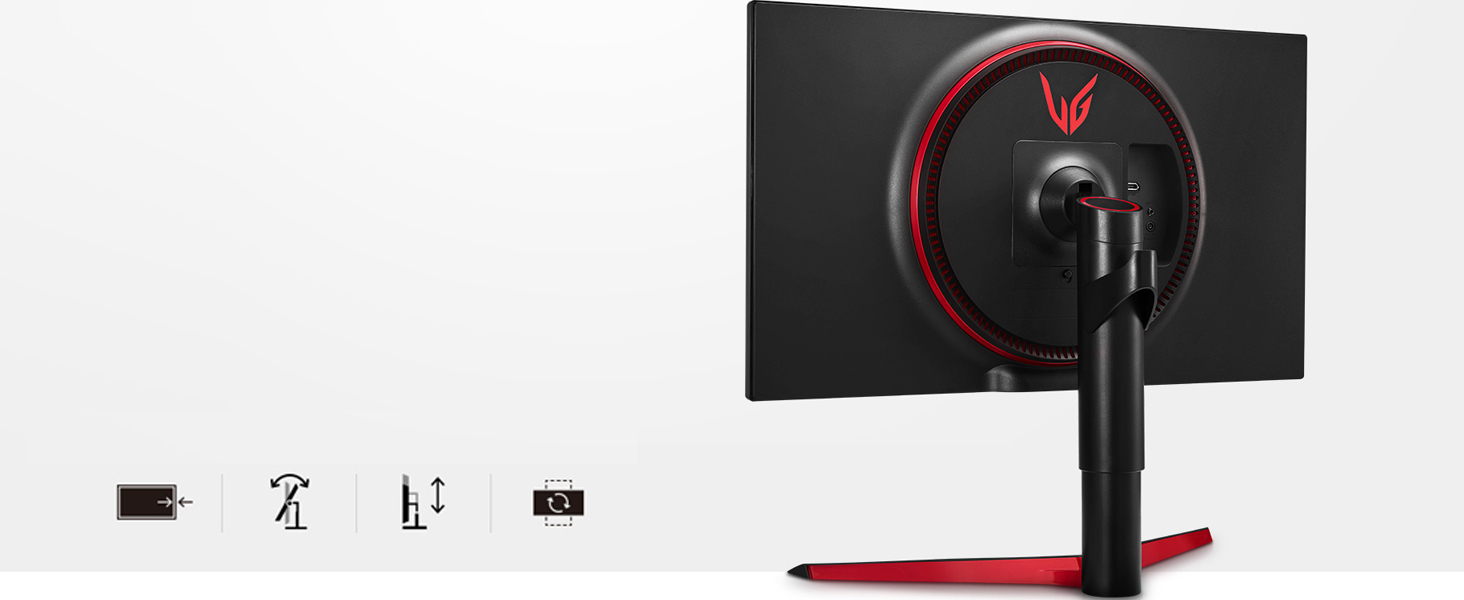
The LG 27GL83A-B is a 27-inch QHD (2560x1440) IPS gaming monitor featuring a blazing 144Hz refresh rate and 1ms response time. Certified NVIDIA G-SYNC Compatible and AMD FreeSync Premium, it delivers tear-free, ultra-smooth gameplay. With 99% sRGB color accuracy, HDR10 support, and an ergonomic adjustable stand, it’s designed for pro-level performance and comfort in every gaming session.


| ASIN | B07YGZL8XF |
| Adaptive Sync | G-Sync Compatible |
| Additional Features | Adjustable |
| Aspect Ratio | 16:9 |
| Best Sellers Rank | #1,514 in Electronics ( See Top 100 in Electronics ) #55 in Computer Monitors |
| Brand | LG |
| Color | Black |
| Color Gamut | 99 |
| Compatible Devices | Monitors |
| Connectivity Technology | HDMI |
| Contrast Ratio | 700:1 |
| Customer Reviews | 4.6 out of 5 stars 12,528 Reviews |
| Display Resolution Maximum | 2560 x 1440 pixels |
| Display Technology | IPS |
| Display Type | LED |
| Global Trade Identification Number | 00719192634961 |
| Hardware Connectivity | DisplayPort, HDMI |
| Image Contrast Ratio | 700:1 |
| Included Components | Wall Mount Size (mm) :100 x 100 mm DisplayPort,HDMI |
| Item Dimensions D x W x H | 8.2"D x 29.2"W x 20.6"H |
| Item Type Name | UltraGear Monitor |
| Item Weight | 20.3 pounds |
| Manufacturer | LG |
| Model Name | LG 27GL83A-B 27 Inch Ultragear QHD IPS 1ms NVIDIA G-SYNC Compatible Gaming |
| Model Number | 27GL83A-B |
| Mounting Type | VESA Compatibility - Mountable: 100 x 100mm |
| Native Resolution | 2560x1440 |
| Number of Component Outputs | 2 |
| Picture Quality Enhancement Technology | HDR |
| Pixel Pitch | 0.23 |
| Power Consumption | 51 watts |
| Processor Count | 1 |
| Refresh Rate | 144 hertz |
| Resolution | QHD Wide 1440p |
| Response Time | 1 milliseconds |
| Screen Finish | Hard coating (3H) |
| Screen Size | 27 inches |
| Screen Surface Description | Hard coating (3H) |
| Shape | rectangular prism |
| Specific Uses For Product | Gaming, Personal |
| Total Number of HDMI Ports | 1 |
| UPC | 719192634961 |
| Unit Count | 1 Count |
| Viewing Angle | 178 degrees |
| Voltage | 110240 volts |
| Warranty Description | Limited: 1 Year Parts & Labor |
| Warranty Type | Limited |
C**O
Still impresses me to this day
I bought it in 2023, it was out of my budget so I irresponsibly financed it. I need to stop doing that so much, but I can say for sure that this monitor was worth every penny. It's never failed on me, and there are no dead pixels whatsoever. The color is immaculate once adjusted. Think about it, there are TVs that cost the same as this monitor. All the budget going into making a quality 1440p 144hz gaming monitor makes for a quality product. I mainly play Street Fighter 6 (being locked to 60 but the higher refresh rate still helps with smooth gameplay and great picture quality) and Forza Horizon 6 (ultra with ray tracing), I could game for hours. I also watch youtube, use Ableton, and its big enough to multi task even without a second monitor. All in all 9.5/10 I won't be buying another monitor until this one's dead in the ground.
D**B
The perfect Gaming/Office Display
I'd like to start by saying, ever since LG invented the wallpaper TV, I've developed loyalty, strictly on their displays for everything. They are cheaper then Samsung, yet more innovative, so, kudos. That said, if my review sounds at all biased, I'm sorry. There are no defects on the monitor I received. Ran an Ezio test and found nothing that stands out. Something to be aware of, is that if you purchase a VESA mount, it needs to be 100x100, and even if that mount has spacers, you may need some washers to compensate for a gap. The reason for this, is to keep the back flat and uniform when installing the stand it comes with, but considering monitors these days are naturally very thin, this causes a problem by limiting the female port length for the screws needed to secure a VESA mount. In my case, 8 small washers I had left over from other projects fixed this problem. Something else worth noting is it is Nvidia G-Sync compatible (there is an attractive sticker showing this monitor is capable of it on the bottom left that I'm assuming can be removed). My Nvidia GeForce RTX 2070 Super recognized that it is a G-Sync compatible monitor, and I was able to enable G-Sync thru the Nvidia Control Panel, however, when you view settings on the monitor itself, it is called "Adaptive Sync." From what I've read, this is because they used to be one in the same, and it works just the same as far as I can tell. Enabling it in the Nvidia Control Panel made the monitor settings show Adaptive Sync: Enabled. One feature I really liked that I wasn't aware of when buying this monitor, is that the settings button is a small joystick. If clicked in it opens the settings window, if towards you or away from you, it allows you to adjust the brightness, and left or right is headphone volume. Overall very nifty for one button. If you need a VESA mount but aren't sure what to get, this is what I ordered: VIVO Dual LCD Monitor Desk Mount Stand Heavy Duty Fully Adjustable fits 2 /Two Screens up to 27" (STAND-V002). Mine is a dual mount but you can choose between double and single. The mount itself is extremely sturdy. Zero wobble and aesthetically pleasing, as it has a cable management system and you can hide the VIVO logo on the main support pole if you want to (I did, I'm not the biggest fan of logos). But not to veer off the topic or review, 2560 x 1440 @ 144hz for under $400 from LG w/ G-Sync compatibility is the most perfect monitor I could ask for. 2k is ideal for gaming as 4k is too demanding for AAA titles (for about 90% of the Gaming PC Community and 100% of the eSports Community). One last thing I've noticed, is that I have had a 4k screen in the past, and noticed the resolution makes everything extremely tiny (the taskbar being the most obvious reference). 2k is the sweet spot, because it's not too small, but there is now enough real estate for a 27" monitor to be all I need (for gaming). When I get into photo editing, etc., I will likely purchase a 4k monitor, but only for shows, movies, and editing. I do self-taught audio production work, and 27" 2k is more then enough for me. Some producers use widescreen monitors, which is great for them, I'm sure, but not necessary after seeing this thing. Thank you LG, for the ultimate monitor, and thank you Amazon, for an undamaged product.
D**Y
Recommended 100%
I purchased this 27inch LG monitor a few years ago and am very happy with its performance and image quality. The sharp resolution, vivid colors and wide viewing angles make this monitor an excellent choice for both work and entertainment. I use it with my laptop, and it's a great combination! Gaming, movies, work, and study - LG handles it all with flying colors! The elegant design of the stand looks great on my desk in the corner and doesn't interfere with the organization of my workspace, and the setup was simple and didn't take much time
I**N
Viable, Cheaper option than the 27GL850.
Pros: -144hz -Minimal backlight bleed -OSD easy to use -Comes with display port cable and HDMI cable -extremely easy to setup -stock calibration is decent, only had to modify a few settings. Cons: The stand sits too high at lowest adjustment, so I had to modify my desk to clear. Highest point is roughly 18 3/4" to clear. My calibration on Game 1 Preset: Brightness - 25 Contrast - 70 Sharpness - Default 50 Gamma - mode 2 Color temp - Custom - R58/G49/B48 Adaptive sync - On Black Stabilizer - Default 50 Response time - Fast Aspect ratio - Full Wide Energy Saving - Off Standby - Off All settings at aspect ratio and below optional, I opted to turn the energy stuff off. I Absolutely love this monitor. I first was gonna get the 850 but it's been running low on stock for a while now, settled with this variant instead. Just setup today and played a bit of Rainbow six at 144hz and it was perfect. This is the sRGB version of the 27GL850, it also registers on my computer as the 27GL850. If you're stressed for cash and wanna save a bit of money, this one will do fine. Colors look great without the wide range color gamut, and from reading it should mainly be applicable to HDR gaming/photo editing anyways, which the 850 doesn't do a great job at as is. I don't plan on using HDR either. All in all this thing came perfect with no bad pixels, and the backlight looks good. This monitor should have a slightly higher contrast ratio than the 850 (1000:1 while the 850 is around 800:1). I highly recommend this as a viable cheaper option to the 850. If purchasing this with limited vertical space look for a gas shock vesa mount to lower it further or modify your desk for 18 3/4" of vertical clearance. The only difference according to specs is the nano ips panel on the 850, which seems like it has more to do with the color range.
D**L
I can never go back to 1080p
After extensive research, I finally took the plunge into the world of 1440p with the LG UltraGear 27GL83A-B, and I must say, this monitor is truly outstanding. From the moment I unboxed it, the setup was a breeze, and the picture quality has been consistently impressive, especially with its effective dimming zones. One thing to note for those chasing HDR on a budget: you'll likely encounter 'fake HDR' in this price range, which, in my opinion, doesn't really add much to the experience. So, if true HDR is a must-have, you might need to look at higher-tier options. While this monitor doesn't include a USB hub, which you might find on some similarly priced alternatives with diligent searching or a good sale, the DisplayPort and HDMI connections have worked flawlessly for me. For competitive gaming, setting the response time to 'Fast' has been the sweet spot, offering excellent clarity during fast-paced action. The stand deserves special mention – it's exceptionally well-built and offers a fantastic range of adjustments. I've enjoyed the flexibility of raising, lowering, and rotating the screen to find the perfect viewing angle. Just be aware that it doesn't offer left-to-right swivel. Overall, I'm finding the 27-inch size to be just about perfect for general use and gaming at this resolution. If you're looking for a fantastic 1440p gaming monitor without breaking the bank and aren't overly concerned with true HDR or a built-in USB hub, the LG UltraGear 27GL83A-B is definitely worth considering.
G**Y
LG IPS screens are some of the best in world.
Excellent monitor for gaming. No stutter. Matt finish screen. No reflections. Good brightness. No dark shadows. Visible from any angle. Really sharp images. I game almost every day on this thing. Scores are up. Bad guys die. You will be pleased with this one. It's well built and the stand has good adjustment. Stays where you set it. Again this was an easy 5 stars to me.
E**Y
27 inch 1440P , 144Hz , 1ms GSYNC - Not TN Panel , but IPS with LG Panel Quality. Blindly Buy it!
In the quest for finding the most value for money gaming monitor, prior to buying LG 27GL83A-B I own a Dell S2417DG (1440p with GSYNC) , though the specs are great with this Dell monitor for the price its offered , there were major banding issues with the TN Panel , had to do custom calibration and gamma adjustments to get a picture quality anywhere near to acceptable. With all my other monitors being IPS panel with high color accuracy I just couldn't get satisfied with Dell . As I started searching the market again, every IPS 1440P gaming monitor with high response rate was way beyond my budget for casual gaming. And now LG brought this gem of a IPS gaming monitor to the market for a reasonable price. It doesn't have G-SYNC hardware module like the Dell S417DG since its adaptive sync driven , but really who cares? G-SYNC still works flawlessly with Nvidia GPU , Runs at 144 Hz , great blacks, decent factory calibration and color accuracy and I highly recommend to keep the response rate at factory default . At 144hz the default response time works just fine . To top it LG panel and overall product quality is top notch - no dead pixels, no noticeable bleed, no flimsy plastics. Its a no brainer buy for the price . Go for it and you wouldnt regret. 1440P is the current sweet spot for gaming monitors, unless you own a crazy powerful rig on SLI to run games at 4k. I bet you still wont be able to max out anywhere near to 144hz especially if you are into FPS. Cons: Its hard to be giving any negative for this product considering the price, however few small things 1) You cannot swivel the screen 2) Switching to Faster Response rate causes negative ghosting (Only if you look for it) 3) Doesn't have the RGB light circle behind the monitor like other LG Gaming monitors , instead its a Red Circle strip. Now My Gaming PC (Red and Black theme) and this Monitor goes so well together, I dont even know if thats a Con. Mostly a personal preference or choice.
J**E
Amazing 1440p Monitor
This LG Monitor has a very nice display and since upgrading from my old 1080p display - listed below, is one of the best decisions ever made, not only are images higher quality and performance on this LG 1440p and HDR/Nvidia G-SYNC compatible monitor, but what they say is true, the increased refresh rates and clearer image does indeed result in less visual related problems, and less migraine type headaches from stepping up to 1440p and I'm positive this would be the same with 4K or 8K displays and also higher refresh rates to speed up the times the image is refreshed resulting in less strain on eyes/brain. I have noticed a significant difference since going up to this LG 1440p display and if have solid top tier PC graphics card and other hardware, even recommend potentially stepping up to 4K or better if have a GPU like 3080/3090 or 4080/4090 that will perform well at 4K -- but this thus far in 30+ years of PC usage and gaming, is by far the best choice made to experience what its like at 1440p+ by far and not gonna lie, had no idea it would be that extremely good until I plugged it in and could see the difference in quality side by side - granted the 3 images above one is the LG 2560x1440p on left side while gaming and right side image is PC desktop wallpaper image in 1920x1080p, there still is a fairly noticeable difference, thus also why the right side image is smaller in size and not as clear as this LG monitor on the left and why I have included these just in case it helps. Note: The 3 images included - which I should mention are from Visions of Mana (Square Enix) game demo version, Valve/Steam platform and EVGA 3060 XC 12gb GPU and I do not own the rights to, image on right side, is captured from secondary monitor and XFX RX 570 XXX Edition 8gb GPU - image is a free Microsoft provided "Windows Spotlight" and also do not own any rights or credit from the above, but plainly just for reference - also image on left is the 1440p LG27GL83A-B and image on right is 1080p on VISIO d40f-g9 40" TV used for my secondary monitor.
D**Y
Great fo rthe price.
Whilst not the most accurate colour, for the price, these are great panels for additional monitors. I have 1 either side of my main graphics monitor.
A**R
Best 1440p gaming monitor on the market.
I was a bit sceptical to buy this monitor since I’ve always played on tn panels for the faster response times and no glow. So I did a lot of research on this monitor and decided to go for it. I can honestly say I’m completely satisfied with it. The picture quality is amazing, and I got practically no glow what so ever. The only downside of the monitor is that the hdr isn’t very good, but that’s expected since 99% of monitors that say they have hdr don’t have true hdr. So I wouldn’t buy this monitor expecting that feature to carry the product. The difference between 1080p and 1440p is huge, it may not seem like much but you’ll notice it immediately, as for the responds time it says 1ms! When it’s actually 4. But here’s the thing, almost all monitors that say they have a 1ms actually don’t, they range from 4 and up. It can technically hit 1ms if you put it on the “fastest” setting but it causes a lot of ghosting and tearing. So use the “faster” setting. I play competitive shooters and it feels like it has the exact same not if better response time as my previous monitors. Overall this is the best Ips 1440p monitor on the market. If you want the beautiful colours of an IPS and response times of a tn get this monitor. If your still on the fence watch “Hardware Unboxed” on YouTube, he reviewed the 27GL850. Witch is the exact same thing as the GL2783A-B, only difference is one has nano IPS and the other doesn’t. Which in my eyes isn’t worth the extra 1-200 dollars. (In the review he will say it’s contrast isn’t the best, but I’ve honestly had no issues with black looking black or whites looking white. And just because I got low IPS glow it doesn’t mean you will, buying a monitor is like winning the lottery, you’ll never know what you get, but if you get a bad one you can always send the monitor back for a new one as many times as you need to in the first 30 days. I got the GL2783A-B
A**Z
Excelente calidad y precio.
La construcciĂłn del monitor es en un plástico en su mayorĂa opaco y rugoso, pero de calidad. Cuenta con marcos superior y laterales notorios (5 mm aprox) para un monitor gamer en 2023 pero en mi caso no me molesta. El panel ha respondido de forma excelente, mostrando colores buenos para mi gusto. Efectivamente es de 144hz y funciona correctamente con NVIDIA G-sync. Como casi cualquier panel IPS tiene fuga de luz pero solo se nota cuando la pantalla se ve en negro completamente, en un uso normal de juego no se llega a percibir. Lo uso en un espacio muy iluminado y aun asĂ no he tenido problemas con su brilla, su brillo es excelente. Cuenta con un botĂłn/joystick en la parte de abajo que sirve para contral su interfaz de ajustes. La interfaz se ve moderna y funciona perfectamente, permitiendo una gran variedad de configuraciones. Yo lo montĂ© a un soporte VESA de 10x10 sin ningĂşn problema y precisamente por eso no probĂ© el soporte que tiene incluido, pero este se ve de calidad y suficientemente robusto.
C**N
Gran monitor para gamers y creadores de contenido audiovisual. Los 144 htz cambiarán tu vida.
PasĂ© de un Samsung 4K con panel TN a este modelo de LG y el salto es descomunal. Juego bastantes FPS y evidentemente ayuda muchĂsimo, pero no sĂłlo por los FPS o el Refressh Rate, la imagen en sĂ mejora muchĂsimo. Incluso si juegas cosas como GTA V o Just Cause o cualquier juego que no necesite el refresh alto como los FPS, la imagen se vuelve más definida y es un gusto jugarlo. Me dedico a hacer contenidos multimedia y lo primero que notĂ© con el panel IPS es que el texto es muuuuuucho más nĂtido. La claridad y definiciĂłn de las caracteres no se compara con el del panel TN. Hablando de la ediciĂłn de video y motion graphics, el color cambiĂł muchĂsimo; si has investigado un poco, sabrás que los IPS son recomendados para diseñadores y editores y vaya que cambia. Si sĂłlo vas a jugar y te importa la rapidez de respuesta en FPSs y no tanto los colores (sĂłlo lo usas para jugar y ver alguna serie o videos de YouTube), uno con Panel TN puede ser una buena idea para ti, además de ser muuuuucho más barato con 144 Htz y 1ms. Si lo usarás para trabajar en creaciĂłn de medios audiovisuales, es perfecto, pero creo que está sobrado si SOLO lo usarás para eso. Hay monitores de panel IPS a 60 htz que te quedarán de lujo y a menor precio. Este monitor está dirigido para los entusiastas del gaming y que, además, quieren colores fidedignos y pretendan sacarle provecho a los 144 htz (o 120 o 100), o sea, que su hardware pueda sacarle jugo a eso (el Nintendo Switch no tiene contenido a ese refresh rate ni es compatible con Adaptive Sync, por ejemplo). El modelo que adquirĂ fue el 27GL83A que no cuenta con hub USB, pero lo hice asĂ para ahorrar 3,000 MXN y porque realmente no necesito ese hub. No podrĂ© actualizar el firmware por esa razĂłn, pero tampoco es necesario; no es como que tu monitor cambie el refresh rate o funcionalidades Ăłptimas por ello. ConclusiĂłn: Si juegas FPSs, brincar a los 144hz cambiará tu vida. Si trabajas en medios audiovisuales y tienes un TN, tambiĂ©n cambiará tu vida (aunque podrĂas conseguir uno con panel VA a buen precio y buenos resultados... no los mejores colores pero mejor que el TN).
T**H
Gaming and Color Accuracy in one package
Absolutely stellar monitor from LG with great color accuracy and response time. I've used it extensively for both gaming and business/art and it has behaved very well. While it doesn't have stellar HDR performance or contrast ratio, it makes up for it with an HDR color mode you can enable to make those colors pop and emulate a proper HDR setup. Great balance of both gaming and design worlds!
Trustpilot
1 month ago
3 weeks ago