


♻️ Plan smarter, waste less, and stay ahead of the curve!
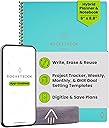
The Rocketbook Fusion is a reusable digital notebook featuring 42 erasable pages across 7 functional templates, designed for professionals who want to organize, plan, and brainstorm sustainably. With instant cloud syncing and a sleek A5 design, it combines eco-consciousness with cutting-edge productivity.


| ASIN | B07ZHZ6B75 |
| Best Sellers Rank | 82,959 in Stationery & Office Supplies ( See Top 100 in Stationery & Office Supplies ) 963 in Wirebound Notebooks |
| Binding | Home |
| Brand | Rocketbook |
| Brand Name | Rocketbook |
| Calendar Type | Monthly |
| Colour | Neptune Teal |
| Cover Material | Polyurethane |
| Cover material | Polyurethane |
| Customer Reviews | 4.4 out of 5 stars 40,847 Reviews |
| Format | Notebook, Organizer |
| Global Trade Identification Number | 00850007403638 |
| Item Dimensions L x W | 22.6L x 15.2W centimetres |
| Manufacturer | BIC |
| Material | Paper |
| Model Number | EVRF-E-K-CCE |
| Number of Items | 1 |
| Number of Packs | 1 |
| Number of Pages | 42 Pages |
| Paper Dimensions | A5 |
| Paper Size | A5 |
| Part Number | EVRF-E-K-CCE |
| Recommended Uses For Product | Planning, listing, goal setting, note-taking, journaling, sketching, sharing ideas |
| Ruling Type | Ruled |
| Special Features | Soft Cover |
| Target Audience | Adult |
| Target audience | Adult |
| UPC | 850015045127 850007403638 |
| Unit Count | 1.0 count |
G**F
Surprisingly Useful
I'll be honest, this was a random Black Friday purchase, but I'm finding it increasingly useful. I mainly work from home on multiple tasks at once, many of which involve writing notes during conversations which are of a sensitive nature. Being able to wipe these off as soon as possible is great, and saves me worrying about GDPR. On top of this, my work area is kept a lot more tidy. When I do go to the office I have all my notes together, and I can simply clean off anything that's completed. The different sheets are nice and handy, and I've used all so far. I've tried the App, and it certainly is a good idea although GDPR concerns with some of the records I keep mean I've not used it fully. Overall I'd give this 5 stars. Not sure about how robust it is: the sheets are fine but the spiral spine concerns me when I chuck it in my laptop bag. Value for money is subjective, but I've found it more useful than e.g. filofaxes, and if you're someone who forks out for fancy notebooks that you can only use once then this is a bargain. Overall I'm very pleased.
S**N
Rocketbook Fusion - A Game Changer for Personal Productivity
This is an extremely unique product—one that I didn't even know existed until I stumbled across it by accident. In terms of personal productivity, the Rocketbook Fusion has taken things to the next level. While I don't have a massive problem with taking notes on traditional paper, I mainly bought this for its reusable weekly calendar. I use the first couple of pages to plan my weeks, detailing exactly what I'm going to do each day. This method has been incredibly effective for my productivity. Rather than maintaining one big to-do list, I can now break it down into daily action plans, making it more likely that tasks will get done on the specified day. Pros: Reusable Weekly Calendar: The reusable weekly calendar is phenomenal for planning my weeks. It helps break down a lengthy to-do list into manageable daily tasks. Comprehensive Features: The Rocketbook Fusion comes with a pen and a cloth for wiping off notes. The wipe-off feature might seem strange at first, but it becomes very intuitive after a few uses. Versatile Pages: The book includes various pages, such as a project planner, which I've found extremely useful. It offers lots of pages that I've used extensively for different purposes. Easy Setup: Although I don't use the entire Rocketbook ecosystem, the process of taking photos of notes and storing them digitally is straightforward and easy to set up. Cons: Price: The product is quite expensive, especially if you're primarily using it for the calendar pages. However, even for that purpose alone, it has paid off in terms of productivity dividends. In summary, I highly recommend the Rocketbook Fusion to anyone who needs a reusable note-taking system. It has been an invaluable tool for planning and productivity.
C**S
Good blend of analogue and digital.
I have spent the past month researching e-ink tablets designed for note taking, but found the cost of entry a difficult pill to swallow (~£400). I stumbled upon the Rocketbook and it felt like a really nice alternative. The ability to take notes in an analogue manner, then digitise them so that they could be stored, organised and shared seemed well worth the cost, given that it’s a fraction of the price of an e-ink tablet. Having used this for a couple of weeks, I can comfortably say that it was a good buy. It encourages me to take notes throughout my day. Knowing that I’ll be able to store them in the cloud and then simply wipe the notepad clean after, really gives a sense of freedom to write as much as I want. Prior to this, I was terrible for taking notes. I sit on a lot of meetings and would frequently forget or miss things. Rocketbook is really helping me build some positive habits. I’m going to be honest - the whole process feels like a series of separate tasks that have been hacked together. The wipeable notepad, the app to capture the notes, transcription and storage. It feels like a process that I could have built myself. What I mean by that, is it feels less cohesive than I expect using an e-ink tablet would be. But, we are in vastly different price brackets, so that’s to be expected. The app is fine. It seems to store two copies of the same note, still trying to figure out how best to use it. I like the transcription service - I take meeting notes using the Rocketbook now, then transcribe them via the app and finally tidy them up for sharing. I find that I can concentrate better doing this rather than typing with my keyboard. The problem is - transcription is far from perfect - quite often it will muddle up lines of text into the wrong order, or transcribe some gibberish. The benefit is - given that it is software, that can improve over time. The pen to paper feel is quite smooth - not as scratchy compared to normal paper. Some may find this off putting - personally, I don’t mind (I quite like the glide-y feeling). Wiping clean the book works well but you do have to put some elbow grease into it. The eraser on the top of the pen doesn’t do a fantastic job and leaves the paper marked and difficult to write over. Luckily, wiping it over with the cloth seems to “revive” those erased areas. Overall, really good product. I like the workflow, and the positive habits it’s building for me. It’s making me reconsider whether I want an e-ink tablet or not.
J**R
Great product!
I'd been looking at getting a Rocketbook for a while before it came up as a Treasure Truck Deal of the Day, so because there was a bit of money off that was my prompt to buy. And yes, I'm glad I did. I have the app on my phone but haven't needed to use it yet and at the moment I'm using my Rocketbook to write my work shifts on the Calendar page and to make notes on a medical condition I have, but Rocketbook could be used for just about anything you want. It comes with a microfibre cloth that you only need to dampen to erase what you've written on one of the pages. It also comes with a black Pilot Frixion ball pen and the ink of these pens is easy to erase with the dampened microfibre cloth. If you need the pens in a different colour there are multicolour sets available depending on how many you want and how much you want to pay (do check. Prices vary and it *has* to be these specific Pilot pens. I think they are sometimes available in a fairly easily accessible high street stationers but you need to check first - the one with the blue banner and name beginning WH, but I've always seen them available on Amazon when I've looked). As for who this item will be useful for, that would be just about anyone from school-age people to ones with their own home offices and yes, it's a very versatile thing. I'm considering getting a set of the coloured pens to create multi-coloured pictures because of the eraseability of the ink - which is immensely handy! I would definitely recommend this to anyone toying with the idea of getting one, they are really very handy. They are available in other sizes than A4 if it's one in a different size you need. I would say they probably weigh less than an ordinary paper notebook and of course infinitely more gentle on the environment than paper notebooks. Shark Tank were really silly to have turned down Rocketbook, especially in these days of greater environmental safeguarding because to me it makes good environmental sense to use products such as smart notebooks such as these. Now how other similar smart notebooks compare to Rocketbook I don't know and are unable to compare as the Rocketbook is the only one I have (but to be honest, I haven't looked at what other ones similar are available because I don't need to), but I do highly recommend Rocketbook. It looks good and is as easy to use as any other notebook but with the ability to erase your notes with the cloth provided and the app makes it immensely more useful. You will only be limited by your own imagination.
L**L
great way to digitalise notes and reuse one notebook forever
I've been researching reusable notebooks and wanted to try the Rocketbook out. As someone who loves to write with a traditional pen and paper but also loves the option to digitalise notes, this is an excellent option. The A4 size is ideal for note-taking during meetings and the fusion notebook has multiple pages inside. Such as a calendar, lined, dotted, etc. which allows me to plan, list, goal setting, note-take, sketch, and share big ideas. The set comes with one Pilot Frixion 0.7m black nib pen which writes smoothly. I prefer using 0.5m nibs and have brought an extra pack to use with this notebook. I've also tried Muji Erasable pens which also works and scan fine. Once you're done, you wipe down the page with the microfibre cloth provided. There's a leaflet with a quick start guide and, a QR code to scan that takes you to the website with info on how to use and set up the smart sharing options. To unlock Rocketbook's full potential download the app, toggle settings to automatically rename titles and digitalise your notes to your cloud storage. I haven't figured out how to turn written notes into text yet, and will look into websites and youtube for directions.
B**V
Not as digital as I expected
So for the price I think this is very expensive. Basically you write on the page and scan/take a picture of it to upload it to the app. You could do this with a traditional notepad it just wouldn't be reusable. The pages are well laid out in different sections though. And over all the book has a nice quality feel to it
M**S
Brilliant idea that really works
Brilliant! I now use this notebook for work and it has transformed how I keep a record of each day's notes. The Frixion pens are great and cleaning the pages is really easy. I think it's such a great idea and I love not having to keep lots of old paper notepads. Being able to quickly choose which email account to send to is very clever and useful. Scanning the pages is effortless and precise. The whole concept is well constructed and executed. I highly recommend.
A**K
Glad I bought this, room for some improvement
Generally, I love this notebook. It's a really flexible way to digitally store my notes and writing, I take it everywhere with me and it's now the only notebook I use. The handwriting-to-text recognition is great where possible, the pages come up really clean when the correct pen and wipe are used and the scanning, which I worried would be a faff, is actually great and simple to use. A few downsides are that the ink takes longer to dry than it would on normal paper which means I smudge a lot, especially when bullet journalling; it could do with more dotted and lined pages as I tend to write a lot in one session; and you can't transcribe text on OneDrive which is is my preferred document cloud (though I believe that's a OneDrive for Android issue, not a Rocketbook issue). The latter I work around by sending the files transcribed to my email and just C+P'ing them into a word document. I'd definitely recommend this, or the Core counterpart, for anyone looking for an affordable smart notebook.
N**N
Beklentiye Uygun
Kaliteli ve sağlam paketliydi.. Hızlı gönderim 👍🏻
R**A
Great tool for students!
Bought it as a gift for my boyfriend and he loves it! Great tool for notetaking and very environmentally friendly. Would highly recommend for anyone uses lots of paper ;) Also great for studying anywhere as long as you have your notes uploaded on cloud!
A**N
Excelente producto!!
Me encanto esta libreta! Súper fácil de usar, secado rápido y súper sencillo de pasar tus documentos a cualquier aplicación que tu desees. Recomiendo muchísimo ya que contribuyes a dejar de utilizar tanto papel y ayudas al medio ambiente. Las plumas frixion están increíbles se pueden borrar y la punta es finísima.
L**.
Bien
Me encanta!
H**O
Tenha cuidado com a vida útil do Rocketbook.
Para quem quer utilizar o caderno no dia a dia, para fazer suas anotações, sem o uso constante, ele é incrível. Mas, para quem quer usá-lo todos os dias, é necessário ter mais cuidados. Eu comprei o Rocketbook vai fazer um ano, com o intuito de estudar e escrever nele todos os dias, e há alguns detalhes que gostaria de destacar: Se você usar a parte de fricção da caneta para apagar no papel, a folha pode ficar mais difícil de ser reutilizada. Na segunda vez que você tentar escrever na mesma página, a tinta não vai sair como da primeira vez, na parte em que você usou a borracha da caneta. Bom, eu percebi isso, então comecei a borrifar um pouco de água diretamente na folha e depois esperava secar para reutilizar, mas não adiantou. A folha, depois de um tempo, vai ficando mais difícil de escrever, mesmo com tinta na caneta. Então, comecei a borrifar água no pano, e não diretamente na folha. Isso ajuda muito a manter a qualidade da folha, mas, independente do método de limpeza, a folha vai se desgastando. As folhas vão se desgastando porque eu sempre gostava de usar as mesmas. Então, quando for utilizar, sempre tente alternar as páginas, evite usar as mesmas para prolongar a vida útil do caderno. Também, sempre mantenha o seu caderno limpo. Não deixe a tinta da caneta na folha por muitos dias, pois isso pode deixar a folha manchada. Sobre a caneta, quando você comprar o caderno, já virá com uma. Mas, como qualquer outra caneta, essa também acaba. A diferença é que você não vai encontrar em qualquer lugar. Eu moro em uma região muito próxima de tudo, e não encontrei em nenhuma papelaria, só consegui achar no shopping ou online. Ela é mais cara do que uma convencional. Por exemplo: uma caneta esferográfica comum custa em torno de R$1,50, enquanto a caneta Pilot Frixion custa em torno de R$20,00. Aconselho você a usar somente a Pilot Frixion no Rocketbook, pois outros tipos de caneta podem danificar o papel. Em torno de 1 ano, comprei 8 canetas Pilot Frixion. Também vendem o refil, mas não consegui encontrar um lugar para comprar. Já vi gringos utilizando canetas permanentes nele, para ficar com um padrão personalizado na hora da digitalização; isso também funciona! Sobre a escrita, não faça muita força com a caneta, utilize-a suavemente. A tinta dela é de boa qualidade, não precisa de tanta força, até porque, se usar com força, pode danificar a folha. Eu não achei muito diferente do papel comum, você se acostuma rápido a escrever nele. Bom, a consideração final é que é um excelente caderno. Ele é mais caro, mas vale o investimento! Já digitalizei diversas coisas nele, e a premissa é que ele seja "infinito", mas o termo mais adequado seria "duradouro". Nada é para sempre. Ele dura mais que um caderno comum com certeza, e, se você cuidar bem dele, pode utilizá-lo por anos, mesmo usando todos os dias. Eu estava em dúvida entre um caderno inteligente ou um tablet. Comprei esse caderno porque, para mim, a retenção de conhecimento escrevendo no papel é melhor do que em uma tela, e, claro, ele é mais "barato" que um tablet. Pesquise bem antes de comprar, talvez você prefira um tablet, que tem muitas vantagens, ou prefira o papel, mas de uma forma mais moderna, que permita digitalizar e armazenar na nuvem. O Rocketbook é uma boa opção para isso.
Trustpilot
3 weeks ago
4 days ago