Desertcart purchases this item on your behalf and handles shipping, customs, and support to Tunisia.
🚀 Upgrade your laptop’s memory, upgrade your hustle!
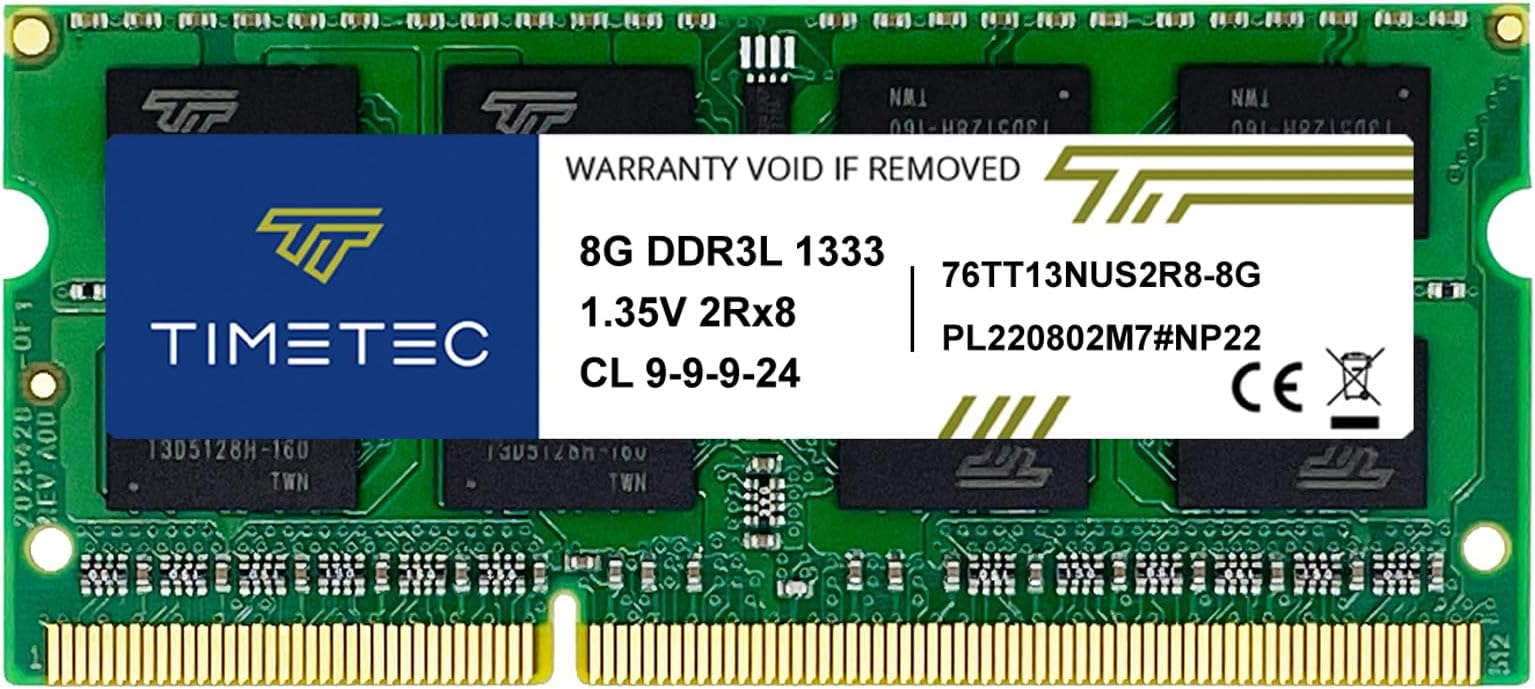
The Timetec 8GB DDR3/DDR3L 1333MHz PC3-10600 SO-DIMM is a high-quality, dual voltage laptop RAM module designed for reliable, energy-efficient performance. Featuring a 204-pin form factor and dual rank 2Rx8 architecture, it supports both Intel and AMD laptops, delivering faster multitasking and smoother computing with a lifetime warranty and dedicated US technical support.


| ASIN | B014E29FE6 |
| Additional Features | Lightweight |
| Best Sellers Rank | #108 in Computer Memory |
| Brand | Timetec |
| Column Address Strobe Latency | 9 |
| Compatible Devices | Laptop |
| Computer Memory Size | 8 GB |
| Customer Reviews | 4.7 out of 5 stars 4,574 Reviews |
| Data Transfer Rate | 1333 MHz |
| Form Factor | SO-DIMM |
| Item Weight | 1 Pounds |
| Manufacturer | Timetec |
| Memory Form Factor | SODIMM |
| Memory Generation | DDR3, DDR3L |
| Memory Speed | 1333 MHz |
| Mfr Part Number | 76TT13 |
| Model Name | Timetec |
| Model Number | 76TT13 |
| Number of Pins | 204 |
| RAM Memory Technology | DDR3 |
| RAM Size | 8 GB |
| Special Feature | Lightweight |
| UPC | 765441335127 765441344877 |
| Voltage | 1.35 Volts |
| Warranty Description | Lifetime |
D**R
Bigger is better at least up to the allowable limits
Just bought these for another computer project. went is easy so far no problems. Computer recognizes them and works fine. Good price and quick delivery.
S**D
Just what I needed to speed up my old laptop
I have a Dell XPS17, from 2011. It's got an i7 CPU and is still a very good PC, except that it had only 8GB RAM (two 4GB SODIMMS). Firefox in particular used up a lot of that memory, causing swapping and slowness. I wanted to double the RAM from 8GB to 16GB by replacing the existing two RAM modules with two 8GB modules. I contacted the seller to be sure that I was buying the right product. Mark from Timetec replied quickly. He asked for additional information to be sure he knew exactly which model laptop I had, and determined that this was the right one. I felt very confident buying from Timetec. The install was simple. After removing one screw, I had access to the RAM (and also the two HDDs). The memory modules were easily removed and replaced with the new ones. When I started the laptop, it started as normal - no errors nor any indication that the amount of memory had changed. But when I checked, the memory was indeed doubled. I've had it for a couple weeks now and have had zero issues. The laptop is noticeably faster now. For $20 this was a very wise investment.
J**N
Timetec 8GB KIT(2x4GB) DDR3 / DDR3L 1333MHz PC3-10600 Non-ECC Unbuffered 1.5V
This Time Tec RAM upgraded my Gateway laptop and greatly improved it's speed and performance. It was one of the only choices that was compatible with my specific laptop. The quality for the money is excellent. It also runs stable and was easy to install and run. It seems to run stable and it's boot times are not bad. It does not have issues.
E**1
Comparable with my macbook pro a1278 2011
Works as expected
B**R
Great Product and Customer Support
So, let me start with a warning. If you are planning on upgrading an older laptop running windows 10, with an Intel CPU, and an older style AMD "GPU", such as the HD series, then there are some serious compatibility issues... but non of them are the fault of this memory. In my case, I upgraded an HP Envy 14 Beats 2020NR. After the upgrade, system became super unstable, which I'm guessing was somehow related to the 2nd RAM slot being used for the first time ever, but who knows. Regardless, the system had become virtually unusable, even with only the old Samsung RAM installed. To make a long story short, I reset everything on this system every way possible, and read every article, post, or thread on the internet that had anything to do with the problem. Best I could do, a stable system with 2 minute start-up and shutdown times. But just recently I struck gold, so just in case there's someone who could use this, I thought I should share... First, reset everything. Start with fresh install of Windows, newly formatted drive (if possible), I even did a factory reset on my BIOS. Then install only 1 of the new TimeTec RAM, boot off your Windows install drive of choice, and wait for Windows to do it's thing. After system install, as long as everything is running stable, add the 2nd stick of RAM. Check stability again, then update windows and your drivers to current. And that is where the super long boot and shutdown times will appear. I actually wasted tons of time trying to optimize my drivers manually, then recently discovered driver management software. I highly recommend this approach, as it optimized all my drivers based on my system, even rolled a few back. While it immediately improved my computer's performance in a number of ways, it also highlighted the culprit. The software for my AMD Radeon HD 6630M, which it had completely removed due to the issues. Knowing the problem specifics, I was able to finally do a proper search, and discover that it essentially Windows asking the AMD driver a question it didn't know how to answer, so it basically didn't and caused a long delay. One little change to the registry, and Voila! If you don't know what you're doing here (like me), just find detailed instructions and follow them. During all this, I initially thought the TimeTec RAM was at fault, so their customer support immediately sent me a replacement so I could rule out their product. Super nice people with just over a week turnaround on the whole exchange. Thanks TimeTec!
Y**I
Good
Works great
A**N
Successfully revamped old Dell laptop
I bought a kit with 2 sticks out of habit, sometimes you just need one and they may arrive DOA. Will leave 5 stars if other stick works, so far so good! Used to refurbish an Inspiron 15 N5050 from 2012, no issues so far and noticeable improvement in speed. Very satisfied
N**K
Easy upgrade to my Dell Latitude e6420 once I got bios upgraded
I have a dell latitude e6420 with 4 gb of memory and bios of A04 running windows home 64 bit version. From reading other reviews I found I needed to upgrade my bios to A25 and although a little hunting is necessary, I was able to get it done on the Dell support website. I also realized that I needed the 64 bit version which I had been using but it was the home version not Pro which is what was in the review. Once that was all ready, I ordered the memory and it was easy popping out the old memory and adding the new 16 gb and up and running quickly. Although the machine is still a little slow in booting, once up it is running great. Before upgade the machine took forever just opening excel or word files. Now it snaps. Memory came in a sealed package right away and seemed of good quality and worked right out the get go. Very satisfied with the results. I only use the laptop once in a while and it was so slow and sticky that I was thinking of replacing it. But now it works reliably and reasonably well and don't need to spend the extra $700 or $800 for the replacement.
U**O
Preis Leistung stimmt
Notebook läuft ohne Probleme damit. Gerne wieder
ف**د
مطابقة تماما
جودة جيدة وممتازة اشتغلت بشكل جيد بشكل مباشر. جهازي toshiba satellite u500 - 1dq
C**N
Excelente memoria ram
Excelente memoria ram! Compatible con Asus k43u, instalado y funcionando al 100%
A**R
RAM Chips (16GB) for the HP Pavilion 20
Items work well to speed up my ageing PC.
A**ー
古いPCもまだまだ使えます。
古いPCをWin11へ無理くりアップデートするために購入しました。SSDとの相性も良くぜんぜん違うPCの様に動きます。GOODでした。
Trustpilot
2 weeks ago
2 weeks ago