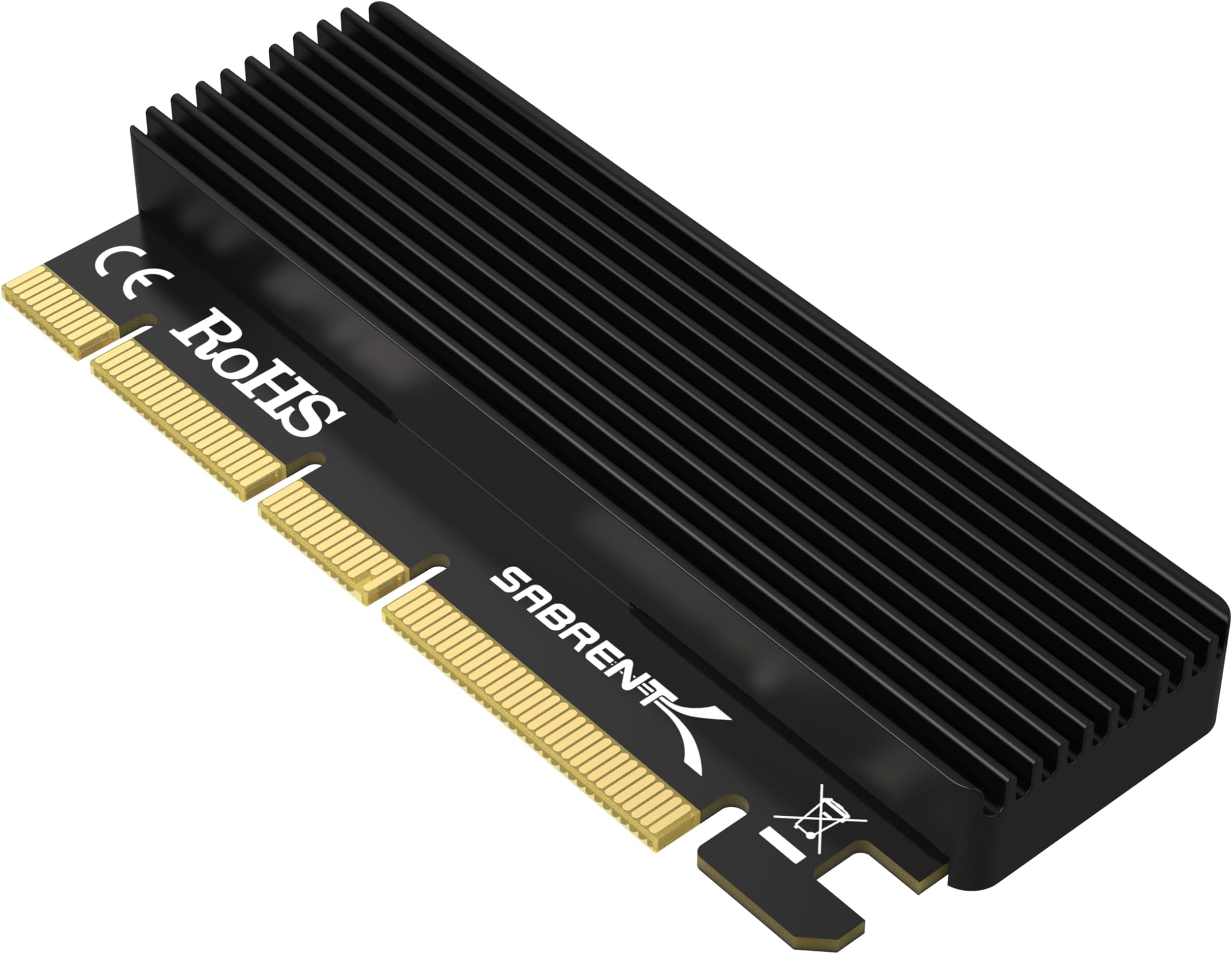
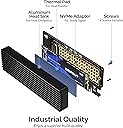
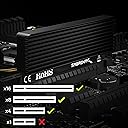
I bought this Sabrent adapter card because my motherboard has a free physical PCIe x16 slot at the back of the case but zero M.2 slots, and I wanted to put a fast NVMe drive in my main gaming PC without spending the money to replace a motherboard that otherwise works fine. I have a 2280 Samsung 970 EVO Plus in the drive bay I pulled out of an older laptop build, and I needed a way to get that drive into a desktop where my storage options were a spinning HDD and a small SATA SSD that was filling up. The x16 slot physically fits the adapter, and because the card is a direct pass-through with no controller, the drive shows up in the BIOS as a standard PCIe-attached NVMe device, which is exactly how I wanted it to. I am running Windows 11 on the main drive, and the new NVMe drive was recognized the moment I booted up after installing the card, no drivers to hunt for, no hotfixes to apply, no driver CDs to dig out of a drawer. For a Windows 10 or 11 system, this part of the process is completely invisible. You slot the card, you boot, you see the drive, and you format it. If you are on Windows 7, the listing mentions you need the NVMe hotfixes, and I have not tested that path, so I will leave it to the people who are still running that OS to speak from experience. Installation took me maybe fifteen minutes, and I want to walk through it because the included extras are actually useful. The box has the adapter card, an aluminum heatsink, a stack of thermal pads in a couple of thicknesses, a small set of screws, and a tiny Phillips screwdriver. I laid the 2280 SSD on a cloth, peeled the backing off one of the thermal pads, pressed it onto the NAND side of the drive, set the heatsink on top of the pad, and then screwed the whole assembly onto the M.2 bracket on the adapter card using the included screws. The screwdriver they include is small but it worked fine, and I did not have to dig through my own toolbox. The heatsink is a solid piece of extruded aluminum, not a thin stamped piece of metal, and it covers the main body of the drive where the NAND chips and the controller live. The included thermal pad between the drive and the heatsink makes a real difference once the drive is under load. I ran a full drive clone to the new NVMe and then ran a sustained 4K random write benchmark for about twenty minutes, and the drive held its rated write speed the entire time without throttling. Before I installed the heatsink, the same drive in a basic unheated M.2 slot on a different board would start dropping to a fraction of its speed after about five minutes of heavy writing. With the heatsink on this card, the temperature stayed flat and the speed stayed up. For a drive that is sitting in a PCIe slot at the back of a case where airflow is decent but not amazing, that heatsink is doing its job. One thing I want to be very clear about, and I wish the product title made it more obvious, is that this card only works with M.2 NVMe drives that use the M-Key notch, and it only fits a physical PCIe x16, x8, or x4 slot. If your M.2 drive is a B-Key or B+M Key SATA drive, it will not plug into this adapter, and if your motherboard only has a physical x1 slot, the card will not fit at all. I say that because I have seen people in the Q&A section and in forum posts asking why their SATA M.2 drive does not show up, or why the card will not physically fit in their x1 slot, and the answers in this listing cover those cases, but the title does not, so a skimmer might miss it. I also want to mention the motherboard support angle. This is a passive card, which means it does not have its own controller or its own firmware. It simply extends the PCIe lanes from the slot to the M.2 connector. That means your motherboard BIOS has to actually know how to enumerate an NVMe drive over a PCIe x16 slot, and on a modern board from the last eight or ten years, that is a given, but on a very old board, you might slot the card in and the drive just will not appear. I have a 2016 motherboard I use for a test bench, and it did see the drive, but I have seen reports of people with very early 2014 boards where the BIOS did not, and they had to update the BIOS to get it to show up. Check your board, check your drive, check your slot, and then buy this, and you will be fine. After about three months of daily use, the stability of the setup is the thing I appreciate most, and I want to talk about that a little because it is the part of a storage solution that you only notice when it fails. I use this drive as my primary game library and as a scratch disk for video editing, so it sees a mix of heavy random reads during game load times, sustained sequential writes when I am copying large files, and background activity from Windows updates and antivirus scans all happening at the same time. Over that entire period I have not had a single instance of the drive dropping off the PCIe bus, a single blue screen, a single unhandled I/O error, or a single moment where a game refused to load because the drive went unresponsive. The PCIe connection is physical and direct, and because there is no controller, no firmware, and no software layer in between, there is nothing that can quietly fail or need a driver update to keep working. The drive just sits there and behaves like a native M.2 slot would, and that consistency is what I wanted. I also checked the S.M.A.R.T. data a couple of times during that period, and the drive's health metrics are completely normal, no reallocated sectors, no pending sectors, no unusual error counts, which tells me the adapter is not introducing any subtle signal issues that would show up as drive degradation over time. The versatility of this card is also worth a mention because it is not locked into one specific use case. I have it in my gaming PC right now, but the same card and the same drive would work just as well in a home server running a Linux distro, where I could use the NVMe drive as a fast boot volume or a small cache layer for a larger array. It fits a physical x16, x8, or x4 slot, so if I ever move the drive to a different system with a different slot layout, the card goes with it without needing a different adapter. The fact that it supports 2230, 2242, 2260, and 2280 M.2 sizes means I am not stuck with one drive form factor, and I have already swapped my 2280 drive out for a 2242 drive from an old ultrabook to test it, and the bracket handles both without any issue. It works on Windows 10 and 11 without extra software, it works on Linux without extra software, and the passive design means there is no firmware to flash and no driver stack to maintain if I ever reimage the system. For a piece of hardware that is basically a piece of metal and a heatsink, the range of scenarios where it is the right tool is pretty wide, and that is a good thing to know before you buy it. On the value side, I paid a small amount for the card, the heatsink, the thermal pads, the screws, and the screwdriver, all in one box, and for a piece of hardware that lets me use a drive I already owned in a slot I already had, the cost was about the same as a couple of hours of my time and a coffee. I did not have to buy a new drive, I did not have to buy a new motherboard, and I did not have to buy a separate heatsink and thermal pad kit from a different vendor and hope the pad thickness matched. Everything I needed was in the box, and the drive in question was already sitting in a drawer. If you are in the same boat, which is a PC that has a free PCIe slot, a drive that is too fast for your current storage setup, and a budget that does not include a motherboard upgrade, this card is the cheapest and most straightforward way to get that drive into the machine and running at full speed with adequate cooling. It is not a fancy product, it is a passive piece of metal and a heatsink, but it does the one specific job it was made for, and it does it well.