
Desertcart purchases this item on your behalf and handles shipping, customs, and support to Tunisia.
🚀 Cut the cords, not the speed—WiFi freedom for every wired device!
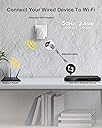
The BrosTrend AC1200 WiFi to Ethernet Adapter is a compact, dual-band wireless bridge that connects any Ethernet-enabled device to WiFi networks at speeds up to 867Mbps (5GHz) and 300Mbps (2.4GHz). Powered by a standard electrical outlet and featuring dual adjustable external antennas, it ensures stronger signal reception and universal compatibility with all major WiFi standards and devices. Ideal for upgrading desktops, smart TVs, printers, and gaming consoles without hassle or driver installation.


| Best Sellers Rank | #22 in USB Computer Network Adapters |
| Customer Reviews | 4.2 out of 5 stars 6,016 Reviews |
T**E
Perfect for Adding Wi-Fi to My Wired Setup
I recently picked up the BrosTrend AC1200 WiFi to Ethernet Adapter for my desktop, which doesn't have built-in Wi-Fi. I wanted a simple way to add wireless internet without having to deal with USB dongles or upgrading my whole system. This adapter has been a solid solution, and here’s how it’s worked out for me. Setup and Ease of Use: Setting it up was pretty easy. I followed the instructions, connected it to my router, and then plugged the Ethernet cable into my desktop. It took only a few minutes, and everything was up and running. I was relieved not to run into any major complications because I’m not super tech-savvy. Performance: When it comes to performance, the dual-band Wi-Fi is a game-changer. I’m getting around 867Mbps on the 5GHz band and 300Mbps on the 2.4GHz band, and I’ve noticed a big improvement in my internet speed. Streaming movies in HD and gaming online is so much smoother, with far fewer interruptions than when I was using a USB adapter. Design: The design is simple but effective. It’s compact and comes with external antennas that help boost the Wi-Fi signal. I didn’t have to do much trial and error with positioning, since it has a signal indicator to help you find the best placement. That little detail made the setup process a lot easier than I expected. Things to Keep in Mind: There are a couple of things I’ve noticed. First, the 5GHz connection tends to weaken the farther I am from my router, though the 2.4GHz band still holds up pretty well. If you’re planning to use this in a large space, you might want to consider the range limitations on the higher band. Also, while the web interface is easy to navigate, I do wish there was a mobile app for managing the connection, but that’s a minor gripe. Overall Thoughts: I’m really happy with the BrosTrend AC1200 WiFi to Ethernet Adapter. It’s given me reliable Wi-Fi on my desktop without the hassle of cables or complicated setup. If you're looking for a good, affordable way to add Wi-Fi to a device that doesn't have it, I highly recommend it. Just keep the range in mind, especially for the 5GHz band.
A**T
Works!
Good value, turns my old laser printer into a wifi printer. Setting up was not hard, akin to setting up a new router, using a phone to initiate the connection. So, also not easy for some. Of your not familiar with connecting like this- grab a kid between 16 & 25, they can do it in a couple of minutes. I have a Mac (M3). I have to connect through my settings versus the printer interface. Not hard, just different. Pleased with my purchase.
W**Y
Fantastic device
Needed an ethernet cable to connect my Roku directly to wifi (instead of bluetooth). This device was perfect. Connect IT to wifi, plug it in near the Roku, connect the ethernet cable, and voila!
J**T
Good, easy to use
I got a free repurposed computer that I set up in the spare bedroom. Since my router is in the living room this WiFi to ethernet adapter looked like a good solution for connecting that computer to my internet network. Despite the extremely easy set-up, my initial impression of this product wasn't good because while it did work I was getting slow internet speeds despite the WiFi signal being very strong. The fix was easy but didn't occur to me until after I wasted time with extensive troubleshooting even though it was actually the first or second thing that I should have tried. That's on me obviously but first set-up. I only needed to plug this into an outlet near my router, press the WPS switch on the router, then press the WPS switch on this adapter. In less than 30 seconds the indicator light showed that the adapter was connected to my network. Once connected I unplugged the adapter and moved it into the room where I needed to use it. In less than a minute the indicator showed that it was again connected to my network and I hooked the adapter up to my computer with an ethernet cable. I had internet. Unfortunately, the internet I had was slow. I tried streaming an Amazon Prime movie and it froze several times until Amazon switched to streaming in standard definition. To troubleshoot I tested the signal strength at the outlet where this WiFi to ethernet adapter was plugged in using an Android utility on my phone and the WiFi signal was very strong. I then experimented with connecting this to an extension cord instead of directly to the wall outlet and moving the adapter higher up to different shelves on either side of the computer desk but that made no difference because the problem wasn't with WiFi signal strength. I changed settings inside my router to prioritize the ethernet WiFi adapter. I temporarily moved the computer into the living room and connected it directly to my router to verify that the ethernet card wasn't bad. I finally decided the problem had to be the adapter so I gave this product a less-than-glowing review. Then a few days later I realized I'd missed one of the most obvious troubleshooting steps which was to power cycle my modem and router and low and behold the internet speed I was getting went from not being fast enough to stream anything in HD to fast enough to stream 8K video--the speed I was roughly the same as on my primary computer connected directly to the router via ethernet cable. The speed with this adapter has been stable and consistent in the three days since I did the power cycle so what had been a disappointing product suddenly gave me better internet speed than I ever expected before making the purchase. Unless something goes south in the near future (in which case I will update my review again) this appears to be an excellent option if you need WiFi internet on an ethernet-only device. Set-up is fast and easy via WPS (the manufacturer sent me an alternate non-WPS installation method but since power-cycling fixed my issue I didn't end up trying it). I can't say if this actually gets 1200Mbps because my internet service isn't that fast but I am getting roughly the same speed as on my devices directly connected to my modem via ethernet. If you do experience disappointing internet speeds after setting this up then try what I forgot to do and power-cycle your modem and router which is a simple process that takes just a few minutes.
B**Y
Works great! Easy setup
I bought this for its bridging capability and it works great! Easy setup using its web based setup procedures. I needed to connect this to the Ethernet switch so my NAS and MacBook would be on my network and it works perfectly. The speeds are fast and have been stable and price was reasonable.
E**L
Perfect solution for my setup. So glad I found it.
Super simple to connect. Performance matches my setup. Connects my xFinity gateway to my Ethernet hub in another room wirelessly. My internet plan is 300mbs and this adapter should easily handle that.
A**R
Returned - not a true wireless bridge, can't disable integrated Wi-Fi network, causes interference
I purchased a “BrosTrend AC1200 WiFi to Ethernet Adapter, 1200Mbps Dual Band Universal Wireless Bridge”. I was able to configure it and it is working, however there are some technical limitations to the device and I have decided to return it and purchase something different. Pros: - Speeds do appear to be faster than some competing products - Easy to setup Cons: - This device is technically not a true wireless bridge, it is a wireless range extender (wireless repeater) with a built-in ethernet port. The difference is that in a true wireless ethernet bridge, no additional Wi-Fi network is created. - When this device is in repeater mode (bridged), the Wi-Fi network cannot be disabled. You can hide the SSID, but that does not prevent the radio from broadcasting. I have confirmed this fact with a Wi-Fi diagnostic tool - the device is still broadcasting a wireless network signal. While this device does have bridging capabilities, the fact that you cannot disable the Wi-Fi means that it is a repeater with an ethernet port for bridging. - The SSID from the device broadcasts on the same Wi-Fi channel as my existing wireless access point. This can create signal interference because multiple APs are competing for the same channel. This is known as co-channel interference. That means this device could potentially cause issues with the Wi-Fi for other devices by using this device. - If your Wi-Fi router/AP transmits both a 2.4GHz network and a 5GHz network using the same name, this device cannot tell you which frequency band you're looking at when you connect to your Wi-Fi network. For example, I have a Ubiquiti access point that broadcasts both 2.4GHz and 5GHz for the same SSID, and when I try to connect to it with the BrosTrend Wi-Fi configuration, it just shows the same of the network twice and does not tell me which network is which frequency band. Once you have the device set up, you can then log in to the web interface you can then determine which is which as if gives you the 2.4 GHz screen and then the 5 GHz screen, but on the initial setup it does not do this. Perhaps it does this automatically if the SSID is the same for both bands, but I’m not sure. Not a big deal but worth mentioning. - Web interface feels low-end - No HTTPS support for web interface, but not a big deal While I do like the size, price, and setup of the device, there are some limitations of the device that are concerning enough for me to decide against using it.
D**Z
Not Really What it Says, and Not Reliable as What it Is
As others have pointed out, this device is not really a level 2 bridge, simply giving a wired device access to a wireless network, which is what the description indicates. Instead, it is a layer 3 network router, connecting to one "public" wireless network and allowing a wired connection on the "private" side, as well as creating two additional "private" wireless networks. You can set passwords for the private wireless networks and "hide" the SSIDs from being broadcast, but not turn them off entirely. This is unfortunate and can have negative impacts on your wireless networks, clogging up wireless channels, but it does allow you to connect a wired device to a wireless network. (There is another mode which allows you to treat this is a wireless access point, but I believe it is still a router, creating a separate wireless network.) The bigger issue I have found is that it does not seem to work on my apartment's power - constantly rebooting every few seconds. When I connect it to my house power, it works fine. When I take it to my apartment and connect it to my 40V inverter, it works fine and connects to the network. If I plug it into any wall in the apartment, it reboots constantly. I'm sure the manufacturer and the apartment management will point fingers, blaming each other, but this is the only device I have which does not run on the apartment's power. Flaky as the power may be, this device is too sensitive to it and not usable. Another problem which has just popped up, at seemingly random times this device is unable to scan WiFi networks. If I put it in that mode, it will fail at least 80% of the time. So far in my testing, once I connect it to a network it will be able to connect to it upon reboot, but no guarantee that it will be able to scan again. And yet another issue is that it is possible to go through the whole setup, have it tell me that it has extended the network, but just not. I have to start over. I don't have a lot of confidence in the device as a whole. TL;DR, this thing is just not usable, and has many flaws. I'll be using another product from a different vendor.
B**D
Läuft super am Gateway der PV Anlage
Musste das Gatway der PV Anlage WLAN-Fähig machen, da über GSM der Empfang verschwunden war. Ließ sich einfach am Pc einrichten und dann einfach in eine Steckdose gesteckt und per Ethernet Kabel angeschlossen. Funktioniert einwandfrei.
E**I
Not sure
It didn’t work as I expected could not connect the printer and their technical support wasn’t much help
M**K
Super!
Works perfect, and easy to set up
D**L
Buen producto
Excelente compra. Se configura fácil y ha funcionado bien para una impresora Ethernet Xerox.
K**E
Worked very well on a BT TV box in place of network extenders
I picked up on a couple of other reviewers who had bought this specifically to use with the BT TV box (which only has a wired network capability), instead of having to use the BT extenders through the mains cabling. While the extenders can work well, I found the signal to the box dropped out completely at certain points in the evening (no idea why, maybe interference on the mains cable), causing it to show an error for a while until it reconnected. Usually at crucial points in football games! It drove me mad. This was very easy to setup with my BT router. I used the WPS auto facility with the wifi adaptor plugged in to a power source close to the router (there are alternative ways). Then I unplugged the adaptor and took it downstairs to the living room. It's best to have the adaptor a few feet above floor level. Since the 3-pin plug is built on the back of it, and all our sockets are floor level, I used a power extension cable to place it behind the TV, close to the box. The living room has one of BT's wifi extender disc units in it, since my router is upstairs; obviously, how well the adaptor will work for you will depend on the strength of the wifi signal you're getting in the room where your BT TV box (and adaptor) is placed. The two are wired together with a standard ethernet cable (a short one is supplied with the adaptor, which was fine for me). This wifi adaptor gets a recommendation from me.
Trustpilot
2 days ago
1 month ago