Desertcart purchases this item on your behalf and handles shipping, customs, and support to Tunisia.
๐ Boost Your Signal, Own Your Space!
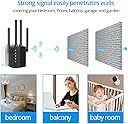
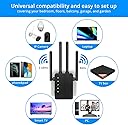
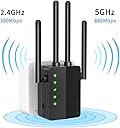
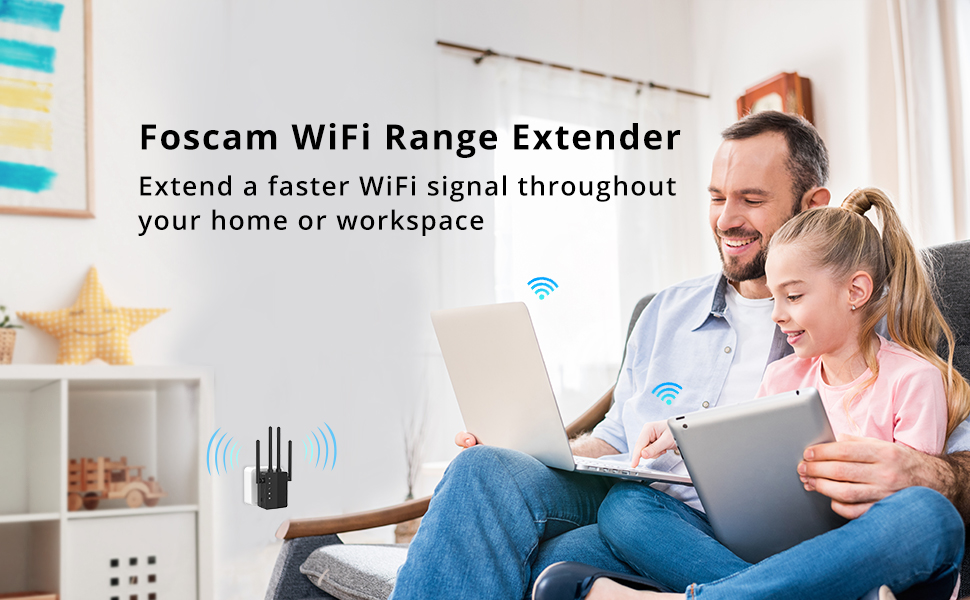
The Foscam WiFi Range Extender WD-R1200U delivers dual-band wireless amplification with speeds up to 1200Mbps, extending WiFi coverage over 1200 sq.ft. Equipped with four 2dBi antennas and an intelligent signal indicator, it ensures optimal placement and stable connectivity. Featuring easy one-button WPS setup and an Ethernet port for wired devices, it supports all common wireless security protocols, making it a versatile solution for home and small office network expansion.


| ASIN | B083THWV2Y |
| Best Sellers Rank | #2,649 in Repeaters |
| Brand | FOSCAM |
| Built-In Media | Antenna |
| Color | Black |
| Compatible Devices | Router |
| Connector Type | RJ45 |
| Customer Reviews | 3.5 out of 5 stars 2,674 Reviews |
| Data Transfer Rate | 300 megabits_per_second |
| Frequency Band Class | Dual-Band |
| Frequency Bands Supported | 2.4 GHz, 5 GHz |
| Manufacturer | FOSCAM |
| Mfr Part Number | WD-R1200U |
| Model Number | WD-R1200U |
| Number of Items | 1 |
| Range | 1200 square_feet |
| Special Feature | Intelligent Signal Indicator, One Button Setup |
| Special Features | Intelligent Signal Indicator, One Button Setup |
| UPC | 886897675039 |
| Unit Count | 1 Count |
| Wireless Communication Standard | 802.11a/b/g/n |
| Wireless Compability | 802.11a/b/g/n |
A**D
Overall a good option to extend wireless for network cameras and general usage
I had a chance to test this unit over the course of 2 weeks and found it to be a stable and well powered wireless extender. The unit does support both 2.4ghz and 5ghz network connections as well as 2x 10/100mbps ethernet ports. Having the ethernet ports allow you to place the device in an area that needs better wireless coverage while allowing you to connect devices without wireless capability such as desktop computers and wired networked printers. Pros: Ability to associate to either a 2.4ghz network, or 5ghz network, or both, for rebroadcasting. Dual Ethernet ports to add connectivity for non-wireless devices. Relatively small form factor, No bigger than a medium size wall wart power adapter. Ease of setup. Setup was pretty simple and had help options to explain settings if needed. Good range, With the unit roughly 25feet away through multiple walls it was able to maintain a quality connection to the router. Wireless speeds were generally as fast when connected to the extender as was when connected directly to the main wireless. Does not require downloading an app to your phone for setup, this is a real plus in my opinion. Cons: Not really a con, but the ethernet ports are 10/100mbps, would be nice to have 10/100/1000mbps ports but in reality you should not expect to have a gigabit of usable bandwidth through an extender such as this. Overall I would recommend this unit for extending wireless coverage in your house or small business. It does well to extend the network for wireless cameras that are on the fringe of the main wireless coverage as well as adds support for wired devices away from the main router. Throughput of the unit was basically the same as what I received when directly connected to my wireless access point, and ethernet speeds were quite acceptable for streaming HD content to a TV or computer. The setup instructions were decent and the setup process was pretty straight forward, you do need to know your current wireless network name and password to save into the unit, and although the setup very simple and fairly generic it still walked you through the process without an issue. Being able to connect directly to the unit for setup instead of requiring the download of an app for your phone or tablet was also a nice option. One thing to keep in mind when using extenders is that you should never expect to have the same bandwidth as connecting to the main network or directly to the switch/router via ethernet. Extenders must take the main wireless signal and rebroadcast it which will effectively slow the connection due to radio limitations, networking limitations, and overhead. This can especially be true the further away from and more degraded the wireless connection is that you are trying to connect the extender to. For those more technically inclined I will include iPerf performance numbers below. My setup for the network and testing includes: pfSense as routing appliance Cisco Catalyst 3750 managed gigabit switch Engenous EAP1750H wireless access point Testing with a Microsoft Surface Pro 4 using Windows 10 Pro x64 iPerf server was running on pfSense with client on the Surface pro: Foscam Wifi Extender notes Iperf Foscam extender 5ghz 780Mbps ------------------------------------------------------------ Client connecting to 192.168.0.1, TCP port 5001 TCP window size: 64.0 KByte (default) ------------------------------------------------------------ [ 3] local 192.168.0.193 port 54171 connected with 192.168.0.1 port 5001 [ ID] Interval Transfer Bandwidth [ 3] 0.0-10.0 sec 106 MBytes 89.2 Mbits/sec ------------------------------------------------------------ Client connecting to 192.168.0.1, TCP port 5001 TCP window size: 64.0 KByte (default) ------------------------------------------------------------ [ 3] local 192.168.0.193 port 54175 connected with 192.168.0.1 port 5001 [ ID] Interval Transfer Bandwidth [ 3] 0.0-10.0 sec 113 MBytes 94.3 Mbits/sec Foscam extender 2.4Ghz NIC speed 144Mbps ------------------------------------------------------------ Client connecting to 192.168.0.1, TCP port 5001 TCP window size: 64.0 KByte (default) ------------------------------------------------------------ [ 3] local 192.168.0.193 port 54364 connected with 192.168.0.1 port 5001 [ ID] Interval Transfer Bandwidth [ 3] 0.0-10.0 sec 59.3 MBytes 49.7 Mbits/sec ------------------------------------------------------------ Client connecting to 192.168.0.1, TCP port 5001 TCP window size: 64.0 KByte (default) ------------------------------------------------------------ [ 3] local 192.168.0.193 port 54366 connected with 192.168.0.1 port 5001 [ ID] Interval Transfer Bandwidth [ 3] 0.0-10.0 sec 57.5 MBytes 48.1 Mbits/sec Direct wireless to AP 5ghz ------------------------------------------------------------ Client connecting to 192.168.0.1, TCP port 5001 TCP window size: 64.0 KByte (default) ------------------------------------------------------------ [ 3] local 192.168.0.193 port 56174 connected with 192.168.0.1 port 5001 [ ID] Interval Transfer Bandwidth [ 3] 0.0-10.0 sec 69.1 MBytes 58.0 Mbits/sec Ethernet connected to Foscam Extender ------------------------------------------------------------ Client connecting to 192.168.0.1, TCP port 5001 TCP window size: 64.0 KByte (default) ------------------------------------------------------------ [ 3] local 192.168.0.135 port 56012 connected with 192.168.0.1 port 5001 [ ID] Interval Transfer Bandwidth [ 3] 0.0-10.0 sec 75.5 MBytes 63.3 Mbits/sec Also, Thanks to Kris @ Foscam for answering my questions and following up with me, he was easy to deal with and usually returned my emails within the same day if not almost immediate.
L**R
WEAK at Best
The extender was easy to install. However, it has to be within about 50 to 60 feet of the router to boost. We found, when connected to the boosted signal, our connection is dropped frequently. Sitting about 80 feet from the router (indoors) I usually have 4 to 5 bars and can use the router directly. I bought the booster so I could use a smart phone or laptop and would be able to get a bit further from the router. Didn't work out that way. Sitting by the booster ( within ten feet ) It constantly drops the connection or, It just has no internet. I wouldn't buy it again. Tech support never answered either. Should have stuck with know brand name. Good luck . Update. Been working with it a week now. Returning.
J**.
Easy to use and effective!
I have a few areas in my house where the WiFi is weak, especially for older devices using the 2.4G signal. I bought this WiFi extender, and I'm delighted with the results! I now have stronger and more reliable WiFi all over my house! PROS 1. This does what it promises: It extends the range of your WiFi. 2. It just plugs in anywhere once you set it up. It's easy to move to where you need it. 3. It delivers the speed I expected. Obviously, WiFi is slower than wired, and repeating a signal is slower than using the signal directly from the router, but when you're far away from the router, or behind walls, the wired connection and connecting directly to the router aren't options. 4. Setup was not difficult. 5. The extender has two built-in Ethernet ports, a nice bonus I didn't expect. For some non-Wifi devices this is a really easy way to add network access without running network cables. 6. This is dual band; it has both 2.4G and 5G signals. I have pretty good 5G coverage in my house, but not so great 2.4G, which is a problem for some older devices. This extender connects to my router on the reliable 5G signal, and broadcasts a new 2.4G signal that my older devices farther away can use. It's a huge, huge improvement! CONS 1. None OTHER OBSERVATIONS 1. The 5G speed is very fast; the 2.4G speed is somewhat slower. That might just be an issue where I am since the direct 2.4G speed from my router is slower too. Perhaps there's external interference or something else causing an issue. But even still, I'm pleased with the 2.4G speed I get considering how far away the signal goes. 2. Setup had one minor issue: I couldn't log into the extender to configure it when I loaded the configuration page on my phone. I tried using my desktop, and it worked perfectly. I think the problem was with how my phone was showing the mobile version of the configuration screen; loading the desktop version of the page on my phone probably would fix that. 3. Sometimes I can't reconnect to the extender after I disconnect. I found you can fix this issue if you connect using a static IP address (not DHCP), which generally should be 192.168.1.xxx. The subnet mask should be 255.255.255.0, the gateway and DNS should both be 192.168.1.1. Then reconnecting works perfectly. Highly recommend!
4**A
Stone Simple to Set Up
I own 9 Foscam cameras, so I am familiar with the company and their products. This extender does what it is designed to do, extend your WiFi signal... as long as you don't ask too much of it. It failed an extreme test (as would most other extenders) when I tried to use it at a range of over 150 feet through two walls. As with all extenders, it does well with shorter ranges (between router and extender and between extender and client). Where the product shines is with the setup and with Foscam's customer support. The setup is simple and clear using either the app (Android or IOS) or a browser. I had trouble getting the setup to finalize using IOS, but the browser setup worked fine. Like others of its kind, the device will take up two AC outlets unless you plug it into the bottom outlet and spread the antennas. All-in-all, the 4-Stars I'm giving the device breaks down as such: 5-Stars for Foscam Customer Support, 4-Stars for Set Up and 3-Stars for signal strength.
J**Y
Doesn't allow spaces in SSID name
This appears like it will be a nice product, and while technically yes its very simple to setup the extender, not much to that. The impact of not allowing spaces in SSID name means for me I have to reconfigure all of my wireless streaming devices and gaming consoles for this. its just a nuisance for something so simple so with the impacts of having to rename my wireless SSID on our router and reconnect all of our devices, and when family/friends are over I will need to help them connect again, I can only give 1 start for ease of installation.
E**W
Good Coverage WiFi Extender & Easy Setup (from PC)
I have a couple of other WiFi extenders at home (TP-Link and Wireless-N) and wanted to give this one a try. The good: It works and it has better coverage than my other 2 extenders. The not so good: the "Mobile Phone Setup" didn't work for me. But "PC Setup" was smooth NOTE ON THE HOST ROUTER PASSWORD: My other WiFi Extenders had the same problem with the existing Host Router's Password: they required "no special characters". So I configured an additional SSID (for the same router) with a simpler password, which is better than changing the password in ALL devices. BTW, that was something I did not like on those extenders but, since I didn't have to modify it this time, it was OK. MANY folks -like me- use WiFi passwords with special characters (safer), so limiting to "simpler passwords" might not be good for them... especially if they need to create another SSID for their home WiFi. So, if your WiFi router has a password with characters like $,@,%,etc., this might not work straight. I'd like to thank Yiko and the CS team for their quick support. Now, let me go into some details with references to the steps showed in the included quick guide. - I tried the Mobile Phone Setup first using an iOS device. Everything seemed to work until step 8. In step 9, I waited long time but the extender mode led never lighted up. I tried two more times with Phone Setup with the same result. - Next I tried the 'PC Setup" with a PC running Windows 10. Everything worked fine and was able to complete all steps and had the led lighting at step 10. - I believe that a big difference is the step 7 in the "PC Setup".. it asks for "Auth Mode" and "Encryp Type", which is good as I did not have my router set with the "default" selections. I was tempted to change the extender password (it defaults to the home router's password) but, since everything works, I left it with the recommended setting. Thus, the PC Setup works better as, apparently, the Phone Setup doesn't account for security features that the modern routers have. So, if you use a PC, you should be OK.
1**D
Per Fosdcam, will not accept spaces in network ssid name
I can't rate the extenders performance because I could not get it set up. The problem was with my existing network name (SSID), which contains spaces. I've used this name for maybe 8-10 years, with probably 30 or so devices successfully connected without a single issue. Plugging the unit in, I got the blue light indicating it was ready. Then, first, Foscam's WPS setup procedure did nothing. Resetting the extender did nothing. PC setup worked well at first. The search function recognized my network name, spaces and all, and correctly copied it into the setup software. The PC detected both 2.4 and 5 g bands from the extender, both with strong 5 bar signals. I entered my password (characters showing, carefully confirmed) and hit enter. This generated an error message saying my existing network name was invalid, because it contained special characters. This was accompanied by a message balloon containing a list of special characters that were specifically allowed --- a list that specifically INCLUDED spaces as allowed. Foscam tech service could not help, asking me to please kindly change my network SSID. I don't want to change, as quite a few devices require tedious character by character entry and would be major pain. I later received an email from Fosdam stating that this model extender would not accept spaces in the network SSID, but their next model would. No specifics on the next model were forthcoming. So, this extender might work OK if your present network SSID does not contain spades or if you are willing and able to change the name if it does. But, if you have spaces in the name and intend to keep them, per Foscam this unit will not work. I don't know for sure, but given the inconsistency you might want to be cautious about other special characters as well. As to a rating, I can't get past the fact that the unit will not even set up in the fashion that its own setup software says it will. So, two stars, and that might be either low or high, depending.
C**D
Not worth the Price
As a long time Foscam camera user, I expected better. I have two Foscam G2 cameras installed on my garage, about 40 ft from my router. I was seeing WiFi connection issues with one of the cameras that were connected to the router via an old Linksys repeater. Since the cameras were Foscam, I thought a new Foscam repeater might solve the problem. Problem started with Setup of the Foscam repeater. I had to go through the setup three times before I got the connection light to stay on. Using Foscam VMS software, switched the connection from the Linksys repeater to the Foscam repeater. My cameras stopped working immediately after the switch and I could not access them using any Foscam tool. I attempted to contact Foscam support but have not heard anything from them. To get the cameras to work agin, I had to remove them from the installed location, complete an initial setup, reinstall them in their original location, and reconnect them to the old Linksys repeater. Foscam cameras are not the top of the line cameras but in the past they have served their purpose. The issues with the repeater and another Foscam camera I recently purchased make it hard to justify purchasing their cameras in the future.
Trustpilot
2 days ago
2 weeks ago