

Desertcart purchases this item on your behalf and handles shipping, customs, and support to Tunisia.
๐ Upgrade to the FiOS Quantum Gateway โ where speed meets smart control!
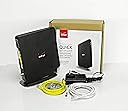
The Verizon FiOS Quantum Gateway G1100 is a renewed dual-band AC1750 router designed for large homes and multiple devices. Offering up to 1750 Mbps speeds and 325 feet of Wi-Fi coverage, it features app-based remote management, guest Wi-Fi access, and WPA encryption for secure, high-performance internet connectivity tailored for Verizon FiOS users.
| ASIN | B087Y1CJYR |
| Antenna Location | Home |
| Antenna Type | Internal |
| Best Sellers Rank | #62,170 in Computers & Accessories ( See Top 100 in Computers & Accessories ) #1,414 in Computer Routers |
| Brand | verizon |
| Color | Black |
| Compatible Devices | Personal Computer |
| Connectivity Protocol | Wi-Fi |
| Connectivity Range | 325 square_feet |
| Connectivity Technology | Wi-Fi |
| Control Method | App |
| Controller Type | App Control |
| Coverage | 325 feet |
| Customer Reviews | 4.4 out of 5 stars 593 Reviews |
| Frequency | 5 GHz |
| Frequency Band Class | Dual-Band |
| LAN Port Bandwidth | 1 Gbps |
| Manufacturer | VerizonFiOS |
| Maximum Upstream Data Transfer Rate | 450 megabits_per_second |
| Mfr Part Number | 1 |
| Model Name | AC1750 |
| Model Number | AC1750 |
| Number of Antennas | 3 |
| Number of Items | 1 |
| Number of Ports | 8 |
| Operating System | Linux |
| Other Special Features of the Product | WPS |
| Router Firewall Security Level | basic |
| Router Network Type | wireless |
| Security Protocol | WPA-PSK |
| Special Feature | WPS |
| UPC | 753575244934 |
| Unit Count | 1 Count |
| Voltage | 12 volts |
| Warranty Description | 90 days limited warranty |
| Wireless Communication Standard | 802.11ac |
| Wireless Compability | 802.11ac |
S**L
Works great/Saves money!
We recently switched to Verizon Fios from a local ISP provider, who in turn had replaced Comcast. We were sold on Fios' great monthly price, no contract and the promise of a huge pickup in speed. What neither the salesman nor the installer warned us about was that Fios would overwhelm our old Apple Air Port router and we would need a new one. Once we figured this out, a Verizon representative wanted to sell me a new Verizon-approved router for $300 or rent me one for $15 a month. As I was texting with him, I checked to see what was available on Amazon and this router popped up for $90. The reviews convinced me this was the way to go and they were right. Installation was a breeze and as mad as I was at Fios, the speed pickup has been fantastic across all our devices. I can't figure out what a $300 router could better that would make it worth the extra expense. I would add just one tip that I didn't notice in the reviews below. When you're done with the installation, you'll likely want to change the name of the network and password that is stamped on the side of the router. Log in to your Verizon internet account and follow the network management prompts to make the changes. It's pretty easy.
M**1
Easy peasy, replaced previously purchased Actiontec
Looks good, works perfectly. Disconnected old (previously purchased, functional FIOS Actiontec) router from power, and FIOS coax, and Ethernet to my PC. Plugged new router into new power, Ethernet to PC. (No FIOS connected yet). Entered โ192.168.1.1โ into browser. Up came router login page. Entered password printed on side label on new printer. Up came router interface. Changed label-provided password to my password, also changed SSID to my old one (makes things simple). Saved those settings. Left all other default settings. Turned router off, attached FIOS coax, turned router back on. Within minutes, all devices back on WiFi and full access to Internet on PC / phones / tablets. Automatically connected devices to appropriate WiFi band / protocols (e.g., iPhone on 5Ghz, smart plugs on 2.4Ghz). No Verizon calls necessary. WiFi speeds went from 50-70 Mbps to 130-170 Mbps as well as stronger signals (yes, they are relatedโฆ). Also bought insurance, just for ease of mind.
L**W
Better than new Fios Gateway
I bought this to replace my new rented Gateway router from Verizon. I think I had this router before the "upgrade" to the newer router. The newer router failed, Verizon sent me another router, it failed, sent another router, failed again. They sent out technicians twice and rewired everything but the problem was bum routers.. You have to have a Verizon router if you use their TV service because of the coax connection. So far, and only a few days, the router and my internet has been stable. Concern that the signal drops off with a little distance but the connection holds. Turns out, I cancelled the TV service so I didn't need the Verizon router but will keep this for now. LIve TV (YouTubeTV) works fine. Recommend if you need Verizon TV, otherwise their may be better choices.
A**I
Renewed Verizon FIOS Quantum Router
First contacted Verizon about purchasing a FIOS Quantum G1100 router we have been renting $12/mo) and they quoted a price of $399, with 3 consecutive monthly payments of $143 on top of the existing bill!!! That resulted in a quick โNo Thanksโ. The renewed G1100 router (HW v1.03) was about $55 and received 2 days after placing an order. The unit was up and running perfectly within 10 minutes with no issues whatsoever. No call to Verizon was needed for the router to operate, just plug & play. You will need to call Verizon to return the rented G1100 and remove the rental charge from your bill. The original FIOS G1100 router had updated firmware and user interface SW. The renewed FIOS G1100 firmware and UI was several version behind but is easily updated. After installing the renewed router, simply press and hold the WPS button down for 10sec. The router will then reboot and automatically update router firmware and UI. Once this was completed, the renewed G1100 router was essentially identical to the one that was installed. This was a super good deal that I would recommend to any FIOS user - wall save you $144/yr so the renewed router pays for itself in less than 5 months. Thank you Gadget Planet!
A**R
This is the one that you want :)
Great Experience! Router came meticulously packaged. It was clean and spotless and all connectors included. I hooked it up in about 10 minutes and flipped the switches and bam, all my devices came alive again. I highly recommend the Network Hardware Depot.
D**A
Wi-Fi login credentials were invalid
No instructions and Wi-Fi login credentials were invalid. Returning for refund.
C**U
It works with verizon FIOS gigabit internet service out of the box and easy setup.
I have been in Verizon FIOS for over 10 years with 10 years old router in 50mbps internet service. Recently, I decided to upgrade the internet speed because I want to install more smart devices at home and need to work from home more often because of pandemic . Verizon told me that I need to pay an upgrad fee of 150 dollars plus the new router for 300 dollars or rent it for 15 dollars/mo. After searching from the web, I can waive the upgrade fee by requesting self installation with my own router. Instead of buying a new Verizon router, I just need a basic router that can connect to the Verizon FIOS gigabit service with no fancy wifi features as I have google wifi mesh that is very reliable and fast wifi for my whole house. I came across to this refurbished inexpensive verizon router that served exactly my needs. Therefore, I gave it a try and it turned out to be a very greater router and reliable. My google wifi mesh can get up to 900 mbp download / 900+ mbp upload speed without any issues. I am glad that I invest on this router and not buying from Verizon and save me a couple of hundreds of dollars.
R**E
Did the job -
Had problems w/ my internet for about a year and finally figured that I needed to replace the router. Quick installation took about 2 mins for wiring, and another 5-10 mins for the rest of the tech stuff (security). Worked great, had little to no connection probs ever since. *if you're just replacing the router like I did, you won't even need the ethernet cable for wi-fi only device connections*
Trustpilot
3 weeks ago
1 month ago