Desertcart purchases this item on your behalf and handles shipping, customs, and support to Tunisia.
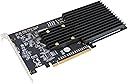
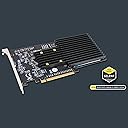
⚡ Upgrade your workflow with the Sonnet M.2 4x4 — where speed meets silence.
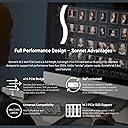
The Sonnet M.2 4x4 Silent Gen3 PCIe NVMe SSD Card is a high-performance storage expansion solution supporting four M.2 NVMe SSDs with RAID 0/1/5/10 configurations. Delivering sustained speeds up to 14,000 MB/s and up to 32TB capacity, it’s compatible with Mac Pro (2019 & 2023), Windows 10/11, and Linux systems via Thunderbolt. Its passive cooling design prevents thermal throttling, ensuring consistent performance, backed by a 2-year warranty and free lifetime technical support.


| ASIN | B0892VBP7P |
| Best Sellers Rank | #597 in Internal Solid State Drives |
| Brand | Sonnet |
| Built-In Media | Documentation, Drive mounting screws, Sonnet M.2 4x4 PCIe Card (Silent) |
| Compatible Devices | Desktop |
| Customer Reviews | 4.4 out of 5 stars 134 Reviews |
| EU Spare Part Availability Duration | 2 years |
| Global Trade Identification Number | 00732311012983 |
| Hardware Interface | PCI, Solid State Drive, Thunderbolt |
| Item Dimensions L x W x H | 2.36"L x 14.96"W x 6.3"H |
| Item Highlight | RAID 0/1/5/10 support; boot from a single SSD; passive cooling prevents thermal throttling |
| Item Weight | 476 g |
| Manufacturer | Sonnet Technologies |
| Mfr Part Number | FUS-SSD-4X4-E3S |
| Model Number | FUS-SSD-4X4-E3S |
| Number of Items | 1 |
| Operating System | Windows |
| Product Dimensions | 2.36"L x 14.96"W x 6.3"H |
| Style | Custom |
| Style Name | Custom |
| UPC | 732311012983 |
| Warranty Description | 1 Year Limited Warranty |
S**T
This Just Breathed New Life Into My 2009 Mac Pro 5,1 Desktop
I'm just downright giddy...I installed this on a 2009 Mac Pro 5,1 running the latest Big Sur and my 14 year old computer went from 475MB/s read and write speeds on an older SSD drive to 2,550 MB/s on the Write and 2,750 average on the Read speeds. That is insane for a 14 year old computer. And that's single drive speed, I can probably double that if I went with a RAID array. The PCIe 2.0 bus can't do much more than that so I'm just thrilled. Had issues with WD Black SN850x drives not showing up, but that's a WD issue on Macs in general. Check out the Sonnet supported drive list and you'll avoid any headaches, and their tech support is outstanding. I'm currently using Lexar NM790 drives and they work like a charm. Huge, awesome upgrade. Large video file transfers that took 4 hours between my old SATA III or Firewire 800 drives now take 4 minutes between the M.2 drives, just a mind blowing speed upgrade.
V**N
Fast, and well-cooled
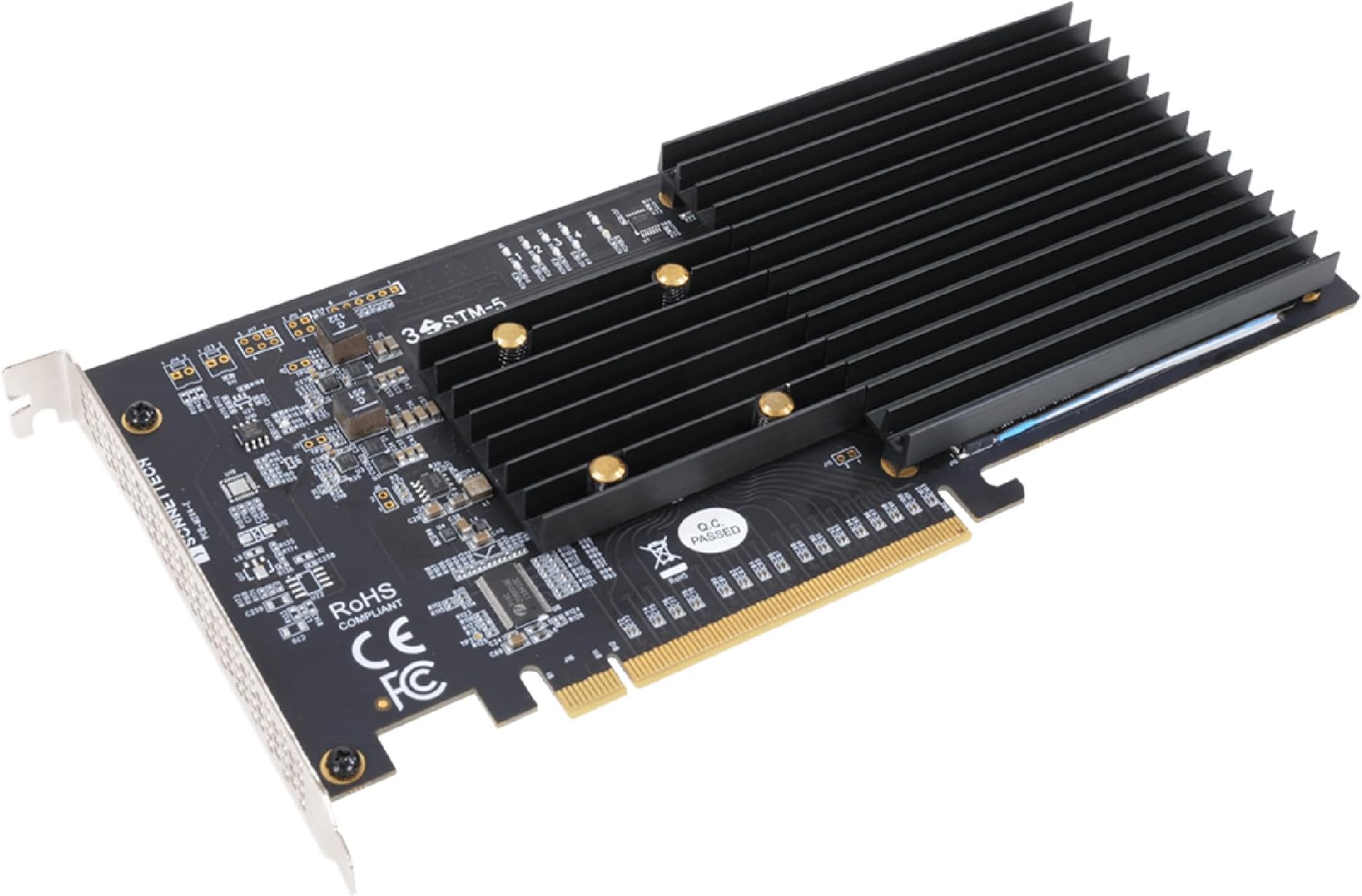
Purchased for use in a Mac Pro 5,1 (2012 model) running Monterey 12.7.4 under OpenCore. Blazing fast read/write with a 4-disk raid in the x16 slot. Of all the various cards currently available, this one is built like a tank, with a dedicated heat sink for the PCIe switch, and thorough thermal padding on both sides of the NVME. Runs almost 10°C cooler at the NVME than other cards I have tested. Technical support was very responsive answering technical questions prior to purchase.
A**3
Works great in 2019 Mac Pro
Couple of unexpected "hoops" to jump through during install -- you have to put thermal pads down, which added an extra ~10 minutes or so to the install. It works great though, and the outcome is fantastic read/write speeds for my 2019 Mac Pro. I *might* prefer the fan version, if it didn't require any thermal pads, but really can't complain. Only other gripe is with macOS, it doesn't let you make the RAID array your boot drive [and it's a PITA to cleanly get Applications dir onto the RAID'd drive, too] -- but that's really 100% on macOS, not the maker of this excellent product. Would buy it again, 100%.
M**D
Major Speed improvement on a 2009 Mac Pro Tower
Major Speed improvement on my flashed 2009 Mac Pro Tower that has Dual 6-Core 3.46GHz Xeons, 48GB 1333MHz RAM running Mojave after moving my 1TB ADATA APG SX8200 Pro NVMe SSD onto this card. Benchmark photos show a "Before" using a generic 4x PCIe to NVMe adapter, then "After" using the Sonnet Fusion card. So fast, I may not even bother doing a RAID setup by moving the boot back to the 4X adapter and setting up 4 identical NVMe SSDs, but it's an option later, especially if larger NVMe SSD prices start to drop.
M**I
Great add on for increasing storage
I purchased this to increase the high speed storage capability in a 2019 Mac Pro (especially considering how NVME prices have continued coming down). This card is plug-n-play straightforward with adding NVME's (Sonnet has a compatibility document on their site) including the thing with the thermal pads (mine was missing the pad for double sided NVME's but I'm using only single sided ones so it wasn't an issue). The NVME's do show up as external drives so if you want to setup one of them as a boot drive (which has to be non-RAID), you do need to boot into recovery mode and go into the startup security utility to allow booting from external or removable devices. I have mine booting up from this (I left the factory setup on the T2 flash drive for emergency purposes).
J**E
good
good
T**E
Can't recommend. Damaged my cards
from what I can tell, this card is not compatible with the 2023 M2 Ultra Mac Pro. I would love to have found a 16x PCIE NVME card, but this is not the one. initially it was easy to setup. Ran immediately, cards recognized with zero problem and soft raid formatted the cards easily into a raid, but repeatedly the NVME cards would fail.... Hard, Completely non functional in two slots. Exchanged this adapter card (a couple of times so I doubt it was just a manufacturing defect, more like a design flaw), replaced the NVME cards also and installed them on the now new Sonnet adapter, ran for a few weeks with no problem, and very fast, but it failed again and again. Wash rinse repeat. I've destroyed no less than six Samsung 990's trying to make this work, but it has to be the adapter card. I've been using OWC's adapter cards in my 8 x slots and they had not given me a lick of grief, so I purchased two more and have been using my 990's without headache for a while. Too bad the OWC cards only run at 8x and do not take full advantage of the 16X slot. Honestly it's fast enough, but on a $10k machine you'd expect to get the max out of it, No? Again I loved how fast this card is, but if it's going to freak out and make 2 cards unreadable every month, it's dangerous at best. M2 Ultra Mac Pro user will want to look elsewhere IMO.
J**M
works as advertised
plug and play and works great in mac pro 2019 catalina with 4 ssd; mix and matched and less expensive than samsung; very good read write speed, faster than ape installed drives; perfect for extrastorage , run audio / 4k video or as a fast speed scratch disk for apps like photoshop, etc. No fan and is absolutely quiet.
R**H
A great upgrade to any CPU
Stellar card, fastest benchmark times ever.
S**E
Ideal für Mac Pro, aber ...
Hervorragend für Mac Pro (2019) mit macOS > 15.5 geeignet. Darunter läuft die Karte nicht (stabil) !!! Und aufpassen! Nicht alle SSDs sind geeignet. Hierfür bietet der Hersteller eine Kompatibilitätsliste. Hätte ich die eher gelesen und ernst genommen, hätte ich mir einer Menge Arbeit und Ärger erspart. Aber mit den richtigen SSDs: TOP und 3x schneller als "interne" SSD.
R**3
Específico Mac
Es un producto diseñado especialmente para el Mac. Funciona perfectamente.
V**O
Ottima scheda
Installata su Mac Pro 2010. Ottimo prodotto, funziona benissimo e a differenza di quelle con la ventola (una l’ho restituita) non emette nessun rumore in quanto il raffreddamento è passivo ovvero sfrutta i flussi d’aria generati dalle ventole del computer. Veramente soddisfatto! Ottimo prodotto, forse solo il prezzo è un pochino altro però la qualità è ottima
M**N
Bonne carte 4x SSD NVMe
Cette carte dispose d'un switch PCI Express Gen3 de Broadcom : PEX 8732 32-lane, 8-Port PCI Express Gen 3 (8.0 GT/s) Switch => il y a bien 4 voies PCIe par disque. Dans l'OS la carte présente bien 4 disques SSD indépendants. Vous pouvez dédier un disque pour le boot et les 3 autres en raid par exemple. Ce n'est pas une carte RAID matériel. Vous devez disposer d'un logiciel de raid si vous le souhaitez. Il n'y a pas de logiciel raid fournit, et tant mieux, ça augmenterait le prix. Perso j'utilise ZFS sur un FreeBSD. Le disk utility d'un Mac pourra vous faire du RAID 0 et/ou 1 Linux et Windows peuvent les gerer également. Si cette carte est installé dans un PC ou un Mac pro pas besoin de bifurcation PCI Express sur la carte mère.
Trustpilot
4 days ago
2 months ago