


🖨️ Print smart, live smarter — your all-in-one office essential.
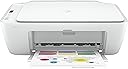
The HP DeskJet 2710 is a compact, wireless all-in-one inkjet printer that delivers reliable printing, scanning, and copying at up to 7.5 pages per minute. Featuring easy setup via the HP Smart app and compatibility with HP Instant Ink, it combines eco-conscious design with seamless connectivity to keep your home or office workflow smooth and efficient.
| ASIN | B086MTML2R |
| Additional Printer Functions | All In One |
| B&W Pages per Minute | 7.5 ppm |
| Best Sellers Rank | 71,569 in Computers & Accessories ( See Top 100 in Computers & Accessories ) 159 in All-In-One Printers |
| Box Contents | HP DeskJet 2710 All-in-One printer; HP 305 Setup Black Cartridge; HP 305 Setup Tri-color Cartridge; Regulatory flyer; Setup guide; Reference guide; Power cord. |
| Brand | HP |
| Brand Name | HP |
| Color Depth | 24 bpp |
| Color Pages per Minute | 5.5 ppm |
| Colour | White |
| Compatible Cartridge | HP 305 series |
| Compatible Devices | Smartphones |
| Connectivity technology | Bluetooth, USB, Wi-Fi |
| Control Method | App |
| Controller Type | iOS |
| Customer Reviews | 4.2 out of 5 stars 8,011 Reviews |
| Display Type | LCD |
| Dual-sided printing | No |
| Duplex | Manual |
| Global Trade Identification Number | 00194441902518 |
| Hardware Interface | USB |
| Ink Colour | Black |
| Item Dimensions D x W x H | 8D x 18W x 14H millimetres |
| Item Type Name | Multifunction Printer |
| Item Weight | 3420 Grams |
| Manufacturer | HP |
| Maximum Copies Per Run | 25 |
| Maximum Copy Resolution Black and White | 1200 x 1200 rendered dpi |
| Maximum Copy Resolution Color | 4800x1200 dpi |
| Maximum Copy Speed Black and White | 7.5 ppm |
| Maximum Print Resolution Black and White | 1200 dpi |
| Maximum Sheet Capacity | 60 |
| Maximum Supported Paper Size | 8.5 x 11 inch |
| Maximum print Resolution Color | 4800x1200 dpi |
| Model Name | HP DeskJet All-in-One Printer |
| Model Number | 5AR83B |
| Model Series | 2710 |
| Model name | HP DeskJet All-in-One Printer |
| Network Connectivity Technology | Bluetooth, USB, Wi-Fi |
| Number of Drivers | 1 |
| Number of Trays | 1 |
| Other Special Features of the Product | Contains more than 20% recycled plastic, Print speed 7. |
| Output sheet capacity | 60 |
| Paper Size | 89 x 127 to 215 x 279 |
| Power Consumption Size | 1.7 Watts |
| Print media | Envelopes, Paper (plain) |
| Printer Output Type | Colour |
| Printer Type | Inkjet |
| Printing technology | Inkjet |
| Product Warranty | 1 year |
| Resolution | Black (best): Up to 1200 x 1200 rendered dpi; Colour (best): Up to 4800 x 1200 optimised dpi colour (when printing from a computer on selected HP photo papers and 1200 input dpi); |
| Scanner Type | Flatbed |
| Series Number | 2710 |
| Specific Uses For Product | Wireless multifunction printer suitable for printing documents and photos at home or in the office. |
| Total USB 2.0 Ports | 1 |
| Total USB Ports | 1 |
| UPC | 194441902518 194441902532 |
| Warranty Type | limited warranty |
| Wattage | 50 watts |
J**O
A Surprisingly good printer
You know, to be honest, I was a little surprised by this printer. I just wanted a cheap printer but didn’t want HP because experience has left me with glitches, devices not working as they should, expensive computers and printers giving up just after the guarantee ran out. I remember one expensive HP printer would have cost more to repair than replace. However, this is nothing new, I haven’t discovered America. I tend to go for cheap printers now and try to check the price of ink before I buy it. Perhaps I had just been unlucky. I suppose what I am saying is that I was prejudice against HP (I only bought it because it was the cheapest at the time.) So far it is a great printer, everything installed like a dream and the WIFI just did itself, I had to press a couple of things, that’s all. In contrast, a Canon printer I have needed me to study to PhD level in rocket science to set up the WIFI. The HP sits in a room upstairs and I can print from my laptop downstairs without any problem. Has my faith been restored in HP, perhaps I will decide that when the guarantee expires, but I actually like it, good quality, reasonably quick, and works when you want it to? You know what I mean, all the printers I have owned seemed to have their own mind and agenda and didn’t want to do the simple tasks they were designed to perform. Talking of forgiveness, Amazon messed up my next day delivery, which I needed to happen. They sent it to the wrong depot or something. Anyway, they refunded me the cost of the special delivery and were very apologetic and over-polite. I can’t hold a simple mistake against them can I? Cheers
M**I
Amazing for that price, easiest set up imaginable.
I have no idea what people have been doing to find it difficult, but this has been the easiest set up process ever. Amazing delivery speed from Amazon, then app installed, WiFi connected in no time, inserted paper and ink cartridges and have printed already ten documents I need to look at until in 3 days from now. Frankly I wonder what some of the reviewers are describing here - is it really the HP DeskJet 2710 All-in-One Printer ? Because I can only say this printer is perfect for that price and simply fantastic and easy to use. I'd be happy to be contacted to verify that I am absolutely happy with this printer. And believe me, I have written loads of bad reviews when an item is rubbish.
S**Y
Good printer, but has a few quirks
Printer works well - when it works. Setup was a bit glitchy; couldn't do it from my phone (setup just hanged) so I tried from my Mac and it worked perfectly. After that, I could use it from my phone no problem. When it prints, the quality is pretty good and it's not too slow. Scanning is pretty great, actually - far easier than I expected it to be. For me the main issue is, if you don't use it to print for a few days, my devices can't seem to connect without me first unplugging the power cord and plugging it back in. Simply turning the printer won't work; my devices can see it, but the print job hangs. Reinserting the power lead then trying to print again works 100%. It's not a dealbreaker for me as I don't print too often, but it's worth bearing in mind. This is being used with an M1 Mac Mini running MacOS 11 (Big Sur).
J**E
Does the job, and has a decent print. Worth the money.
I got this almost exclusively for photo printing, and occasional documents, and it does a good job. It is easy to set up, though on one PC it was a bit painful mostly down to my network setup, but super easy on the phone. The scanner is not bad either. The ink subscription is good. I got my first refill pretty quickly, and well before I had run out. Though I will rarely hit my monthly print subscription of 50 pages. I would not hesitate to recommend this, partly because of the quality of print, but also because of the ink subscription that means I never need to worry about ink again, for only 2 quid a month. I like the simple life.
S**N
Fiddly to set up - works off wifi - moody and doesn't want to go online anymore!
I have never reviewed on here before ..... but unless you are willing to fiddle about setting this up and enjoy that kind of thing, then I don't think this is for you. I guess when it works it is ok and prints fine. With working from home my old printer broke down and I was unable to sort out the problem with it. I ordered this on the recommendation of a friend and after taking a look at the reviews. This was a fiddle to set up and I can't actually connect it to my work equipment! No idea why. It has now decided to go offline on the PC that I installed it on and I can't seem to get it out of this mode, despite reinstalling it and following various instructions from the web. All I want and need is a printer I can plug into the back of my PC to print out the odd thing. I don't want to spend a fortune, have lots of fancy things (like being able to print from my phone - which is nice but not what I need at the moment) or have a printer that drinks the ink. If I can't get this one to work looks like I will be looking for another one! Think I have printed about 3 docs since I have had it, so in effect they have been costly prints. Thank goodness I didn't sign up for the monthly ink thing they try and get you involved in.
F**Y
Cheap but you get what you pay for... Avoid for photos, despite manufacturer's claims...
I bought this printer for one reason alone, to print photos in high quality as a replacement for a 10 year-old HP DeskJet that worked wonderfully (for everyday printing, I use a small laser printer). Unfortunately this doesn't seem up to the job. Having gone through a fairly laborious setup process during which the printer lost connection repeatedly and sprung numerous errors triggered by the terrible HP Smart app for Mac, the 2710 seemed to be working ok for black and white text test pages. But the first time I tried to print a photo on glossy paper, the printer hung 1/3 of the way through the page. After a few minutes wait, I switched it off and on it spat the page out (a waste of ink and expensive photo paper) and I tried again to the same effect. The photo was 2.5mb (not a large file size for a modern digital pic) but I can only think that the HP doesn't have enough RAM to handle it, because the same thing happened with another attempt. It eventually worked for a much smaller / lower quality image, although I was unimpressed with the end-product as the eventual print looks washed-out compared to the vivid colours on my screen. So, my lesson learned - you get what you pay for. Despite HP advertising this as a photo printer, it really isn't. It seems to be a cheap way for them to flog their Instant Ink subscription service (which the software advertises at every possible opportunity). I'll keep as the scanning / copying function is useful, but otherwise avoid.
C**B
Very easy to setup.
Basic printer but easy to setup and use, I unpacked it removed the two blue tapes and print head cardboard protector packing, plugged it in with supplied power cable then opened the front paper exit tray and behind that is a another small pull down panel that then presents the ink holders, unwrapped the ink making sure to remove the tape coverings making sure they click into place, then closed the door, you will need a printer cable to connect to computer that is not supplied but most people have one, then on the computer just go to settings and add printer and it will download software thats needed, it should then ask if you want to make it wireless then you can remove the cable, I would suggest if the printer is to be used next to the computer then leave the cable connected. The print quality is ok for every day printing and copying but I would not suggest its any good for pictures or fine printing, but for the price its a fine printer for every day/occasional use. pleased with so far.
G**R
Very easy to set up and use, good value.
Don't believe a word written by previous reviewers regarding difficulties with this printer. I installed it as per instructions on my mobile plus tablet and had it printing within15 minutes. Print quality is good and it prints just as fast as any other home printer I've used in the past. Cartridges for this printer are available from Amazon so I didn't bother authorising the 2 month trial. Tried this service with my previous printer and it was more trouble than it was worth. The only spot of difficulty I had was trying to get it to access the printer from my wife's phone until I found that it had not been set to switch over to our home wifi automatically. Note that you also need to download the HP Ptint Service Plugin from Playstore for it to work. Overall, very pleased with the printer and it seems like good value for it's cost.
Trustpilot
4 days ago
5 days ago