Desertcart purchases this item on your behalf and handles shipping, customs, and support to Tunisia.
📡 Upgrade your vintage TV to smart streaming power — don’t get left behind!
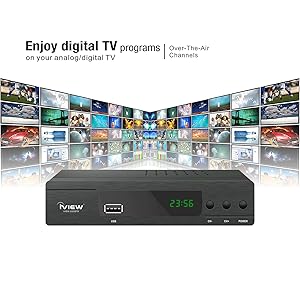
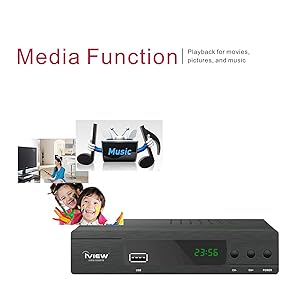
The iView 3300STB is a versatile ATSC converter box that transforms analog TVs and monitors into digital entertainment hubs. Featuring recording capabilities, ClearQAM cable support, and universal media playback via USB and HDMI, it’s designed for seamless integration and enhanced viewing. Compact and easy to set up, it’s the perfect upgrade for analog setups in the USA, Canada, and Mexico.


| ASIN | B089GLM4WM |
| Best Sellers Rank | #5,647 in Electronics ( See Top 100 in Electronics ) #2 in Analog-to-Digital (DTV) Converters |
| Brand | IVIEW |
| Brand Name | IVIEW |
| Compatible Devices | Analog TVs, Computer Monitors, USB Drives, HDMI Devices |
| Customer Reviews | 3.9 out of 5 stars 4,308 Reviews |
| Interface | HDMI, USB |
| Interface Type | HDMI, USB |
| Item Dimensions L x W | 6.61"L x 3.78"W |
| Manufacturer | IVIEW |
| Material Type | Plastic |
| Model | 3300STB |
| Mounting Type | DIN Rail |
| Number of Channels | 4 |
| Number of Pins | 4 |
| Part Number | IVIEW 3300STB |
| Product Dimensions | 6.61"L x 3.78"W |
| UPC | 880010017287 |
| Unit Count | 1 Count |
| Warranty Description | One Year Warranty |
M**K
Works well
Inexpensive, easy to set up, converts monitor into television without any problems.
E**A
Great reliable product.
This converter box is absolutely fantastic it records and plays just the way I like it, very reliable
E**.
So much fun to troubleshoot nonstop fails
I go thru the trouble of doing thus as seems is only outlet for frustration guess is mostly my fault is over air antenna fails me and so never grabs morning news right now am afraid to fast forward fear a jam and need pull plug is no counting times needed unpower to go, fails so many different ways, remote almost need set in front of it, has bit error means will never play that signal, seems when set timer before show fails turn on and some reason the timer skips a week and so when program to grab a show either need correct timer setting where jumped a week or select record once instead of weekly as weekly is already in program and waste to try got another one never has right time and is no way to add an hour to it, it belongs in one of those rooms where you smash things most amazing thing about it is shows you how can go wrong beyond what thought was the end if it I don't play sd on it I use a DVD unit with usb socket and too bad then becomes the maze of which usb plugs run card so 5 seems what need then and run into times loaded when fast forward doesn't work and get to see tv ads BOUGHT it to skip will load 40 min full hd so the DVD player won't play beyond meaning need program splits in show as goes by file size as 720 goes like hr 20 but 1080 last 42 min and player ends go when not using the dvr and on DVD with usb I have to live with all this confusion
M**L
had some problems -customer service by phone was "no one is available. leave your name and number"
had 1 main issue that made it a return. i bought this specifically to record ota tv shows (and get a numbered remote too- i hate roku style modern remotes). when you record a program (on a usb stick), and then go to play it, you first get a screen of your recorded programs with identifying info, some commands, and a "preview" panel which will show a small video of recorded show you highlight. when you want to watch it full screen, you have to hit the "rec" button on the remote while the video is playing in the small preview panel to switch it to full screen. the manual says you have to hit "schedule" to go full screen which does NOT work on this model. the big problem is the command "PAGE DOWN" paired with the epg select button on the preview menu continues onscreen, in it's exact prescreen position, superimposed over the full screen picture. i find it very annoying. it not too large and is lower center right, but it's a very annoying design flaw. i tried calling iview customer service, thinking there may be an update to fix this, and was told at 2 different numbers no one was available, leave name and number. i figured out their misinformation to get full screen, and tried to give them a chance to fix the page down superimposition, but they don't seem to care much. also, the remote is super-weak and must be pointed Directly at device...which is weird because the remote also turns on a tv that is 20 feet and 180 degrees away from remote, and away from straight line of sight...3x the working front facing range of the i view device with the remote. the manual is poor, and has wrong information. i have a homework brand unit i am using but wanted to buy a backup since it is about 4 years old- before trump's tarriffs doubled? tripled? my cost. the homework unit (3.5 stars) remote went bad last year , costing close to $10 to replace. i thought i would try a different manufacturer in hope of improvements but iview has proved way worse. one star to amazon for charging 6.99 to return items to my local close ups dropoff that used to be free. now i have to drive 4 miles to amazon store, and pay to park in a highly congested traffic area to return defective items for 'free" (not counting my gas, time, aggravation).
V**C
Works but there are quirks to be aware of
After using this for a month, I think I have a pretty good idea of the pros and cons. I purchased it to use as an over the air DVR. It does work, records programs, etc. I've had no problems with the remote as others mentioned. I attached an SSD drive via USB, that works great. Generally it functions well when watching recordings, the FF and RW work well, mostly. The HD quality seems to be very good. Tuner works great with my own digital, amplified antenna. For the price, I would say you probably can't beat it. There are quirks though- 1. it doesn't save the show with the title of the program (even though it knows what it is in the program guide), it only will show the network and a date stamp. You also can't rearrange the sorting of the programs. Always sorts by channel ID (Like WKRP or whatever the call letters of the station are). You can rename them but, with the remote only, that is no fun. 2. When previewing recorded shows and you want to delete one or move to the next, it will always take you back to the first page and you have to find where you were again, without any show titles. That's frustrating. 3. It only can do one thing at a time, for example, if it is recording you can't watch a recording or another channel. It only has one tuner, so no recording two items at the same time. If it is recording, you can't schedule or do anything else. 4. It sometimes decides to change the start date of your recurring scheduled recordings to a week later and you miss some daily shows until you realized this. It sometimes decides to delete recurring schedules and you won't realize until you go to watch and there isn't a new recording that you were expecting. 5. It sometimes will delete all of your schedules (did this after daylight savings time change). 6. When using the EPG button to look for programs to schedule on the channel you are on, it will only show a few hours in the future and it is very slow to load episode info if it ever does. So most often you need to manually schedule items. The manual scheduler is a bit funky. 7. The only option for recurring recordings is daily or weekly. So if you are recording a program that is on weekdays, it will record on the weekends too, and you have to find and delete those wrong recordings. Which is a pain (see #2) 8. The time shift works, but it is not automatic, you have to remember to start it. Also, if you accidently press stop while watching a time-shift it will take you all the way back to the beginning of the time-shift and you have to FF to get where you were. This also happens if you reach the end of the time-shift (catch up to regular time of show) when FF through commercials. 9. 2 or 3 times in the last month it has locked up and needed to be unplugged and plugged back in to get it to reboot. 2 times it said the hard disk drive was disconnected when it wasn't. This requires a reboot. This could be the drive I am using though. 10. It takes more than a few seconds to boot when you first turn it on. So you may want to always leave it on. I expect that would use more power, but don't know for sure. 11. iView says that there is a firmware update on their website to fix "all problems", but the version on their website is older that the one my unit has installed. Other than that, I have no complaints ;o)
J**B
Solid and Crash Proof record.
The tuner is about the same, but the real improvement is with the record, if the signal is strong and steady, the record will be solid, no matter if you use SSD or Flash stick. They finally recommend NTFC over FAT32, but if you've tried to make programed recording over an hour, you've probable stumbled on that. Even with a spotty recording you can fast forward at x32 and review the full track. The manual is better too.
J**A
Affordable and compact
Very compact design and very easy to set up. Price is just right.
T**Y
Decent Converter box for an older TV
My mother was using a simpler version of this decoder for a TV that was designed for the pre-hdtv signals. It started acting strangely and unpredictably. I ordered this box to replace it. It was the cheapest option I could locate anywhere - locally or online. The box performs as expected but it doesn't seem to allow the tv tuner to control the channel. In the other setup, the tv tuner still would pull in channels but with this box we have to use the tuner built into the box. It isn't a terrible change but now 2 remotes are needed to power on the tv and then control this box.
C**.
+-
No me llegó el que se muestra en la publicidad, pero cumple su función.
D**G
Great piece of technology
It's really good to be able to go digital and be able to record
S**R
I would like to rmove my previous review
I previously wrote a very negative review of this seller since I had received no reply to my request for a refund. I have since received an offer of a 50% rebate and I can keep the device. I think this is fair, since the defect in the device makes it difficult to use but doesn't prevent me from using it. If I could find a way to remove my previous comment, I would do so.
R**W
Check with friends to see if they get many stations
Unless you have many tv stations broadcasting over the air in your area and can’t more than 3 it’s not worth It unless you like them. Works good for me in the Toronto,Niagara, Buffalo areas.
A**N
Not as expected
Product does not find incoming channels from standard non encrypted cable signals. The old VCR and TV does recognize these signals. It was our intent with this product to use the recording function and replace the VCR. However, Doesnt work that way. The company help desk repeated what was already in the user manual. Absolutely no help.
Trustpilot
1 week ago
4 days ago