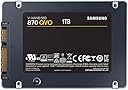
🚀 Upgrade your storage, upgrade your status.
The Samsung 870 QVO 2TB SATA 2.5-inch SSD delivers industry-leading storage capacity and blazing SATA interface speeds up to 560/530 MB/s. Designed for mainstream PCs and laptops, it combines massive 2TB space with enhanced endurance (720 TBW) and intelligent TurboWrite technology for sustained high performance. Easy to install and manage with Samsung Magician software, this SSD is the ultimate upgrade for professionals and gamers seeking reliable, fast, and spacious internal storage.


| ASIN | B089R1C9HV |
| Best Sellers Rank | 5,105 in Computers & Accessories ( See Top 100 in Computers & Accessories ) 48 in Internal Solid State Drives |
| Box Contents | Portable SSD |
| Brand Name | Samsung |
| Cache Memory Installed Size | 78 |
| Color | Black |
| Compatible Devices | Desktop, Laptop |
| Customer Package Type | Standard Packaging |
| Customer Reviews | 4.8 out of 5 stars 49,690 Reviews |
| Data Transfer Rate | 560 Megabits Per Second |
| Digital Storage Capacity | 2 TB |
| Enclosure Material | Cotton |
| Form Factor | 2.5-inch |
| Global Trade Identification Number | 08806090396007 |
| Hard Disk Description | Solid State Drive |
| Hard Disk Form Factor | 2.5 Inches |
| Hard Disk Interface | ATA |
| Hard-Drive Size | 2 TB |
| Hardware Connectivity | SATA 1.5 Gb/s, SATA 3.0 Gb/s, SATA 6.0 Gb/s |
| Installation Type | Internal Hard Drive |
| Item Dimensions L x W x Thickness | 10L x 7W x 0.7Th centimetres |
| Item Type Name | 2000GB Internal SSD |
| Item Weight | 57 Grams |
| Item height | 6.8 millimetres |
| Manufacturer | SAMSUNG |
| Media Speed | 530.0 |
| Model Name | MZ-77Q2T0 |
| Model Number | MZ-77Q2T0BW |
| Network Connectivity Technology | SATA |
| Number of Items | 1 |
| Product Features | Internal SSD 6.35 cm (2.5") |
| Product Warranty | 60 months warranty |
| Read Speed | 560 Megabytes Per Second |
| Specific Uses For Product | Multimedia, Professional, Staff |
W**F
this was a gift.
i had bought one for someone who bought me the exact same drive. we nerding out in sync. ANYWAY! even for the lower spec that samsung does, i would easily recommend this. have had it for around 2 years and not had a single issue. Faster then a hard drive, for mass storage of games you wont know the different between this varient and the qvo and evo (in my opinion) good quality. definately recommend.
E**I
Great!
I recently upgraded to the Samsung 870 QVO 2 TB SATA 2.5 and it's been a fantastic addition to my computer setup. The drive is lightning-fast and I've noticed a significant improvement in boot times and overall system performance. The 2 TB capacity is more than enough for my needs and allows me to store all of my important files, photos, and videos in one place. Installation was a breeze and the Samsung Magician software made it easy to clone my old drive and transfer all of my files over without any issues. The drive is also very quiet and doesn't generate any noticeable heat, which is a plus. Overall, I'm very happy with my purchase and would definitely recommend the Samsung 870 QVO 2 TB SATA 2.5 to anyone looking for a high-performance and reliable SSD. The price is a bit higher than some other drives on the market, but in my opinion, the speed and reliability are well worth the investment.
D**.
Great upgrade.
My laptop (3 years old Pentium 2 core, 4GB RAM, 1 TB HDD Acer aspire es1-571-p1vn) was disappointingly slow from day one. As it got older and more programs and updates installed it got painfully slow. Although I use an android tablet for most things nowadays, I still need a windows platform PC laptop for some things like editing my website. After reading reviews about the difference increasing memory and changing HDD storage to SSD can make i decided to do the same. So glad I did, the difference is like night and day. I first just upgraded the RAM from 4GB to 16GB which although improved the speed and range of usable programs it still had painfully slow start-up times and usability. The RAM installation was a bit of a pain having to strip down the laptop and remove the motherboard to insert the memory boards to the underside. The SSD drive installation however was quite easy. After cloning the HDD drive to the new SSD all that was needed was to remove all the screws on the base of the laptop, lift the keyboard sufficiently and slightly move to the side without needing to remove its cables and wedge up with a none conductive pack. Then just remove the retaining screw on the bracket on the back end of the drive. Slide the drive away from the motherboard to unplug it, easy. Swap the securing bracket from old drive to the new, slide in new drive and screw in the retaining screw to bracket. Clip the keyboard back on, shut laptop and put the screws back in the bass of laptop and your done. When booting you are prompted to select the new drive as boot drive and that's the installation done. The cloning software downloaded free from samsung.com was easy to use and it took a couple of hours to copy 250GB from my old HDD to the new SSD using usb3. Extremely pleased with better than new laptop. Cheap laptop now performs like a high end. Bootup, logged in and start using in about 25 seconds now as apposed to 9 minutes. Much quieter with no HDD as well. I should think battery will last longer too but wrote this review straight away as so impressed with SSD. In fact I think I will be using the laptop more often now as a pleasure to use. Note. If you are also upgrading RAM which is a more time consuming process you may wish to consider if the bios battery will need replacing soon as that also is on the underside of the motherboard.
J**N
Great SSD great price easy setup.
The 870QVO is more than i will ever need. 500mbps is more than fast enough for transferring files, loading games and booting into windows. Setup was very easy, plugged in sata data and power, formatted drive and it worked perfectly fine. One thing I will say is that Samsungs disk software wasn’t advertised enough to prompt me to download but I recommend everyone installs it, this allows you to push your drive into high performance mode and check all stats on the disk. The only disadvantage i can see is the SSD storage limitation in higher performance modes. In HP mode, you get access to 870GB of storage instead of the full 1000GB/1TB that is advertised. Anyone installing more than 10 games should also upgrade to a higher capacity drive, my drive is almost full. Drive also slightly slows down when full but that is expected. Temps are perfect, usually 40 degrees under load.
T**U
Why the SSD is a Great Value for Money Option for Upgrading Your System
If you are looking for a fast, reliable, and spacious solid-state drive (SSD) to upgrade your PC or laptop, you might want to consider the Samsung 870 QVO 1 TB SATA 2.5 Inch Internal Solid State Drive. This SSD is the latest model in Samsung’s QVO series, which stands for Quality and Value Optimized. It offers a great balance of performance, capacity, and price for mainstream users who want to enjoy the benefits of SSD technology. ---Pros--- +The Samsung 870 QVO has a sequential read/write speed of up to 560/530 MB/s, which is much faster than traditional hard disk drives (HDDs) and comparable to some of the higher-end SSDs on the market. This means you can boot up your system, load applications, and transfer files in a matter of seconds. +The Samsung 870 QVO has a large capacity of 1TB, which can store plenty of games, photos, videos, and other files. You can also choose from other capacities ranging from 2 TB to 8 TB, depending on your needs and budget. +The 870 QVO has a long lifespan and reliability, thanks to its advanced QLC NAND flash memory technology and Samsung’s Intelligent TurboWrite technology. The SSD has a terabytes written (TBW) rating of 360 TB, which means you can write up to 360 TB of data before the SSD wears out. That’s equivalent to writing 98 GB of data every day for 10 years. +The Samsung 870 QVO is compatible with most PCs and laptops that have a SATA interface and a 2.5-inch drive bay. It also comes with Samsung’s Magician software, which helps you monitor the SSD’s health, optimize its performance, and update its firmware. ---Cons--- -The Samsung 870 QVO is not the fastest SSD on the market, especially when it comes to random read/write speeds, which are more relevant for multitasking and heavy workloads. If you are looking for the best performance possible, you might want to consider other SSDs that use NVMe or PCIe interfaces, which are faster but also more expensive than SATA SSDs. -The Samsung 870 QVO is not the cheapest SSD on the market, either. You can find other SSDs that offer similar or slightly lower performance and capacity for a lower price. However, you might also compromise on quality and durability if you opt for cheaper SSDs from less reputable brands. ---Reasons to Buy--- *You should buy the Samsung 870 QVO if you want to upgrade your PC or laptop with a fast, reliable, and spacious SSD that offers great value for money. You will notice a significant improvement in your system’s responsiveness, boot time, loading time, and overall performance. You will also enjoy more storage space for your files and less noise and heat from your system. *You should buy the Samsung 870 QVO if you are a mainstream user who mainly uses your PC or laptop for browsing the web, watching videos, playing games, or doing office work. *You will get enough speed and capacity for your everyday needs without breaking the bank. ---Reasons to Avoid--- *You should avoid the Samsung 870 QVO if you are looking for the fastest or the cheapest SSD on the market. You might be disappointed by its random read/write speeds or its price tag compared to other SSDs that use NVMe or PCIe interfaces or that have lower quality and durability. *You should avoid the Samsung 870 QVO if you are a power user who frequently runs multiple applications or heavy workloads that require high performance and endurance. You might experience slowdowns or reduced lifespan of the SSD due to its QLC NAND flash memory technology and its limited cache size. ----------Conclusion---------- The Samsung 870 QVO is a great SSD for upgrading your PC or laptop with a fast, reliable, and spacious storage device that offers great value for money. It is suitable for mainstream users who want to enjoy the benefits of SSD technology without spending too much or compromising on quality and durability. However, it is not the best choice for power users who need the highest performance and endurance possible from their SSDs.
D**N
Sopt on
Great price, great performance. Welcome add in your my pc. Highly recommend.
T**N
Hard working lil guy
Had this for a couple years now and genuinely a work horse had some problems with steam not recognising it I did use the Samsung wizard to see if anything was wrong but apart from that hiccup that eventually sorted its self out don't know if it was on steams side or Samsung's or my own messing around it's been a great boot drive
B**S
Great for Smooth 4k Movie Playback 😊
PROS: - Small & Slim Design. - All SSD drives run silently. - This 8TB runs cool under load. - Read speeds are fast & snappy. - QVO SSD's are still way faster than a traditional hard drive. CONS: - Write speeds are slower than most SSD's I've copied all my large 4K Bluray Movies onto this drive ... plugged it into my Nvidia Shield Media Player & theres no more waiting & the Movies play back FAST, Buttery Smooth & Instantly with no Stuttering. I didn't buy it for my Pc as 8TB is a little too small for me & i prefer 10TB, 12TB & 16TB drives. So when Samsung finally start making them in this sexy, quiet, cool, slim format i'll start buying them 🙂 Hope This Review Helps 😊
Trustpilot
1 month ago
1 month ago