
Desertcart purchases this item on your behalf and handles shipping, customs, and support to Tunisia.
๐ Upgrade your workflow with Timetecโs lightning-fast 8GB DDR3L RAM โ because your productivity deserves the best!
The Timetec 8GB DDR3L/DDR3 1600MHz PC3L-12800 SO-DIMM is a high-performance, dual voltage laptop memory module designed for seamless compatibility and energy efficiency. Featuring a 204-pin form factor, CL11 latency, and dual rank architecture, it delivers reliable speed and capacity for multitasking professionals. Rigorously tested and backed by a lifetime warranty with free US-based support, this RAM upgrade ensures your device runs smoother and faster.
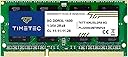


| ASIN | B0145WDNI4 |
| Additional Features | Non ECC |
| Best Sellers Rank | #7 in Computer Memory |
| Brand | Timetec |
| Column Address Strobe Latency | CL11 |
| Compatible Devices | Laptop |
| Computer Memory Size | 8 GB |
| Customer Reviews | 4.7 out of 5 stars 17,990 Reviews |
| Data Transfer Rate | 1600 MHz |
| Form Factor | SO-DIMM |
| Item Weight | 4.54 g |
| Manufacturer | Timetec |
| Memory Form Factor | SODIMM |
| Memory Generation | DDR3L |
| Memory Speed | 1600 MHz |
| Mfr Part Number | 76TT16NUSL2R8-8G |
| Model Name | 76TT16NUSL2R8-8G |
| Model Number | 76TT16NUSL2R8-8G |
| Number of Items | 1 |
| Number of Packs | 1 |
| Number of Pins | 204 |
| RAM Memory Technology | DDR3L |
| RAM Size | 8 GB |
| Special Feature | Non ECC |
| UPC | 765441335165 |
| Unit Count | 1 Count |
| Voltage | 1.35 volts |
| Warranty Description | Lifetime |
E**J
AWESOME COMPANY & PRODUCT !!!
I used the Crucial system scan tool to ID the memory upgrade options for my HP 15-series notebook (model 15-ba009dx, purchased 2 yrs ago, with 4GB RAM, running Windows 10), and decided I would add an 8GB memory stick into my empty slot, which would upgrade me to 12GB RAM. I then found that TIMETEC had the best combination of low price and best company reviews for the particular type of the 8GB memory card I wanted. Although their website showed hundreds of laptop models compatible with their version of the memory stick, my laptop wasnโt listed so I sent an email to them ([email protected]) seeking confirmation. Just 3 hours later, they responded to confirm compatibility. I then immediately placed my order (using the free delivery option) and it was in my local Amazon Locker only 3 days later. Through watching an excellent YouTube instruction video, I learned I have to remove the battery, slide out the DVD player/recorder, and open the entire back of my laptop. I removed the many screws (incl. two hidden beneath the rubber foot pads) and used a butter knife to carefully pry open and unsnap the backpanel to expose the memory slot. After touching my sink faucet to ground myself (remove any static charge), I installed the new 8GB memory stick. This part of the process actually took only 10 seconds. Then I snapped the laptop backpanel into place, did the screws, and re-started the laptop. On the first boot-up, my โSystem Infoโ correctly showed I now had 12GB RAM, but some other things werenโt working right so I re-booted it again. This seemed to straighten it out, but just to be safe I did yet another reboot. I then used Task Manager for a couple hours to monitor what the laptop was doing. It seemed to be quietly going through a series of system reconfigurations (even did some auto-defragmentation), presumably to move things around to make better use of the expanded RAM memory resources. Once it had settled itself down I could see my $40 investment was money well spent. Prior to the RAM upgrade, my system was using at least 50% of my RAM even at rest, so I only had about 1.8GB of unused RAM to work with. This was slowing down my memory-intensive programs, such as the programs I use for editing music, or photos, or videos. But now my background RAM usage is down to 16% (CPU at 1%, DISK at 0%), and I have nearly 9GB of unused RAM available. My laptop is โfasterโ, especially when using those sort of software programs I mentioned. I should note that when I initially opened those programs after the RAM upgrade, they seemed to pause for a minute to adjust to the improved RAM situation (and maybe re-install Drivers or whatever), but once they made that initial adjustment, they operate MUCH more quickly than ever. The lag only happened once, the first time I opened them. The new TIMETEC memory card itself was performing flawlessly the entire time I am extremely happy with my purchase from TIMETEC (Nov. 28, 2018) Excellent PRICEโฆ Excellent CUSTOMER SERVICEโฆ Excellent SHIPPINGโฆ And excellent PRODUCT.
C**L
Ram is great
Much needed upgrade for my Lenovo ThinkPad. Ram works fine with no complications.
G**A
Performance is great
Installed this 8GB DDR3L RAM in my older laptop and it worked right away with no issues. The performance improvement was noticeable everything feels smoother, especially with multitasking. I like that it supports both 1.35V and 1.5V, which makes it more flexible for compatibility. So far itโs been stable with no crashes. Great value if youโre looking to upgrade an older system.
J**Y
Works as it should
I bought this stick of RAM for my neighbor, who was running software to control his milling machine. He would run programs on it to make stuff and the app would crash. As part of the troubleshooting process, we upgraded his ancient Dell desktop from 4GB to 8GB of RAM using this stick. Pros 1. Nice to see RAM this old still for sale from reputable places. 2. Fit like it was supposed to. 3. Registered as 8GB of RAM in Windows after the upgrade. 4. Thanks to the RAM upgrade, the milling software crashes less often. Cons 1. None really. Ultimately, I also needed to install an SSD on top of the RAM to stop the milling software (I think it was called Mach 3?) from crashing while it was running a program. But, now my neighbor has double the RAM and faster storage, thereby solving all of his problems. Would recommend to give a little extra functionality to an aging computer. This RAM works just fine.
F**K
So far so good, but still need time
I would normally go with Crucial or Patriot brand memory, as they are the best and that is typically what top-end computer companies like Apple, Dell, and HP use. However, the Timetec was a great price and they had it in stock, so I thought I'd give it a try. It installed easy enough, and my laptop recognized it immediately and so far has run with no problems. However, I don't want to give it 5 stars yet, because I've read that ram from cheaper companies like Timetec can sometimes run erratic. I've also read that although "Hynix" is advertised they may not actually put Hynix memory on their chips. At this point I have no reason to doubt that, so I'll give them the benefit of the doubt. Time will tell if this review stays at 4 stars, goes up to 5 stars, or drops to 3 stars or lower.
5**R
Did the trick
Work perfectly and got to me quickly
H**Y
Really good product
Really good quality for the price
S**U
Cheap and it worked fine
Good worked out of the box. No problems the ram installed and is stable and with a bit of Linux magic my 11 year old lenovo laptop can enjoy dozens of new Firefox tabs and hold bloated electron apps in the background again with all of the 16GB. Now try that in windows 11
D**Z
Tarjeta
Excelente producto llego en buen estado y funciona muy bien me ayudรณ a que mi PC fuese mรกs rรกpida
S**.
Satisfactory
Delivered as expected,no complain.
D**N
Brilliant 8GB upgrade for a Synology DS216+ NAS!
I purchased the Timetec 8GB DDR3L module specifically to upgrade my Synology DS216+ NAS, and the performance difference has been absolutely brilliant. Out of the box, the standard DS216+ comes with only 1GB of memory. This can quickly become a bottleneck if you run multiple background tasks, run surveillance cameras, or utilise Docker containers. Fitting this 8GB module completely transforms the machine by maximising its memory capacity. The web interface is considerably snappier, and the extra unused RAM acts as a fantastic system cache to help speed up general file transfers. A quick word of warning for anyone attempting this: accessing the single memory slot requires a bit of disassembly. You must first remove the hard drives, unscrew the fan grille at the back, and carefully pry the casing apart to reach the motherboard. However, once you are inside, swapping the module is straightforward. Upon rebooting, the NAS recognised the full 8GB immediately without any compatibility warnings or stability issues. I am very happily giving this a five-star rating. It is highly recommended for anyone looking to squeeze a few more years of top-tier performance out of their older DiskStation!
A**ใผ
ๆฎ้ใซ่ฏใใ
ใใๅฐ็ใๆฉ้ใคใใฆใฟใใใฉๆฎ้ใซ่ช่ญใใใฆๅไฝ่ฏๅฅฝ๏ผ ๅฎใใฆๅใใฆใใๆใ๏ผ
F**O
Atendeu a expectativa.
Produto chegou antes e atendeu perfeitamente a expectativa.
Trustpilot
2 months ago
2 weeks ago