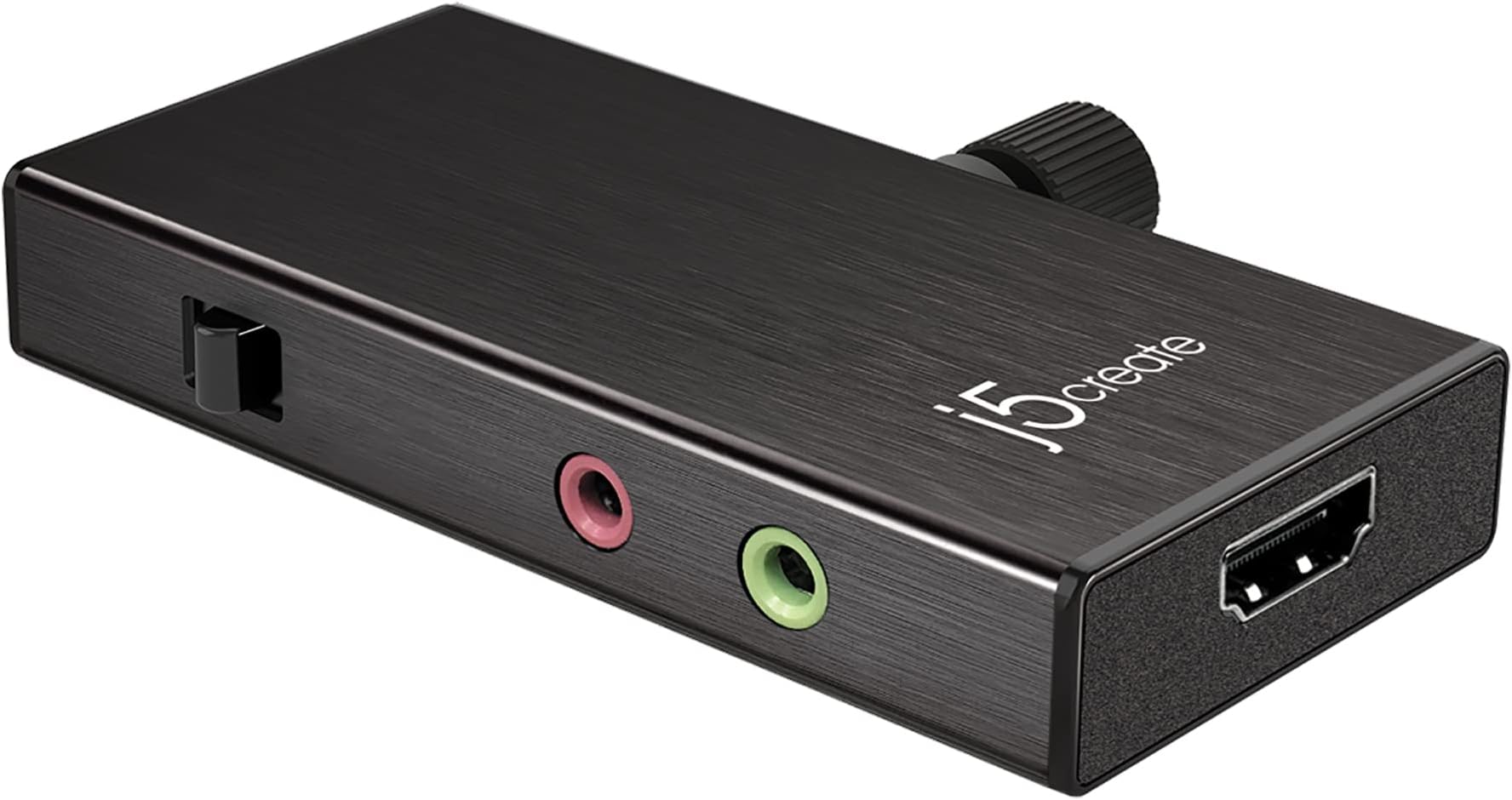



j5create Live Video Capture Card - HDMI to USB-C, Supports 1080p 60FPS
Product ID: 259352352
⚡60W Power Delivery
🎥1080p 60FPS Video
🔌Plug & Play
Desertcart purchases this item on your behalf and handles shipping, customs, and support to Tunisia.
🎮 Elevate Your Streaming Game!
The j5create Live Video Capture Card JVA02 is a powerful HDMI to USB-C device that supports 1080p 60FPS video and audio recording. With 60W power delivery, it ensures your devices stay charged while streaming. Compatible with various operating systems and popular streaming software, it offers a hassle-free plug-and-play experience, making it ideal for gamers and content creators alike.


| ASIN | B088W76KP8 |
| Best Sellers Rank | #120 in Internal TV Tuner & Video Capture Cards |
| Brand | j5create |
| Built-In Media | Capture Card |
| Compatible Devices | Gaming Console |
| Connector Type | USB Type C, HDMI |
| Customer Reviews | 3.8 out of 5 stars 26 Reviews |
| Item Dimensions | 3.37 x 1.63 x 0.5 inches |
| Item Weight | 1.76 ounces |
| Item dimensions L x W x H | 3.37 x 1.63 x 0.5 inches |
| Manufacturer | j5create |
| Mfr Part Number | JVA02 |
| Model Number | JVA02 |
| Number of Items | 1 |
| UPC | 847626002878 |
| Unit Count | 1 count |
S**.
Awesome for the price
I guess I got it on sale but it's a great capture card. Compares to my elgato, I use them side by side and for 1080p there's no difference. No lag so perfect for live streaming with a dslr
D**S
Works Galaxy phones with right app & configurations
Works with Samsung Galaxy S22 & LArix or USB Camera Pro HAd to play with settings a bit. Larix app is more well supported & straight forward. USB Camera Pro app has some translation issues was able to ingest camera video & stream The device does overheat a bit The device sometimes has a PD power issue that causes video to go rainbow. unplugging PD power and letting sit for 10 seconds before plugging in resolves. Sometimes my phone overheats wen in sunny or hot weather.
R**E
Use USB-C if you can
It works great as advertised but I recommend using USB-C to connect to your PC over USB-A, if possible. I had power delivery issues over USB-A, but switching to USB-C everything is seamless. Video quality is excellent with minimal lag. There's a slight sound lag but for most capture purposes you can just adjust video delay to compensate.
K**Z
Live capture
When I tested it with my Nintendo Switch docked, it did indeed capture the Switch at 1080/60p. Naturally, YUV mode appeared flawless, but even in MJPEG mode, the quality is quite good. I put it to the test on Linux and Windows. It worked on both, although my Lenovo laptop's connection was rather shaky. Both the USB-A 3.0 and USB-C ports were tested. It took several attempts for it to be recognized as a USB 3.0 device and reveal the raw YUV capture option. Yes, I utilized the included USB 3.0 cable as well as two more ones I had.
T**N
Can capture 60fps, but unfortunately no HDMI pass-through
This is a USB 3.0 device that captures video from an HDMI source as either compressed MJPEG or uncompressed YUV 4:2:2. It will capture up to 1920x1080 at 60 fps. Although it's a USB 3.0 device, if you don't use the correct USB 3.0 cable it will operate in USB 2.0 mode. Running in USB 2.0 mode will only allow capture to MJPEG instead of the more desirable uncompressed 4:2:2 YUV because there simply isn't enough USB bandwidth. The device reports itself over USB as "Magic Control Technology Corp. J5-USB Device." It uses UVC, so it doesn't need any drivers installed to work, which is nice. I did a test with my Nintendo Switch, and sure enough it captured the Switch at 1080/60p while docked. YUV mode looked perfect of course, but the quality is actually pretty good even in MJPEG mode. I tested it on both Windows and Linux. It worked on both, but the connection was really flaky with my Lenovo laptop. I tried both the USB-A 3.0 and USB-C ports. I had to plug it in and unplug it a few times before it would be detected as a USB 3.0 device and expose the raw YUV capture option. And yes, I used the USB 3.0 cable that came with it, along with two others I have. I even tried plugging a USB-C power adapter into the power port on the device, but it made no difference. I believe that's for power delivery only in case your laptop only has one USB-C port. I believe the device is reporting its capture capabilities to the operating system based on the video source of the thing that's plugged into it. This is fine, but depending on what's plugged in, you may have problems. For example, I was able to capture some 720p footage from my SNES Classic at 60p, and it worked perfectly although the Switch at 1080p worked intermittently. I do just want to be clear that when it works, it does actually capture pretty well. Despite the connection annoyance, the real problem with the product is a lack of HDMI pass-through. That makes it unsuitable for streaming gameplay footage. Monitoring the capture output on your computer screen isn't a solution as the capture and compression introduces too much lag. You could use a separate HDMI splitter, but now you're wired up to two devices when better alternatives to this situation exist. Bottom line: when the product actually works it does a decent job of video capture. However, that lack of latency-free HDMI pass-through is a non-starter for gaming. If you don't don't need zero-lag output, then this might just work for you!
C**O
inutilizzabile
acquistato a gennaio, non funzionante oggi, ma mai ottimizzato.
A**R
Carte de capture facile d'utilisation
Cette carte de capture j5create fonctionne parfaitement comme prévu. Je l'ai testé avec plusieurs scénarios, notamment pour capturer une console de jeu (Nintendo Switch) vers mon ordinateur avec OBS. J'ai aussi testé avec la fonction live view de mon appareil photo Nikon et finalement avec une caméra vidéo Canon. Comme mon utilisation est principalement pour diffusion live, je n'ai pas besoin des plus hautes spécifications vidéos du type 4K alors la résolution 1080p répond parfaitement à mes besoins. L'appareil m'appareil fiable et sa finition métallique donne une impression de haute qualité.
S**.
Bitte um Austausch
Nicht gut funktioniert nicht mehr Bitte um Rückmeldung
M**W
A Good 1080p@60hz Capture Card for The Starter Streamer
The JVA02 Live Video Capture Card from j5create is a great starter card if you have USB 3.0 ports and are okay with basic 1080p@60Hz streaming capabilities in 2025. Most Xbox Series X|S, PS5 consoles, and PCs are targeting 1440p and 4K at 120Hz, so this card is a little outdated in terms of where most Streamers have migrated to. That said, at $29.99 at the time of this review, it is a good budget option for anyone looking to get started, as it requires no drivers and is compatible with the most popular of streaming applications, OBS. The JVA02 features a microphone input, a headphone jack for latency-free monitoring capabilities, and allows you to choose whether to mix in HDMI audio or stream only the HDMI audio. The USB-C connection offers the best option for maximizing codecs and bandwidth for optimal capture using USB 3.0. Additionally, the card provides PD pass-through to your notebook at up to 60W, which is beneficial. Yes, you can operate this card with a USB 2.0 connection; however, the limited bandwidth of 480 Mbps will impact the quality of the HDMI capture. Overall, if you are looking to dabble with video streaming and game capture, this card can get you started; however, in 2025, you likely have a few other options, granted at a higher price, that will future-proof your video capture card at 1440p or 4K, which is more common now. A recommended buy if you are on a budget or just interested in some basic streaming capabilities.
A**R
Nice quality video capture card
It's a decent video capture card. It's great for people who want to start streaming. It works well and the picture quality is really good. It's easy to connect and use. There is not much to do. However it also has limitations. For example, it can only capture 1080P pixel videos. It does not support 4K, which may be a big limitation for many streamers nowadays for. However, for the price, it's a great value.
Trustpilot
5 days ago
2 weeks ago