


⚡ Power Your Productivity with Nighthawk – The Router That Means Business
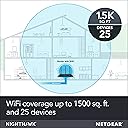
The NETGEAR Nighthawk R6700 is a high-performance AC1750 router delivering up to 1750 Mbps wireless speed and coverage for up to 1500 sq ft. Designed for busy homes and small offices, it supports 25 devices simultaneously with 4 gigabit Ethernet ports and a USB 3.0 port for versatile connectivity. Featuring advanced tech like a 1GHz dual-core processor, Beamforming+, and Dynamic QoS, it ensures fast, reliable connections. NETGEAR Armor security provides comprehensive protection, making it a smart, secure choice for modern professionals.




| ASIN | B00R2AZLD2 |
| Antenna Location | secure and shared storage access |
| Antenna Type | Retractable |
| Best Sellers Rank | #14,039 in Computers ( See Top 100 in Computers ) #283 in Routers |
| Brand | NETGEAR |
| Built-In Media | Nighthawk AC1750 Smart WiFi Router (R6700)^Three (3) detachable antennas^Ethernet cable^Quick install guide^Power adapter |
| Color | Black |
| Compatible Devices | Phone, Mac, PC, Wireless Devices, Media Streaming Devices, Laptops, Computers, Tablets |
| Compatible devices | Phone, Mac, PC, Wireless Devices, Media Streaming Devices, Laptops, Computers, Tablets |
| Connectivity Protocol | wi-fi |
| Connectivity Range | 1500 Square Feet |
| Connectivity Technology | Ethernet, USB, Wi-Fi |
| Control Method | Touch |
| Controller Type | amazon_alexa |
| Coverage | 1500 square feet |
| Customer Reviews | 4.3 out of 5 stars 42,955 Reviews |
| Data Transfer Rate | 1300 Megabits Per Second |
| Frequency | 5 GHz |
| Frequency Band Class | Dual-Band |
| Frequency band class | Dual-Band |
| Global Trade Identification Number | 00606449106039 |
| Has Internet Connectivity | Yes |
| Has Security Updates | Yes |
| Is Modem Compatible | No |
| Item Dimensions L x W x H | 28.5L x 18.3W x 6.2H centimeters |
| Item Weight | 748 g |
| LAN Port Bandwidth | 1000 Mbps |
| Manufacturer | Netgear |
| Maximum Upstream Data Transfer Rate | 875 Megabits Per Second |
| Mfr Part Number | R6700-100NAS |
| Model Name | R6700 |
| Model Number | R6700-100NAS |
| Model name | R6700 |
| Number of Antennas | 3 |
| Number of Ports | 3 |
| Operating System | NETGEAR's proprietary firmware |
| Other Special Features of the Product | NETGEAR Armor |
| Router Firewall Security Level | Advanced |
| Router Network Type | dual-band |
| Security Protocol | WPA-PSK |
| Special features | NETGEAR Armor |
| UPC | 606449106039 |
| Voltage | 100120 Volts |
| Wi-Fi Generation | Wi-Fi 5 |
| Wireless Compability | 802.11ac |
| Wireless communication standard | 802.11ac |
J**Z
Excelente router.
Es un buen router de categoría intermedia. Desempeña excelente todas sus funciones, buen alcance y buena velocidad (400mbps en promedio por Wifi). Doble banda 2.4 y 5 Ghz. Ademas soporta una buena cantidad de dispositivos conectactos vía inalambrica. Puede exprimir la velocidad de las conexiones de fibra (menores a 400mbps). Ademas ofrece la capacidad de instalar el firmware DDRT, este firmware ofrece capacidad de personalización extrema. (También es muy fácil regresar al Firmware de fabrica). El único punto en contra es que al configurar un cliente VPN por openvpn la máxima velocidad alcanzada es de 45mbps. Esto se debe a que el proceso de cifrado lo hace el procesador del router y no le alcanza para poder realizar el proceso mas rápido, degradando la velocidad. En mi caso con una velocidad de 200mbps solo podía obtener 45mbps. En resumen: Un excelente router para usuarios normales. Un buen router para usuarios avanzados. No lo recomiendo como un RouterVPN.
F**N
Excellent Buy.
Excellent Buy. Very fast. Long range.
N**K
Great router, but one minor problem. Read this if you have port forwarding issues
This is the first time I've bought my own router. I've always used the one supplied to me by my ISP and it's terrible which is why I decided to buy a new router. This review is a comparison between my old ISP router and the NETGEAR R6700 router. Below I'll state the issues I've had with my ISP router and how my new R6700 has resolved these issues. My ISP router has many issues. My dad owns a Roku and I couldn't for the life of me get the internet to work on it. This is the main reason why I upgraded to the R6700. I tried everything including whitelisting the Roku's MAC address and making sure the necessary ports were open. I pay for Netflix mainly for my dad and he couldn't use it or any of the apps on his Roku. This connectivity issue wasn't limited to just the Roku either. My sister also couldn't connect her PS4 to the wi-fi and most phones and devices couldn't connect either. I consider myself fairly knowledgeable when it comes to configuring a router and I believe I did everything I could to fix these issues. The router just seemed faulty and I don't think even my ISP would be able to get it to work. Now that you know why I bought the R6700, I'll explain what I think about it and how it resolved my issues. The router was pretty simple to set up. I just had to plug the cords in and connect the ethernet cable from the new router to the old one. I didn't want anyone connecting to the old router, so I went into the settings and disabled the wi-fi. I was able to get the new router set up using NETGEAR's android app. It was very simple and it didn't take long. Once I messed with the settings, I tested it to see if the Roku would connect. It successfully connected and my dad hasn't had any issues watching his Netflix since. All of our devices like phones and consoles have been able to connect to the new router as well and there hasn't been any issues. The internet speed is fast too and it's probably faster than my old router. The price is good and overall I would say that this is a great router. Especially for the price. Now the minor issues I mentioned in the title was getting port forwarding to work. It wasn't an issue with the R6700 itself, but rather my setup. I have the R6700 as well as my old router set up and linked together. I couldn't get some ports to open on the R6700. I did some searching and discovered that this is a pretty common issue if you're using two routers. What I had to do was go into the firewall settings of my old router and enable DMZ. I just needed to enable it and put in the IP address of my new router, so all connections would be forwarded from the old router to the new one. After doing this and making sure I had the right ports open on the R6700, my program was able to detect that the ports were open and finally worked. Before I end my review, I want to give some advice for people setting up a new router. ALWAYS change the default login password for your router. Leaving it set as the default password is a big security risk and can lead to your router getting hacked. Use a unique password that isn't associated with any other accounts and make sure the wi-fi password isn't the same as your login password.
R**Z
Easy to setup. Fast 1G backbone, Great Router and Access point, didnt see any 2.4G speed improvement
I installed 2 of these routers to upgrade my home network. 1st unit as a Router and the 2nd as an Access Point. My research said the R6700 was one of the best access points also. WIRED PERFORMANCE: -- Ive installed the R6700 router with 4ea D-Link unmanaged 1G switches to reach all the locations in my home and sometimes cascaded the switches and everything works great. (I mention cascading switches because in the past I have had issue when cascading switches but not issues with this setup) -- BETTER WIRED PERFORMANCE: I have a 8 wireless camera security system that uses its own wireless Network Video Recorder and some of the cameras have poor signal so now switched them over to the wired 1G backbone. A marked improvement in the video update and even the control on the Pan Tilt Zoom (PTZ) cameras is instantly responsive -- GREAT STATUS LIGHTS: The Ethernet port activity lights are great because they have different colors depending on the speed of the network connection. This is really handy when installed a mix of 100M and 1G links so you can tell if things are connected as you planned. WiFi PERFORMANCE: -- The Nighthawk replaced a 13 year old wireless router (D-Link 605L) using only a 2.4Ghz wireless network. -- SAME 2.4G PERFORMANCE: When comparing speeds from my normal laptop wireless location I have not noticed any real improvement in the signal strength nor the connection speed for the old router to the new R6700 at 2.4G. -- GREAT 5G Performance. When comparing 2.4G to 5G there was typically at 70% improvement in throughput speed from the same laptop. -- FLEXIBLE CONFIGURATION: Once can turn off the wireless totally or just the 2.4G or the 5G. This is just a nice feature to lower your wireless risk footprint say if you only use 2.4G. ROUTER CONFIGURATION: -- EASY SETUP: It was easy to setup the router. In my case I set up the R6700 to match the configuration of the D-link it replaced so I did not have any issues with all the other devices in the house connecting. -- It went fairly smoothly, but on my laptop I did have to delete the original connection and reconnect to get it to work. -- VERY SOPHISTICATED: It has some very sophisticated configuration possibilities all of which I will never use. -- There are 3 levels of configuration with each level allowing more and more complex and detailed setups. -- I was surprised that to turn off the 5G wireless I had to drill down to the 3rd level to find that config. Seems like that would be a very basic config setting. -- I really love the display that provides several indicators to give one an instant view of the health and operation of the unit. COULD BE BETTER: -- NEEDS MOUNTING TABS: I do wish it had some mechanical mounting capability to secure to a shelf or mount vertically on a wall but its simply a shelf item. With all the cables hanging off the back there is some weight there that wants to pull the Nighthawk off the shelf. -- STATUS LIGHT ORIENTATION: The status lights are best viewed when looking down on the R6700. When straight its difficult. It would have been better if the lights were mounting at a 45 degree so they could easily be viewed straight on as well. UPDATE: I purchased a 2nd R6700 and installed in the same network above as an access point. It was easy to set up using a fixed IP and the 5G performance was better than 2X the 2.4G network. And of course the 1G Ethernets are great as I have several security cameras running over the network.
L**E
Buen router la configuración es poco complicada
Funciona: Bien Alcance: Normal, un poco mejor que el router del proveedor de internet. Configuración: Desde la web o la app de nighthawk. Tamaño: No es pequeño, pero tampoco muy grande. Uso: Lo utilice para instalar una VPN y funciona bien. Tiempo de entrega: Bueno Siento que funciona mejor que el router del proveedor de internet y es mas estable. Lo tengo en la sala y llega el internet a toda la casa (casa de dos habitaciones). La señal llega al jardin sin problemas.
Trustpilot
3 days ago
2 weeks ago