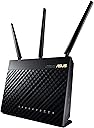
![ASUS AC1900 Wireless Dual Band (5GHz + 2.4GHz) Gigabit Wi-Fi Router [RT-AC68U] Ultra-Fast 802.11ac 1900 Mbps Speed, 5X Gigabit LAN Ports, Broadcam TurboQAM Wi-Fi Acceleration, AiProtection Security](https://m.media-amazon.com/images/I/81dk5sWS8+L._AC_SL3840_.jpg)


Desertcart purchases this item on your behalf and handles shipping, customs, and support to Tunisia.
🚀 Elevate your home network to pro-level speed and security — don’t get left buffering!
The ASUS RT-AC68U AC1900 Dual-Band Wi-Fi Router delivers ultra-fast 802.11ac speeds up to 1900 Mbps with dual-band connectivity, powered by a 1GHz dual-core CPU for smart multitasking. Featuring AiProtection security by Trend Micro, it safeguards your network with advanced threat detection and blocking. With 5 Gigabit LAN ports, mesh networking support via AiMesh, and an intuitive ASUSWRT interface plus mobile app, it’s designed for seamless whole-home coverage and effortless management, making it a top choice for reliable, high-performance home networking.


| ASIN | B00FB45SI4 |
| Antenna Location | Indoor/Outdoor |
| Antenna Type | Fixed |
| Best Sellers Rank | #8,644 in Computers & Accessories ( See Top 100 in Computers & Accessories ) #297 in Computer Routers |
| Brand | ASUS |
| Built-In Media | asus |
| Color | Black |
| Compatible Devices | Personal Computer |
| Connectivity Protocol | wi-fi |
| Connectivity Technology | wireless |
| Control Method | Voice |
| Controller Type | amazon_alexa, vera |
| Coverage | whole home |
| Customer Reviews | 4.5 out of 5 stars 10,112 Reviews |
| Data Transfer Rate | 1900 megabits_per_second |
| Frequency | 5 GHz |
| Frequency Band Class | Dual-Band |
| Global Trade Identification Number | 00886227419005, 00886227419029, 04716659419020, 04716659639794 |
| Item Dimensions L x W x H | 6.3"L x 3.3"W x 8.6"H |
| Item Type Name | ASUS AC1900 Dual Band Gigabit WiFi Router with MU-MIMO, AiMesh for Mesh WiFi system, AiProtection Network Security powered by Trend Micro, Adaptive QoS and Parental Control (RT-AC68U) |
| Item Weight | 1.8 pounds |
| LAN Port Bandwidth | 10/100/1000 (Gigabit) |
| Manufacturer | ASUS Computer International Direct |
| Maximum Upstream Data Transfer Rate | 1900 megabits_per_second |
| Mfr Part Number | 3662728 |
| Model Name | RT-AC68U |
| Model Number | 3662728 |
| Number of Antennas | 2 |
| Number of Items | 1 |
| Number of Packs | 1 |
| Number of Ports | 5 |
| Operating System | Windows 7, Windows 8, Mac OS |
| Other Special Features of the Product | QoS, WPS |
| RAM Memory Installed | 256 MB |
| Router Firewall Security Level | High |
| Router Network Type | wireless |
| Security Protocol | WPA, WPA2, WPS |
| Special Feature | QoS , WPS |
| UPC | 777004581285 803982847928 667562773331 740642340613 886227419005 886227806294 777004569122 886227419050 886227418992 886227419029 889349320822 |
| Unit Count | 1 Count |
| Voltage | 240 volts |
| Warranty Description | 2 Years Limited warranty |
| Wi-Fi Generation | Wi-Fi 5 |
| Wireless Communication Standard | 802.11ac |
| Wireless Compability | 802.11ac |
J**K
A reliable router that is highly customizable
I purchased this router in August of 2015. I am using the stock firmware (updated). Since purchasing it, I've had very few issues (which I'll go over later). Setup was quick and easy. I literally plugged my cable modem in, along with the machines I wanted wired into the network and it worked. Very little setup was involved. For the wired network, I have 2 PCs wired in, a Xbox One, and a Playstation 4. Connecting wirelessly, I have multiple cell phones, a tablet, a smart thermostat (Ecobee3), a laptop, a PS3, a wireless printer, and an Xbox 360. At no point have I had network disconnects occur due to the router. It has handled all network traffic lightning quick like a champ. I live in an 850 sq ft single story house. The router is centrally located, and I have found that I can still connect via the wireless from across the street. Mind you, this is with the transmission power turned down (more on this later also). I've been very impressed by this router. Especially since I upgraded from an old school Linksys Wireless-G Broadband Router (WRT54GL) due to my router not being able to handle the bandwidth that a modern cable provider provides. Using the stock firmware, it is highly customizable. Despite being highly customizable, it is simple enough for the average user to be able to setup without needing advanced tech support. The only issue that I had with this router was connecting my HP Photosmart wireless printer to the wireless network. Changing out my old router for the new one and going through the setup, it seemed like it should be a simple affair. It was not, and it took me months to figure out that I needed to 1) Buy a USB cord (A-Male to B-Male) 2) Hook the printer up to my PC using this cord, and then install the HP software. The router administration pages made it seem like this wasn't needed and that I just needed to download the ASUS software. Had I looked at the HP documentation instead of the ASUS documentation, I probably would've been fine. All in all, the issue was mainly on me. I will say that ASUS's documentation was a bit misleading (in my opinion). I can't fault the router for that though, so no stars have been taken off. Transmission power: Earlier in the review, I stated that the range on this router is pretty strong despite me turning down the transmission power. Some would ask "Why would you turn down the transmission power? Doesn't that hurt the range or signal?". In my opinion, the default settings for this router's transmission power is excessive. For those not in the know, transmit power is a unit of power measured in milliwatts for the transmitter. The higher the power, the more milliwatts being used by the transmitter. Now, think of your average car. Would you want to put stronger fuel in it than what is needed and recommended for your use? What would happen if you continually used fuel that is stronger than what you needed? The short answer is: Nothing good. The long answer: You would be cutting the lifespan, along with the reliability. You *may* see a temporary increase in performance, or you may see a decrease because you pushed things too hard. You are more likely to see issues the higher the level you push things. All in all, I recommend testing different transmit power levels. I seriously would recommend cutting your transmit power down to fit only what you need it to, and not increasing it beyond the defaults. Those that have reported short lifespans of their router, transmitters dying, or overheating most likely left the settings on default or raised them even higher. If you want this router to last a long time, cut the transmit power down. Updated review: It's now been about 5 - 6 years with this router and it's going strong still. I now have my laptop hardwired along with a PS4 and Xbox Series X. I'm on a 800 Mbps data plan with Xfinity (using my own modem) and consistently will get speeds over 900 Mbps at times (wired). Speeds aren't as strong over wireless, but I also have *a lot* of noise in the house (Philips Hue bulbs, Nest front door camera, smart locks, tons of Google / Alexa devices, along with other wireless cameras, etc.). I am now in a house that's a bit larger (1,057 sq ft with a basement) and the range still works throughout the house and the yard. This router is a workhorse! I've upped the transmission power a little bit (to the default settings), but I don't think it really was needed. I will say that I wasn't getting my full speeds for awhile due to not having the right settings. As with any router that you own, this can be a factor in your speeds - so if you're not getting the promised speeds hardwired to your router (but are getting them hardwired to your modem), it's time to do some troubleshooting. All in all, despite the numerous other routers available since this one came out, I still highly recommend this one due to it being such a workhorse.
M**7
This is an upgrade to any router currently available (as of 8/2014)
I have upgraded my home router for the past 5 years. I started with a Cisco N router when I finally was able to get internet out here in the boonies. It did fine while I had it but I decided to try the new Linksys AC routers that were out at the time. The Genie app was cool... looked and worked better on Android than it did on my apple device. But the Linksys router never seemed to work as flawlessly as this ASUS router has. As soon as I received it and pulled it out of the box I installed it. And within 10 minutes I was back online and the speeds were incredible. I would sit at my desk and continuously loose connection with my ould Linksys router. Not only was this one noticeably faster, I never loose connection with the router. Amazing, the way technology is supposed to work. I also have a Trendnet network bridge (AC1200) that would loose connection occasionally. I never knew how badly until I hooked my smartthings to it. I would get two or three notifications per day that my smartthings automation hub had lost connection to the internet. I have never seen my Smartthings go offline since I replaced my Linksys router with this one. Again, it was a simple install. In fact I was worried about the install as I was headed out of the country the next day leaving the house sitter on her own with this new device. But I'm glad I did and so was she... she also noticed a huge speed difference with the new router right off the bat. Streaming Netflix off of my Chromecasts are also immediately noticeable. Such a difference and reliability that it was more than worth the money. I also started using the ASUS AiCloud App which allows you to access files stored on your USB connected hard drive. Let me explain further. You can hook up a portable drive to your router (use the USB 3.0 for faster access) and then you can create a new drive on your Windows or Android device and move your photos, files to your own "private cloud". The AiCloud App allows you to access that information from anywhere. The problem is the app currently only seems to allow the Admin User of the Router access. I'm not sure I want to access any App using my Admin password to my router. The router does allow you to add additional user to use the app, however, it will not allow them to log in. That's a problem. The AiCloud App also does not allow you to move data automatically from the app to your "personal cloud". It would be nice to be able to upload photos or files that I have accumulated on a trip. Especially overseas when you never know what you are going to run into. This wasn't enough of a bummer for me to give the router a worse rating as the router does what it needs to do and it does it very well... the AiCloud would just be icing on an already iced cake. I would definitely buy ASUS again when technology proves it is time for an upgrade. Speed and reliability definitely have me hooked on this router.
S**R
Teenagers worst nightmare!
I bought this three months ago; wish I had found it years earlier: I have a serious 16yo geek / gamer whom, if allowed, would FIND a way to stay up all night and play games and do who knows what else. This router has solved a significant issues we face as parents with the Parental Controls issues: First, I debated for a while to give it five or four stars --there are a couple of things I do not like. However, overall it has been great. My biggest problem was my kids, and their abuse of the Internet at night, too long gaming, etc. I did try other expensive routers and returned them. This one does get them in their beds, away from the Internet at whatever time I set --and, once you get over the relatively small learning curve, is relatively easy. I am by trade a geek. However, this message is NOT intended to be written at that level --even though this router has tons of features that would please even the geekest. This message is to PARENTS whom, IMHO, are very obligated these days to guard their children and whom typically need a way to stay ahead of technology and to protect them. . . this router, in addition to other tools, is a significant layer in the defense of our children. Asus accomplishes Parental Controls by several methods: Time controls (that work) per any connected device; filters that effectively eliminate PORN and even messaging / file sharing, if desired, etc. Asus brands this by what they call "AI" controls (not sure what that stands for) also, their Firewall controls / website blocker works well, too. "E.g., when my kids stumble in school, I have entered "WarCraft" in their case in the firewall blocking which stops that problem in its tracks until the grades come up. . . Good. Worth the price of admission for just that! :-) The learning curve, for even non-technical parents, I cannot imagine how it could be easier. But there is some learning to it. Primarily, this is done by typing in the IP address of the router in your browser, typically 192.168.1.1 and loggin in, Then, going to the "AI Controls" screen, seeing who is connected, and applying whatever restrictions you desire on that specific connected device. It works, (I love the time settings) and again, isn't that hard to do. Once mine saw that they cannot get around this, they started getting good night's sleep, etc. My geek sons did eventually figure out how to SPOOF their "MAC" addresses (it isn't that hard to do) (A MAC address is the unique identifier for each device, and is shown on all screens and can be faked or "Spoofed") But, if you monitor this with some regularity, you can see when this happens as foreign-to-you addresses start popping up That is solved by some extra work, by applying an extra layer of "Filters" in the "Wireless" section that allow only specified MAC addresses to access the Internet. (a "white list" I call it) Asus helps you by associating MACs with machine name when, when possible, when you go to the screen to set this up. (I wish they had called it "whitelists" vs. "blacklists" and made it some easier. Be aware that at times I have had to go spend a few minutes and dig up a MAC address, e.g., for my NEST thermostat, so that it can get out, too --the price of raising kids these days. And please let me say again that all this is well worth it for the kid's sake. . . In addition to the parental controls, the geek in me likes the range of this device --how far it gets out. We live in a three story townhouse, and range has been an issue for us. . . Today, this router is on the first floor, I am currently on the third with four bars (2.4Ghz) The 5Ghz DOES reach up here, but not as well (the nature of 5Ghz is not to reach as far) Throughput is great; and I do NOT have to reboot this device very often. Other features, (there are many; I have barely scratched the surface) are there, but I haven't had time! (another cost of having teenagers :-) ) If I do get time, some of the USB storage features would be next; also the VPN feature set is built in IF I ever need to adjust settings from outside my home. .(my first shallow attempt to do that failed, but I am sure it was my fault) . PROS: - Parental controls --far superior to others I tried (the "Open DNS" approach [ i.e., NetGear], IMHO, is not satisfactory. Again, this router has fairly easily solved this which WAS a very-large problem for us - Reliability: First router and I haven't had to reboot a lot. -Range: great -Feature set: Far superior to most anything I have seen. Geeks can have a field day with all the stuff in the feature sets --Instructions / Ease of setup and operations: Overall, were great -Support: Recent firmware upgrades have been regular and helpful; I can tell Asus is on the job supporting this router CONS -Price. Obviously I think it is worth it --for my kids -Asus, why in the world cannot I add additional SSIDs to my 2.4Ghz for example??? (not a huge deal, but was a point I debated to kick this down to four stars) - Minor point, but even I had a little of a time figuring out the MAC Filter "white list" - need controls over the wired clients
S**M
Fast!
Just the second day with this router. Set up would have been a snap if my computer didn't freeze on me, making me do the setup over again. I have no idea why my Asus ROG laptop did that, but with my older asus router my laptop almost crashed from trying to update it also. Back to the router: The 5GHz band is noticeably faster than my older dual band asus rt-n65r, which i had it for a few years. Tested it two rooms or two walls away about 40ft from the router, with a tv playing hulu plus while playing hd youtube videos on a ipad and iphone. Did great. No lagging, no buffering. Could have taken more devices considering how fast videos were loading up. Much improvement over the older router being able to take 3 devices with ease; whereas the n65r could take 3 devices max using both bands and poor video quality. Choose this because pro reviews claimed it had great range and both bands were at the top of their classes. So far they are right. It's worthless having DUAL BANDS if one is too slow or useless. For the 2.4GHz, I wasn't so impressed, but not disappointed either. From the same distance tested as the 5GHz, it could not play two videos in hd at the same time. If one video was being played in hd, the other can play at 480p, but not both in hd, not from that distance. Noticed it took 2-3 seconds to get a youtube video to play on this band, but once videos start, it does not stop to buffer. The older router was a bit quicker to start videos, didn't buffer unless an airplanes, ambulances or firetrucks passed by. I live in the city in an apartment where hospitals and firemen are close by, and airplanes are always flying above. Tons of interference. The good thing about this new router is that it's unaffected by those vehicles. Nothing stops or freezes on either band. About a year ago picked up a ac68p thinking it's a bit faster because of the specs. Returned it back because it was so inconsistent. Speed was fluctuating like crazy and videos were freezing. Maybe software wasn't great then, being a fairly new router at the time, because companies are in such a rush to put their products on the shelf, half finished, only to worry about software later. Causing stress to customers. That's why it's not the best idea to go with the latest routers until the kinks are worked out. Getting a router that the manufacturer is committed to make work at it's best is important in chosing. In all reviews, the ac68u performed better than the ac68p. The p doesn't seem to get along with the other hardware as the u does, or isn't getting the support it needs to bring out it's potential. Bottom Line: If this router's performance, reliability, and consistency is anything like my older asus router, there shouldn't be any problems. Will update if anything happens. Bought the 2 year warranty also, so if something goes wrong, will give a review on how well it's serviced. If you don't have to think about loading time or connection, that means you have a good router. Internet speed doesn't make the experience any better, as long as it's fast enough to keep from waiting. Anything more is overkill.
A**W
Nice device initially, Had some hiccups
I replaced an RT-AC66U that we moved to use as an access point to have AC coverage everywhere. I like the RT-AC68U as far as the wire port configuration better than the 66U. On the 66U if you use the stand, the wire ports are facing up, with the 68U, the unit is vertical and the ports exit the rear of the unit, making a cleaner install. The menu is the same and I just copied my customized settings to not have to "re-invent" the wheel as far as port forwarding and such. My only issue is that with the EXACT settings as my 66U somehow - someway my DVR is visible from the internet and via my phone and tablets, but not while actually in the house over the LAN. With the AC66U I could see the cameras from both the Lan and internet. I may have missed a setting (but I don't think so) but I'm sure this minor glitch will be fixed in the first firmware update. I am much happier with the coverage of this unit as a Router and the AC-66U as a remote Access Point than i was with a Dlink-Dir-655 as my router and a Dlink DAP-1525 as my access point. I am a mixed environment of clients wired and 2.5/5 GHz wireless. I believe this router will be very usable for at least 5-10 years. My wireless speed when tested through speedtest.net is about double what it was before with the same device in the same location in the house. I don't think you can go wrong with this unit. 10/31 Edit. Upon first install I thought it was great. However there were many missing features that I needed (LOOPBACK, VPN settings) that my AC66 had and worked great. I was on the initial firmware.205 upon first install. I contacted ASUS and they said new firmware was in process and gave me a link to a beta firmware. Upon install of the beta firmware and a complete from square one reset and reconfigure within 30 minutes the router lost all client connectivity. I did another complete reset and setup with the same results. I went back to firmware .205 and all was well again, with the router functioning fine for the next 2 days. I Contacted ASUS the next day via chat to let them know the issues i had and was told that the new firmware would be out in a few days and this was a bug being addressed. The Week later I installed firmware .291 and it was a repeat of the beta, lost connectivity over all clients as soon as we accessed a program that required loopback and after a reset It just lost connectivity by itself in about 30 minutes. Again did a complete reinstall, reset and setup from square one. Same loss of clients connectivity. Oct 30, Installed FW .306 and again did a complete reset and reconfigure from the beginning. In about an hour again lost connectivity. I reset again and let it run. I had connectivity for about 3 hours, till I ran a program (which works with the AC66) to review my DVR on the LAN via loopback and crash - the AC68 is down again. During this time of lost connectivity I cannot access the router setup without a reboot, All lights stay on, the cable modem shows traffic. The router is just unresponsive. With any firmware above .205 my unit will not function. I really want this to work as the AC66 has been good. But I am replacing an 8 year old D-link router that got rebooted once a year or two, so I would expect the same reliability in a new product. 11/3 edit. I did another install of .306 firmware and clean reset / install. ASUS said to turn off HW acceleration. I did this combined with the DDR memory upgrade utility and its sweet sailing. Loopback no longer crashes the router. Speed is excellent I have 25MB internet and get 24.8MB across my wireless devices on the internet and much faster locally so can't complain there. I just pounded the router with all the traffic I could for the last 48 hours and it has not crashed or given any indication of failure. Not sure exactly what Hardware Acceleration is, but it should not be on by default evidently. Back to 5 Stars.
A**R
A Solid Router With Special Firmware
Just got my Asus router (rt-68u), and couldn’t be more pleased. This is the most expensive router I’ve purchased, and I’m moving on from a misbehaving D-Link DIR-860L which, to it’s credit, lasted for a few years. In my search for a replacement, I almost went for the Linksys WRT-1900 series, but the more reviews I read, the worse it seemed to get, and that’s not to mention the fact that you can get stuck with a rev. 1 unit with a fan inside. No, sorry, absolutely no fans please. The Asus has a dual core processor but it does not seem to be running hot, and there is no fan. Anyway the Asus looks nice and it seems very well built, and I promise to update this review if it fails in the next few months. For now it is doing a stellar job. I have about twenty devices connected, most on an unmanaged gigabit network, and it excels at displaying info on the connected devices. The interface is superb; Very nicely layed out. Wireless is strong, although the beam-forming thing is probably a bit of hype. The hook for me was Merlin router software for Asus (google it). Merlin is an open source project that took the Asus firmware and squashed bugs, but made no radical changes in appearance or functionality. It appears that Asus and Merlin feed off of each others efforts. If you look at the latest stock firmware from Asus it acknowledges changes made due to Merlin’s detective work. That’s impressive in my book. Plus, the latest firmware is only two weeks old as of my purchase and you can chose from Merlin or Asus versions (they are interchangeable and you can revert back to earlier versions just using the GUI!). I’ve dealt with other routers (yes, you Netgear) in the past that maybe made a revision or two and then you were on your own - for years. Asus, and it’s relationship with Merlin seems both amazing and rare. Yes, you have dd-wrt routers, but it’s not like dd-wrt is approachable. Oh, and yes, the rt-68u is compatible with openwrt if you find Asus or Merlin to be too restrictive. Did I mention it has USB 3 and 2 ports for storage and it syncs to cloud accounts like Dropbox (Asus give you a free 5 Gb cloud account). Asus also provides a dns address using ‘yourname.asuscomm.com’. Five stars - unless it fails - then I’ll be back - promise. update1: If you have problems with port forwarding, turn off nat/hardware acceleration under the wan tab. Issue was supposedly fixed, but I'm not so sure. Still doing some detective work on this one (Merlin release Nov 3 2015). update2: (2 months) Port forwarding was me being stupid -- all is good. This thing is absolutely amazing. OpenVPN - it's there and it's easy. TOR? It's there and it's easy. Both can be set to be used only with specific devices which gives maximum speed to the other devices. There is so much flexibility with this unit that I continue to get myself in trouble playing with all the settings, but when it setup correctly it rocks.
F**R
New life for old equipment - wonderful concept (see edit)
The Asus RT-AC68U is a huge improvement over my old Netgear N600 router and over either of the Arris Modem/Routers that TWC provided me when I upgraded my Internet service their 200Mbs Internet package. In terms of specifics: 1) I have verified that my connection exceeds 200Mbs on a consistent basis when testing on a wired connection. I replaced my old cable modem and the Arris Modem/router with a Surfboard SB-6183. I tested the wired connection both directly connected to the Surfboard and via the RT-AC68U. The only difference was a little bit of latency that showed up on the ping tests. The Netgear N600 tops out a 100Mbs as it doesn't support Gigabit Ethernet (which I also verified with testing). 2) On the 2.4Ghz side the Arris Modem/routers that TWC and I rented were pure garbage in terms of range. I live in a 3 story town home with the modem and router on the top floor (and I am unable to move it). My wife's Asus laptop supports 802.11n but only for 2.4GHz. With the old Netgear modem, she could get 6 to 16Mbs in the Kitchen/family room on the other side of the house on the 2nd floor. With the Arris modem/routers, this dropped to 1.6Mbs and failed completely if she took it to the furthest corner. Also and to me inexplicably, the upload speed was always faster than the download speed. With the RT-AC68U she moved up to 33Mbs on a regular basis. Even with line of sight to the router, the arris modem/router was poor. So much so that I setup a power-line adapter for her to use at her desk. The RT-AC68U totally eliminated her need to use a powerline adapter to get acceptable speed. 3) On the 5.0ghz speed, the results were less dramatic, but still significant with a much stronger signal and faster speeds. For example, an old HP (2010 vintage) laptop with 3bars of speed consistently gets over 60Mbs while the Arris modem/routers could barely provide a 5.0Ghz connection at all. 4) The only laptop we have with 802.11ac is my daughter's Surface Pro 3. I was not able to test with it while she was home from college this last weekend, but she did say that she is now able to get a connection in her bedroom, where she sometimes had problems with the Arris equipment. Another significant plus, is that the guest network connections are fabulously flexible. We regularly host a homeowners association group meeting in our house and I was able to setup a dedicated network for that with no connection to our equipment and setup a separate guest connection for my daughter's friends so they can connect to our wireless printer. I have not noted any of the dropout problems that others have experienced (we have 4 laptops of varing ages and brands), 4 cell phones (samsung and google), and a kindle touch. I am rating it 4 star for several reasons: a) I haven't been able to get a wireless signal over 100Mbs even with line of sight to the router. b) Several key features such as beam-forming are hidden in the professional settings and are not defaults. c) Changing the modem so it can only be administered via a wired connection is hard to do. The default is that any computer with a connection can reconfigure the router making it a requirement to change the password. I prefer a even more secure wired connection. I achieved this by giving my desktop computer a static IP address and then restricting the administration to that one IP address. The only nit is that the RT-AC68U displays a totally bizarre message about connection settings on wireless computers when they attempt to connect to the webpage rather than a straightforward message like "Connection to the RT-AC68U is only allowed via specified IP addresses". d) The time that the DHCP server with the RT-AC68U retains an IP address association with a mac address is limited to 1 day. With the old Netgear N600, I could set this to 1 year (and possibly more). I want a high value as it allows equipment to connect without the "someother computer is using this IP address" message that we used to occasionally get. I found this eliminated "support calls" from my wife and children. Edit April 2019. In the summer of 2017, I replaced this Asus unit with a Netgear Orbi. It went into the garage as an emergency backup. In 2019, my daughter bought a condo (1200 sq. ft) and I took the Asus over so she didn't have to pay rental on a router to Spectrum. I was totally surprised by all of the software enhancements that Asus had rolled out. Among these, It now is capable of being a node in a wireless network (not tested). I found the Asus provided Wireless excellent service on her 100mb internet connection. She has two 4k TVs (one wired, one wireless) connected along with computers and cell phones. So far everything is great. Note these were software upgrades, the top speed of the device and hardware limited protocols did not change but for a smaller home this seems to be a great fit.
P**.
Waste of money
(Update 11/15/2015) I installed the latest Asus firmware from earlier in November. That, by itself, pretty much killed off whatever functionality this router had so DO NOT INSTALL THIS UPDATE. Now I have laptops not even able to get a wireless signal, or far reduced, and none of the other problems I have had with this router have improved. In fact, I signed onto its admin interface (via wired connection) after the update, and even though the traffic monitor showed barely any traffic (in the KB/sec) page loads dragged... on... for... seconds... I have five computers and switched three of them to wired (had to string some CAT6a) - no improvement. So - without any other changes except this firmware update - leading to its already-poor performance getting much worse, I have begrudgingly concluded that I wasted $180 on Asus hardware. Very frustrating, since I work from home and this is a real problem for me as I need decent internet access. Previous to the firmware update, I had moved the router. I changed antenna configs (tried various permutations of |||, ||-, \|-, and so on) all to no avail. I rebooted. I disabled QoS and any other "extra" features that might tax the poor little router extra. I have had Asus RT-N12 routers in the past and ran them both vanilla and with DD-WRT flashed, and those were stable; I "upgraded" to this AC model because my latest laptops all support AC but the old Asus were far more stable, performant, and consistent than this thing. I wish I could return it for a refund. My advice to those of you who let yourself be convinced to spend nearly $200 on this thing because others here were lucky: make sure you decide within Amazon's return period whether this brick works for you. As for me, I am totally disappointed in Asus (and yes, I tried various successive firmware updates - each seemed to get worse). -- End update 11/15/2015 Good but not great. The 2.4 GHz signal mostly penetrates a typical 2,400-sq.ft. house. The 5.0 GHz signal barely makes it through two floors; it's unusably slow and Windows reports 13 Mbps, which in the real world means sludge. I have it set up with the three antennas just as shown in the pictures here, and have moved it a few times. I have taken care not to have sources of interference near it, and so on. What's really disappointing to me, even after upgrading to the latest firmware off the (absolutely terrible - did they EVER usability-test it??) Asus web site, is that the router has needed to be rebooted every few days. Wi-Fi slows down more and more to the point where it's like molasses through an uphill straw in January, so I reboot the router, and all is snappy again for a couple of days. I'm really surprised that after DD-WRT, Tomato, etc. have been around for years a commercial router still has such obvious performance problems. The admin UI is the typical Asus UI. It's good compared to most other brands, though a bit busy with lots of left-side tabs and top sub-tabs. You have to look all over carefully to make sure you don't miss the thing you're looking for. I like that it has a guest network feature. I have had this on past, cheaper Asus routers but it never worked (and I usually flashed those to DD-WRT out of frustration). I bought this more expensive router because with life/family I just don't have the time to tinker with DD-WRT for hours anymore, but I have to say it's no better - and in fact, considerably less stable - than a much older, weaker RT-N12 running DD-WRT. So why did I spend the money on this? Simple; my RT-N12 finally died after years, and I needed something now, with guest access. I do regret the purchase a bit in light of all the struggles we have had maintaining consistent signal and uptime with this, but the lesser inconvenience for now is to just reboot it whenever things get slow again. I looked at several leading AC routers and it seems that people have this type of problems with all of them, which makes me wonder why in the heck "someone" cannot just sell a *stable* router. I'd rather pay more for stability and "stop being a hassle to me" than "ooh, it has the latest crop of totally useless acronyms". Manufacturers?
H**B
Very satisfied customer
My home network manages traffic from: 2 iPads 1 iPhone 1 android phone 2 TV 1 Nvidia Shield 1 Amazon Alexa 1 weather station monitoring display Numerous Hue lights 1 USB 3 T network drive I was replacing a decade old AirPort Extreme as Apple had discontinued support and I wanted more granular configurability. The replacing router arrived a day early and I spent the afternoon setting up to suit my needs. Router configuration ( 10 years ago) was black magic, filled with frustrations and confusion. Not any more. ASUS has it dumbed down to a point if you can read and click, the basic configuration and connectivity is a 10 (or less) minute process. Once that is completed the fine tuning is next. I enabled the firewall and malware detection first. Malware protection is a huge plus and eliminates the need to run on individual devices. After that I set various priorities. I made streaming video priority over other functions. I then enabled traffic monitoring so I could understand how much data was being used, by whom, what application etc. This revealed a disconcerting stat. The Nvidia Shield is transmitting over 125 megs of data each hour. This needs more research and I have narrowed it down to one of three apps I run. It will take a few days to eliminate the apps one by one. Wi-Fi is a beast. I have excellent coverage in every room with signal strength of -38 dBm and 340 Mbs at most distant point. Download speeds are consistently faster but that is subjective as my ISP may be having good days. I am paying for 25 Mbs download speeds and Analoti indicates I am getting between 20 and 50 most days. Wi-Fi networks of 2.4 GHz and 5 GHz are separate networks. 5 is faster but is an ‘in room’ network as 5 is always a weaker signal. It is nice to have the choice. I had intended to run the WRT-Merlin firmware but the OEM is so good I see no reason to change. I can recommend this router to anyone looking for a good sold performing device.
T**Z
Sehr zufrieden
Bin mit dem Router sehr zufrieden. Musste ein DSL Kabel nachkaufen, aber mit der Telekom funktioniert es sehr gut. Diesen Router kann ich empfehlen!
J**B
Excelente router que ofrece un buen rendimiento y cobertura en 2.4 y 5 Ghz
Este router ofrece un buen rendimiento en velocidad y múltiples conexiones, si cuentas con un buen plan de internet y usas este router notarás una gran diferencia con respecto a los que te proporcionar los proveedores de internet (telmex, izzi, etc.), tiene un precio algo superior que otros routers en el mercado pero vale lo que cuesta. Lo he probado con juegos en línea y películas en streaming al mismo tiempo y ha tenido un rendimiento excelente. Anteriormente tuve el TP Link Archer C9 pero este router de Asus lo supera en estabilidad de red y cobertura. Si quieres mejorar tu velocidad, rendimiento y cobertura de tu señal de internet este router es una compra recomendada.
S**I
Ottimo acquisto! Il miglior router in commercio da anni
Ho acquistato questo router come estensione del mio attuale modem adsl/vdsl. Ho optato per questo modello vista la mia attuale ottima esperienza con il modem dsl-ac68u. I due apparati asus infatti sono compatibili con la nuova funzione asus Ai-mesh che rende la stessa rete Wi-Fi creata dal modem più ampia e completamente invisibile agli apparati che vi si connettono. Molto meglio delle funzioni di ripetitore-Wi-Fi. Le funzioni sono moltissimi ed è possibile intervenire su innumerevoli parametri per accomodare ogni esigenza. Dotato di tutte le opzioni di cui si può avere bisogno. In più asus rende disponibili applicazioni come asus media server etc che permettono ulteriori utilizzi del router.
A**R
A good to have home router with advanced parental control and upgraded firewall
I received the latest version of this model AC1900P. The router's performance is pretty good. I was using AC51u and upgraded to this model. The features are really useful. The adaptive QoS and parental control has enhanced features when compared to other models that I had used in the past. The AI protection feature also looks nice for a home router. The advanced processor and more memory helps in getting true HD streaming. The hardware quality is very good and unit comes with a 2year warranty from Asus.
Trustpilot
1 week ago
5 days ago