๐ Elevate Your Internet Experience!
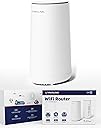
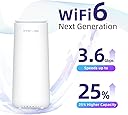
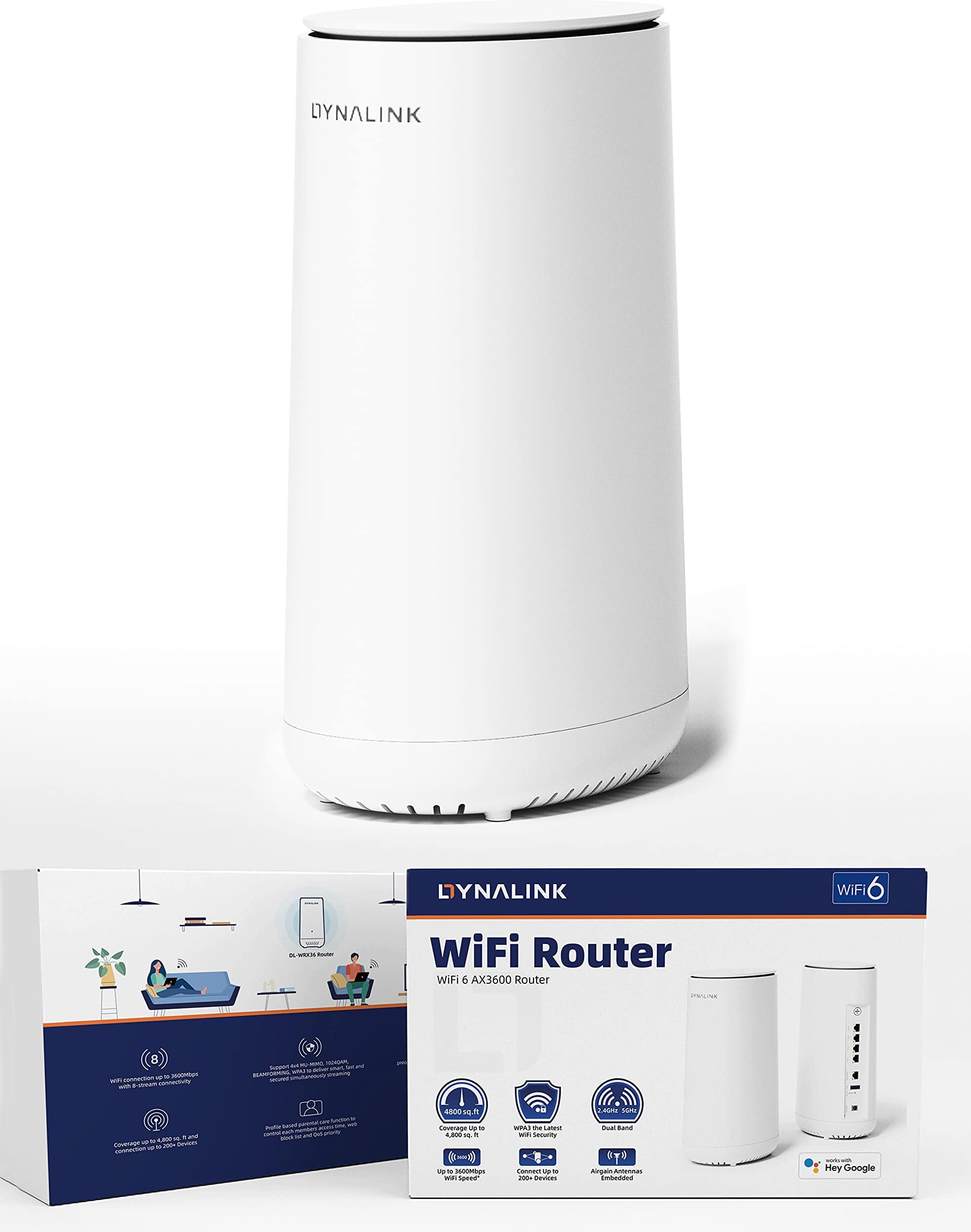
The Dynalink WiFi 6 AX3600 Router (DL-WRX36) is a high-performance dual-band router designed for modern homes and gaming setups. With speeds up to 3.6 Gbps, extensive coverage, and the ability to connect up to 200 devices, it ensures seamless connectivity for all your online activities. Featuring a powerful Qualcomm 2.2 GHz Quad-Core CPU, easy setup via an app, and multiple connectivity options, this router is built to meet the demands of today's digital lifestyle.


| ASIN | B096K9SVCT |
| Antenna Location | Security |
| Antenna Type | Internal |
| Best Sellers Rank | #51,631 in Computers & Accessories ( See Top 100 in Computers & Accessories ) #1,247 in Computer Routers |
| Brand | Dynalink |
| Color | White |
| Compatible Devices | Personal Computer |
| Connectivity Protocol | Ethernet, Wi-Fi |
| Connectivity Range | 4800 square_feet |
| Connectivity Technology | Ethernet, Wi-Fi |
| Control Method | App |
| Controller Type | Google Assistant |
| Coverage | 4,800 sq. ft |
| Customer Reviews | 4.2 out of 5 stars 635 Reviews |
| Data Transfer Rate | 3.6 gigabits_per_second |
| Frequency | 5 GHz |
| Frequency Band Class | Dual-Band |
| Item Dimensions L x W x H | 3.94"L x 3.94"W x 9.06"H |
| LAN Port Bandwidth | 1000 Mbps |
| Manufacturer | Dynalink |
| Maximum Upstream Data Transfer Rate | 1800 megabits_per_second |
| Mfr Part Number | DL-WRX36 |
| Model Name | DL-WRX36 |
| Model Number | DL-WRX36 |
| Number of Antennas | 4 |
| Number of Items | 1 |
| Number of Packs | 1 |
| Number of Ports | 3 |
| Operating System | RouterOS |
| Other Special Features of the Product | WPS |
| RAM Memory Installed | 1 GB |
| Router Network Type | wireless with wired ports |
| Security Protocol | WPA2-PSK |
| Special Feature | WPS |
| UPC | 840151200146 |
| Unit Count | 1 Count |
| Voltage | 240 volts |
| Wi-Fi Generation | WiFi 6 |
| Wireless Communication Standard | 2.4 GHz Radio Frequency , 5 GHz Radio Frequency |
| Wireless Compability | 2.4 GHz Radio Frequency, 5 GHz Radio Frequency |
O**S
Very good value, nice quality, fast CPU, latest (23.05.2) OpenWRT compatible
I ran this for a month with standard software to make sure it was reliable & had no problems. This seems to be a private label re-badge of a major cable provider's unit, so it is nicely made and probably produced at scale. Stock UI and firmware is respectable and seems to be based on OpenWRT 15.05 ChaosCalmer. I had hoped to preserve a few config settings when I flashed over to 23.05.2 (stable) but the OEM settings backup was encrypted. I have been running Openwrt with AdGuard and a network share of the USB3 off which I have a 1TB external SSD for my Duplicati backup target. Speed for all tasks is excellent. I do not use the wifi. WAN-side it has a 1GB FIOS link connected via Ethernet. LAN-side I have Unifi network APs which run stock firmware as they are so easy to manage that way. One minor complaint -- the machine itself is a little on the large side but fortunately it is not ugly. The Dynalink has been running perfectly with over a month of uptime since I last touched it. I am very pleased with the unit.
R**N
Best value OpenWRT compatible router in 2024
This router is really only good if you're looking for something to use for OpenWRT. The factory firmware is not very good, it's confusing, buggy and a little slow. It is lacking some features that much cheaper routers have. The manual is downright bad, it's definitely not for a beginner and is confusing even for more advanced users due to non-standard terminology used. That said, it's a great value if you're looking for something to run OpenWRT. I get very good wireless range and speed, and it runs cool even during heavy usage. The setup process is a little complicated, but someone who's good at following directions will have no issue. It does SQM/Cake for my 300mbps fiber connection without issues. SQM is vital for dealing with bufferbloat, which is latency that arises during heavy bandwidth use. Downloading a large file while trying to play a low latency game causes issues even with very expensive routers because of bufferbloat. SQM helps this, and Cake is the most effective solution available. OpenWRT is the best router firmware for Cake and was originally developed on OpenWRT.
C**C
Improves speed; setup process broken
I took a chance on this knowing it was a new product with no reviews. Our internet has been so hit or miss using the modem's built-in router, so was hopeful this would help. The router comes with almost no documentation. There is a card to tell you what the light indicates in various modes. The instruction is to download the app and follow the steps to set it up. This is a joke. The app makes you create an account, and then says to make sure your device (phone or router I don't know) is connected to the internet. It then says there is no connection. When I closed the app and reopened and tried to login to the account I just created, it gave an error that seemed to indicate that I didn't have an email address in the email field. The card also has a web address that it says to visit for more information. I tried this and the site has no mention of the router and only has information for a streaming box. Not helpful. Although I really didn't want to, I called the support number given. I was on hold for a few minutes, then it sounded like I was connected and I could hear some shuffling noises but no one talking. It finally disconnected on me. I called again and almost immediately was connected with a support rep. He helped me connect directly to the router and get into the setup. He was very patient while I had to search for the laptop that actually has an ethernet port and for another network cable. It didn't take too long to get through the setup and get it working. It would be nice though if there was information included to tell you how to do this. So far, so good. Did a speed test at fast.com and got better results than I ever had. It's actually test at or very close to the speed I'm paying for. If the app was actually usable, I could probably go to 5 stars.
T**Y
WILL Run OpenWRT; nice price
Installing OpenWRT is a bit of a high-wire act BUT once installed you have all that it does on every other device, which is nice. I'm not a huge fan of all the modern "native" software; this is a nice WiFi 6 router at a very attractive price, its fast and the radio coverage is pretty good. But the real show-winner here is simply that for a competent access point its downright reasonable in terms of cost unlike many, and it also is spec'd up considerably compared with many other units. Thus you'd expect it can deliver on the throughput to your WiFi devices, and it does. That it also runs WiFi 6 and thus can do WPA3 for enhanced security is a very nice bonus. Recommended.
J**N
It Broke
This was the second unit shipped to me as a new replacement and it worked fine for a week or so. It connects to a T-Mobile gateway and I have super fast speeds 500-600 Mbs because I live close to the tower. Then I noticed the the internet speed slowed down considerably and it was not the T-Mobile gateway, it was the Dynalink. So I called customer service and created a case. I was told this was a known issue. Bottom line nothing was done, no call backs - slow service. So I keep it and then 8 months later it go into a constant reboot cycle - broken. So I call Dynalink Customer Service twice and no progress even though I was asked to make an email complaint with all the info. So on a third call I get someone based in the US who processed the case himself after he recognized it was a bad unit. Everyone I spoke with were very polite, respectful and made me think something would happen - but nothing happed until I got the person based in the US. I was asked to send the unit back at my expense ($25). I sent the info the US based person gave me on the RMA return, case number, etc. in an email and I requested to be sent a new router and not a refurbished or used one. I feel like that was a fair and reasonable request due to the fact this router never worked right from the beginning. Even the US based person thought this was a fair request. So after dealing with this over a month (34 days) I received a replacement that was an open box router with obvious signs of use and handling. Even the box it came in was crushed and there was no damage on the outer box. I am unhappy at receiving something that is not new and feel Dynalink needs to improve customer service. I cannot recommend their products at this time and sincerely hope they improve and respond to customers with better actions.
A**R
Excellent combination of hardware package, OpenWRT firmware compatibility, and pricing.
This review is for ASIN=B096K9SVCT Title=WiFi 6 AX3600 Router (DL-WRX36), Dual Band, 8-Stream , Wireless Speed Up to 3.6Gbps, MU-MIMO, 2.5G WAN & 4 Gigabit LAN Ports, for Home & Gaming (1 Pack). =========== A. Hardware =========== Hardware capabilities that interested me: 1. Dual-band Wifi 6 (802.11ax) router with 5Ghz and 2.4Ghz bands. No 6Ghz band; but it is not expected at this price. 2. Broadcast power is up to 1000mW on non-DFS channels. 3. CPU is Quad-core Qualcomm IPQ8072A at 2200 MHz (2.2 GHz). 4. Memory is 1024 MB. 5. Disk is 256MB NAND flash. 6. WAN is 2500 Mbps (2.5 Gbps). 7. LAN is 1000 Mbps (1.0 Gbps). 8. WLAN is 4x4 MIMO at 80MHz. Also capable of 2x2 MIMO at 160MHz; this usually performs worse and depends on the Wifi density in your area. 9. Dynalink hardware is shared with Askey RT5010W. Askey is owned by ASUSTeK (yes, that ASUS). From my understanding Dynalink is a branding manufactured by a subsidiary of ASUSTeK. 10. Has internal heat-sink and sufficient ventilation, does not overheat, does not require a fan. Adding a fan lets the router run very cool -- below 45C measured with thermal probe. =========== B. Firmware =========== The stock firmware is OK (not great). See other reviews for more information on the stock firmware. I switched firmware to OpenWRT and all features that I require are working as expected. "Band-Steering" does not always work, but I do not use this feature. It is better to define multiple vlans and connect Wifi 4 (N) devices to the 2.4GHz band and Wifi 6 (AX) devices to the 5GHz band. Broadcast power and range finding is good; no drop-outs that I can trace. =========== C. Pricing =========== The hardware package and OpenWRT compatibility is excellent for this price range. Price usually stays between $80, $64, $60 per unit. =========== Summary: =========== Router is capable of reaching 1.0 Gbps on downstream and 1.0 Gbps on upstream. That's no surprise, it is a 2.2GHz Quad-core. Good OpenWRT firmware compatibility. Good pricing.
T**Y
Won't Regret Getting This!
Excellent! Was a bit concerned at first, especially since internet provider won't cover problems or issues related to personal router. Also, I have quite a few items using Wi-Fi in a 2 story house, including several computers always in use, multiple streaming and others. This router has performed wonderfully with NO issues router related. For the money, HIGHLY recommended!
C**N
Maybe the best single WiFi 6 router
This thing is an absolute beast. The signal in my 2000 square foot house is a full, five bars... everywhere. Out in my yard, 4 bars. In the street, 3 bars. Latency was reduced, speeds are increased, and this thing takes a load off of my modem, allowing it to do one job. The Snapdragon CPU stays cool. Setup was a breeze, literally taking under 2 minutes. For under $100, this is a no brainer. Wish I'd bought one a long time ago. If you have T-Mobile 5G home internet, this is an absolute must. The load taken off of the gateway made for about 30 to 40 percent higher connection speeds, and my WiFi throughout is about 50 percent better. Awesome product.
Trustpilot
2 days ago
3 weeks ago