🖋️ Elevate your digital note game—because your ideas deserve precision and style.
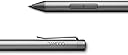
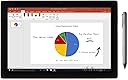
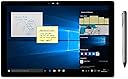
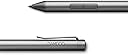
The Wacom Bamboo Ink 2nd Gen Smart Stylus is a premium digital pen designed for Windows 10 touch devices, featuring 4,096 pressure sensitivity levels and dual compatibility with Wacom Active ES and Microsoft Pen Protocol. Its durable aluminum body ensures longevity, while instant access to Windows Ink Workspace streamlines your workflow. Ideal for quick notes and annotations, it combines precision and portability in a sleek, professional design.
| Are Batteries Included | Yes |
| Are Batteries Required | Yes |
| Asin | B081LKC91V |
| Battery Average Life Standby | 15 Months |
| Battery Description | Alkaline |
| Best Sellers Rank | #143,822 in Computers & Accessories (See Top 100 in Computers & Accessories) #1,431 in Mobile Phone Stylus Pens #3,320 in Inkjet Printer Ink Cartridges |
| Brand Name | Wacom |
| Colour | Gray |
| Compatible Devices | PC (Windows OS) 10 touch devices |
| Customer Reviews | 4.2 4.2 out of 5 stars (1,313) 4.2 out of 5 stars |
| Enclosure Material | Aluminium |
| Item Dimensions | 17.3 x 7.1 x 1.8 Centimeters |
| Item Weight Unit Of Measure | 0.7 Ounces |
| Manufacturer | Wacom Technology Corporation |
| Manufacturer Part Number | CS323AG0A |
| Minimum Required Operating System Version | Windows 10 |
| Model Number | CS323AG0A |
| Number Of Batteries | 1 AAAA batteries required. (included) |
| Number Of Packs | 1 |
| Pressure Sensitivity | 4096 Levels |
| Unit Count | 1.0 Count |
| Upc | 753218985903 |
User
Good for quick notes but not recommended for heavy note taking.
I came to know that LG wing does support active stylus and found this , yes little bit expensive here in India, original price was around 3700 and bought it around 9700. Stylus is good for quick notes or annotations but if you're looking for s-pen or Apple pencil alternative then it's inferior as Wacom bamboo is heavy and after writing for 1-2 hrs your hands will feel pain, which is unlikely with s-pen which is also made by Wacom. So for heavy note taking not recommended but for quick notes or annotations plz go for it. Also sometimes in apps like MyScript nebo there are missing of strokes but not a big issue. Hope Wacom will improve it in future.
User
Windows11ノートPCで使用中。
lenovoとASUSの画面が360°回転してタブレットになる機種とUPのキーボードが取り外せる機種で使えています。lenovo Yoga7 Gen8(Ryzen7 7735U)とYoga book 9(Core i7-1355U)。ASUS Zenbook Flip UP3404VA(Core i7-1360P)。HP Elite x2 1013 G3(Core i5-8250U)。メーカー純正のペンだとASUSの機種だけが使えませんでした。ASUS純正のペンは他のメーカーで使えません。HPのペンはlenovoでも使えましたが最新機種では事情が異なるようですね。タッチ操作対応のデバイスは色々ありますが、ペンを含めスマホやパソコン諸々それぞれがどの規格に対応しているかハッハリと記述してほしいです。対応規格と互換性について説明が無いと使えないモノを購入してしまうのでメーカー様には配慮を希望します。
User
Great!
Amazing so far, for note taking, okay for drawing. Slow lines become wobbly, but wasn’t an issue for me since I draw with quick lines. Pressure sensitivity is just fine. The pen feels like premium quality.
User
Good product
Good product
User
Boa caneta, preço não acessível espanta usuários
Boa caneta, cumpre o seu propósito. Infelizmente devido ao valor praticado no Brasil se torna inacessível pra muitas pessoas.
User
Works with Dell Inspiron 7445 and Microsoft Surface Laptop 6
Works with Dell Inspiron 7445 and Microsoft Surface Laptop 6I got tired of having constant problems with the Dell active pen. Someone in a forum mentioned that they gave up and tried the Wacom pen instead. Based on my experience, they were right. I can confidently say Dell's problem is their pen which is a shame.This pen is also compatible with my Microsoft Surface Laptop - you just have to hold both buttons to switch mode. The Dell pen and Microsoft pens are not cross-compatible, so that's a nice feature if you use both types of devices.The Wacom pen is far more responsive than the Dell pen. There's less lag time between bringing the pen to the screen and the laptop recognizing it and starting to ink. The tip has a bit less friction which I don't love, but that's a personal preference. The Pen doesn't come with any replacement or alternative nibs, but you can buy them separately.I don't see a lot of variance in pressure sensitivity, but it's there. Could be a configuration adjustment on my end.Generally speaking, I'm very satisfied.I have a couple nitpicks, although nothing that's worth lowering my rating:First, no bluetooth connectivity. That makes sense when you realize there's no shortcut button ("eraser" button). I feel that's basic functionality for an active pen these days, but alas, apparently not.Likewise, one thing that I liked about my Microsoft pen is that the top of the pen actually acts as an eraser. I have strong muscle memory of flipping a pencil, so it has taken me a little time to get used to the eraser button on the side, and not accidentally hitting that button while I'm writing.Last - The pen came with a recommendation to install software from Wacom. I installed that software and it broke my driver for my touch screen. I ended up having to remove the software and delete the device in device manager so that it would revert back to the correct driver after a reboot. Everything's back to normal now, but it's annoying that I can't install their software without them trying to install their own driver.

Trustpilot
1 month ago
1 day ago