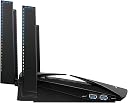
🚀 Dominate your digital domain with the Nighthawk X10 – where speed meets power!
The NETGEAR Nighthawk X10 (R9000) is a top-tier tri-band smart WiFi router delivering ultra-fast AD7200 speeds up to 7200 Mbps, covering up to 2500 sq ft. Equipped with a 1.7 GHz quad-core processor, 6 gigabit Ethernet ports, a 10G SFP+ port, and dual USB 3.0 ports, it supports up to 45 devices simultaneously, making it perfect for high-demand streaming, gaming, and smart home ecosystems.


| ASIN | B01M12RE4A |
| Antenna Location | Gaming, Home |
| Antenna Type | Fixed |
| Best Sellers Rank | #35,372 in Computers & Accessories ( See Top 100 in Computers & Accessories ) #893 in Computer Routers |
| Brand | NETGEAR |
| Built-In Media | Ethernet cable, Nighthawk® X10 AD7200 Smart WiFi Router (R9000), Power adapter, Quick start guide |
| Color | black |
| Compatible Devices | Phone, Mac, PC, Wireless Devices, Media Streaming Devices, Laptops, Computers, Tablets |
| Connectivity Protocol | ethernet, wi-fi |
| Connectivity Range | 2500 square_feet |
| Connectivity Technology | Ethernet, Wi-Fi |
| Control Method | Voice |
| Controller Type | amazon_alexa, vera |
| Coverage | 2500 sq ft |
| Customer Reviews | 4.3 out of 5 stars 3,506 Reviews |
| Data Transfer Rate | 7200 megabits_per_second |
| Frequency | 60 GHz |
| Frequency Band Class | Tri-Band |
| Global Trade Identification Number | 00606449114652 |
| Item Dimensions L x W x H | 8.81"L x 6.61"W x 2.91"H |
| Item Type Name | NETGEAR Nighthawk X10 – AD7200 802.11AC/Ad Quad-Stream MU-MIMO Wi-Fi Router |
| Item Weight | 4.1 pounds |
| LAN Port Bandwidth | 1000 Mbps |
| Manufacturer | NETGEAR |
| Maximum Upstream Data Transfer Rate | 4600 megabits_per_second |
| Mfr Part Number | R9000-100NAS |
| Model Name | R9000-100NAS |
| Model Number | R9000-100NAS |
| Number of Antennas | 4 |
| Number of Ports | 4 |
| Operating System | Linux |
| Other Special Features of the Product | QoS, WPS |
| Router Network Type | wireless_and_wired |
| Security Protocol | WPA-PSK, WPA2-PSK |
| Special Feature | QoS , WPS |
| UPC | 606449114652 |
| Voltage | 100 volts |
| Warranty Description | 1 Year Warranty |
| Wi-Fi Generation | Wi-Fi 5 |
| Wireless Communication Standard | 802.11ac |
| Wireless Compability | 802.11ac |
R**K
Fast! Reliable! Resolved ALL our issues. Would recommend to anyone looking to invest in their home network's future!!
Update 2/20/19: We have been using the modem/router combo for a few weeks now. I checked the log files - NO collisions on WiFi or Wired. Also, Nest cams and Ring doorbell have logged NO disconnects via WiFi - BONUS - - No more WiFi hunters (Xfinity broadcasting on their modem/router) parked in front of house. - Neighbor bought the same setup and ditched his rented Xfinity WiFi/router also! This is worth it and we are glad that we made the change. ----------------------------------------------- It is really worth every single penny! I pair this up with a Netgear CM1000 modem and dumped the rental BRICK from Comcast/Xfinity. NETGEAR CM1000-100NAS 3.1 Ultra-High Speed Gigabit Cable Modem. Max download speeds of 1.0 Gbps - certified for XFINITY by Comcast and Cox (CM1000) After doing weeks of online research on what would resolve the following issues, I came to the conclusion to purchase this combo. Issues BEFORE installation: 1. TWO Nest cams were continually disconnecting from their lovely 2.4 GHZ WiFi that was being emitted from their Modem/Router/Open WiFi Broadcaster. (the 5 GHz signal from the Xfinity modem/router was never strong enough) 2. RING doorbell having same issues as Nest cams. Xfinity brick was not having to go through that many walls either! 3. Comcast kept rebooting my modem/router (well, theirs, technically) to turn their HOTSPOT back on. (Even though they say it does not effect bandwidth, it does. And the shady characters I had sitting in front of my house because of it....NO!) 4. Daily collisions between two xBox One X's. NO REASON for it when we pay for 100 down and 10 up. So, I bought this router and no modem (yet). I turned on bridge mode on the Comcast modem/router and installed this new one in 30 minutes. - My cameras were connecting - using the Smart WiFi - There were no longer ANY collisions with any of the consoles - Our other WiFi devices connected with VERY strong signals. Problem - Comcast got all hissy and rebooted my modem AGAIN, on the first night of the install and turned bridge modem off. I woke up to NO INTERNET. Quickly realizing what happened, I called them. Chewed them out. Hung up, put POS XFinity modem back in bridge modem and ORDERED the Netgear CM1000. Received the Netgear modem next day, self installed while on HOLD WITH XFINITY. Have not looked back! (Returned their lovely POS modem/router to them) Resolved every single issue we were having. - Nest cams no longer disconnect. - Ring doorbell actually works now and does notify us when people come to door and NOT ring doorbell! (Yeah!) - Indoor Wifi cam no longer disconnects - iPad connectivity is much faster - Work from home - connecting to work servers - NO MORE SLOWNESS (Little known fact - did you know that Comcast throttles back their residential customers during the day so their business customers have more bandwidth?! Yep - fully tested and documented it. With this new (MINE) modem, they have NO CONTROL over this any longer - unless their use software for it. But, I have noticed that speeds are consistent of 125 down and 15 up now. I never got these speeds before with their equipment!) - And the most important of all - well to us - when we are both on xBox live (seperate xBox One X's and TV's), playing an intense battle of Call of Duty (currently WWII), there has been no lag, no skips, no over lag-compensation, no nothing except smoothness - well, until you get shot. :-) - hard wired in. - We can stream Netflix, have all the cams on Smart WiFi (4), be playing xBox or PlayStation4 and there has not been any issues. - We have also went back to the old xBox 360's, playing Modern Warfare 3, and there (also) has been no network issues - hard wired in. Moral of this story - if you have the funds ($600 total) and want to rid yourself of the $10-$15.00 a month modem/router rental fee, take this plunge! It is worth the peace of mind that we control ALL aspects of OUR home network and what goes on inside OUR house. /Stepping down from soap box Have a great day and thanks for reading!
J**G
Update Of NETGEAR X-10 Router Running Since 2017. Still Works Like A Champ!
I have to say that I’ve always been a huge fan of NETGEAR products. I purchased this router along with the NETGEAR cable modem , the CM700 which has been a great improvement over what our cable company provides us with. It’s been going strong since I purchased it and it never drops the signal and there’s no buffering issues to deal with. We currently have the following devices connected to this router: 1. 2 iPad Pros (2020 12” models) 2. A networked surround sound processor that is a 11.2 model and we rarely use the internet on this device. 3. A music server that plays music in different rooms via (3) in wall iPods that can play different music for guest ) 4. 2 Roku Ultra devices 5. A Wi-Fi Thermostat 6. A Windows Desktop Computer in a guest bedroom for guest to use. 7. A Homeseer Pro smart home device for lighting control and other devices 8. 2 iPhones ( 2nd generation ) as we use them as phones mostly 9. A MacBook Pro 10. A Windows Gaming Desktop thats very seldom used now that’s liquid cooled. This is the main controlling PC for the router and making changes to passwords. Running Windows 7 pro. 11. Apple TV streaming device ( 2019 version 64gb model ) mostly for AirPlay. 12. An Astell&Kern Kann Alpha High Resolution player and a newer Astell&Kern music ripper/player. 13. A NETGEAR Nighthawk S8000 switch for additional managed devices in our den. 14. A Home Alarm system 15. An Oppo UDP-205 Multiplayer as it plays every format I throw at it 16. A HTPC that we rarely use now, but it gets used to stream movies occasionally from the Sony players below. 17. A Windows 10 PC that is essentially a Windows Home Server since they got rid of their WHS program, a huge loss for Windows users for a cheap alternative to a business server 18. A Firewall Device between the modem and router. It’s for added Protection and it was expensive. 19. An outdoor camera system that runs through the Homeseer device as well as the internet ( 8 HD cameras ) 20. A Rachio 3 Smart Sprinkler Controller, 16 Zone 3rd Generation unit we recently installed, needed 11 zones. 21. A Kaleidoscope movie server that is incredible and plays 4K disc in incredibly sharp detail. 22. A Chamberland garage door unit to close the door remotely if we leave it up. 23. ( 4 ) Sony 300 disc BluRay , DVD, and CD units that hold most of our movies. They are daisy chained and eliminate the need for storage in our den of boxes for CDs, Blu-Ray movies, etc. We generally watch the Kaleidoscope movie server when we want to watch a physical disc we have in 4K format. It plays back 4K movies in incredible detail and it has taken the place of the Windows 10 computer as the picture looks much sharper. It’s incredible how expensive a video card has become that will render a proper 4K video. We decided not to use our 4K Smart TV to control our streaming choices. We use our HTPC and the Kaleidoscope movie server as it has the best picture quality. We do have two connected Ethernet cables from the router to the managed switch for streaming and it works good, but for the best quality, the Kaleidoscope movie server is the best item we’ve ever purchased. I know that China and Japan are getting 8K devices, but I don’t think I’ll live long enough to need to upgrade to 8K. It’s the most future proof router we’ve ever owned. It’s also extremely rare that all of these devices are running at the same time. Generally the 2 iPads are running, the two iPhones are connected as well as the Thermostat, the Smart Home Hub in standby, the alarm, one of the 2 Roku Ultra devices and the Surround Sound receiver are running at the same time. The Windows 10 PC that has 20TB in raid 5 storage is constantly running as well, but it is cut off from time to time. We have a program that allows us to download all of our DVDs and BluRays to this computer so we don’t have to look for a certain movie or have an entertainment center full of boxes. It’s just become easier to stream everything from the various streaming devices. So we don’t really need anything else now. You would think that the 4 Sony players and the Kaleidoscope movie server would be enough space, but there’s over 2,000 CDs ripped in uncompressed Flac format that eats up about 7GBs of space. There are also multiple MQA files as well as High Resolution files we purchased from HDTracks and other services. The closet that we have the rack server unit in is where we have several shelves for the empty boxes for the Blu-ray and CD boxes. I like that I have an app that lets me update the router and lets me reboot it when our power goes out. The Homeseer Pro is hooked to a battery backup as it isn’t cloud dependent. You can still lock and unlock doors for security. The alarm is also on battery backup and has a cellular module to keep it going for awhile, now it needs a new battery pack. Too bad Radio Shack is gone as the manufacturer charges 3xs the price plus a service call. I have replaced the ones in our old system myself. I have never had any problems or issues with this system set up as it currently is now. I’m getting ready to update the modem to the CM1000 as we are getting ready for a temporary visitor who’s going to be here for awhile. So that may mean another computer or iPad and iPhone and possibly a Roku device added to the current load. We’ve had NETGEAR devices for years and we’ve never had problems with our internet devices dropping connections or buffering issues. We generally have to replace them because more items have been added over the years that are network connected and we have needed more connections and bandwidth. All of the above items are located in our guest room closet in a rack mount system it has a separate cooling unit to keep these items from frying. It’s a large closet and it backs up to our Den where most of the connected devices are located. It’s now not as needed as once before as it is huge and it’s outdated for us as I don’t run my business from home anymore either. So we’re getting ready to buy a entertainment center that will accommodate our equipment and get rid of the 40 unit rack system. Regardless, I think this is an incredible router and when I purchased it, it was the best model that NETGEAR offered. I don’t know why so many other people have had issues with this router, but I have not had any of the problems mentioned in other reviews that are lower rated at all. I went through 3 different Motorola modems with in a few weeks and they all got extremely hot. They all fried and one was like $150 at the time. I decided that since I had been so happy with our NETGEAR modem, then I would try a NETGEAR router. It’s working like a champ as well. I installed two fans on each side of the modem in a push / pull method and they are on a heat detection sensor. It’s only been on in the hottest months and with a lot of devices in use at the same time. But it’s fine for the two of us and we generally have two iPad Pros running, a Roku player, 2 iPhones and our security system, thermostat, and Homeseer Pro working at the same time. I have not had any of the issues with firmware updates causing issues or even a glitch. I purchased this brand new in late 2017 when it first came out and it has been the best router ever. There’s been times where multiple devices have been using the internet connection and it has never gotten hot, or as far as I know, the fans have never kicked in that are built into this modem. I also think that the app is great as you can update the router without even getting up off the couch. I generally back up my firmware in case I have a problem or something, but if this router was to quit working tomorrow, I couldn’t complain about it as this beast has been working overtime since we got it. I would t be exactly happy as I don’t think I paid quite as much for mine as they are selling for now. But I bought this to replace another NETGEAR router and I wanted one that could handle all of the internet connected devices that we use on a daily basis. We never experience buffering issues or slow devices and that is why this is the best router that I’ve ever owned. Ours is almost 5yrs old now and it works just as well as it has since day one. I just can’t say enough about how much this router has made our life better and hooking everything up was time consuming, but simple as we have so many things that are hooked up to the router. We have had a couple of issues with ransom ware and keyloggers compromising our Internet in the past, but adding the firewall was the end of the problems. One came through Norton and that was very disappointing, we had been using the NETGEAR anual antivirus software that is available for this router, but we just decided to try a firewall device and it’s stopped any further issues with this problem. Almost everything is on a VPN network anyway, but some items just cannot be added like the Wi-Fi thermostat. I am considering going back to our “smart” thermostat. The only issue is that it’s also connected to the service team and they know when there’s an issue with our HVAC system before we do most of the time. It’s well worth the price and I think it is the best router on the market. There are newer gaming routers by NETGEAR that are pricier, but we need the number of ports that this router provides. We have a 24 port managed NETGEAR switch , but it is not being used, yet. I have been using NETGEAR routers for years now and this is the most expensive one I’ve ever purchased, but absolutely worth every penny that it cost to acquire.
M**N
This router is fantastic if you can utilize it's features and don't mind the price.
I bought this router for a six primary reasons: ----------------------------------------------------------------- a ) Strong performance when handling a large number of connected devices b ) Ethernet Port Aggregation via 802.3ad (LACP) c ) Strong WiFi performance (though there are competing routers which may be a bit better) d ) Six Ethernet ports on the router's switch e ) Active antennas f ) Dynamic Quality of Service (QoS) For anyone with MINIMAL experience with networking equipment, or general networking knowledge, I have some advice for you. --------------------------------------------------------------------------------------------------------------------------------------------------------------------------------------- 1. Download and read the User Guides and Documentation for this router (see link) https://www.netgear.com/support/product/R9000.aspx#docs 2. Follow the step by step directions and pay attention to any WARNING messages in the documentation 3. Ideally you'll want to place the X10 in a room that is in the center of your house but if you need to play it in an edge room in your house then pair it with the NETGEAR Nighthawk Mesh X6S like I did to prevent WiFi dead spots (mostly applies to larger homes or people looking for the best performance). 4. Backup your settings on the X10 once configured (it's just a good idea). 5. Once everything is set up, download the latest firmware (I did this via the web-interface, it's easy). A little more detail below ------------------------------------ For my personal setup I started by downloading the manuals at NETGEAR's website for this router. I read the manuals just to make sure I did things in order because every company does things slightly different and it's good to know how your particular hardware is meant work (and when it's ready to do things). I mapped out my network (just draw a diagram of your house, the locations of your networking hardware, and connection type) and I determined where I would place my X10 router (and the X6S extender I purchased separately). I connected my modem and router and then the primary PC in my home using cat6a cable and performed initial setup of the router. Once the router was connected, in a working state, and ready for modifications, I logged into the web interface and I modified the settings that applied to me (enabling QoS, changing the default password for the router's login page, enabling Ethernet port aggregation, setting priorities for devices, downloading firmware, etc.). Then I connected the X6S extender to this router via two NETGEAR Powerline 1200 Mbps (PLP1200) ports and cat6a cable. I set the X6S up in access-point mode (you can do extender mode but access point mode will give you the best performance in most cases if the wiring in your house is good). I ran tests in every room of my house and my WiFi signal was full-bars at all locations and the speed test results confirmed that my WiFi performance was consistent throughout the house (the loss or gain was NOT meaningful). This router is able to handle a large number of connected devices without slow down (from the router, you may have slowdown due to high bandwidth usage but that is not the fault of the router, that is a limitation of your internet connection). Today at my house we had 18 devices running on this router and it ran without any issues. I have had 0 disconnects, or sudden drops in performance (WiFi or wired) from any devices connected to this router. Simply put, if you want a great router then buy this one but make sure you learn how to get the most out of it before buying it, otherwise, there are other similar routers with a few less features that might save you some money and fir your needs better. Also, at least for larger homes or people looking for the very best WiFi experience, pair this with the X6S (and place them in ideal locations) and if you want to go crazy like I did set up a power-line Ethernet connection between the X10 and the X6S using cat6a Ethernet cabling so the X6S can be run in access-point mode instead of extender mode. I love this router and I hope it lasts me 5 years like my previous router (which was still in working condition but couldn't handle the processing requirements of my household). If I had to be critical of NETGEAR for anything it would be that a 1 year warranty is simply laughable for a router at this price point. This company needs improve in this area in particular. I have had good interactions with NETGEAR customer support and I plan on staying a NETGEAR customer in the future but a 1 year warranty is a joke and a premium router deserves a premium warranty. I hope that eventually NETGEAR puts a strong warranty behind all of their products but especially their high end products and learns from companies like Samsung (who I buy all of my SSD's from partly because of their 10 year warranty on the 850 Pro) because a strong warranty is a way for the company to say that they believe in the reliability of the product and NETGEAR doesn't do that currently. Other than the abysmal warranty, this router has been flawless.
T**N
updated after 4 months
garbage support. This X10 failed to save the config after any reboot, and this randomly happened at midnight on March 14 2019. Every time I reconfigured the device, and rebooted it, the config reset to factory defaults no matter what I did. The firmware is the latest V1.0.4.28, and concentrix is the offshore troubleshooting support company for netgear. Concentrix support could use a ton of improvement. That is professional lingo for something else that cant be said here on Amazon reviews or in church. Long story short, they had to RMA it and said I had to wait 7-10 days for the device. That means that I had no stable connection to the internet, so I am now very upset that I had to get a premium gearhead netgear support $90, then not spend the extra $30 for the expedited RMA. I have to order a different brand router on Amazon Now, or go to the local store and get something that is not Netgear. Apparently, there are many X10s that have had this issue, according to the concentrix supervisor that I spoke to. I am very disappointed in Netgear. I like that this X10 fixed my wireless issues, probably because of the 4 large antennas. I dont have any 802.11ad devices so that is turned off in my home, but I had an R6400 and R700 that had a hard time with all of my 20+ wireless devices, especially at the ends of my home. This X10 handles all of my devices and reaches the extremities of my home, so no more waiting for video to stream on my iPhones. I deducted one star because I dont like the way the router handles logs, nor the "attached devices" link in the router's GUI management. The logs act weird. They fill up rather fast and then I loose a ton of them, even when I opted to have the router email its logs to me. I contacted customer service about the log issues and an offshore call center really were inadequately trained on how to manage a technical issue like mine. Bad customer service for that call. I say that my calls to netgear are a roll of the dice, I never know when my technical issues will be resolved or not. The attached devices section in the mgmt is the worse one netgear has iterated. Netgear attempted to make some device icons but failed horribly. I want the regular old rows and columns format that existed in older models, so I can quickly identify what is attached to my large network. Overall, the lack of non-commercial router choices on the market prompted me to buy this router instead of dealing with minor brands. I really just paid a premium for features that I dont really need but feel great about having, like a quad core processor and 802.11ad. By no means is this a bad router, but it definitely is not super great either. It is pricey but pretty good.
L**N
A Bit Pricey, But Worth Every Penny!!!!
PROS I have been a fan of Netgear now for so many years I have lost count. As they improved their routers and made them faster, I upgraded right along with the newer available technology. I've watched, over the years, their install and set up capabilities improve with each new product release. All that to say, the X10 has NOT been a disappointment. By far, this was the easiest, fastest and non problematic set up ever. That's not the end of it...oh the speed of this one!!!!! Not just noticeable, but obviously noticeable at the very first email downloaded as well as webpage search. WOW!!!! If you want nearly instantaneous speed, then this is the router for you. But that's not all. This is the first time I've really been able to fully enjoy my Plex Server!!!! I've been a subscriber to Plex now for a while, but never really had the horsepower in my NAS device to properly enjoy the wonderful look, feel, organization and all that goes with Plex. (Still looking for more from Plex, but they are on their way to an even more beautiful product.) A Few MINOR Cons I had hoped that the 5G channel would have been a bit stronger. It suffices, but had anticipated a bit more coverage in my home. It is over 5,000 sq ft. It covers most areas, but I do have a few 'weak' spots of coverage. I've decided to go with a Wi-Fi range extender to get absolute full coverage in the outer corners. NETGEAR has a model that will give me the continued speed I'm totally after with my Wi-Fi network. The X10 is a bit pricey, and I believe it is at the top of NETGEAR's offerings for this product category. I admit I waited for a price decrease before springing for it, but it is well worth the money, especially if you have a fast ISP like I have. Don't get carried away with the 60 GHZ channel capability. I'm not sure what device can use this capability, but I suppose it's on the horizon and those of us with this router will be ready to utilize those speeds when available. Bottom Line If you are on the fence, go for it and if like me, you won't be disappointed.
A**R
Solid Router, Not for Your Average Consumer
Let me start with this: YOU ARE BUYING A RACE CAR NOT A LUXURY CAR You ARE NOT necessarily buying something that does legacy better than a 50 dollar AP/router in the same way you would not expect a race car to handle city driving better than a normal car. Spending more money doesn't change physics, 500 dollars will not punch WiFi through 4 walls and 2 floors to your Wireless G client any better - if you need to do that look at running two cheap routers in AP mode or proper placement/antenna selection as that's your problem not your router. You are also not paying for high end support here, SFP+, MU-MIMO, and 60 GHz technologies are not cheap right now and that is where your money is going here. Now off to the actually review. Decided to go with this router after returning the Asus RT-5300 twice due to QA defects causing it to completely die within 20 and 3 hours of use respectfully, bad luck/good timing you be the judge. Overall I like this router well so far and barring any hardware failures I'll give it the full 5 stars rather than 4 as it has every hardware feature I could want. I don't have a 60 GHz client at the moment but will update my review when I get one. As for the 10 gig SFP+ port at this price point it is an absolute steal, not sure if it's line rate or not yet but seems to function. Physically this thing seems well designed, not an outlandish amount of overdesigned antennae but not small ones either. They come preattached in the box and seem to be connected via more than a standard SMA connector. One small fan in the center at the top and overall something that you can leave in the living room without having it draw attention (though you may want to turn the front LEDs off if you do that). As for the stock firmware it's your usual mess but nothing particularly bad. IPv6 is disabled by default (come on, you guys have a router with SFP+, 802.11ad, and ports 1&2 in an 802.3ad lag in 2016 and you aren't going to default IPv6 to enabled?), advanced fine tune control of wireless is lacking (though you can find a handful of knobs in advanced->advanced->wireless), LACP is enabled by default for ports 1&2 (interesting choice even for a prosumer piece of gear), and you have to apply at every page/sub page of the setup rather than all at once once you've changed everything. On the bright side most of the "fluff" features are disabled by default, the GUI doesn't get in your way much, and you can fix most of the above odd defaults. Cons in overall design: - WAN/NAT is limited to a single 1gb port, not able to use LAG or SFP+ for your internet (in my case I have 2 gig internet and it would be perfect) - (mentioned) advanced settings are buried and lacking, there are a lot of knobs missing which is surprising for a product of this caliber - The upper 3 ports share 1 gigabit of bandwidth (according to manual) - LAG is only available for ports 1 and 2 - Firmware seems pretty locked down, can't seem to find a way to enable SSH and run custom tasks Pros: - SFP+ - Quiet - There seems to be an OpenWRT build already, haven't tried it out yet but it should qualm most of the firmware/interface/control issues mentioned if it supports the hardware properly. - 160 wide option - MU-MIMO - 802.11ad (60 GHz) - "fluff" if that is your sort of thing: PLEX, file sharing, OpenVPN, DDNS, parental controls, firewall, site blocking I think it's a great router so far but I would not recommend it to friends or family, it simply isn't a device for the average consumer. If you're like me and think 60 GHz and SFP+ are awesome things to have in a router this might be just the thing for you though. This review brought to you by an unaffiliated network nerd, if there are any questions you have about what the device can/can't do feel free to ask and I'll try it out.
C**I
Writing this review after using for almost 4 years x10 r9000 (updated)
I am not impressed by general tech reviewers anymore who's always super impressed by the specsheet without having a device run through its paces in realistic settings which also include the experience of firmware upgrades and changing conditions where they operate. I've read many bad reviews of this device. I found this device to be great. In fact I got it for $450 soon after it came out, and lately I've seen it go for as high as $250. It's still receiving updates and unlike tp-link it's not abandoned for a v2 of the device. Netgear makes solid devices. Yet, I can confirm the internet rumours, they do give up at the software and support level. The default firmware is very difficult to use (I didn't deduct a point for this). I deducted a full point because of 4 things, 1) it doesn't allow for a proper view of what devices it's serving. I've also seen many devices go unreported. The "Attached Devices" page is less than useless. Best way to find out connected devices was a work around, trying to add a static IP lease to a device it gives a readable list, yet this is incredibly inadequate 2) it can only handle and allow 1 subnet (I am now wiser and know that I can get a much more powerful router from mikrotik that can handle many while allowing a lot more freedom to experiment) 3) while it can do VLAN, there are some weird restrictions on it rendering it unusuable for use as a VLAN configured switch in AP mode 4) it's generally advised to keep router firmware up to date, but in the case of Netgear I found it to not be a great idea. It appears Netgear from time to time releases firmware that can brick a device. It may be best to move onto voxel's or another 3rd party firmware (especially after warranty expires). The 3rd party firmwares although not always at the same version level, seems to be more stable and less risky. So 4 big problem for a pricy device and yet why do I deduct only 1 point? Mainly because they do market this product for home use. For home use it's quite a powerful plug and play beast. Most home users will be extremely satisfied with the features and performance. Wifi signal is plenty strong. The 2.4GHz signal covers whole house top to basement floor of a combined 3000 sq ft. 5GHz has some deadspots as expected. I found ALL features of this home NAT gateway beast to be useful and useable EXCEPT the AD wigig signal. I couldn't find a way to make use of it. I simply had to turn it off so I don't have unnecessary crowding of RF. The 10G SFP+ port is sweet. I found many decent priced transceivers to use with it. On a last note, this was going to get me into becoming a Netgear household and then I stumbled onto the nightmare of dealing with their customer service for a different product (Arlo). So I've now given up on Netgear for my future home needs. However this beast has been performing beyond my expectations for almost 4 years now, serving 100s of devices with very minor hiccups. I still recommend this device to a new customer who can have this for $250-$300. Keep in mind the AD wigig will be useless and it will be a beast of a plug and play home router. It's very much comparable to the latest AX wifi routers which are sold at a much higher price point. Also this one has a 10G SFP+ port, which makes it only one of 2 home wifi routers that I'm aware of having this feature.
B**N
Forget the "Access Point" setup, just use "Router" in the auto-install and you'll have a fully-functioning speed-loving system!
After installing this router, I waited a couple days just to ensure it continued to work well before making any comments or rating about it. (nothing worse than when people rate something with one or even five stars and say they haven't used it yet, or will just update their comments later... Idiots. Why even comment and rate the product then in the first place if you have zero knowledge of how it actually works, first...?!) But, since I've been using this for awhile and have used sooooo many different routers over the last 41 years, I feel confident in commenting and rating this product with a 5-star rating, even though I had one issue (described below). I feel that issue is pretty irrelevant as a work-around in the type of installation was done in just a few seconds and made everything work just as well if not better than it would have otherwise. Maybe someone else has the same issue and cannot get over that issue affecting them - that will be between you and Netgear - for me - it's a non-issue and still gets a 5-rating. So - installing this thing. It comes with plenty of quick-start guides to help you with manually connecting to it (Ethernet) or using the WiFi (it has three frequencies and speeds that can be chosen!) 2.4Ghz, 5Ghz or 60Ghz. You can have all three operating at the same time so whatever device you are using can use the best signal that it physically can use - or you can shut them down and limit it to only two or three options. Whatever you want. There is also a GUEST WiFi connection that is set "OFF" as default - and if you do choose to allow strangers to connect to your WiFi, it blocks them from accessing other systems on the network automatically - and you can additionally choose to limit the amount of speed / bandwidth that the guest can achieve. Personally - always leave the "Guest" mode off, unless you're going to host a big party with lots of people and everyone wants to use WiFi at the same time and you don't want to give each of them your password. (that's actually rude of them so tell them to suck it up and use their cell data instead!) You can also set a different password for each of the three frequencies of the WiFi, if you want to. Since I have a modem from my internet provider, that is also a WiFi spot, I installed this in the back of the house for my desktop computer in my den as well as having better WiFi signals due to too many walls between the back of the house and the living room where the ISP's Modem / Router is located. The Netgear's setup suggested programming this router as an Access Point instead of as an additional Router, since we already have a router in the front of the house. The Access Point essentially creates an extension from your primary router. Well - that installation took over 20 minutes to configure (it's all automatic once you choose Router or Access Point setup). It locked up numerous times and I have to factory reset the thing twice - all for the WiFi antennas to still not broadcast or allow any connections. It was definitely ON, the WiFi button (on the front of the unit - to the far right under it's LED light (which is not referred to in any of the instruction manuals)) was confirmed ON and every light indicated that the unit was functioning perfectly. But zero connection to the WiFi portion of the router. The desktop, with the Ethernet cable plugged in, connected to the internet without issue (even though the Computer Network Icon kept saying there is no connection)... Some days you just have to love machines - other days, not so much. So, after fiddling with this router for another half hour, using troubleshooting guides, all firmware up-to-date, customer support assistance from Netgear on the phone and going through several bulletin boards - everyone was in agreement - Absolutely everything was set up correctly and configured between the desktop, the router, the cell phones (used to try and connect to the WiFi). Connections to the WiFi could be made - but zero data would go through it. I did another Hard Reset back to factory settings and just installed the unit as another Router, instead of an access point. In less than 30 seconds (literally), it was up and running, WiFi was working perfectly fine, the distance from the unit to the farthest point I walked to before I lost a signal was about 75 feet - and that's with several concrete and metal walls in between. I was able to pick up the 2.4Ghz, 5Ghz and 60Ghz signals without any issue and data transfer rates were as they were expected to be - quite fast. The Netgear App on the iPhone also worked without issue, immediately after telling the device to program itself as a router. Even with 100 feet of cable connecting the Router to the living room's modem/router from the ISP, (using a Cat 5e cable), there is zero signal degradation. I have put this thing through some touch tests with multiple bandwidth-hogging programs all running at the same time, plus two PS4 units, two cell phones and a Smart TV connected to an Apply TV box - - that had EVERYTHING running, streaming, uploading, downloading and using live gaming. Not a single problem experienced after a few days. I pay for 250Mb connection - through the modem and this router, my desktop still downloads at 304Mbps and uploads at 38Mbps. And that was when it was having a full load of systems all demanding bandwidth and signal space through this one router and a 100' older-style Cat cord.
P**.
Routeur pour flux UHD/4K
Ce routeur fonctionne très bien. J’ai 4 équipements pour regarder des vidéos en UHD et il fournit le flux sans aucun problème. Seule modification que j’ai apportée est sur le firmware. Je suis passé sur DD-WRT pour avoir plus d’options de confirmation. De base le firmware est bien pour quelqu’un qui ne connaît pas l’information ou qui ne souhaite pas se compliquer la tâche.
P**L
Excelente inversión
Una de las principales ventajas de este router es tener Plex sin tener una Pc dedicada, solo se tiene que conectar un disco duro vía usb 3.0, otra ventaja es tener señal muy buena con poca perdida , tengo en promedio 260 metas con un servicio de 300 megas de internet. Mucha conectividad desde un móvil (iOS y android) subir archivos al disco para tenerlos disponibles en Plex. Sin problemas se pueden ver videos en Plex en 4K.
M**T
Que llegará tal y como se muestra en las imágenes
Que llego en tiempo y forma podría mejorar el precio
V**M
exborders
the unit did not work at all in spite of using the recommended step-down transformers from amazon. the return of the unit and refund is quite painful.
W**C
10 GBe port
Works just great !!!! Best router I have ever had.......... Great deal with sales contact also. Just great all around.
Trustpilot
2 weeks ago
1 week ago