Desertcart purchases this item on your behalf and handles shipping, customs, and support to Tunisia.
🚀 Elevate your home network to pro-level speed and control — don’t get left buffering!
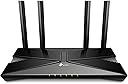
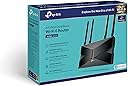
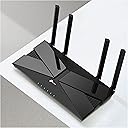
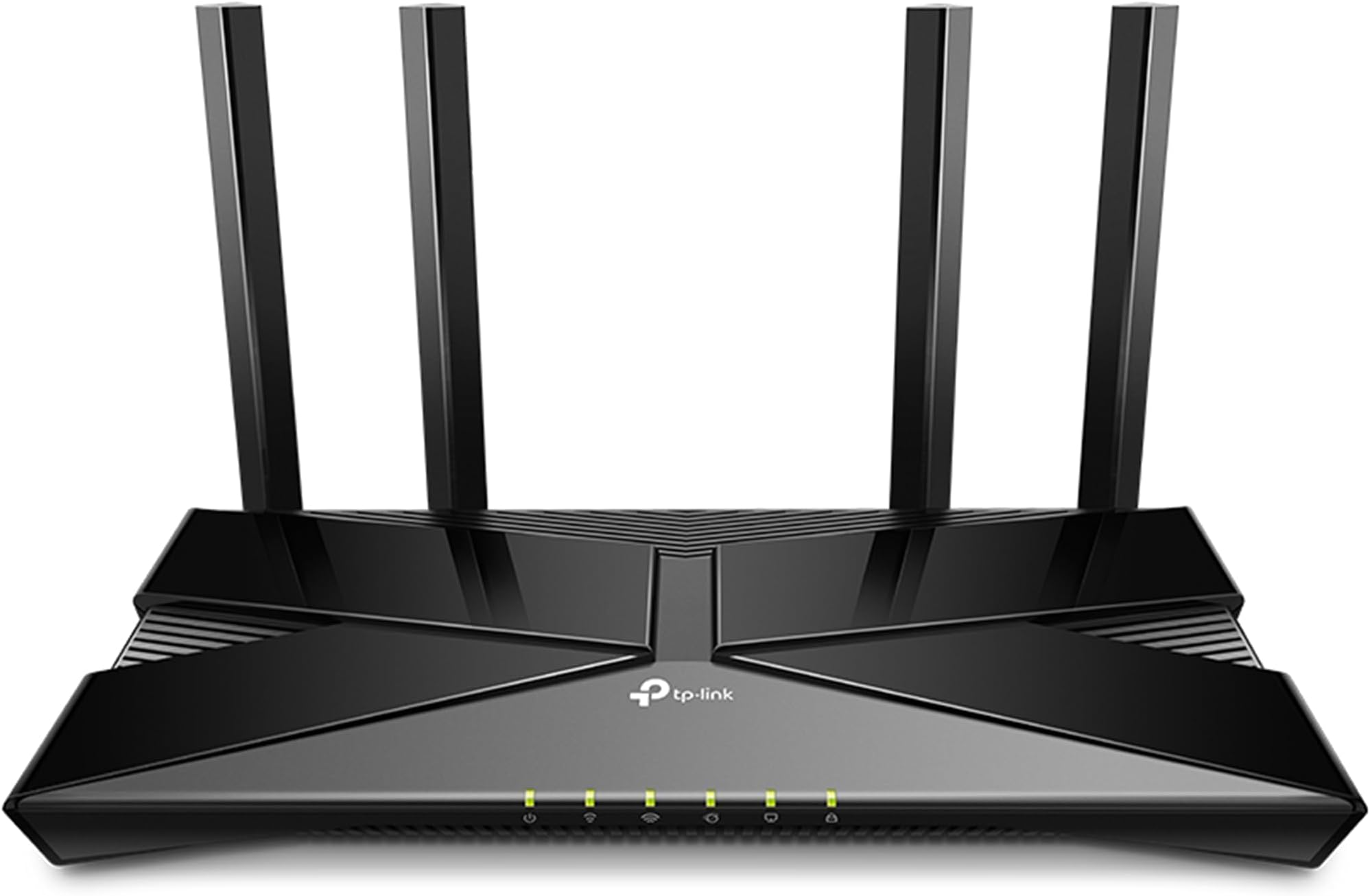
The TP-Link Archer AX23 is a Wi-Fi 6 dual-band router delivering up to 1.8Gbps speed with 4 Gigabit LAN ports, advanced beamforming antennas, and WPA3 security. Designed for seamless multi-device connectivity and wide home coverage, it offers easy setup and network management through the Tether app, making it ideal for modern homes craving fast, reliable internet.


| ASIN | B09DQ3RV16 |
| Antenna Location | Home |
| Antenna Type | Retractable |
| Best Sellers Rank | 3,102 in Computers & Accessories ( See Top 100 in Computers & Accessories ) 20 in Routers |
| Box Contents | 1 x Archer AX23, Power adapter, Power adapter. |
| Brand | TP-Link |
| Brand Name | TP-Link |
| Colour | black |
| Compatible Devices | Personal Computer |
| Compatible devices | Personal Computer |
| Connectivity Protocol | Wi-Fi |
| Connectivity Technology | Ethernet, Wi-Fi |
| Control Method | App |
| Controller Type | App Control |
| Coverage | Home coverage |
| Customer Reviews | 4.4 out of 5 stars 3,735 Reviews |
| Data Transfer Rate | 1800 Megabits Per Second |
| EU Spare Part Availability Duration | 2 Years |
| Frequency | 5 GHz |
| Frequency Band Class | Dual-Band |
| Frequency band class | Dual-Band |
| Global Trade Identification Number | 04897098687048 |
| Has Internet Connectivity | Yes |
| Has Security Updates | Yes |
| Is Modem Compatible | No |
| Item Dimensions L x W x H | 33L x 25W x 8H centimetres |
| Item Type Name | router |
| Item Weight | 420 Grams |
| LAN Port Bandwidth | 1000 Mbps |
| Manufacturer | TP-Link |
| Manufacturer Part Number | Archer AX23 |
| Maximum Upstream Data Transfer Rate | 900 Megabits Per Second |
| Model Name | ARCHERAX23 |
| Model Number | Archer AX23 |
| Model name | ARCHERAX23 |
| Number of Antennas | 4 |
| Number of Items | 4 |
| Number of Ports | 5 |
| Operating System | Linux |
| Other Special Features of the Product | WPS |
| RAM Memory Installed | 16 GB |
| Router Firewall Security Level | High |
| Router Network Type | Wireless |
| Security Protocol | WPA, WPA2, WPA3, WPA/WPA2-Enterprise (802.1X) |
| Special feature | WPS |
| Unit Count | 1.0 count |
| Voltage | 220 Volts (AC) |
| Wi-Fi Generation | Wi-Fi 6 |
| Wireless Compability | 802.11ac, 802.11ax, 802.11b, 802.11g, 802.11n |
| Wireless communication standard | 802.11ac, 802.11ax, 802.11b, 802.11g, 802.11n |
R**4
Fast, Reliable Wi-Fi with Great Coverage
The TP-Link Archer AX53 has been fantastic for our home network. Setting it up was quick and easy, and the AX3000 speed really makes a difference — streaming 4K videos and gaming online is smooth with no noticeable lag. The dual-band feature helps keep devices stable even when multiple people are connected at once. Coverage is excellent; I get strong Wi-Fi signals in every corner of my house. The interface is user-friendly, and firmware updates are simple. Overall, a reliable router that delivers fast, consistent performance at a reasonable price. UPDATE ITS STILL GREAT
M**R
BT Smarthub 2 supplement
I bought this due to limitations with the BT Smarthub 2, and more specifically the admin controls both within the BT app and the web admin console. My first observation is the AX3000 wireless signal is significantly better than the smarthub's. I live in a tall house with 3 floors, and there is no loss of signal anywhere in the house. We also have a lot of wireless signals broadcasting in the neighborhood, and none of them seem to have caused any interference problems. TP-Link's admin interface is way better than that of the Smarthub's. It's cleaner, faster and more intuitive. My main motivation was to prioritise and control bandwidth across multiple devices. This is not possible with the Smarthub. It's very easy to setup using QoS with the AX3000. One minor limitation, and I'm not sure if it's because I haven't spent enough time playing around with the feature, is that you can only prioritise devices and not explicitly set the bandwidth limit per device. The set-up is easy and takes no more than a few minutes. The basic security and parental controls are decent enough, but if you do require further flexibility then you'll need to subscribe to HomeShield for around £16 a year. Overall I'm satisfied with the product. Pros: - strong wireless signal - admin controls - good interface - QoS - Bandwidth/speed limit control per device - Security Cons: - subscription required for HomeShield -- update 07/01/2024 -- There are speed limit controls per device in the Tether App which work very well, so updating this to 5 stars
R**C
Great Signal Boost
Solved all the issues I had with poor signal in certain rooms. No buffering anywhere now even with multiple devices streaming, downloading, uploading and the rest. Certainly a step up from the Virgin Media Router and without the need for signal boosters plugged in everywhere. Good software as well for dedicating channels and managing connections.
M**C
Solid router but firmware update doesnt work via app
I'm on virgin media, they gave me the hub 3 which is absolutely terrible. The wifi kept disconnecting. I complained and they sent me another hub 3 which was just as bad - the wifi kept dropping and I'd have to turn my wifi on and off and put up with stuttering MS teams calls. I suspected it was the wifi signal so I bought this. Setup was reasonably straight forward although the app is kinda basic. You have to put the virgin media hub into modem mode and then connect it to this router and then restart the virgin media hub otherwise it wont work - theres a youtube video on it basically if you search virgin media modem mode - its not the top one but theres one with a guy explaining you need to reset the modem in the correct order. I followed the app and after a little fiddling it worked and the connection has been solid non-stop. No more signal drops, no more MS teams issues. The ONLY criticism is the app on my phone doesnt seem to update the firmware even though it says it does. You begin an update, it completes and then it says the firmware is still outdated and hasn't been applied. It doesnt really make sense.
J**S
Overall very good and worth the price.
Overall I'm happy with the router, it's about as good as it gets for the price. The router is overkill for our connection speed but I went with it for the good Antennas. Wi-Fi signal is good overall. It covers my 3 bed house well enough on it's own even though it's in the corner of the house. I'm getting the same speeds via Wi-Fi to my PC, as I do when I'm connected via Ethernet direct to the router, so I can't complain. As with almost all TP-Link products, you just scan the QR code on the back of the router with your smart phone and follow the instructions to set it up. I used my ISP's very old router in modem mode and connected both together via the included Ethernet cable. Ran a few Wi-Fi tests on my PC which is about 8 Meters away with out of the box settings, results - RSSI 2.4Ghz - 41 RSSI 5Ghz - 53 12 Ping 273.74Mbps Down 26.34Mbps Up Our ISP package is 250Mbps so we are getting full speed via Wi-Fi and Ethernet with the router.
W**D
Great set up
Very easy to set up from the box, and the app to tether the modem together worked flawlessly. Setting up the VPN was simple also. I envisioned this to be much difficult, but it wasn't. Very happy!
T**E
Problems, Problems , Was I just unlucky???
I have had a number of tp-link routers over the years and have nothing but praise for the brand. This model has given me nothing but days of grief. I have tried twice. 1st Router stubbornly refused to link to my Givenergy dongle and had to be returned as it is a necessity for managing my solar system. The WiFi was absolutely great for both speed and distance cf BT Smart Hub 2. 2nd attempt after discovering a work around. Ignore the app and set up offline, especially disabling the 5Ghz WiFi and as before changing SSID and password to match old router. Plugged everything in and all went brilliantly except the router would not install the update it kept pestering me to download. The app suggested I might want to change device names and did this for the dongle. The router then dumped me off the network. Several hours of deep joy talking to Givenergy produced no joy really. Left router connected over night and I woke in the morning with a fully working system, dongle and all. My happiness quickly dissipated when I realised that the dongle was dropping out after around 20min and staying offline for 1 or two hours before coming back online for another 20 mins or so etc etc Whilst trawling around on the net looking looking for ideas I got the impression that downloads of pages were sometimes feeling quite slow. Whilst looking in wifi connection settings there was 'note' saying I would be connected when connection speed improved. This triggered a series of speed checks over several hours which showed that the dongle disconnected when connection speed dropped. My 500Mbs nominal line speed (normally 521Mbs), usually gives a stable WiFi speed of of just over 300Mbs with my old router. At the same area of the house with this second router it showed a high of 350 and a low typically very unstable between 0.9 and 8.5. Totally unacceptable... Back to Amazon for refund. And before any snide comments: I have tried restarting the router, factory reset and reconfiguring. Also restarting my Givenergy app, clearing it's cache and uninstalling and reinstalling the app and 1hr + on the phone following guidance given by a Givenergy installation specialist. I am not having a 3rd attempt as I would lose the wiil to live.
R**Z
Better than expected.
I’m with Virgin, the router they provide is absolutely terrible. I contacted them about this a few times and the only way they can upgrade the router (which isn’t much better I’ve looked) is if I change my package. I already pay £65 per month & considering the upgrade they provide isn’t much better I thought I’d try one of these routers, and honestly from setting it up to checking internet speeds and range, it’s awesome! I made the mistake of reading the instructions before installing the app, it seemed like such a blag on paper but luckily I installed the app and the app literally did everything for me. The app told me what to do step by step and in about 5-10 minutes I was connected. Switched all my devices over super easy and my pc that’s upstairs (my router is downstairs) usually got like 36mbps. I have a 250mbps package with Virgin so I wasn’t getting even close to that. I did a speed check before and after installing the tp router. As I mentioned above with the Virgin router I was getting 36mbps, with this router I’m now getting a stable 180mbps. That’s an insane jump. I’ve done the test 3 times on each and all three times the tp router was over 180mbps. I’m obviously very happy with that. The range has also increased significantly, I couldn’t even get wifi in my kitchen with the Virgin router, now I have it in my kitchen and even in my back garden. The app is really easy to use and shows you who’s on your router, if you have any security threats and other little useful things that I haven’t used in the past. Overall I’m really happy with it so far and would definitely recommend it, especially if you’re with virgin 😂
B**N
AX23 - Powerful connectivity, seamless set up, easy set up.
Superb product, easy installation, surprisingly powerful range. I had been looking for a solid router to extend my Airtel Black 300mbps connection. My airtel router is at one corner of my home, and i was using an extender wireless extender. However, since it is wireless, by the time the signal reached my inside bedroom, passing through 3-4 walls, the speed would be ~10-15mbps, often getting disconnected. More so, the signal would barely reach my bathroom, which as everyone knows, is important :) I ended up pulling a lan cable from my main router to my inside room, and connected the AX23 in AP mode. What is surprising, the signal is so strong, my phone was catching the AX23 signal even when next to the main airtel router. I am now getting 300-400mbps speeds even across my whole house. The set up is extremely simple - the app is very user friendly and i could set it up with no issues. the browser login also works smoothly.
R**T
compatibility issues if ordering in the USA
product was as described, but the adapter that came with it was wrong. the power supply plug does not match the adapter at all, so i could not plug it into any of my sockets because it literally would not plug into the adapter either. i wish i took pictures because it's hilarious in hindsight i cannot comment on the quality, speed, functionality, performance, or value for money at all, because i literally could not test it. i didn't have any power sources to spare that would have fit either
R**A
Works Perfectly
⭐️⭐️⭐️⭐️⭐️ 5 Stars Really impressed.....Setup was quick, and it immediately fixed the weak WiFi spots in my home. The connection is steady, the speed feels a lot faster, and everything just works smoothly now. For the price, it’s a solid upgrade. Definitely worth it.
M**I
pretty good device
Router works perfectly, solved all the problems of deadzone, etc in my house. More than 2x faster if you have wifi 6 compatible devices, went from 180mbps max on my phone to 500+mbps. Pretty good upgrade for $70 if you are still using wifi5 routers and you have wifi 6 devices.
F**S
Excellent. Solved All My Game Streaming Issues
I bought this on a whim and it worked out tremendously well. I always had issues streaming games from the PC and PS5 to the Steam Deck OLED with my old Linksys WiFi 5 router. The stream would always slow down and start losing packets. This router completely eliminated these problems and now I can stream at 100mbps+ without any problems. Highly recommend it if you have a similar setup as mine. The range is also better than my old router. I have a 2BHK, and I would always only get either 0 to 1 bar of WiFi signal in my bedroom. With the TPLINK, I get around 2 and the internet is always stable. The app is nice, but I just use the web admin panel. The internet speed across all devices is fantastic and smooth. I have had no isses with this router for the few days I have owned it.
Trustpilot
1 month ago
1 month ago