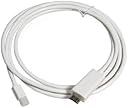
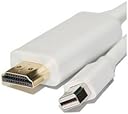
Mini DisplayPort to HDMI Cable (6 FT), Fosmon Mini DP [1080p | Thunderbolt Port Compatible] to HDMI Cable Adapter For HDTV 1080p UHD 3D - Gold Plated (White)
Product ID: 42598208
For Audio: In System Preferences, select Sound. Click the Output tab. Select your HDMI Device from the list. For Video: In System Preferences, select Displays. Click the Arrangement tab. Check Mirror Display option. Apple added support for audio over Mini DisplayPort in April 2010. The following Apple computers supply multichannel audio (up to 8 channels) and video signals over Mini DisplayPort: iMac Model 11.2, 11.3 (Mid 2010) and later Mac Pro Model 5.1 (Mid 2010) and later MacBook Model 7.1 (Mid 2010) and later MacBook Pro Model 6.1, 6.2, 7.1 (Mid 2010), 8.1, 8.2, 8.3 (Early 2011 / Thunderbolt) and later MacBook Air Model 3.1, 3.2 (Late 2010) and later ** For MacBook Pro (Mid 2012) and MacBook Air (Mid 2012) users: Please download the software update: "MacBook Pro (Mid 2012) Software Update 1.0" , "MacBook Air (Mid 2012) Software Update 1.0" from Apple Support web site. (Due to Amazon's policy, we are not allowed to display the link here.) These updates fix external display support. Apple Mac computers made before 2010 do not support audio over Mini DisplayPort. You won't get audio from the Mini DisplayPort to HDMI adapter, only video signal. This Mini DisplayPort to HDMI Adapter is also compatible with other non-Apple notebooks with Mini DisplayPort, such as Microsoft Surface Pro for Windows 8 Pro, HP Envy 14/17, Dell XPS 14/15/17, Lenovo ThinkPad notebooks with Mini DisplayPort.
Trustpilot
1 week ago
1 month ago
2 months ago
3 days ago