Buy anything from 5,000+ international stores. One checkout price. No surprise fees. Join 2M+ shoppers on Desertcart.
Desertcart purchases this item on your behalf and handles shipping, customs, and support to Tunisia.
🖱️ Elevate your workflow with the mouse that masters every surface and device
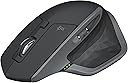
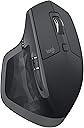
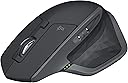
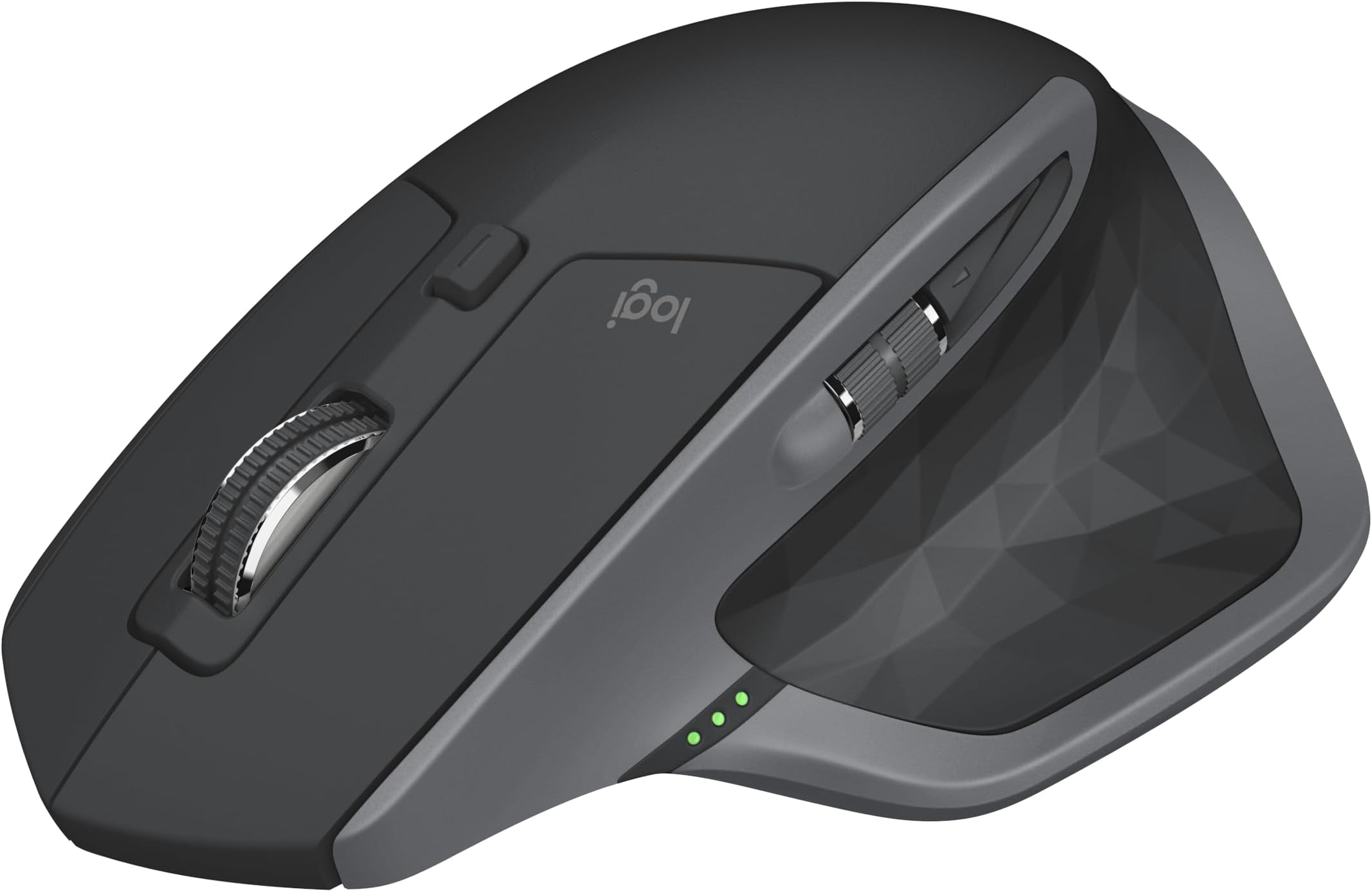
The Logitech MX Master 2S Bluetooth Edition is a premium wireless mouse engineered for professionals who demand precision, comfort, and multi-device versatility. Featuring advanced multi-surface tracking, hyper-fast adaptive scrolling, and FLOW technology for seamless control across up to three computers, it delivers exceptional productivity. Its ergonomic design and rechargeable battery with up to 70 days of life make it a durable, high-performance tool for the modern workspace.
| ASIN | B071YZJ1G1 |
| Additional Features | Ergonomic Design |
| Antenna Location | Office |
| Are Batteries Included | Yes |
| Are Batteries Required | Yes |
| Battery Average Life | 1680 Hours |
| Best Sellers Rank | #147 in Computer Mice |
| Brand | Logitech |
| Built-In Media | Micro-USB cable for recharging, Mouse, User documentation |
| Button Quantity | 7 |
| Color | Graphite |
| Compatible Devices | Personal Computer |
| Connectivity Technology | Bluetooth |
| Customer Reviews | 4.6 out of 5 stars 16,248 Reviews |
| Enclosure Material | Plastic |
| Global Trade Identification Number | 00097855131034 |
| Hand Orientation | Right |
| Hardware Platform | Laptop, PC |
| Item Dimensions L x W | 4.9"L x 3.37"W |
| Item Type Name | Logitech MX Master 2S Wireless Mouse with FLOW Cross-Computer Control and File Sharing for PC and Mac - 910-005131 |
| Item Weight | 145 Grams |
| Manufacturer | Logitech |
| Mfr Part Number | 910-005131 |
| Minimum Required Operating System Version | Windows 8 |
| Model Name | 2017 Model |
| Model Number | 910-005131 |
| Movement Detection | Trackball |
| Movement Detection Technology | Trackball |
| Number of Batteries | 1 CR123A batteries required. (included) |
| Number of Buttons | 7 |
| Operating System | Windows 10, Windows 8 |
| Power Source | Battery Powered |
| Range | 10.0 meters |
| Special Feature | Ergonomic Design |
| Style Name | MX Master 2S |
| UPC | 097855192509 097855131034 097855160454 |
| Unit Count | 3.4 Ounce |
| Warranty Description | 1 - year limited warranty |
D**L
This mouse is incredible
Occasionally I will buy a more expensive item for my computer just to see if the increased cost is worth it or not. Sometimes it is, and sometimes it is not. When I had gotten a new laptop I wanted to get a new mouse with it, and the only features I was really looking for were bluetooth, and the ability to use it on basically any surface. I have had this for nearly a year as of posting this review. So. What did I end up getting? For starters, I did test the mouse on all kinds of weird surfaces, such as glass, my hand, or my computer monitors, and it worked pretty smoothly on every surface I tested. So it nails that. The bluetooth works amazingly well as well, and the battery life is incredible - requiring charged only after weeks of use. I have had problems with wireless mice having a delay on initial movement, which sounds like a minor problem until you are experiencing it. No delay with this mouse. It is very responsive. The mouse wheel was a nice surprise. It has some special thought put into it. It has the ability to roll like most wheels do, the ability to free spin, and a button to toggle these modes. What it also has is the ability to do a hybrid of these where, if you spin it with a low amount of force it spins normally, but if you spin it harder it toggles to free spin. If you install the mouse's software, you can configure how much force it takes to smoothly transition into the free spin, or to effectively disable that feature. On the side of the mouse is a scroll wheel that controls side to side movement in the way the scroll wheel handles up and down. Very useful for applications like spreadsheets where sideways scrolling is a thing. The mouse has a number of buttons on it that can be configured in the software. One of those buttons is actually underneath where your thumb rests, and is resistant enough to prevent accidental presses, and not so resistant that it is a pain to use. One of the things you can configure in the software is what that button does when you hold it and move the mouse. Holding it and swiping the mouse down might minimize everything on your screen, while an up or sideways motion, or a direct tap is configured to do something else. Neat feature set, right? Well that isn't even all it can do. It has another feature in which you can connect it to multiple computers, and then you and move the mouse around between them like they are all multiple monitors. You can also move files between the computers this way. The feature is a bit on the slow side, needing time to disconnect from one computer and connect to the other when switching, which isn't as smooth as you might hope. However, it is still a very useful feature if you have multiple systems and often move files between them. Great quality of life feature! Overall, this mouse far exceeded my expectations. I was not expecting to say that this mouse is worth every penny of its fairly high cost, but that is what I am saying. Yes, it is a bit costly for a mouse, but it is very, very worth it.
Y**G
The best mouse I've ever used
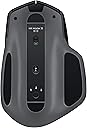
I have owned the previous MX Master for over two years. It was amazing in pretty much every respect. Over time it got scratched up from being in my travel bag so when the new version came out, I jumped on it. I've had no regrets since. It's everything the original version offered plus more. The MX Master 2S is overall unchanged physically. Same button placement, same shape, same size. The only identifiable thing are the new colors. The previous black+bronze was nice but curious color choice - a bit steampunk if you ask me. The new color options, blue, white, and black on graphite (my choice) is a more traditional color for peripherals. In terms of buttons, it's the same as the previous model - two main buttons on top, scroll wheel that acts as a third button and a wheel lock button to freespin the wheel when you need it. The main two top buttons feel clickier or crisper than my previous mouse. I don't know if Logitech changed the mechanism or my old mouse is just worn out. However the more tactile feel is a welcome change. The free spin button is something unique that I have not seen on any other mouse. Normally the wheel is a friction wheel offering bumpy tactile feel. This is useful for precise scrolling. When you click the center button, the mouse releases the friction of the mouse and allows it to free spin. This is immensely useful if you need to scroll quickly for large spreadsheets, documents, or webpages. I am a photographer and designer and having free spin is great for changing brush sizes, brush hardness, opacity, and other options in photo editing programs. There is also a horizontal scroll wheel and two buttons on the thumb. Admittedly I barely ever use the thumb scroll but it's a useful wheel to have to assign it to creative uses. The two forward and backward buttons unfortunately haven't changed at all. Most people complained about the size and shape of these. It's hard to touch-press them unless you're very used to the mouse. This has not changed at all. These buttons really need to be larger. Finally there is a hidden "gesture" button on thumb pad underneath the soft rubber. You push down to switch between windows in Windows 10. Alternatively you can assign this to something more useful. I almost never use it since I alt-tab everything. If you didn't know this button was there you would probably miss it. It is well hidden and the press down is awkward. Either way, it's an extra button you can use creatively. Overall the mouse design is excellent. The size is perfect and the slightly slanted wedge design is great to save your wrists from carpal tunnel injury over long time use. This is SIGNIFICANTLY better than a traditional flat mouse (I'm looking at you Apple Magic Mouse). While it's not a perfectly vertical mouse, it's large enough for your hands to cup it naturally and pivot on your wrist bone for more precise movements with less pain. My favorite feature is the multi-system switch button. On the bottom there is a button to switch between 3 systems. Previously there was a separate connect button that Logitech smartly did away with. Now there is just one button, press once to switch between 1, 2, or 3, and hold down to put the mouse in search/connect mode for a new device. This feature is simply amazing. I have a desktop, a laptop, and my fiance has a laptop. We all have each system assigned to a number. Simply one press will let you seamlessly switch between systems. There is no lag. There is no delay. There is no reconnect. Once you've paired it, you never have to do it again. The mouse works with Logitech's universal dongle as well as bluetooth. Honestly bluetooth is all you ever really need. I have the dongle on my desktop and just use bluetooth on the two other laptops. This is by far the BEST FEATURE of this mouse. I don't need to buy extra mice for other systems, I just take the same mouse with me. The mouse also works on pretty much every surface I've tried it on. I have a black table and several mice have given up working on it. They work for a bit but loose their way. I've tried this on really dark furniture, mouse pads, and even glass. It takes all surfaces like a champ! The second best feature is the battery. I have used other wireless mice such as Razr, other Logitech, and Apple. The batteries for these mice area lacking in battery life. Nothing is worse than working or playing a game and the battery dies mid-way. Typically those batteries last a few days at best. The MX Master 2S WILL LAST YOU WEEKS. I got mine two weeks ago and I still haven't charged it since. If it does die, it will prompt you on screen and you can charge while you continue working. Overall this is the best wireless mouse I've ever used. I would not hesitate to buy it. It is a bit pricey though, for good reason. If you can find it on sale, DEFINITELY buy! You won't look back! If this review helped, or managed to get this far, why not give me me a like? Thanks :)
E**R
Great buy
The Logitech MX Master 2S is one of the best wireless mice on the market, and for good reason. It is packed with features that make it ideal for productivity and creativity, including: Hyper-fast scrolling: The MX Master 2S features a unique hyper-fast scroll wheel that allows you to scroll through long documents and web pages with a flick of your finger. Ergonomic design: The MX Master 2S is designed to fit comfortably in your hand, even after long hours of use. It features a thumb rest, contoured shape, and soft-touch coating. Multi-device control: The MX Master 2S can be paired with up to three devices, and you can easily switch between them with the press of a button. This makes it ideal for multitasking and working across multiple computers. Long battery life: The MX Master 2S can last up to 70 days on a single charge, so you don't have to worry about running out of battery power in the middle of the day. In addition to these features, the MX Master 2S also has a number of other features that make it a great choice for power users, such as: Customizable buttons: You can customize the buttons on the MX Master 2S to perform your favorite shortcuts and commands. Gesture support: The MX Master 2S supports a variety of gestures, which can be used to control your computer and applications in new and innovative ways. Darkfield tracking: The MX Master 2S can track on virtually any surface, including glass, so you can use it anywhere. Overall, the Logitech MX Master 2S is an excellent wireless mouse for productivity and creativity. It is packed with features that make it easy to use and customize, and it is very comfortable to use for long periods of time.
K**N
Superior!
I got my first one of these in 2020, and six years later it was time for a replacement. I was so happy with the first one that I skipped the upgraded/latest version as I haven’t tried them and just know this fits and works absolutely great. Not noisy. Compatible with all my devices. No lag, and scrolls fast! Also. The battery life is absolutely amazing, like I said, my old one had been used extensively for six years.. that’s quality.
J**S
Died after almost 3 years – Great mouse, but shortcut buttons behave erratically on Windows 11
The Logitech MX Master 2S is a very comfortable and well-built mouse. The ergonomics are excellent, the scroll wheel is smooth, and overall it feels like a premium device. However, I experienced a recurring issue when using it with Windows 11, particularly when configuring and using the shortcut buttons. Instead of performing the assigned shortcuts, the mouse would sometimes behave erratically and trigger unexpected actions, causing multiple windows to move or switch at once. It worked well for basic use, but the problems with the customizable buttons made the experience frustrating at times. Unfortunately, it stopped working completely after almost three years of use. Overall, great design and comfort, but the shortcut functionality with Windows 11 was unreliable in my case.
A**R
Great Mouse
This is a very useful mouse. It has a large number of keys, which can be set by the user with the Logitech options software. The battery life is very good, I use it at work for weeks at a time between charges. There is a set of 3 dots on the side that indicate the battery life level. I usually charge mine when it has one dot left. I have not had the mouse run out of battery on me yet. The mouse also has a fairly long cable and can be charged while in use. The mouse would likely charge more quickly if they used a usb type c instead of micro usb, so that could be improved on going forward. This mouse is also able to seamlessly move from 3 different devices using a button on the bottom which has indicators for which device it is currently active on. I have only tested this using a usb dongle and bluetooth, but it worked quickly and out of the box. This is one of the greatest strengths of this mouse. It just works out of the box without much effort. The feel of the mouse is very good, its heavier than most are probably use to, especially if you are coming from a smaller wireless mouse. This is most likely due to the larger battery. I am someone with a fairly large hand and the mouse feels like the right size for me. It fits nicely into my hand and this means I don’t have to use a claw grip, which can make my hand uncomfortable. All of the macros are very easy to reach, keep it from feeling awkward. Although I found myself mistakenly using the side scroll wheel when trying to use the back button. While I am on the subject of the scroll wheel, the infinite scroll wheel is fantastic for quickly scrolling through code or emails. The mouse feels its best on a mousepad, however it works on hard surfaces, as well as my couch. The build quality feels very good, the textured feel of the mouse is really high quality feeling. The look is a plus as well.
F**M
Fantastic Mouse and great wrist relief!
This mouse is fantastic! My Apple mouse was making my Carpal Tunnel hurt big time and this is a great relief. So far so good and I would highly recommend it for Mac Users!
A**C
Great mouse for work and gaming
If you've ever used an older wireless mouse from the previous generation (4+ years ago), you might remember that most of them have fairly poor battery life, especially the ones with built-in lithium ion batteries. Like me, you might have also had experiences where your wireless mouse would have weird performance issues or would take a while to "wake up" after not using it for a while. Logitech has been making wireless mice for a long time. It's clear from this device's nearly flawless implementation that they've taken an iterative improvement approach to their product, with a goal of making it longer-lasting, more durable, more convenient and more reliable while also meeting the performance expectations of both gamers and power users. This is a fairly expensive device as far as mice go, but the build quality and all the other aspects of this mouse are so great that it's well worth the price. I bought one for my office and one for home. My favorite part about this mouse is how it's flexible between the Logitech Unifying receiver and Bluetooth. The only problem I've ever had with this device is that certain sub-par Bluetooth implementations (such as the one built into my desktop) doesn't provide a very reliable signal, but that's probably because the signal has to travel through my PC case and desk to reach the mouse. The Unifying signal is basically flawless and far superior to Bluetooth. The other part I really like is how I didn't have to tweak or customize it at all in software for it to feel just right for me. It didn't take me any time to adjust; it felt perfect from the start. The side buttons on the top left "ridge' are a little difficult for me to press with my thumb because they're so far back; I wouldn't have to bend my thumb as much if they were a little closer to the front. But I don't use them terribly often so it's not a showstopper for me. The scroll wheel dynamic adjust between free-wheel and click mode is awesome. I really like it because it's easy to scroll a long distance through a big document with one swipe, but if you want to scroll a few lines at a time you can do that, too. Overall this is the best mouse I currently own. It's just as good as gaming wired mice from the competition, but the battery life of 3-4 months between charges means the typical disadvantages of wireless mice aren't really a factor.
S**N
Big-Hand Comfort, Pro Control: Logitech MX Master 2S Review (Bluetooth Connection Caveat)
The Logitech MX Master 2S is an excellent wireless mouse, particularly if you have very large hands. The shape is generously sized with a supportive palm profile, and it feels stable and comfortable for long sessions—especially for productivity work where precision and control matter. The scroll wheel is smooth and accurate, all the other additional buttons for me are just annoying and i don't use them, but that is just me. One point worth calling out is connectivity. The MX Master 2S that i bought can connect via Bluetooth directly to your PC, which is convenient if your computer already has Bluetooth built in. However, it does not come with a Bluetooth USB module that you plug into a port to add Bluetooth to a non-Bluetooth machine. So if your PC doesn’t support Bluetooth, you’ll need to either use the included Logitech receiver (if your model includes one as you can buy this mouse with one) or supply your own Bluetooth adapter. Overall, if comfort is a priority—particularly for larger hands—the MX Master 2S remains a standout choice: ergonomic, precise, and ideal for everyday professional use, with the main caveat being to ensure your PC has a suitable way to connect.
K**R
Solid workhorse
Great mouse. Battery gets wiped after around 2-3 weeks though. But the mouse works fine.
R**.
Muy buen ratón
Espectacular tacto, maniobrabilidad y ajuste a la mano. Sin duda uno de los mejores ratones que he comprado.
T**G
work very well
this mouse is perfect for those who need to deal a lot of data or read PDF
J**B
Une mise en service pas forcément de tout repos
Sur Mac, en remplacement d'une MX Master originale ayant subi les outrages du temps. Qu'est-ce qui pourrait mal se passer? Une souris non reconnue ni en bluetooth, ni en Unifying (dongle Logitech, non fourni avec cet article mais déjà en ma possession). Il m'a fallu passer par l'utilitaire Logitech Options, trouver l'option "Add devices" > "Add Unifying device". Et voila, les deux souris, l'anciene et la nouvelle, fonctionnent sur le dongle. Vous n'aurez peut-être pas ma chance, et les instruction Logitech ne vous seront d'aucun secours. Une étoile de moins pour un plug-and-play mis en échec pour des raisons obscures.
Trustpilot
3 days ago
2 weeks ago