Desertcart purchases this item on your behalf and handles shipping, customs, and support to Tunisia.
๐ Elevate your workspace with lightning-fast, future-ready Wi-Fi!
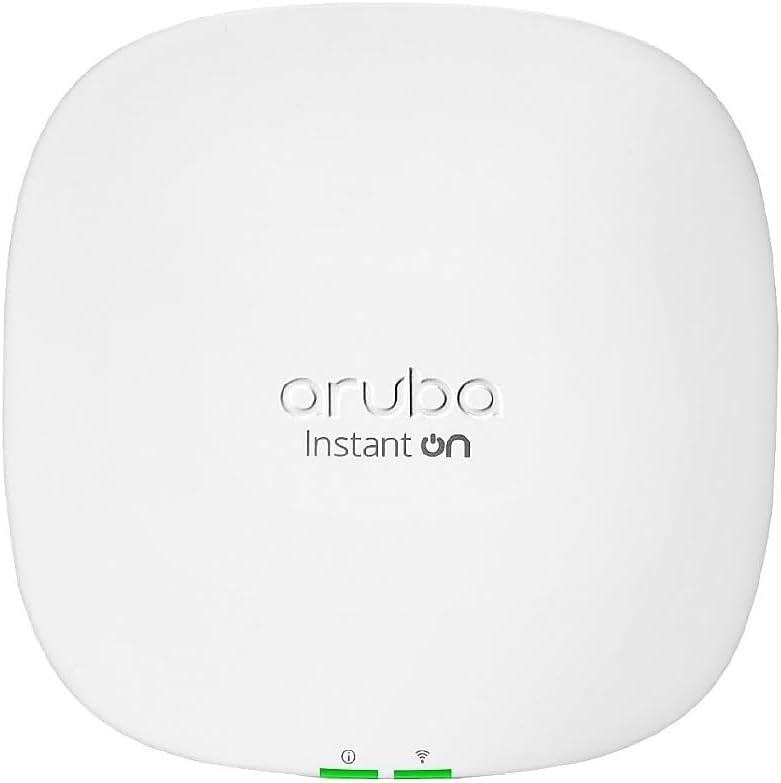
The Aruba Instant On AP25 is a Wi-Fi 6 certified 4x4 access point delivering ultra-high speeds up to 5374 Mbps total throughput, optimized for high-density environments with support for 100+ devices. Featuring OFDMA, MU-MIMO, and Smart Mesh technology, it ensures low latency and seamless coverage. Easy to set up and manage via a mobile app with no extra licensing fees, it supports Power over Ethernet (PoE) for flexible deployment. Ideal for small businesses, gaming, and professional offices seeking reliable, scalable wireless performance.


| ASIN | B09X5S8NRS |
| Antenna Location | Gaming |
| Antenna Type | Internal |
| Best Sellers Rank | #63,272 in Computers ( See Top 100 in Computers ) #234 in Wireless Access Points |
| Brand | Hewlett Packard Enterprise |
| Built-In Media | Power adapter not included |
| Compatible Devices | Personal Computer, Smartphone, Gaming Console, Streaming Device, Smart Television |
| Compatible devices | Personal Computer, Smartphone, Gaming Console, Streaming Device, Smart Television |
| Connectivity Protocol | Wi-Fi |
| Connectivity Technology | Wi-Fi |
| Control Method | App |
| Controller Type | App Control |
| Coverage | High-density environments |
| Customer Reviews | 4.4 out of 5 stars 94 Reviews |
| Data Transfer Rate | 4800 Megabits Per Second |
| Frequency | 5.00 |
| Frequency Band Class | Dual-Band |
| Frequency band class | Dual-Band |
| Has Internet Connectivity | Yes |
| Has Security Updates | No |
| Is Modem Compatible | No |
| Item Type Name | Wireless Access Point |
| Item Weight | 2.25 Pounds |
| LAN Port Bandwidth | 4800 megabits_per_second |
| Manufacturer | Hewlett Packard Enterprise |
| Maximum Upstream Data Transfer Rate | 4800 Megabits Per Second |
| Mfr Part Number | R9B27A |
| Model Name | Power Adapter Not Included |
| Model Number | Power Adapter Not Included |
| Model name | Power Adapter Not Included |
| Number of Antennas | 1 |
| Number of Ports | 1 |
| Operating System | Linux |
| Other Special Features of the Product | Access Point Mode |
| Router Network Type | wireless |
| Security Protocol | WPA3 |
| Special features | Access Point Mode |
| UPC | 190017563534 |
| Unit Count | 1.0 Count |
| Voltage | 12 Volts |
| Warranty Description | 1 year manufacturer |
| Wi-Fi Generation | Wi-Fi 6 |
| Wireless Compability | 802.11ax |
| Wireless communication standard | 802.11ax |
A**R
Better than expected coverage
I got 4 of these to cover a large warehouse type area and offices. I actually had to turn down the range on the APs because they were overlapping so much. Bonus is that should make them last longer. I am so impressed with the ease of set up and the range. The app could be better, but it is great for home and SMB use.
D**S
Received an open boxed used item with missing pieces.
Boxes were opened, missing items inside and they were used. warranty shows they are not new items.
M**R
Works as intended. No issues after 6 months.
Have been stable overall. Only giving 4 stars as I really feel the web interface and app can be just a bit better and more functionalities should be exposed through these interfaces. Been running these for a while now with minimal disruptions or issues. Recommend the Aruba instanton line if it meets your requirements. The price to feature ratio is hard to beat overall.
T**N
Not so "Smart Mesh"
Main Requirements: VLAN / Mesh / 100+ WiFi devices / Happy Family Reason for 3 stars: "Smart Mesh" works but not like true 24x7x365 mesh systems (Netgear Orbi). HPE Aruba seems to use mesh as a failover in the event the wired ethernet connection fails. Also, I expected more prosumer advanced features in the Instant On Portal interface. We have a two story, 3200 sq ft brick exterior home and have been using Netgear Orbi (RBK53 -> RBK754) for some time and love them. Orbi mesh just works and it works very well with minimal intervention or reboots. Orbi bandwidth (200-500 Mbps) was always great with our 4 unit configuration. Even outside for wireless cameras and IoT. For these AP25's I setup the first one wired (Mesh Portal Point) to my managed switch and I was very impressed with the bandwidth (700+ Mbps) on the 5GHz band (160 MHz). Range for 5GHz was good too so I expected the 2nd and 3rd units (connected via mesh) to work fine too. Nope! The first non-wired 5GHz AP25 "Mesh Point" had to be much closer to the wired "Mesh Portal Point" in my office than my Orbi Satellite. This was not an option due to the layout of my house as I am not going to install whole house ethernet. Again, Orbi mesh works and that was my expectation here. HPE Aruba Smart Mesh also cut bandwidth in half or greater at all access points. Worse at Mesh Point. No dedicated 5GHz backhaul so some degradation was expected. I am a prosumer and need to configure VLANs for my growing number of IoT devices and wireless cameras so Orbi is no longer a viable solution. Nor is the high end model $2K+ price tag! With my 30 day return window in mind I knew HPE Aruba Smart Mesh was just not going to work for me so I went with MOCA 2.5 over my preinstalled coaxial lines. This worked well and now all three AP25's are wired, two over MOCA 2.5. On a good note the final AP25 trio placement is better than my four Orbi's. The bandwidth has gone back up (~700 Mbps) as well after eliminating the Smart Mesh. Two AP25's cover the inside and one outside (weather safe location) for patio and pool area. I still have to cut holes in my walls/ceiling to cleanly mount (spouse approved) and reroute coax but overall I know this style access point is the way to go for my requirements and future upgrades. I will miss the simplicity of the Netgear Orbi and it's tri-band dedicated backhaul but even the latest dual band Orbi eliminated the dedicated 5GHz backhaul to keep costs down from their top end $2K+ models.
G**P
Great APs - Simple to set up and set it an forget it for an enterprise grade wireless newtork!
I can't say enough good about the two AP-25 Wifi 6 Instant On access points that I deployed in my home (About 1500 SF, single story). I am a systems administrator and support an enterprise campus full of Aruba controller based access points. These are 4x4 MPIO, so they handle a lot of clients (way more than I will every have at my house). Our Aruba rep let me know the AP-25 was basically an Aruba AP-535 access point, as it has mostly all of the same hardware. The AP-535 APs run about ~1400.00 each. You also need muliple license for the Aruba AP-535 series of access points and a wireless controller unless you run them with one AP acting as a controller for all the others. Also, there are no additional licensing cost for any of the Instance On access points and switches. Just plug them in, answer some setup questions and you are in business. The cloud portal is clean and easy to navigate. It was simple to on board the APs and it includes a lot of features you will not find in a consumer grade wireless router. Some of the features I really like is the ability to disable a specific wireless connection on the fly through the GUI interface, which is nice when I want to punish the kids, but still have internet service through out the house. Other features like bandwidth monitoring and real-time traffic monitoring which shows what kind of services are being used by client are really nice. I haven't had any problems with the cloud portal - it seems very stable. If I understand correctly, If for some reason the portal is down, your network will continute to work, but you won't be able to see monitoring/reporting or make changes to your network. With their Instant On series switches, you can manage them in the cloud portal or through a local GUI (and CLI) to access many enterprise level features. I installed the APs on different sides of my house, mounting to the client (which provides for the best coverage). Roaming and session hand off between the APs works beautifully and I haven't had to restart these since I powered them about 3 months ago. I feel like my network very stable and I don't even think about it. Short story long, set it and forget it and you are good to go for a premium wifi network in your home or business. It is very simple to deploy. These replaced a couple of UniFi AC-PRO access points, and I feel like it is a real step up on the network. These APs include a mount that I used to deploy each AP on the ceiling - It took longer for me to break out the ladder than it did to mount them. There are a couple of small yellow lights on each AP, but they are defiantly not bright and can be disabled easily in the portal. I have multiple POE+ switches so I didn't have to buy the AC adapter bundle, which saved a little on costs. Also, these support mesh configurations, so if you don't have a wired connection where you want to install them, you can set them up where one of the other APs in your network provides the uplink connection to wifi, which is great for dead spots. With the long lead times for equipment like this, I had to wait for these to become available. I am very glad I did so - they are way more than what I need for my home network and the AP-22 models would have been a cheaper options, but I like to future proof and these were available. Overall, great experience and I highly recommend them to others!
Trustpilot
2 weeks ago
1 month ago