Desertcart purchases this item on your behalf and handles shipping, customs, and support to Tunisia.
🚀 Elevate Your Home Network to Pro-Level Speed & Security
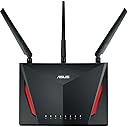
The ASUS RT-AC86U AC2900 Dual-Band WiFi Gaming Router combines cutting-edge 802.11ac MU-MIMO technology with a powerful 1.8GHz dual-core processor to deliver ultra-fast wireless speeds up to 2900 Mbps. Designed for gamers and streamers, it features WTFast game acceleration and adaptive QoS for lag-free performance. With AiMesh compatibility, lifetime Trend Micro internet security, and a user-friendly ASUS Router app, it offers robust coverage, advanced network management, and top-tier protection for all your connected devices.


| ASIN | B0752FD3XJ |
| Antenna Location | Security |
| Antenna Type | Retractable |
| Best Sellers Rank | #68,678 in Computers & Accessories ( See Top 100 in Computers & Accessories ) #1,535 in Computer Routers |
| Brand | ASUS |
| Built-In Media | Quick start guide, RJ-45 cable, RT-AC86U networking router, power adapter |
| Color | Black, Red |
| Compatible Devices | Personal Computer, Tablet, Laptop, Smartphone, Security Camera, Gaming Console, Smart Television |
| Connectivity Protocol | ethernet, wi-fi |
| Connectivity Technology | Ethernet, USB, Wi-Fi |
| Control Method | Voice |
| Controller Type | amazon_alexa, vera |
| Coverage | Improved wireless signal coverage with AiMesh technology and dual-band frequency |
| Customer Reviews | 4.4 out of 5 stars 5,865 Reviews |
| Data Transfer Rate | 2900 megabits_per_second |
| Frequency | 2.4 GHz |
| Frequency Band Class | Dual-Band |
| Global Trade Identification Number | 00889349624609, 04712900663402 |
| Item Dimensions L x W x H | 6.2"L x 3.3"W x 8.66"H |
| Item Type Name | ASUS RT-AC86U Dual Band Wireless Router AC2900 WiFi with 4-Port Gigabit LAN, 1.8GHz Dual-Core Processor, USB 3.1 Gen1 and Aiprotection Network Security Powered by Trend Micro |
| Item Weight | 2 pounds |
| LAN Port Bandwidth | Gigabit Ethernet |
| Manufacturer | ASUS Computer International Direct |
| Maximum Upstream Data Transfer Rate | 750 megabits_per_second |
| Mfr Part Number | RT-AC86U |
| Model Name | RT-AC86U |
| Model Number | RT-AC86U |
| Number of Antennas | 4 |
| Number of Items | 1 |
| Number of Ports | 6 |
| Operating System | Windows® 10;Windows® 8;Windows® 7;Mac OS X 10.6;Mac OS X 10.7;Mac OS X 10.8;Linux |
| Other Special Features of the Product | Aimesh, Internet Security, LED Indicator, Parental Control, QoS |
| RAM Memory Installed | 512 MB |
| Router Firewall Security Level | Maximum |
| Router Network Type | Dual Band |
| Security Protocol | WEP, WPA, WPA-PSK, WPA2, WPA2-PSK, WPS |
| Special Feature | Aimesh, Internet Security, LED Indicator, Parental Control, QoS |
| UPC | 889349624609 |
| Unit Count | 1 Count |
| Voltage | 19 volts |
| Warranty Description | 2 years |
| Wi-Fi Generation | Wi-Fi 5 |
| Wireless Communication Standard | 802.11ac |
| Wireless Compability | 802.11ac |
M**O
Great, inexpensive, high performance router
I thought I had reviewed this router some time ago, but apparently I forgot to do it. I bought one in December 2017 and one in March, 2018. Both are being used and are set up in my two-story, 3100 sq-ft house, in router+AP mode to provide high strength 5 GHz coverage for the entire house. I'm not using AiMesh mode and haven't tried it. These have been great routers for my needs. Fast, inexpensive, reliable. I started with just one RT-AC86U that replaced my RT-AC3100 that had replaced my RT-AC68U, and I found that, overall, RT-AC86U provided better range and speed for both the 2.4 GHz and 5 GHz bands than either of those two routers for multiple types of devices (Mac laptop, Android phone, iPad). I did a fairly extensive set of tests that can be found on the SNB forums. I was able to connect in the far bedrooms on the 2.4 GHz band with just a single router and had no problem doing typical internet surfing, but while the connection strength and speed was better than the two previous routers, it still wasn't what I wanted. After doing a fair bit of reading, I realized that no single router would provide the 5 GHz coverage that I wanted in the far bedrooms, so I bought a second RT-AC86U, and set it up in AP mode at a location suitable to provide good signal strength in the far bedrooms. Running in main+AP mode requires a dedicated ethernet connection between the two routers. Running this cable is easy for some, but not others. AiMesh is an option for those who don't have the option of running an ethernet cable. For the main AC86U, I have both the 2.4 GHz and 5 GHz radios enabled, and the satellite AC86U has only the 5 GHz radio enabled. I did this because the 2.4 GHz band on the main AC86U does sufficiently cover the entire house. This dual router setup has been 100% reliable since the day I set it up. My router settings are fairly simple. No attached storage because I have a dedicated NAS. I have several ports on my "server" computer forwarded. The VPN server on the router is enabled, and I use it routinely without issue. Most of the other bells and whistles are disabled. I'm not using traffic monitoring, nor am I using AiProtection. No gamers on my network. I have a typical range of devices connecting - several computers, several phones, security cameras, NAS, printer. All work without issue. WiFi speeds with a strong signal are as good as can be expected. My MacBookPro with 3x3 5 GHz consistently has a 1300 mbps link speed in the vicinity of either router, and transfers to/from my server computer from this laptop go at 70 MB/s. LAN speeds over ethernet are quite fast. If I set up jumbo frames, I can saturate the 1GB/s ethernet between my server computer and NAS in both read and write mode. Its a bit slower with a standard MTU. I will say that obtaining good hand-off between the two AC86Us as people move from location to location in the house took a bit of tuning. I had to enable the Roaming Assistant option on the main AC86U to kick devices off it when the 5 GHz signal strength falls below -66 dBm. Something like this has to be done because most devices don't readily disconnect from one access point until signal strength is in the pits, even when there is another high strength access point in the vicinity. To summarize again, this is a great, inexpensive, high performance router in my experience. 04/05/2020 UPDATE I'm puzzled by the nearly 20% 1-star reviews because I now have four of these in service, two at my house and two at my cabin (large property), and all of them work perfectly. Either I've been really lucky with all four, or there is something about the settings and/or other equipment for some people that is causing issues. 07/21/2021 UPDATE My four RT-AC86Us continue to work flawlessly. Performance and functionality of the devices continue to improve as ASUS and Merlin continue to improve the firmware for this router and other ASUS routers. At the current price of $150, this is an outstanding router to have even considering that AX (WIFI 6) routers are now available. IMHO, WIFI 6 is a bit of a gimmick. 98% of people will not benefit from WIFI 6 even if your laptop/phone/tablet are WIFI 6. There just aren't many needs for that kind of speed, and the reality is that the half-duplex nature of all wifi along with the additional error checking result in a data transmission latency that reduces the value of a very high speed wifi protocol.
C**Y
Solid AC Router, a step up from the RT-AC68U
The RT-AC86U was purchased as an upgrade, swapping a RT-AC68U as a parent router for this one, in an existing Aimesh network. The 86U is a much more powerful router compared to the 68U, has twice as much RAM (512MB vs. 256MB), and a faster dual-core CPU (64-bit dual core 1.8Ghz vs. the slower sub-1Ghz CPU in the 68U). The other advantage of the 86U is that it is likely to receive long-term support from ASUS in terms of firmware releases, as it is based from ASUS's most widely-selling 68U router. Make sure you update to the latest firmware before configuring and using the 86U, as a number of stability fixes and performance enhancements (as well as security fixes) are part of the latest firmware package. You're always best off upgrading the firmware before configuring, starting from a blank slate rather than copying over settings from an older firmware that may not carry over so well. If you're adding the 86U to an existing Aimesh network, and you're using this router to upgrade the "parent" router, you'll need to hold the reset button down for any Aimesh nodes in order for them to be seen and added to the 86U. It's a fairly simple process. Also, for the router you're replacing, if it's ASUS Aimesh-compatible, make sure you change the router to function as an Aimesh node before unplugging it and moving it. Currently my home network consists of three RT-AC68U's (all Aimesh nodes), with the RT-AC86U as the parent router. All Aimesh nodes use an ethernet backhaul rather than connecting wirelessly, as they are spread fairly far apart throughout my home. When using an ethernet backhaul, there is no loss of bandwidth due to distances between the router and the Aimesh node, so it's definitely the way to go if you have network jacks that are centrally home-run to wherever your router is located. The 86U was easy to set up, and it easily handles the 40+ clients that utilize both 2.4Ghz and 5Ghz Wifi bands. No drops on either 2.4Ghz/5Ghz bands, it's a rock solid Wifi/home router on the latest firmware release from ASUS. The 86U also has at least 50-75% more range than the 68U. I now get the 2.4Ghz band well into my 2-acre backyard, whereas the 68U's signal faded at least 100 ft shorter distance by comparison. A great router for the $$$, easy setup, reliable, and great for gaming if used for those purposes. 5 stars for this one.
R**O
ASUS AC2900 (RT-AC86U) Great so far!
I've been using this router for around 2 weeks now. The connection is steady, it definitely improved my internet speed as my old router was just a manufacturer router from the ISP which was terrible. At first I thought there were some distance issues as my laptop was seeing ~50Mbps speeds instead of the 100Mbps I get from my ISP. However, after further troubleshooting, I discovered the issue was that my WLAN card was pretty outdated. I purchased a new one for 25$ and with that combination I now see ~115Mbps constantly no matter where I am in my house. I definitely love how easy it is to configure. I had a bit of trouble at first as the usual 192.168.0.1 or 0.2 were not the correct addresses for the router. Nothing a quick run of ipconfig command on the command prompt couldn't help with. Overall, it updated quickly after setup and was ready to use. Pretty fool proof if you ask me. I would suggest ensuring that your WLAN cards can handle 5Ghz bands, otherwise do not use the Smart Connect features which use Dual-Band to route the service as it will look sluggish. In such cases, just split them up manually and set the channel band to 40Mhz, this should boost up your speeds a bit as well. I like that they have a base Wtfast account setup for one gaming device (Warning: More devices require a subscription fee to Wtfast). However, I am currently the only one with a gaming laptop in my house that I can provide dedicated bandwidth to. You can select from pre-determined list of priority configurations that can dedicate themselves to the more heavyset bandwidth consuming activities in the house such as streaming or gaming, etc. Overall, I would recommend this device as it is definitely gamer friendly and not as expensive as those 300$ ones I see out there which I think are just overkill of your pocket.
T**A
Top rated but always challenges with WiFi
This is my second purchase of this Router. It has top ratings from many technical sites. I bought my first 86U almost two years ago. It was a nice boost to my home wifi over my previous Apple Router. Eventually our needs for streaming in the home grew -especially with the pandemic and work/learn from home for my family. We have a 2100 SF ranch, with a finished basement of another 1600 SF. I found that even with this highly rated router - single drop off was notable in some areas not bad just not great. So I bought a second one - for the AiMesh capabilities. I used a Ethernet cable (back-haul) to this second unit in the basement at my home office area and also used it as a switch to hard wire my office computer. The WiFi signal is now consistent and very good across all areas of my home. But WiFi is tricky - and even with the new router right next to my home office computer - hard wired is still better. This AiMesh system competes against ORBI and Google Mesh systems. The system software is top notch (5 stars) with Virus/Hack prevention, monitoring of all users and bandwidth, and child protection features. (UPDATE) - I had some drop off problems at first with the airmesh. Frustrating ! I eventually just did a factory reset of the main base station and all has been well since then - good consistent signal in all areas of some with the two units and airmesh.
C**E
Comparison tests. Fastest router, best coverage
I bought this router, the Synology 2600 and a Linksys EA9300. I ran a series of tests using a Speedtest like facility installed on one of my servers. I also did a series of tests for file transfer throughput to my NAS. I tested speed in both tests in various places throughout the house. The Synology 2600 came out slightly better than the Asus AC2900, but my unit had a problem with it's WAN port. Internet connections were slow, spotty or non-existent. Synology offered to replace it, but I was already trying the other routers. The Asus AC2900 is almost as fast, excellent coverage. I didn't see a reason to return it. I tried the aiMesh system with my prior router, an Asus 1900. The idea sounded great, but in practice it wasn't reliable for me. I did better making sure I positioned the Asus 2900 optimally and I was able to get great speeds and coverage all over the house (3 floors). The Linksys did the worst. It has the worst configuration ability, least function. Lots of claims of high speed yet speeds were not only usually lower, but they were also the most inconsistent, apparently easily confused by noise or other traffic. Not worth considering given its much higher price, inferior performance and functionality.
J**Y
Major improvement! Easy to Set up & So Fast!
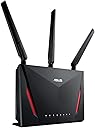
I replaced a (very) old router with the AC2900 and cannot be more pleased. The installation and setup was relatively painless, although I was (and still am) puzzled why the default gateway IP is 192.168.50.1 rather than the more common 192.168.1.1. This did mean reconfiguring a few devices on my network, no big deal. The 2.4 GHz band provides extremely strong coverage through out our 3000 sq ft house, penetrating multiple plaster walls amazingly well. In fact, I was able to eliminate a second access point I'd needed in the past to get decent wifi in the farthest part of the downstairs. The range is at least 50 feet better than the (antique) router I'd been using. The 5 GHz band doesn't have the range or the penetration power, but it's SO much faster in the same room as the router. (Think 433 Mbps transfer speed.) Depending on what devices are "up," we can have up to 16 devices connected simultaneously (both wired and wifi), and it handles it flawlessly. Both the browser-based admin screen and the phone app (I use Android) are easy to use. I haven't tried remote management using the phone app, but frankly I've never needed to manage my home router remotely anyway. Finally, it's purely coincidental, but the Asus router happens to look like the twin of my Acer Predator laptop (black with red accents). Again, it's coincidental, but it's still cool! Overall, this has made a great improvement in the operation of my home LAN. Now if AT&T would see fit to run 150 feet of fiber and bring our internet service into the 21st Century...
O**L
GUI issues with Browsers knock it to one star.
ASUS AC2900 RT-AC86U Router The ASUS AC2900 RT-AC86U out if the box experience was not the best. I initially tried to set-up the router as a LAN only, but could not get into the GUI interface. Connecting a LAN cable directly from the PC’s LAN port to the router did get me to the GUI screen, but I could not seem to sign-in the routers connections names and passwords and the GUI name and password. OK, it seems to maybe need the modem connected to do its thing, so I waited till the next day for the modem. The 1,2,3 set-up failed to receive the SIM card settings for the Netgear LB1120 modem like is was supposed to, according to the instructions. And, I STILL could not get into the GUI, no modem connection and no router. I tested the Netgear LB1120 modem by plugging it directly into the PC’s LAN port and immediately I was on the Internet. The modem and line cable is fine. I could only assign a cellular name and password, but the screen to assign a GUI name and password would not allow entry into the data fields, there was no getting past this point. I struggled with this for several HOURS trying various things. I gave up and called ASUS support. I've NEVER called support on any product, ever. This one had me stumped. ASUS support goes through a methodical process as though the product works and it is “you” that is broken and that’s probably true most of the time, too. I was hoping for that. When we got to the GUI activation, again, I can’t get access to the data fields to assign a GUI name and password. The tech said, “that’s very strange”. Yep, that’s WHY I called you! We reset the router and rebooted numerous times. He suggested another browser, so we tried Firefox. Same results. I was put on hold for twenty minutes and he returned and suggested ANOTHER browser. Google Chrome was thrown out but I don’t have that loaded and he suggested Internet Explorer. He was getting frustrated as the issue wasn’t “me” and now we had to THINK. He said to wait, put me on hold, and just disappeared. Thirty minutes went by and I called back. The next tech did the same exact routine only to get stuck in the same place. I suggested browsers and he said that’s got nothing to do with it. The manual states Internet Explorer, FireFox, Safari, Google Chrome as valid browsers. Edge isn’t listed so I use FireFox hoping it was that simple. I mentioned the previous tech suggested yet a third browser so he said, “sure, why not” (figuring he would prove it wasn’t the browser?). Well, the fossil that Internet Explorer WORKED! I immediately updated the firmware while on the line to make sure that that worked from the unzipped file I had on the desktop…no problems. We are FINALLY running. If it was the firmware doing it, I’ll never know, as it is a catch-22, you can’t update the firmware BEFORE you get into the GUI. A newer stock browser may not have the issue with later firmware? I don’t know. Now that it is initialized properly, FireFox DOES WORK to sign in the my account using the GUI name and password. It WAS the browser, but why? This is a new piece of hardware, on a new AMD 2600X PC with a new X470 motherboard and a fully updated W10 install with all the current updates. How is it that an old browser is the only one that worked (Maybe Google Chrome may work)? Who would put-up with all this before returning this router and getting the Netgear equivalent? Using the browser as a GUI may be an issue as ASUS has no control over the browser, obviously, and updates to the browser seems to have crippled their use in my case. But “my case” is everyone’s case as PC’s auto update. And, the initial uze of FireFox failed, but after the GUI was initialized with IE, FireFox now works to sign in. How to rate this product? I can’t rate it too well as people would have returned the product for another one, and got stuck again, or simply would have gone to another brand. That’s too bad as it is a great router once it is set-up. I read the ONE star ratings FIRST so maybe people will find this resolution if I use one star. Just maybe someone will find out how to get around the issue I had if their browser “updates” fall in the same spot mine are. Who would think to try several browsers? ASUS didn’t even really suspect them as at fault. You can ding me for one star, but I tried to get the issue KNOWN so you can work around it easier than I did. If you can’t fill in the BOXED fields, it isn’t you! HOW DOES IT WORK – This is a wonderful router once past the browser / GUI interface glitch. I selected this model as it uses a faster CPU, and figured it would future proof better, although the next standard routers are out there for serious money…and nothing uses that the new wireless standard yet. The current speeds are plenty fast for a home network. I get super coverage and stable performance on either channel. I use the 2.4 Ghz channel as it is likely the most stable and goes through more walls. I don’t have speed issues to the 5 Ghz channel is there if needed. I am no where near stressing it, as I have two hardwired connections and four wireless connections. It sits upright so FAR LESS desktop space is used. The Netgear LB1120 LTE modem is used in the WAN port and works like a charm on all connected devices to reach the Internet at LTE speeds. I use the LB1120 on T-mobile SIM card just fine for those that might want to know. OK, it looks like an ant or something but that’s OK. It sits unobtrusively on my desktop doing its thing. The GUI, once working (whew) is chock full of stuff. Stuff I won’t worry about till I need to. Like a road map, only a few of the lines are used and looking at all of them is confusing. But, I did read through the online .PDF manual and this router is very adaptable to different needs. The manual sent with the router is just set-up only, you need to go online to get a real manual. There is no CD or useful manual with the router. That isn’t the best as much as this router can do.
A**S
Good for the price
General: I love that this router is a smart router. It will automatically detect either 2.4ghz or 5ghz for all my devices. The range is pretty good and holds a good amount of speed at low signal. The design of the router is basic but is still looks really cool. App: The app is okay. It’s straight forward on what you want it to do mostly sod that I still consider a win. The only issue that bugs me about the app is sometimes when I name a device and save it, it won’t. But most of the time it works fine. Desktop Access: The home page feels very cluttered. But finding what you want and or need is easy to get to. AiMesh: I bought a second one to have in AiMesh mode to extend my WiFi range. I have it plugged in via Ethernet that is routed in two rooms in my house and it works perfectly. No loss of speed at all. Setting up AiMesh mode on it was a little bit of a headache but once you set it up, it’s perfect. The app and desktop will show each router and tell you what device is connected to them specifically. Suggestions: I highly suggest setting up the auto reboot. I have mine set for everyday in the middle of the night when no device is utilizing internet. I have been having less issues after setting that up than before. Overall for a router shy of $170, I’d recommend it. It does what I want and need it to do. And it’s been better than the Netgear Nighthawk R7000 I used before this.
S**R
Phenomenal speed and coverage. Great buy
Great router. Installation was a breeze. The Asus router app is intuitive and gets the job done. Compared to the router given by the ISP this one is phenomenal... Big boost in speed and coverage. Have two of them and linked to the app. Slightly on the expensive side for the features and performance. But a single router, well placed, can easily cover a large house.
R**B
Fast router
While this is a great router from ASUS and everything now works perfectly, this purchase required the use of Google Translate as the initial setup is in Chinese. Once I'd figured out to use the translator, I could then change the language to English, update the firmware and now everything is fine. Given the price saving, this was a small inconvenience.
M**O
Excelente Router
Muy buen router, hasta ahora me ha funcionado todo perfecto. El alcance es muy bueno inclusive en ambientes con mucha interferencia de otros wifi, las velocidades inalámbricas son excelentes (siempre y cuando se configure con 802.11n). El firmware de fábrica ASUSwrt es bueno y se puede acceder por SSH para poder configurar más cosas por linea de comandos como iptables ya que es un Linux kernel con Busybox instalado. La opción de Logs de sistema es la mejor, ya que puede determinar que está pasando en el kernel o que conexiones están activas solo leyendo el log. También se le puede cambiar por Asuswrt-Merlín para obtener unas cuantas más funcionalidades. Algunas funcionalidadesde Asus como DDNS, Remote connection(Asus router app,Lyra App, AiCloud y AiDisk) requieren registro y compartir datos con Asus. También AiProtection, Traffic analyzer, App analyzer, Adaptative QoS/Game boost y Web history son proporcionados por TrendMicro así que se necesita aceptar los Términos y Condiciones de Trend Micro de colecta de datos personales y tráfico para poder ser analizado, yo en lo personal no lo active pero se puede leer que información se recaba en su política de privacidad de TrendMicro.
O**O
Faz diferença
É muito bom, eficiente , fácil de instalar e monitorar. Ele nunca foi barato mas entrega em qualidade. Atualmente está um pouco defasado pois não entrega wi-fi 6G , mas se o custo estiver bom é uma excelente opção. Se a internet for rápida e os switchs que estiverem sendo usados forem giga, o resultado surpreende!
K**N
A Nice upgrade from my old Asus RT-AC68U
Had an old Asus router setup as an access point in basement and it died after almost 10 years of service. I needed a new main router so that I could move my current one into the basement and switch it to the access point. I found the AC86U on sale and it had good reviews, and because I'm familiar with their products, it was a good solution. Setup was easy and flashing Merlin was a breeze. The range is better than the AC68U was and it seems somewhat faster. Would recommend as a good router for normal use (5 users on and off for the day, WFH setup ups and streaming at night)
Trustpilot
5 days ago
3 weeks ago