Desertcart purchases this item on your behalf and handles shipping, customs, and support to Tunisia.
🚀 Elevate your desk game with dual 4K power and all-in-one connectivity!
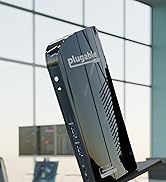
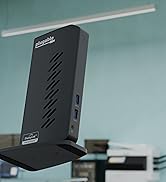
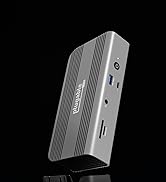
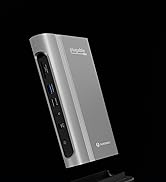
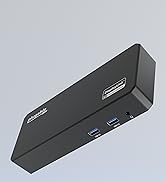
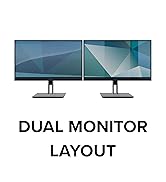
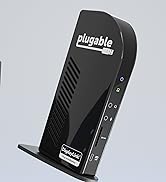
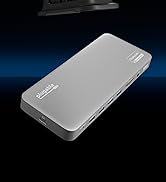
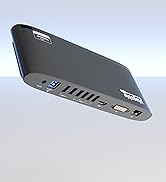
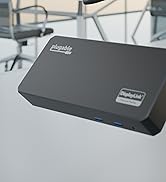
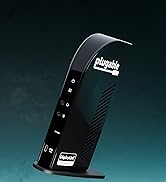
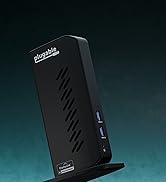
The Plugable USB C Docking Station is a premium 14-in-1 hub designed for Mac and Windows professionals, enabling dual 4K 60Hz displays via HDMI and DisplayPort. Featuring 15 ports including USB-C, USB 3.0, SD card readers, Ethernet, and 100W charging, it overcomes Mac display limitations with DisplayLink technology. Ideal for hybrid work setups, it supports macOS 11+, Windows 10+, and ChromeOS, backed by lifetime North American support.









| Asin | B09TQY97MJ |
| Best Sellers Rank | #377 in Computers & Accessories (See Top 100 in Computers & Accessories) #44 in Laptop Docking Stations |
| Brand | Plugable |
| Color | Silver |
| Compatible Devices | Supports full-featured USB-C, USB4, and Thunderbolt 3 / Thunderbolt 4 systems, including: M1 / M2 / M3 / M4 / M5 (M1 Pro/Max, M2 Pro/Max, M3 Pro/Max, M4 Pro/Max), Intel-based Thunderbolt 3 MacBooks (late 2016+) Dell XPS, Latitude, Inspiron series with full-featured USB-C, USB4, or Thunderbolt 3 / 4 Microsoft Surface Pro / Go / Book / Laptop models with USB-C, USB4, or Thunderbolt 4 HP ProBook, EliteBook, Spectre x360 series with full-featured USB-C, USB4, or Thunderbolt 3 / 4 Lenovo ThinkPad, IdeaPad, and Yoga with full-featured USB-C, USB4, or Thunderbolt 3 / 4 LG Gram with full-featured USB-C, USB4, or Thunderbolt 3 / 4 & thousands of other laptops which are compliant with full-featured, standards-compliant USB-C ports. Installation of the DisplayLink software is required on all supported operating systems, including macOS, Windows, and ChromeOS to enable full functionality and dual display output. |
| Customer Reviews | 4.4 4.4 out of 5 stars (349) 4.4 out of 5 stars |
| Hardware Interface | USB Type C |
| Input Voltage | 5 volts |
| Item Dimensions L X W X H | 9.4"L x 3.1"W x 1.2"H |
| Item Type Name | Laptop Docking Station |
| Item Weight | 11.7 ounces |
| Manufacturer | Plugable |
| Mfr Part Number | UD-6950PDH |
| Minimum Required Operating System Version | ChromeOS 137, Mac OS 11 Big Sur, Windows 10 |
| Model Number | UD-6950PDH |
| Number Of Items | 1 |
| Number Of Packs | 1 |
| Number Of Ports | 15 |
| Total Number Of Hdmi Ports | 2 |
| Total Usb Ports | 5 |
| Unit Count | 1 Count |
| Upc | 819927011958 |
| Warranty Description | 2 Year Limited Parts and Labor |
| Wattage | 100 watts |
User
Perfect for My Laptop Setup
This docking station has been a great addition to my setup. It was easy to connect and gives me all the extra ports I need without having multiple adapters everywhere. Everything works smoothly, and I love being able to connect my monitor and other accessories through one hub. It also has a sleek design and doesn’t take up much space on my desk. Very convenient and definitely worth it!
User
Great way to extend the MacBook Neo display to two additional monitors
The guy I spoke with at the Apple Store told me that what this dock does wasn't possible with the MacBook Neo, and said if it did somehow extend the screen to two additional monitors, it would be very choppy and slow. Wow, was he wrong! The Neo, paired with this dock, allowed me to extend my screen to 2 HDMI 1440p displays plus the Neo's display. There is no lag at all on the video output. I feel like I'm using a MacBook Pro when it comes to just using the desktop and displays. Of course the Neo is way slower than the Pro overall, but I haven't experienced any reduction of performance by just extending the screen. It's a solid device - no cheap plastic here. It feels premium. There are plenty of ports for anything you need to connect. And it's extremely simple to get it working - install the DisplayLink software and then start plugging things in. The price is a little high compared to other docks, but I am not sure other docks would perform as well. I'd buy this again in a heartbeat and can't recommend it highly enough.
User
Perfect for MacBook Neo
Turned our MacBook Neo into a workstation. Dual monitors, USB, and charging with a simple driver installation. The dock is well-built and feels solid.Had an issue with the device initially and Plugable support was excellent; sent a replacement right away. Great customer service experience.
User
Confirmed Compatibility: Macbook Neo MacOS 27 Golden Gate + Dual External Monitors over HDMI
The first dock that Ive found that actually supports dual, independent external monitor displays for the Macbook Neo. It works flawlessly on my LG 32" OLED and Corsair Xeneon Edge. Yes, the monitors are overkill for the Macbook Neo, but the Macbook Neo isn't my main PC on this desk setup. This dock is essential if you have a Macbook Neo and plan to use it with more than one external monitor. Don't consider any of the other docks unless 1. You only need one external monitor 2. Cost is a concern.
User
Nice, but slow. Going with the older one, the UD-6950PDZ from experience.
I got this because it's newer - and who doesn't want a more sleek, modern design, right? - I also needed a second one for the other WFH set up, and unfortunately this docking station is slow. Half the time, your mouse will move sluggishly, pages loading or windows opening will look sluggish. I've tried adjusted the settings by enabling HiDPI, and it was not fruitful. Turning off the HiDPI will make my 2nd screen running 2k resolution look like a blur or low resolution even when its not highlighted low resolution. I have not had this issues with the UD-6950PDZ model, which is what I will be replacing this docking station with. I'm running Late 2023 MacBook Pro M3, hooked up using DisplayPort to two Dell S2721QS monitors.
User
El Dock definitivo para setups híbridos (Windows 11 / Ubuntu)
Lo compré para mi laptop Lenovo LOQ 15 (usando dual boot con Windows 11 y Ubuntu 24.04) con el objetivo de manejar dos monitores secundarios FHD, y ha superado todas mis expectativas. Además de ser mucho más compacto y elegante de lo que imaginaba, su rendimiento es impecable.Actualmente tengo un monitor corriendo a 75Hz y otro a 144Hz conectados al dock, y la tecnología DisplayLink gestiona ambas tasas de refresco originales sin pestañear. Lo mejor de todo es que libera a mi tarjeta de video principal de esta carga, y al ser un dock certificado, reproduce contenido protegido (HDCP) como Prime Video sin dar el temido error de "pantalla negra" que suele pasar con los hubs baratos.La instalación es un 10/10:- En Windows 11 requirió descargar el driver desde la página oficial de Plugable, pero el proceso entero tomó menos de un minuto. Se instaló rapidísimo y reconoció las pantallas al instante, sin necesidad de reiniciar la computadora.- En Linux (Ubuntu 24.04) requiere un par de pasos extra en la terminal para descargar el repositorio oficial de Synaptics, pero la configuración completa no me tomó ni 5 minutos.Los materiales de construcción del dongle y la calidad del grosor del cable incluido se sienten sumamente premium. Si buscas un Dock real para productividad pesada y múltiples monitores sin sacrificar los Hz, esta es la compra segura. Totalmente recomendado.
User
Blurry text, unhelpful customer service only use with 4K monitors!
I bought this bc my PC went down and I wanted to switch to using my MacBook full time instead of buying another PC. My monitors are HD and have always been beautifully clear so I didn’t think they’d be a problem. Unfortunately, as soon as I plugged in I noticed that text (my main need) was not crisp at all. Figuring that I probably just needed to address a setting somewhere. I contacted the company for help. They ran me through some troubleshooting which involved asking me to connect to a different Mac to see if that made any difference. The only Mac that I had access to, wasn’t able to connect due to the way that it was set up (school Mac) so I got back with customer service and let them know. At this point, now that I was past my return window they informed me that the problem is that this product does its job by downgrading the quality to get to the two screens. So, I would really need 4K monitors just to get back to the quality I had on HD monitors before. This is so frustrating, if the first people that I talk to just would’ve done their job, I could’ve returned this $200 product instead of now needing to spend $400 on new monitors.
User
Perfect Docking Station
Extremely happy with the docking station. Everything is as described and more than meets my needs. Very easy to set up.
User
Precio alto, pero calidad segura
Es un muy buen Hub, elevado de precio pero se nota la calidad y eficiencia. El DisplayLink funciona perfecto asi ya puedo usar mi Mac con M1 con 2 monitores
User
Plugable 13-in-1 USB C Docking Station Dual Monitor
I was actually looking for a hub which does not need power to work. However, after installing the driver and learning how to use this, I'm quite happy with this new hub. it doubels up as a charger for my laptop and more importantly, for my 2 4K monitors. It is so hard to find a USB C hub that fworks with 2 HDMI inputs, and at 4K. Still wish I could find one that does not need power, but so far the one I have currently is starting to give me trouble - few of these I bought last longer than 9 months.
User
A Rock-Solid Dock with Outstanding Support – Perfect for Multi-Device Setups!
I use the Plugable 13-in-1 docking station with a MacBook Air M3, a 32-inch 4K @75Hz monitor, and a 32-inch 2560x1440 @75Hz monitor in Extended Display mode. Each monitor, along with the built-in Retina display, operates as its own desktop/workspace. Both monitors are connected via HDMI outputs.Additionally, I’m utilizing the 1GbE Ethernet connection, and I have a Logitech StreamCam Premium 1080p 60fps webcam and a Logitech Blue Yeti USB Microphone connected to the USB-A and USB-C ports. At the same time, my Klipsch ProMedia 2.1 THC Certified External Speakers are connected to the 3.5mm audio output.Performance & ReliabilityEverything works flawlessly. The driver installation was seamless, and I’ve had zero issues with performance. While I don’t use the SD card reader regularly, I tested it, and it functions as expected.I frequently connect and disconnect my MacBook from the dock, and each time, everything reconnects instantly without requiring a reboot or restart. This level of reliability is impressive and makes the dock an effortless part of my workflow.Build Quality & DesignThe dock feels solid and well-built, though its finish doesn’t quite match Apple’s premium, but that’s to be expected. It does get warm to the touch while charging, but never excessively so.Value & FeaturesWhile the dock is pricier, it delivers precisely what I needed; the ability to drive two external monitors independently, which the MacBook Air M2 doesn’t support out of the box. That alone makes it well worth the investment.Wishlist for Future VersionsOne enhancement I would appreciate in a future version is including a couple of USB-C ports for increased flexibility.Final VerdictI’m really pleased with this dock. It’s a well-designed, highly functional product that performs exactly as promised. If you’re looking for a reliable docking solution for a MacBook Air M2, M3, or M4, I strongly recommend it!
User
Super easy setup and works perfectly
The video gives it all: no issues at all for installing and very easy. I did it for a Mac and ThinkBook, so I have it tested. I have tried the headphone jack and also have a camera connected. It works seamlessly. Will post a review after a few months use.It allows for 100hz refresh rate and it’s great but most devices are at 60 so room to grow.
User
Working well with 2 monitors and a Macbook Air M2
I'm using the Plugable 13-in-1 with a Macbook Air M2 and 2 monitors (each at 2560x1440 @75Hz) used in "Extended display" mode (so each monitor and the build in retina display has it's own desktop/workspace). I'm driving each monitor using the HDMI outputs. I am also using the 1GbE connection and have a Logitech C920 Webcam, and a Jabra Evolve USB headset connected to two of the USBA ports, with external speakers plugged into the 3.5mm audio output.Everything works perfectly. Driver install was a breeze. The SD reader is not part of my regular workflow, but I've tried it and it works fine. I frequently connect/disconnect the Macbook from the docking station and everything works perfectly on every disconnect/re-connect. I never need to reboot or restart anything after disconnecting/re-connecting.Build quality of the Plugable is decent; solid but not to the same build quality as an Apple product - but no complaints here! The dock is warm to the touch when charging the laptop, but not excessively warm. The dock is a little pricey, but it has all features I needed - specifically the ability to drive two external monitors independently since the Macbook Air M2 can't do this out of the box.In a future version it would be nice to have a couple of USBC connections on the dock.I'm a happy user - great product, I highly recommend it!
Trustpilot
2 weeks ago
1 month ago