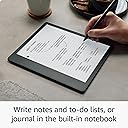
🖋️ Kindle Scribe: Where your ideas meet the future of reading and writing.
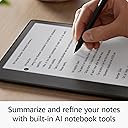
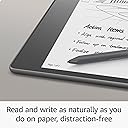
The Amazon Kindle Scribe (64 GB) combines a premium 10.2” 300 ppi Paperwhite display with a precision Premium Pen, enabling users to read, write, annotate, and convert handwritten notes to text. Featuring AI notebook tools, expansive battery life lasting up to 12 weeks for reading and 3 weeks for writing, and seamless document markup capabilities, it’s designed for professionals who demand a sleek, distraction-free digital workspace.
| Display | Amazon's 10.2” Paperwhite display technology with built-in light, 300 ppi, optimized font technology, 16-level gray scale. |
| Size | Device: 7.7” x 9.0 x .22 (196 x 230 x 5.8mm excluding feet) Premium Pen: 6.4” x .35” x .33” (162 x 8.8 x 8.4 mm). |
| On-Device Storage | 16 GB, 32 GB, or 64 GB. |
| Weight | Device: 15.3oz (433g device only). Actual size and weight may vary by configuration and manufacturing process. Premium Pen: .53oz (15g) |
| Wi-Fi Connectivity | Supports 2.4 GHz and 5.0 GHz networks with support for WEP, WPA, WPA2 and WPA3 security using password authentication or Wi-Fi Protected Setup (WPS). Does not support connecting to ad-hoc (or peer-to-peer) Wi-Fi networks. |
| Content Formats Supported | Kindle Format 8 (AZW3), Kindle (AZW), TXT, PDF, unprotected MOBI, PRC natively; PDF, DOCX, DOC, HTML, EPUB, TXT, RTF, JPEG, GIF, PNG, BMP through conversion; Audible audio format (AAX). Learn more about supported file types for personal documents. |
| Accessibility Features | VoiceView screen reader, available over Bluetooth audio, provides spoken feedback allowing you to navigate your device and read books with text-to-speech (available in English only). Kindle Scribe also includes the ability to invert black and white, adjust font size, font face, line spacing and margins. Learn more about Accessibility for Kindle. |
| Warranty and Service | 1-year limited warranty and service included. Optional 1-year, 2-year or 3-year Extended Warranty available for U.S customers sold separately. Use of Kindle is subject to the terms found here. |
| Setup Technology | Amazon Wi-Fi simple setup automatically connects to your home Wi-Fi network. Learn more about Wi-Fi simple setup. |
| System Requirements | None; fully wireless and doesn't require a computer to download content. |
| Included in the Box | Includes wifi-enabled Kindle Scribe, Basic or Premium Pen, USB-C charging cable, 5 replacement tips, tip replacement tool, and built-in rechargeable battery. |
| Generation | Kindle Scribe 1st generation - 2022 release. |
| Battery Life | For reading, a single charge lasts up to 12 weeks based on a half hour of reading per day, with wireless off and the light setting at 13. For writing, a single charge lasts up to 3 weeks based on a half hour period of writing per day, with wireless off and the light setting at 13. Battery life will vary and may be reduced based on usage and other factors such as Audible audiobook streaming and annotating content. |
| Charge Time | Fully charges in approximately 7 hours from a computer via USB-C cable; or fully charges in approximately 2.5 hours with a 9W USB-C power adapter. |
| Documentation | Learn more about Kindle devices with our Quick Start Guide and Kindle User Guide. |
| Available Color | Tungsten. |
| Software Updates | Learn more about these software security updates. If you already own a Kindle, visit Manage Your Content and Devices for information specific to your device. |
S**S
Love it so far! UPDATED AFTER 2 YEARS
I bought this for several reasons; - Easily organize notes on different clients for work - Be able to write creatively and have the ability to save it digitally - Replace my unsupported very old paperwhite kindle I work with many clients in my job. I like being able to take quick notes on paper during meetings. I tried a variety of ways of organizing physical paper notebooks and pages between clients and nothing was efficient. I was always defaulting to writing on consecutive pages in one big notebook for different clients and then having to flip back through to find the spread-out information for a single client. I tried physical folders and notebooks with removeable sheets of paper. I tried multiple different paper notebooks for clients. None of this was efficient and certainly unreasonable to travel with. So I started to research digital notebooks. I almost pulled the trigger on the reMarkable 2 on two separate occasions. I got all the way through the selection process and couldn't get myself to pay the $500 plus for such a limited device. Other digital notepads had a crazy cheaper price point but were not at all comparable according to online reviews. I happened to finally come across this Kindle Scribe and after watching YouTube comparisons between this and the reMarkable notebooks, I felt the pros of this one won me over. Especially when they mentioned that the ink lags less with this one versus reMarkables. Forty minutes into my experience, I am already super happy with my decision and I know this is going to solve my multi-client note taking issues for work. Out of the box this device is super intuitive to set up and use. I looked at zero instructions before setting up and using it. (I had seen review videos but nothing too instructional.) If you follow the set up steps (your only option), it leads you to the typical overview of a device where it highlights your various settings and options. I have had kindles before, but even the new stuff on here was very intuitive and easy to navigate. The pen is quick enough (not laggy) that I do not mind writing digitally at all. IF I were using this for artistic purposes, I'd have a small issue with it. But I don't really notice the lag once I'm writing quickly and focused on work. My handwriting looks ever so slightly worse on here than in person but overall, considering I dislike lag, this device doesn't seem to lag problematically at all - it's negligible. I can tell I'm not writing on paper, but the feel isn't slippery at all. It's pleasing. I'm sure this is in part due to the pen too, which is the pen that has the eraser (more expensive of two options). The screen looks just like an old paperwhite kindle, but you can adjust the brightness and also the warmth of the screen. I love this option. I'm sure I'll be adjusting it in different lighting. It's easy to navigate from your kindle library to your notebooks for writing/drawing. You can create a folder to organize your notebooks. I have a work folder, inside of which I have a separate lined w/margin notebook for each client, plus a check box notebook for my work to-do's. Outside of the work folder, I have a personal To-Do list. I love the ability to organize work and personal notes and carry it all in one device that is smaller than the old lined notebook I was carrying. In terms of the ink styles and highlighting, there are options of thickness for ink ranging from thinner than my mechanical pencil to roughly the thickness of a regular (not fine tip) Sharpie. When you click the button on the pen, it turns into a highlighter. I didn't think I'd necessarily need an eraser because I almost never need one when writing with a pen or pencil, but on this device I've used it a lot. It's easier to erase with a digital eraser than a physical one, so I'm less apt to strike through something, and more likely to erase it (something my past writing teachers would hate). Also, because my handwriting is slightly impacted by the digital aspect, it's nice to have an eraser for cleaning up truly sloppy letters. So, it's worth it to me to have spent $15 more for the higher end stylus with the eraser. I made a few more hand-written notes on my device (see photo). As I employ this for work and fun, I'll come back to post any pertinent updates. I'm particularly interested to see the capabilities for transferring the notes off of this device and into my work google drive. After 1 solid week of use, I am comfortable with this device and absolutely love it. I ended up adding two grips to the pen to make it comfortable to write. It won't adhere magnetically to the side now, but I purchased a case that has a pen holder. Today I discovered that you can add blank pages to notebooks and reorder the pages. This is fantastic as I recently decided to add a cover page to each of my notebooks to track the top level details of each client. I so highly recommend switching to a digital notepad if you're a pen and paper note taker. It's much more versatile than trying to switch to typed note taking. Update after 2 years of use (May 2025): I am so glad I purchased this. I have used it daily for work for two years. It is easy to silo work folders and notebooks from my personal folders and notebooks. I use it while traveling because I can access all of my kindle books for personal use and I have all of my client notes for work with me. It works great, no different than when it was brand new. A charge lasts weeks! I added pen grips to the stylus for comfort. Overall, highly recommend. Side note - if you like to sketch and do creative writing, this is great because you have endless paper while traveling. If I'm in a meeting, sometimes I concentrate better if I can doodle on a page. I make doodles/marks while making my important notes and then I can easily erase the doodles later. If I randomly think of something I want to build in my yard during a meeting, I can flip one page, sketch my design, and flip back. Then later I can cut and paste or move that entire page to another notebook. Fabulous for A.D.D.
E**D
Childhood dream come true!
There is only one con: it's not waterproof. It's 2025, why isn't waterproof technology the industry standard?? Anywho. This is hands down the single best purchase I have ever made. I've been dreaming of this ever since 1999 when I won a Game Boy off a Mountain Dew bottle top at a Thunder Skate USA facility. It came with a game called Wave Rider. It was because of that infuriating game that I realized my true nature- I'm a nerdy book worm to the core. Why couldn't this game be a book? The Kindle Scribe is a childhood dream come true! My favorite feature of this device is the notebooks. I have journaled since I was 8 years old. I'm now 35. Do you have any idea how difficult it is to keep nosy noses from rifling through your most private paper thoughts? I do. I had taken to burning my journals after filling them up. No need to literally hang on to my mind garbage. I have always had too many thoughts taking up space in my head, creating the need to jot them down and make them go away. Now, with the Scribe, I can click a button and the brain baggage is instantly destroyed. No more wasting paper (the poor trees!) No more searching (and stealing!) perfect pen to write with. The Scribe comes with the perfect pen! A forever pen! I got the basic pen. A basic pen for a basic... you know. The fountain pen feature is revolutionary! I've been "perfecting" my penmanship for decades and still write little better than a chicken's left foot. Woe is me and any who have to read my scratch. No more! The best part is that the ink never runs out, it always writes perfectly smooth. I also love how big this Kindle is. I'm blind as a butt in blue jeans, so this size is a huge plus for me. With my OG Kindle, setting the font to large yielded only a few sentences per page making me feel like I was back in pre school learning to read. No more! Other bonuses- I had signed up for a free month of Kindle Unlimited before ordering the Scribe. When I did order, it came with THREE months of free KU! A total of FOUR FREE MONTHS! But it got better. I ordered an OG Kindle for my mom (who is not as blind as a butt in blue jeans) and it came with another THREE MONTHS OF FREE KU! A grand total SEVEN MONTHS OF FREE KU! I was over the moon! I had also found it on sale (January of 2024) for $270. I put an $80 dollar gift card toward it and it brought my total down to $204! Woohoo! I ordered a fancy flippy pink adjustable magnetic cover for it separately. I am in love with this device. Never have issues with battery life or charging. I will say this though; I think the Scribe was marketed to the wrong demographic. I abhor writing on books, highlighting, dog-earing, and otherwise desecrating books, so I don't give a hoot in a hay storm about the sticky notes debacle other reviewers take issue with. I use this for pure entertainment purposes; sometimes I switch from reading to simply scribbling my brains out for the fun of it. Seriously. I have no idea if this is a good buy for work related tasks and I don't care. It's perfect for keeping track of what the one year old is eating, doodle notebooks for the nine year old, and reading and scribbling until there's drool pooling and crusting at the corners of my mouth for me. Like I said, it's a childhood dream come true! The only way I'd come off my Scribe is if they made a new one that is waterproof. Which reminds me- I got the software update of the new one! Thanks amazon! Seriously, best 200 bucks I've ever spent. A year of daily use and zero complaints (except the waterproof issue- grr *shakes fist*.) I can't recommend this enough. This is THE Cadillac of reading/ writing toys for adults!
Trustpilot
1 day ago
4 days ago