Desertcart purchases this item on your behalf and handles shipping, customs, and support to Tunisia.
⚡ Elevate your desk game with the thinnest, fastest, and most responsive wireless RGB keyboard.
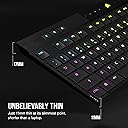
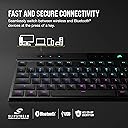
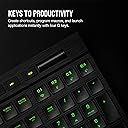
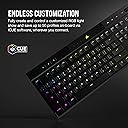
The Corsair K100 AIR Wireless RGB Mechanical Keyboard redefines premium with an ultra-thin 11mm aluminum chassis, ultra-low profile Cherry MX switches, and versatile connectivity including sub-1ms Slipstream wireless, Bluetooth, and wired AXON 8,000Hz polling. Designed for pros who demand speed and style, it offers up to 200 hours of battery life, per-key RGB lighting, and full customization via iCUE software—perfect for multitasking across devices with secure AES 128-bit encryption.


| ASIN | B0BDMLY69R |
| Additional Features | Backlit, Ergonomic, Hotkeys and Media Keys, Rechargeable, Volume Roller |
| Antenna Location | Gaming, Office |
| Best Sellers Rank | #1,226 in Video Games ( See Top 100 in Video Games ) #68 in Mac Accessories #138 in PC Gaming Keyboards |
| Brand | Corsair |
| Built-In Media | USB Cable |
| Button Quantity | 108 |
| Color | Black |
| Compatible Devices | Gaming Console, Laptop, PC |
| Compatible Operating System Family | MacOS, Windows |
| Compatible Tablet Computer Models | AAUB P30 |
| Connectivity Technology | wired, wireless |
| Customer Reviews | 3.7 out of 5 stars 488 Reviews |
| Enclosure Material | Aluminum |
| Generation | 1 |
| Hand Orientation | Ambidextrous |
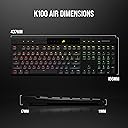
| Item Dimensions L x W x H | 17.2"L x 6.14"W x 0.67"H |
| Item Type Name | Keyboard |
| Item Weight | 1.7 pounds |
| Keyboard Backlighting Color Support | RGB |
| Keyboard Description | Gaming |
| Keyboard Layout | QWERTZ |
| Keyboard Plate Material | Aluminum |
| Language | English |
| Manufacturer | Corsair |
| Mechanical Keyboard Switch Model | cherry_mx_low_profile_speed |
| Mfr Part Number | CH-913A01U-NA |
| Minimum Required Operating System Version | Windows 11 |
| Model Name | K100 AIR WIRELESS |
| Model Number | CH-913A01U-NA |
| Number of Batteries Required | 1 |
| Number of Items | 1 |
| Number of Keys | 108 |
| Number of Packs | 1 |
| Number of Sections | 5 |
| Power Source | Battery Powered |
| Recommended Uses For Product | Gaming, Office |
| Series Number | 913 |
| Special Feature | Backlit, Ergonomic, Hotkeys and Media Keys , Rechargeable, Volume Roller |
| Style Name | K100 AIR WIRELESS |
| Switch Type | Tactile |
| Theme | gaming |
| UPC | 840006655176 |
| Unit Count | 1 Count |
| Warranty Description | 2 year manufacturer |
| Water Resistance Level | Not Water Resistant |
D**S
Worth it if it is what you want
What I mean by the title is that this keyboard is for a specific group of people. Off the bat, this thing is EXPENSIVE! It is the priciest keyboard I saw when browsing, but given my preferences and my love for Corsair, I had to have it. It is also a laptop style keyboard, or that is to say that it use Ultra Low Profile (ULP) Tactile Switches from Cherry. The keys are thin, and have a very low actuation distance. It's wireless via dongle or Bluetooth, and comes with a very nice black USB-C cable. It is thin, sleek, and beautiful in my opinion. I love the way the keys feel, look, and type. Overall it is the best keyboard on the market for me, and the one I use. I just think it could have done a couple of things differently, or even had an upgraded model(read further). Looks-wise, this is it. The thickest part of this keyboard is smaller than the thinnest part of my previous k70 LUX. I took a few moments to revel in that upon unboxing. The RGB is gorgeous, but doesn't have what I have come to see as 'obnoxious' backlighting. The font of the keys is so much better than my k70. These have a professional look to them, and even with the RGB it doesn't scream 'gamer!', even though it may satiate that look to those looking for it. It matches my full RGB PC 'gamer' setup very well. The brushed aluminum is gorgeous. They fumbled not using it for the keycaps as well. For the price? Come on. It would have an even more impressive shine and it would have such a luxurious feel, possibly staying colder and reducing sweat while improving grip(Corsair I would love to work on your design team ;). Other reviewers were talking about making the bottom metal as well. I don't really care with that. The screen is beautiful, but why can't I change the status LED colors, only the logo. Almost three hundred dollars. Small miss but these are the things you look for when you buy this type of keyboard. The brightness settings look good as well. It was easy to use and set up, but might be because I am very familiar with iCUE. Assuming this would be your only slipstream device and you download iCUE prior to plugging the keyboard in, setting it up would probably be pretty easy for anyone. The wireless dongle works very well as long as it is plugged in to a USB 3.0 port or better. Wired mode works great of course. I personally love the iCUE software. I love Corsair and I think iCUE is rightfully considered at the forefront of proprietary RGB tech. The keyboard was easy to set up and integrate, and it works so well. The keyboard has tons of profile slots for wired profiles and 2 for hardware slots. Some people seem to think that only the hardware profiles work in wireless mode. This is not true. You just have to set another lighting layer in your profile for wireless mode, which is only available to be edited in wireless mode. Vice Versa with wired mode editing. This is the only quirk I have encountered to date. Wired switches instantly with the profile button but wireless takes 2-3 seconds. Not ideal but I can live with it. Overall I love iCUE and it works well with the K100 Air. Now, my qualms and an idea. This keyboard is so thin. I said that as a positive earlier, and it is, but after a while of using this on my desk, it became a negative sometimes. Not to say I dislike the actual key and switch size, but the keyboard occasionally comes across as too low to the surface. Like I got a 3/4in book and set the keyboard on there and I liked how it felt a lot. It would be cool if Corsair could make, or include(price, again) some sort of mount you can sit the keyboard on to raise it up. Second, Corsair blew an opportunity not including Nexus into the screen on this keyboard. I'm gonna be mad when it comes out for the next generation right after I buy this one, but I digress. The screen on this one is cool and looks good, but the plastic cover is awful and being unable to change the indicator light colors is just bad. Corsair should have either incorporated Nexus into this keyboard, or had the option for a "K100 Air Pro" with the Nexus for slightly more. Overall, I love this keyboard. It fits my style. The reason I said to buy it if it is what you want, is because this keyboard won't appeal to the type of person who likes a thick mechanical keyboard, blaring RGB, and their clicks as loud as possible. This is more lowkey and function oriented for typing. The ULP switches are slightly but noticeably quieter than the Cherry MX Red's I had on the K70 LUX. The RGB does not light up my desk like the K70. This is a very subjective pro. It is so thin. Subjectively a pro and a con at times. ULP switches are another subjective pro. What I am getting at is that except for the couple grievances I had, I love this keyboard. This keyboard performs how it set out to. It is up to you to figure out if that is what you want. It IS what I want, and I appreciate how well it achieves that. Overall a 5/5 for me, and Corsair, I always have more product and design ideas.
F**K
Terrible Feeling, Plastic, Feels Cheap In The Hand
For the price this is utterly terrible. Pros: - Good luck finding any, I'd consider it's slimness a pro but the second you type on it you don't even care about how slim it is. - Connectivity is fine at the very least so there's that. Cons: - Terrible feeling in the hands, before you even type on it you get turned off from it due to its scratchy plastic and little to no heft or weight on it. It feels like a toy. - The keys are terrible, they are sharp on the edges which is such an atrocious design decision and are also massively sized?? - Pressing down on the keys feel like I am having to punch plastic just so it listens to me. My fingers would get fatigued after a hour of use, especially my pinkies. I'm not one to get tired out by keyboards, I've used very heavy switches in the past without issues. - The sound is TERRIBLE. It genuinely sounds like I am beating on the keyboard despite trying my hardest to be as light and efficient with it. - The price. The price is the biggest insult here. I guarantee this keyboard cost Corsair no more than $10 to MAYBE $20 in total to make and asking the price that they are for this atrocious monstrosity just because it has "Sub-1ms Slipstream" technology is insulting. I am insulted, you should be insulted, Corsair should be EMBARRASED. Get anything else. ANYTHING. Get this instead: - Despite Logitech's G915 wobbly keycaps and not as good battery life(which is fair seeing as the keyboard came out in 2019 and 2020), the build quality is wonderful, you get multimedia keys, G/Macro keys, and significantly more enjoyable experience - And while not exactly what I was looking for due to its lack of G/Macro Keys, if you are looking for a more traditional full-sized layout that is still low-profile and slim, the Razer DeathStalker V2 Pro Wireless is your go to keyboard in this case, please trust me on this. The design feel nicer, the typing is nicer, and overall feel is significantly nicer and more high quality. - If you're wanting something with butterfly switches, get something like the Logitech MX Keys or literally ANY OTHER KEYBOARD BESIDES THIS ONE, AVOID THIS ONE AT ALL COSTS, ITS TERRIBLE.
G**T
Amazing Product - Best keyboard I've ever owned
TL;DR - 10/10. Premium price, but premium quality in return. I will admit that I was a little hesitant about getting a wireless keyboard, mostly because of battery life and dropped connections. My job sometimes requires me to act quickly to fix an issue, and I was worried about the connection suddenly dropping when I was racing against the clock. I had a Corsair K70 and loved it, but it was getting old and had started acting up on me so I thought I would take a shot on this one. Oh boy, am I impressed. The keys feel incredible, the battery life is fantastic, and the connection is solid with no noticeable input delay. The "Slipstream" wireless receiver can pair multiple Corsair products as well, so you don't need to take up multiple ports if you like their product line. Pros: - Battery lasts me several days, working 8 hours a day and typically gaming or browsing for a few hours on top of that. I usually leave the RGB lighting on the highest brightness, so you could get even more life out of a single charge if you turn it down/off. I haven't checked charge time from 0-100%, but it charges fast enough that it doesn't matter to me personally. - The connection is solid. I'm about 10 feet from the dongle with my body, desk, and other equipment in between and have no noticeable input delay or dropped inputs. - The feel of the keys is amazing. I know this is more of a subjective matter, but I think they have just the right amount of "click" and feedback. They're a little less "clicky" than the Cherry MX Red switches that were in my K70, but still tactile enough to feel just right. - If you're also using a Corsair wireless mouse or headset, they can all pair with a single "Slipsteam" dongle so you're not taking up multiple USB ports with different receivers. I imagine this also cuts down on the interference that would be caused my having multiple wireless receivers next to each other? - Multiple connection modes - wireless, wired (while charging), and bluetooth with up to 3 pairings. Switching between connection modes is as easy as pressing FN+[corrosponding key]. - Premium quality in every category that I can think of. Cons: - If you don't already have/use it, you'll need the Corsair iCue software to control many functions of the keyboard. I don't like having so many different pieces of software to control my system, but it's practically unavoidable. Luckily, iCue isn't one of those "in your face" pieces of software. It runs at startup without any popup or loading screen, and simply sits in your system tray until you need it. - Expensive, but you honestly get what you pay for. - That's it. I have no actual complaints, I love this thing.
C**W
Decent, though expensive, option for Logitech K800 refugees
I've spent the past two years trying to find a keyboard that has a similar feel to the K800, which was discontinued without a clear physically equivalent product. Something low profile, with similar tactile feedback, and backlit. I don't consider myself a keyboard enthusiast, but I know what typing on one single keyboard SKU for 15 years feels like and how ineffective it feels on other keyboards. After trying and failing for a while testing sub-$100 keyboards, I took a chance on the K100 Air, and fortunately it's not just an alternative, but an upgrade in most ways. It's low latency and feels faster to type on. The iCue software is actually well thought out and despite a few weird bugs that can occur when switching between wired, radio, and bluetooth modes, it all generally works as expected with plentiful options. Both lighting and key reassignment functionality (though with some limitations) can be saved to the onboard memory without having to run keep iCue running. The only things I can say the K800 still does better are minor things - such as the caps lock key indicator being on the caps lock key itself - this is something I would have hoped dedicated RGB software could have an option for, but it doesn't seem possible. The key depression itself "feels" faster but mushier on the K800, though the K100 Air registers presses seemingly more instantly (from my unscientific, human eye's perspective). None of these issues are a concern though, as this keyboard has a very nice feeling build quality, and I seem to have went through more K800's than I would care to admit. A lot of reviews judge this product from a mechanical gaming keyboard perspective, but for general productivity, it seems powerful. It's a good keyboard, and a good example of getting what you pay for.
J**E
Very expensive for what it is.
I splurged on this keyboard for a few reasons. I liked the ability to change the color of individual keys, I liked the idea of low profile keys by still somewhat mechanical tactile feel and it was still wireless. My problem overall is the price. This is a $100 keyboard. I feel like at $250 the keyboard should be aluminum and perhaps anodized for added durability. As it is the paint/coating is already wearing off in a couple of small areas which is a major disappointment. This keyboard never moves and I'm OCD about my desk area staying clean, so not sure what that is about. Also, just recently, while I was cleaning, the "K" popped out and while I was able to get it back on, it only retains about 25% function and the "click" is gone. My last gripe is that this keyboard stays charged for 3 days max. I read reviews that mentioned this and still bought it, but I really feel like the battery power should sustain it for more than 3 days. This, in turn, in my opinion, is not a wireless keyboard. I'm overall happy with it, but I wouldn't buy it again.
N**S
Keys get stuck (ex. "aaaaaaaaaaaaaaaaa") often and constant unintended key presses and typos
I have owned and used this keyboard for almost 2 years. I use it all day for my full-time job plus home office stuff and a little gaming, so I have > 4000 hours of use on it. I've made it work for so long because it was very expensive, I love some of the features, and I wasn't quite sure the problems I was having were the keyboard itself or the wireless dongle + my KVM switch. I've replaced the KVM switch once, tried the dongle in all available USB ports on both my work and personal computer, and tried connecting via BlueTooth and wired connection, without improvement. After coming back and reading a lot of reviews that were written after I purchased it, I'm comfortable saying this keyboard is at fault. The two main issues that led to a 2-star review: 1. Overly sensitive keys. Pressing a key once often types 2-3 letters (ex. a = "aaa"). Pressing one key too hard triggers adjacent keys (ex. a = "aws"). This is not just a matter of retraining myself how to type; I've been trying to type more carefully for > 4000 hours and it still happens. I'm perfectly willing to admit I'm a clumsy typer; I tap hard, I rest fingers on keys, I type too fast and get keys out of order, but this is the first keyboard where any of that has caused constant typing errors. 2. Keys get stuck and will continue pressing long after I let off the key (ex. a = "aaaaaaaaaaaaaaaaaaaaaaaaa"). This happens anywhere from once or twice a week to several times per day. In some cases, it doesn't stop, and I have to toggle the power switch on and off, then go back and delete hundreds of characters. I could overlook these issues if I were only using it casually, but I my work requires fast, accurate bursts of typing for 40 hours per week. I've had to apologize for miscommunication countless times because of this keyboard. That being said, I'm still using it after almost 2 years, so I don't feel like 1 star is justified. I can live with it; I just hate it, and it's only a matter of time before I have an excuse to replace it. Some other minor complaints: 3. The battery only lasts a few days the way I used it (8-10 hrs per day of moderate use) and takes a while to charge. At that rate, it may as well not be wireless. I keep the backlighting on because my workstation is sometimes in low light and I need to be able to see the keys intermittently to type well. If I have to plug it in more than once per week, the extra hassle of plugging, unplugging and monitoring the battery is worse than any inconvenience of a permanent cord. This is probably not unique to this keyboard, but I expected a more expensive product would have a decent batttery (see? there, it did it again!). 4. I had mixed success with the customizing software and haven't played with it since I first got it. I was hoping to turn some multi-key combos into a single key, but it didn't work. A possible explanation is that the program I wanted to customize keys for is on my work computer, so I couldn't install the keyboard software on it, but if that's the case, it's a little disappointing that changes aren't permanently saved somewhere inside the keyboard itself. 5. When working in my personal desktop's BIOS, the computer doesn't always recognize the keyboard. Sometimes I have to do a force shutdown and start over. This was only a recent, temporary problem while I was installing Linux; now that Linux is working fine, I will probably not have to dig into the BIOS for a long time. To be absolutely clear, this keyboard is plug-and-play with the current edition of Linux Mint Cinnamon; I'm using it in Linux right now. 6. The Enter button on the 10-keypad broke off (not just popped off) after about a year, under normal use (I wasn't trying to pry it off, didn't drop it etc.). It still works when I press the bare switch, and I don't need to press it too often, so it's only a minor inconvenience, but looks ugly. If it weren't for the two main problems, I would probably rate this computer at 4 stars (5 if it were significantly cheaper, then I could ignore the minor problems, too). -It feels sturdy. -It's heavy, so it stays put (I'm a heavy typer and lighter keyboards move a lot). -The feel of the keys is exactly what I was looking for. Very low profile with "clicky" feedback. -Keys are relatively quiet despite the fact that I type hard. -The backlighting helps me see what I'm typing in low light conditions. -I LOVE the volume wheel. I use it way more often than I ever thought I would. I listen to a lot of YouTube while I work, and it makes it easy to manage the big differences in volume that different channels have. When I do replace this keyboard, that is a feature I'm hoping to retain. -The power button is easy to access. Very important given the limited battery life and the stuck key issue. -The cable that came with it is high quality. I use it to charge several other things when I'm not charging my keyboard. -I can now confirm the dongle and cable work fine in a KVM switch (as mentioned previously, I thought this was perhaps the reason for the typing issues I was having). -It's full size. I have big hands and struggle with compact keyboards. -It's thin. I don't like using a wrist pad, so taller keyboards are less ergonomic for me.
J**Y
Good but not perfect
UPDATED 2022-11-17: After using the keyboard for a few days, I'd say this is a pretty good keyboard. I do not have any data on battery usage yet. The keyboard lighting effects are very nice and highly customizable. This being said the keyboard has a few areas for improvement: - unlike the other keys, the volume control wheel does not keep the keyboard alive. So if you watch youtube videos for 15 minutes using only the mouse and the volume wheel, at some point the keyboard will go to sleep mode, and the volume wheel will stop working completely (until you press another key to wake up the keyboard). - it does not seem to be possible to assign a key to launch an application (say the Windows calculator) using the "Hardware Key Assignments". This is possible using "Key Assignments" but this won't work if you use an A/B switch and your alternate computer is not running the iCUE software (unlike lighting effects which work in "Hardware lighting" mode). My old Logitech Wireless Solar Keyboard K750 could launch the Windows calculator from anywhere. - one major design issue which I initially thought was a bug: if you save your lighting profiles using the iCUE software to the keyboard slots, it works but only as long as your keyboard is connected to the same computer. If you use an A/B switch to toggle to a different computer, the keyboard does not retain its settings on that other computer. This is because the iCUE software is using different profiles if the keyboard is connected wirelessly or with the USB cable, but you cannot copy the wired profiles onto the wireless profiles. You have to recreate them one by one. Not a bug, but a major usability issue especially because the "Lighting library" is also not sharable between the wired profiles and the wireless profiles! - also if you use an A/B switch to toggle between two different computers, there is some lag for the keyboard to switch over (longer than what I had with my previous keyboard). - macro replaying seems to be real time. So if you pause while recording the macro it will also replay the macro at the exact same slow speed. This may be good for games where timing is everything but not so much for software development. This is probably by design but it would be nice if this was configurable. Also, you have to be very careful about macro recording (don't do what I did by mistake to assign a macro to the Windows key, because the Windows lock key is also used to record macros!) - Keys are a little noisy (compared to a keyboard like the Logitech Wireless Solar Keyboard K750) - The Shift keys are represented with an arrow pointing up to access characters showing at the bottom of the keys. This is unlike most keyboards and can be confusing. Design blunder? - it is not clear if the on-board battery is replaceable, possibly reducing the keyboard longevity. The keyboard appears to be locked sealed, without any screws. - Keyboard itself is entirely black. Style would greatly benefit to have a little white rim all around, similar to the Logitech Wireless Solar Keyboard K750. In a minor note: - Product manual is downloadable via a QR code, but who has a QR code reader on a computer? - iCue software is 1.1GB to download - the predefined quick lighting zones in the iCue software are lacking. You have to create them (e.g, "Function keys", "Numeric keypad", etc...). - it would be nice if the keyboard could switch profile automatically based on the time of the day (i.e. to a different lighting when it is dark at night for instance) Overall it can be a nice addition to any computer, in spite of the high price tag, and the couple usability issues (fixable). There is hope these will get addressed (including the macro recording timing and the volume control wheel) in a next software/firmware update... Note: I probably should get this keyboard for free in view of the QA work done for Corsair! What say you?
T**C
Edgy, great feel, quiet, super connectivity. Lighting is so-so
This is a crisp, well crafted keyboard with a great feel but I wouldn't get it for list price The K100 is definitely 'edgy'. It's got a super thin profile that looks and feels 'upscale', and what makes that work are the low-profile Cherry MX switches. For typing, they are outstanding. They aren't perfectly quiet, but they're a lot quieter than most mechanical keyboards. The feel is _great_. The short stroke, coupled with the mechanical feedback, means you barely tap the key and yet get this solid feedback that yes, you typed that key. Each key is gently scalloped as well, so finger placement is reinforced and touch typing is instinctive, and the fast poll rate means there is no lag at all. The layout is basically standard and the extra keys are easy to use. The volume scroll bar/wheel is a little too small but that may be limited because of how thin the keyboard is. The keyboard indicators (caps lock etc) are on a display top center. The display is a little uninspired, and the indicators are definitely too small and hard to see. Connectivity is outstanding. I am running wired, wireless and BT connections simultaneously and they are fairly seamless to switch. The BT isn't as good as their own dongle but it works, and it lets you switch super fast with dedicated switching keys, so much that it's almost like having a built-in KVM. Oddly, it is in the gaming space where it's weakest. The lighting is, well, uninspired. You'd think "sweet, per-key lighting!' but despite lots of controls in the app, truth is iCue has the same boring stock animations that you get on a cheap $15 RGB keyboard. And I can't even use audio? Because apparently the iCue audio plugin only works with Corsair's headset? That's just awful, and the overall look is pretty plain. So annoyances aside, this is a great keyboard. A typist's keyboard with a fast, great feel. Build quality is perfect, even the box is upscale. But is it worth it? At a list price north of $300, maybe not. If you want an elegant, understated look for the executive suite, this is perfect. But if you're pricing for a great keyboard with top-of-the-line gaming chops, the lighting needs to be better than this.
D**E
Coole Tastatur mit "Aber"
Vorweg: Ich bin kein Gamer, sondern benutze eine Tastatur für Büroarbeiten. Insofern sind mir das bunte Muster und die Programmierung der Tastatur egal. Pro: * Fühlt sich super solide und wertig an ! * Tippgefühl ist erstmal gut * Tasten für Lautstärke und mehr * Kann sie mit Bluetooth und einem proprietärem? Funkstandard betreiben und oder per Kabel Mittel: o Preis o Beleuchtung ist entweder an oder aus. Nicht wie beim Mac, dass sie sich selbst ausschaltet (Luxusproblem) o Bei Videokonferenzen ist die Tastatur zu hören. Niedrig: - Nach einem Arbeitstag hatte ich irgendwie Muskelkater, da man wohl doch ziemlich die Tasten drücken muss (Grund, warum sie leider zurückgehen musste) - Stellenweise doch noch ein bisschen hoch die Tasten für meinen Geschmack -- Maßstab: Laptops
A**O
Bad quality, not reliable
I have many keyboards bit only this one die very fast. Not at all reliable for that kind of money. It's impossible to return it. I'm greeted by a crappy robot. I want a single button with a return form. But you deliberately make the return process complicated so that I give up halfway through.
J**L
Awesome keyboard
This keyboard is just very good, the keys are very high quality (mx cherry ultra low profile) and the iCue software just works (unlike Razer Synapse, which bugs out all the time). The wireless dongle works great and the battery life is pretty good. Would definitely recommend this keyboard to everyone that likes chiclet keyboards. Just wish Corsair would make a tenkeyless version so I could take this keyboard with me!
H**O
Amazing!
Hands down the best low profile keyboard on the market. No regrets
A**R
ممتاز
ممتاز للناس الي ما تحب ارتفاع الازرار ومتعودة على الكيبورد اللاب وخفيف وضغطة المفاتيح مكيانكيه
Trustpilot
2 weeks ago
1 month ago