


Desertcart purchases this item on your behalf and handles shipping, customs, and support to Tunisia.
⚡ Dominate your digital domain with the Archer AXE300 — where speed meets security in style!
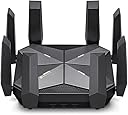
The TP-Link Archer AXE300 is a cutting-edge Quad-Band WiFi 6E router delivering unprecedented 15.6 Gbps speeds with dual 10G WAN/LAN ports, powered by a quad-core CPU and 8 high-gain antennas for maximized coverage. It features advanced cybersecurity with CISA Secure-by-Design compliance and TP-Link HomeShield, supports VPN client/server, and is compatible with all major ISPs. Winner of the iF Design Award 2022, this router is engineered for professionals demanding ultra-fast, reliable, and secure home or office networking.
| ASIN | B0BCWBCY34 |
| Antenna Location | Business, Gaming, Home |
| Antenna Type | Retractable |
| Best Sellers Rank | #11,783 in Computers & Accessories ( See Top 100 in Computers & Accessories ) #400 in Computer Routers |
| Brand | TP-Link |
| Built-In Media | 1 x Archer AXE300 Router, 1 x Power Adapter, 1 x Quick Installation Guide, 1 x RJ45 Ethernet Cable |
| Color | Black |
| Compatible Devices | Personal Computer |
| Connectivity Protocol | Wi-Fi, Ethernet, USB |
| Connectivity Technology | Ethernet, USB, Wi-Fi |
| Control Method | App |
| Controller Type | App Control |
| Coverage | Maximized |
| Customer Reviews | 4.1 out of 5 stars 369 Reviews |
| Data Transfer Rate | 16000 megabits_per_second |
| Frequency | 6 GHz |
| Frequency Band Class | Quad-Band |
| Global Trade Identification Number | 00840030708039 |
| Item Dimensions L x W x H | 9.13"L x 9.13"W x 2.66"H |
| Item Highlight | Two 10Gb Ports Wireless Internet Gaming Router, Supports VPN Client, 2.5G WAN/LAN + 4 x Gigabit LAN Ports |
| Item Type Name | WiFi 6E Router |
| Item Weight | 3.4 pounds |
| LAN Port Bandwidth | 10/100/1000 Mbps |
| Manufacturer | TP-Link |
| Maximum Upstream Data Transfer Rate | 2500 megabits_per_second |
| Mfr Part Number | Archer AXE300 |
| Model Name | Archer AXE300 |
| Model Number | Archer AXE300 |
| Number of Antennas | 8 |
| Number of Items | 1 |
| Number of Packs | 1 |
| Number of Ports | 7 |
| Operating System | TP-Link Customized Linux |
| Other Special Features of the Product | Access Point Mode, Guest Mode, QoS |
| Router Firewall Security Level | High |
| Router Network Type | Quad-Band |
| Security Protocol | WPA, WPA2, WPA3 |
| Special Feature | Access Point Mode, Guest Mode , QoS |
| UPC | 840030708039 |
| Unit Count | 1 Count |
| Voltage | 12 volts_of_direct_current |
| Warranty Description | 2 year manufacturer |
| Wi-Fi Generation | Wi-Fi 6E |
| Wireless Communication Standard | 802.11ac, 802.11ax, 802.11b, 802.11g, 802.11n |
| Wireless Compability | 802.11ac, 802.11ax, 802.11b, 802.11g, 802.11n |
M**S
Best router for LOTS of connected devices and speed
Good: 2.5gbe, 10gbe, fiber connections allow you to use the full potential of your internet provider and your network almost(10gbe is more like 6gbe but I don't have enough devices to absolutely need 10gbe) Wifi coverage is absolutely outstanding out of the box and even better when you tweak a few channel widths and channels in the very simple (for me) setup. I can cover a dull 2500sqft home with full high speed wifi with a single device. Not even my Asus Rapture ax11000 could come close. In the main areas where the router is located most wifi devices connect up to 1.4G. I can pull 800mbs from the back deck 900 on the front porch, 1g in a far bathroom and 500mbs in the farthest room/corner of the house. Connected Clients. This is where the Axe300 shines. I've tried several routers and setups to easily alleviate my main issue with most home routers and mesh. Regardless of what anyone says, most routers start to act up to almost shut down once you get in the 40 device range. I have a very connected home and since I lease I can't go running ethenet drops everywhere and don't care to invest in a mocca and think even the best powerline adapters are not the greatest. I currently have 63 IOT type wifi 2.4 devices on my network, 8 sonos speakers in a mixed ethernet/wifi setup, multiple IP cams, 2 wifi door locks, a wifi doorbell, 4 phones on wifi, 2 3k tvs on wifi, 2 4k tvs on ethernet,1 ps5 on wifi, 1 ps5 on ethernet, a Nas on 10g ethernet, up to 3 macbook pros on ethernet, sometimes an android tablet or two on wifi and I can still pull the numbers listed above when I try to stress everything I can and run and control everything I can. This router just keeps chugging. 2.4 wifi is the best I have had since the old days of great 2.4 only aps/routers, openwrt, ddwrt, boosted signal strength, etc. Even with all the IOT devices I have never seen less than a 65mbs connection to one of them or not been able to pull 60 to 70mbs down from my 2.4 wifi iot/guest band and maintain the FULL upload of my provider (super drops in upload with lots of WIFI iot is usually rhe first sign of your router not being able to handle the connections, then usually ping next and then jitter..) Bad: To me it's ugly. Like I stepped on a spider and it's dead upside down. Ymmv. It's clunky, definitely not pretty or sleek. Web interface just works but I'm a DD-WRT, tomato, openwrt, unifi, managed poe switch kind of guy and miss some of the customizations/features even the Omada or even dare I say an Asus router sometimes gives you. To me the tether app sucks. It works perfectly but you cannot see connected device connection speeds, rssi or even the rudimentary cpu utilization and ram usage you can with the web app. Would be nice is you could "properly" use smart connect for all 4 radios. You can work around this though easily. There are a lot of mesh devices (I won't even need any of them) that are not compatable yet with their mesh system. All those are little nags. The only thing I really do not like about this router is no SQM support for buffer bloat. I don't have buffer bloat issues but without more detailed controls on the router settings and/or SQM some customers may not see the full potential a router of this capability/cost can do. Overall for all in one router/ap for lots amd lots of connected devices plus full access to 10gbe, 2.4gbe, your over 1g provider connection I do not think you can find a better one. Even the new BE routers that are wifi 7 from TPLINK (they were the first to make them) have less 2.4 wifi capability and until something totally changes with cheap wifi IOT, 2.4 wifi is going to be where it is at foe the interim.
R**M
Expensive, but capable
The TP-Link AXE16000 Quad-Band WiFi 6E Router (aka Archer AXE300) is one of the more expensive routers on the market, but is has the capability and features to justify the price. If you are looking for a router to blend in with your furniture....forget about it. If you want to make a statement that you are a power user, this is the router you want. My ISP plan is 800 mpbs, but I am running around 930 mpbs using a DOCSYS 3.1 cable modem. If I decide to upgrade even further, this router can handle it. If you Internet plan is 400 mbps or slower, you can easily use a WiFi 5 (AC) or WiFi 6 (AX) router which will be considerably less expensive. This is a WiFi 6e modem which includes a 6 MHz band in addition to the more common 2.4 gHz and 5 gHz bands. Furthermore, there are two 5 gHz bands. Please note that there are very few devices that currently support the 6 gHz band. My Samsung Galaxy 22 Ultra phones do have that capability. Some Windowsx 11 computers support 6 gHz; currently Windows 10 does not support 6 gHz, even if you install the proper adapter; Microsoft has chosen to block 6 gHz on Windows 10. There are workarounds if you insist. Using a chanel width of 160 mHz on one of the two 5 gtHz bands, I am getting upload and download speeds of 1815/2402 mbps. That gives me Speedtest rates of 400 mpbs over WiFI which is half my Internet band plan. That is excellent as you cannot ever get the same speed over WiFi that you can achieve over wired Ethernet. I am using a 2.5 gb Ethernet connection from my router to my primary computers. The router compes with two 10 gbe ports and one 2.5 gbe port allowing you to get around the speed limitations of routers that only employ 1 gbe ports. Thus, if you are a power user and can afford this device, you will be pleased. Please be aware that WFi 7 routers will be introduced over the coming year. However, few homes will need the capability of WiFi 7 anytime soon
D**I
Solid Performance, As Long As You Stay Within Range
I’ve been using this router for a while, and overall it delivers strong performance. Speeds are fast, the interface is straightforward, and it handles multiple devices without slowing down. When you’re within reasonable range, the connection is rock solid. The only drawback is that signal strength drops off more quickly than I expected for a router at this price. It’s fantastic in the same room or nearby, but if you move a floor away or hit a couple walls, the speeds take a noticeable hit. Not unusable, just not as impressive. If your setup keeps most devices close to the router, it’s an excellent choice. If you need whole-house coverage, you’ll probably want to pair it with additional access points or a mesh system.
K**A
BEST dang Router ever!!!!!
Now before I begin mind you I am an IT Professional, so my point of view may be different than someone that may not have my background. I thought my last TP-Link router (Archer 6000) was the best router I ever had but this one blows that one out the wazoo!! I have read some reviews and while most are fantastic. I also read some negative reviews and it comes down to perspective. For most IPSs they require you to provide the routers MAC Address and not the LAN which most users tend to confuse and then they put a negative review saying it doesn’t work. And some IPSs have their own MAC and IP they provide in order to get internet to your home and this router can more than allow you to do those things. If you provide the routers MAC ADD then they have to burn that into their config so that the routers can get an IP address. You also have to go into ADV Settings/Internet and make sure to select the right LAN port since this has 2 10GB ports with a combo SFP Fiber port and a 2.5GB port so the right one needs to be selected save the config and then THATS where you plug your Ethernet cable coming from the modem. That is another mistake people make with this router. I think it should be noted that you may need to have some sort of background in networking or someone that can come and help you config this router. This isn’t a Walmart special router plug and play you have to set some parameters on the config to make this work. Then it’s a must to restart the router at times to apply the config and restart the ISPs node so it can refresh and everything is happy time after that. I ran multiple speed tests and get anywhere from 1020-1033 mbps consistent. It also has WPA3+WPA2 for WiFi which is great considering most older devices cannot do WPA3 so that helps a lot cheaper routers can’t do that for the most part. This is QUAD band amazing, one 2.4, 2 5G and with 6G I am ready for the next devices and WiFi upgrades coming later this year. My home is about 4200 sq feet and this can more than cover up to 6000 sq feet. My home is cinder block and concrete bunker style and I have no problem with reaching my sons room which is all the way in the back tucked in the corner which he hardly got great service but not with this one. I have at least 150/200 feet wifi perimeter around the house and backyard and then some. If you know what you are doing and require more power, vlan segmenting, IOT segmenting, and amazing speeds and LAN/WAN, VPN services and firewall and NAS solutions this is the router for you!!!
J**L
Defective
Got this router with high hopes. Set up was easy started off great. Very fast an quick was able to separate certain device to the 4 bands. That was the thing I was most excited about. Supports 10g internet it’s not here yet but was trying to future proof. Now the crappy part after 5 days started to receive internet connection errors. Only certain device would work. An other would have errors. Started to reboot it an everything would return back to normal strong signals fast internet speed up to 810 mega down an 790 up. But after a few hrs have to reboot again. For the price you should not have to do that. Read a few reviews an that seems to be the common issue with these routers. So unfortunately back it goes I’ll just wait for another year or so to try again. So back to my other router which wasn’t bad just wanted the quad bands. Oh well
S**.
Archer AXE300 Early Review with "Problem" and Fix
Intro and initial thought: I normally don’t do reviews on something I just bought, I like to wait until I’ve put things to their intended use for a few months at least, unless something is wrong. Happy to say so far nothing is wrong, per say, with the Archer AXE300, “IF” you’ve worked in IT/IS. This is one of very few consumer routers on the market, right now, that offer 10gps speed and I personally do not think it was meant for the average consumer/gamer. The Set up: The setup here is two gaming PCs (self-built), a slew of smartphones, a few Alexa devices with assorted IOT light bulbs/wall sockets, an older Dell R710 server hosting a few online game servers for Rust. The AXE300 replaced a Nighthawk R7000 (it’s Wi-Fi had started to drop connections too frequently in the last year or so) hooked up to an Arris BGW210-700 running AT&T Fiber 1Gig in bridge mode. The AXE300 can be set up without using the TP-Link Cloud service or the phone app, with just the IP address of the router. I haven’t seen anything from their marketing that gives an advantage to using their service or app, since I cannot think of any good reason that I’d ever want to mess with my network while away from home. The Problem: Following the TP Link set up instructions, one does get an internet connection, but just a basic one. If all you are doing is setting up and forget, this may work for you. However, other less costly routers are out there that will do the same. The problem arises from the AT&T Arris modem. It sees the AXE300 and connects to it, however it does NOT pass on the Gateway IP to the router. This will cause all sorts of issues if you are port forwarding, especially if running a server to the outside world! The Fix: On the AT&T router go to "Firewall", then "IP Passthrough", then to "Passthrough Fixed MAC Address". Click the list and pick AXE300, this will auto fill the router’s MAC address. Rebooted router and all should work! Note: You will still need to redo all your port forwarding in the modem since they are tied to the MAC address of the router. Doing the above step does not update them to the new MAC address of the AXE300. So do NOT change the MAC Clone from “Use Default MAC Address” in the AXE300 settings! Closing: I hope this helps someone from spending 8 hours like I did from finding this fix. Right now, the AXE300 gets 5 stars for doing what it’s supposed to do, that may change in the future as I throw more at it…
G**Y
Initial Assessment
I've set up Netgear and Syslink routers in the past, and the ease of the TP Link setup was wonderful. Still need to pay attention and follow directions, but everything is straight forward. The system sends out strong signals in all four bands. I may not be able to use the 6 GHz band very much until other electronics catch up, but I'm ready for it. The system easily connected to a separate TP Link range extender (BE 10000) with all four bands popping up the first time. With a one story 3000 sq ft home, things are very spread out and extenders are a must. I was really expecting a long, frustrating process but walked away a happy camper. Will it work for years to come? I cannot yet rate the item on that. The new router hooked up with my Link camera and doorbell system much, much more smoothly than my old one. The only thing I am scratching my head about is why their home page is relatively unsecure since it is not a https:// site but is instead an old http:// address. My wifi passwords are on that site. More security would be good.
B**Y
Got Frontier FiOS 2 Gig? Get this router.
As noted in at least one other review, the TP-Link AXE16000/Archer AXE300 is ideal for a Frontier FiOS customer. It’s the router Frontier supplies with the FiOS 5 Gig service; but, if you have “only” 2 Gig, you get the eero Pro 6E, which isn’t nearly as satisfactory — especially if you want a full-speed wired connection to a computer with 10 Gb Ethernet, because the eero has only a single 1 Gb Ethernet output. Frontier’s 5 Gig service, even if it were available to my house, would be an extra $50-or-so/month; and, truly, 2 Gig is more than enough for my needs both now and for some time to come. To put it another way: in 10 months, the savings pay for the router, which I then get to own rather than renting. (In fact, perhaps this is **why** the 5 Gig service costs $50/month more, since 2 Gig and 5 Gig use the exact same ONT and switching from 2 Gig to 5 Gig requires only a router change from the eero to the TP-Link.) In the meantime, having the TP-Link router lets me make fuller use, today, of what’s already coming down the fiber with the 2 Gig service. Also, the TP-Link software provides **far** more control over my network than the purposefully limited eero software. With the TP-Link, all my WiFi devices are getting substantially higher down/up performance than what the FiOS-supplied eero was able to supply; and, man, is it ever nice to give my computer a full-speed wired connection again! The only initial hiccup I experienced with the TP-Link router was getting it to accept a firmware update, either from the TP-Link server or from a “manual” download. However, a cold reboot and reset solved the problem. Incidentally, in case you saw one particular YouTube video where the guy smugly ragged on the TP-Link (even though many of his complaints were related to his own home’s lower-end connectivity, for which a router like this one is admittedly overkill): yes, the router is fairly warm to the touch, **but** so is the eero Pro 6E, even though it’s doing a lot less “work”! So don’t worry about that as long as you can put it in a place that’s decently ventilated. Bottom line: if you have Frontier’s FiOS 2 Gig service, get this router. Period. No, it’s not cheap, but it’ll get you what you **thought** you were paying for with the 2 Gig service — and then you’ll own the thing rather than renting it. Moreover, it’ll take care of you until WiFi 7 support is common across the majority of your devices, which could be quite a few years.
P**.
Works as intended!
I don't have a super complex network but heavy enough that I needed more cpu power than provided by my ISP. I have a 3gbps connection and run a small 10gb network of a 10gb switch. Transfer speeds are optimal and it hasn't gone down on heavy load of data transfers. This occurred with my ISP modem router all the time when I would run data transfer over the 10gbps data port. Wifi surprisingly handles my smart home of over 50 devices with a breeze. Will update should anything change but so far, i'm very satisfied
C**M
Lo bueno: Facil de configurar y de instalar. Lo malo: Cobran por seguridad extra
Es un equipo nuevo, que actualiza a otros modelos como el AX11000 que es un router similar de la misma marca. Es muy facil de configurar, muy sencillo e intuitivo. Es prácticamente un equipo para uso continuo y de batalla. La potenchai de todas sus bandas es extraordinaria, rompe muros y es muy estable. Lo unico malo que le encontré, es que a diferencia de su modelo predecesor, en esta version cobran extra por antivirus online, control parental y otras funciones. Cuando en su predecesor estaba incluido sin costo.
K**L
amazing router!
No disconnections, more Wifi distance, penetrates through concrete in close distance
J**T
Fast Wi-Fi
I love this Wi-Fi! Easy to setup via the download Tether app. Very good signal through house. I get 50Mbps down via my Isp provider. With their Wi-Fi I was getting 866Mbps (WiFi 5 ac), very good. With the tp-link AXE 16000 I am getting 2402Mbps (Wi-Fi 6E @ 6Ghz ax). Very very good. These speeds are measured with my Quest 3 using Virtual Desktop playing Half-Life Alyx on Steam. I had all the eye candy maxed out. The 3D enviroment looked great !!👌
A**N
Best router out there
I upgraded from the TP-Link AX11000, that was great. Really served its purpose, but i saw the new AXE 300 and WOW, this router was super fast, was great working from home and connecting to the office network. Faster than the Rogers router that i connected to. Really recommend this one till the next faster router comes out.
Trustpilot
3 days ago
2 weeks ago