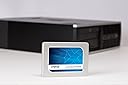
⚡ Upgrade to speed, save energy, and secure your data like a pro!
The Crucial BX300 CT480BX300SSD1 is a 480 GB internal 2.5-inch SATA SSD delivering up to 555 MB/s read speeds. It offers over 300% faster performance than traditional hard drives, with 45 times better energy efficiency and enhanced durability due to its solid-state design. Designed for easy installation, it includes a detailed guide and free Acronis cloning software, making it the perfect upgrade for professionals seeking reliable, high-speed storage.


| ASIN | B073W4N5KB |
| Brand | Crucial |
| Brand Name | Crucial |
| Cache Memory Installed Size | 480 |
| Compatible Devices | Desktop |
| Connectivity technology | SATA |
| Customer Reviews | 4.6 out of 5 stars 3,382 Reviews |
| Data Transfer Rate | 6 Gigabits Per Second |
| Digital Storage Capacity | 480 GB |
| Digital storage capacity | 480 GB |
| Form Factor | 2.5-inch |
| Global Trade Identification Number | 00649528783370 |
| Hard Disk Description | Solid State Drive |
| Hard Disk Form Factor | 2.5 Inches |
| Hard Disk Interface | SATA 6 GB/s |
| Hard disk description | Solid State Drive |
| Hard disk form factor | 2.5 Inches |
| Hard disk interface | SATA 6 GB/s |
| Hard-Drive Size | 4.8E+2 GB |
| Hardware Connectivity | SATA 6.0 Gb/s |
| Installation Type | Internal Hard Drive |
| Item Weight | 3.53 Ounces |
| Manufacturer | Micron |
| Manufacturer Part Number | CT480BX300SSD1 |
| Model Name | Crucial BX300 |
| Model Number | CT480BX300SSD1 |
| Network Connectivity Technology | SATA |
| Number of Items | 1 |
| Product Warranty | Three year limited warranty |
| Read Speed | 555 Megabytes Per Second |
| Specific Uses For Product | Personal |
| UPC | 649528783370 |
R**N
Perfect for MacMini Late 2012.
Superb. I have a late 2012 mac mini and the internal 1TB HDD was slowing down the whole mac to a near crawl. I replaced it with this Crucial BX300 240GB SSD drive and it's lightning fast now. The old hard drive can be removed easily following the various online guides. However, you can stop once you unscrew the wifi antenna (usually step 12 in the guides), you don't actually need to disconnect the antenna, just move it to the side. So a straight replacement saves the whole process of removing the logic board. You will need to angle the old HDD just right in order to remove it and not catch on the memory modules. Fitting the SSD drive is much easier as it is thinner and slips in easily. I used a credit card to slide it back in and locate the two holes and also keep it supported when screwing to the antenna grid (which completes the supporting of the drive). I considered creating a Fusion drive and/or keeping the old HDD internally with a 2 bay kit, but thought it was just easier to replace the HDD with the SSD and not have to remove the logic board. Money saved on the 2 bay kit can be used for an external drive enclosure for the original HDD. I used black magic disk speed test and get mostly 470MB/s Write and always 510 MB/s Read. The 240GB drive is 160GB full, with disk encryption (filevault2) on. It took 45mins to complete the job. Before fitting, I used carbon copy cloner to create the bootable SSD drive from the original HDD using an external caddy. I just unchecked the imovies library and iphoto library so it would fit sizw wise. These will be held on an external drive. Once I clarified this booted and worked I fitted the drive. Incidentally, my whole system ran faster booting from the SSD drive is an USB2 attached caddy compared to the internal HDD on Sata6. So the original mac HD was really letting the whole mac mini down. I read a review before purchase, which seemed to indicate this is a hidden jem with some very good performance and much better than the old BX series, surpassing the current MX300 is some areas.
D**R
Works well and easy to install
I bought this to upgrade an older Core2 2.4GHz PC that was already using a 64GB SSD plus 500GB HDD and Windows 10. I wanted the extra capacity as my 64GB C: boot drive was very nearly full, despite my best attempts to move as many programs and data to the HDD as possible. The installation process was surprisingly quick and easy using the special (locked) Crucial version of Acronis clone software, which is available as a free download from the Crucial web site. If you read the instructions published by Crucial you might be lead to believe that you need a USB to SATA interface cable to connect the new drive to your PC ready to clone the existing boot drive to. This is undoubtable true for laptops and probably many desktops too, but I found that I could temporarily disconnect my internal SATA DVD drive and use the cables to connect the new SSD instead and the Acronis software found it automatically when using its Clone Tool. I suspect that this gives faster transfers than via USB, especially if you only have USB 2.0 ports as I have and not USB 3.0. With the data transfer done (it took only a few minutes) I swapped out the old SSD for the new Crucial drive (I didn't need the supplied spacer for my HDD bay), reconnected my DVD drive and powered up to find Windows 10 running just as I had hoped for. But I am surprised to find that not only do I have the extra capacity but the whole PC seems to be running a lot faster and smoother. I expect the BX300 read and write speeds are somewhat faster than my old Samsung drive but the speed improvement seems to be greater than that might account for. Perhaps the old drive was nearing its end of life and had slowed as a consequence? Or maybe the Windows Page file just worked better with more storage space? Either way, I am very pleased with the end result and if you too are looking to upgrade an older PC I can recommend this Crucial SSD.
K**L
Fast, cost effective and reliable from a memory specialist brand
I bought this to revive my mother's ageing laptop as there was only so much I could physically do to improve its performance, this being the DRAM and hard drive. I've always been an early SSD adopter since the Crucial M300 SSDs many years ago personally and with the massively falling SSD prices, this model being one of the latest Crucial SSDs was a solid option in terms of price and value. Windows 10 Ultimate was installed in less than 15 - 20 minutes and boot up times are now significantly faster, just a little bit over 10 seconds which is an excellent performance boost on an older laptop. It also uses much less power than a traditional mechanical 2.5" HDD so she has noticed slightly improved battery life too. Recommended.
I**S
Gave new life to a desktop. From 2:30 to 38 seconds
This is the 3rd one I bought. I use 1 in each laptop and 1 on my desktop. The desktop needed 2:30 minutes to show the desktop icons from cold boot. After using the Acronis software they provide (1 hour and 15 minutes to complete for an almost full hard drive) to be cloned, it is now ready to be used in 38 seconds. Until now all three hard drives BX300 are excellent for daily use and gameplay. Just imagine that League of Legends game was taking way too long to patch. Now its a blink of an eye literally. Only negative is that first 2 were bought from Crucial itself. Now from 10 sellers this is the only seller that was shipping to Cyprus. Considering value for money you can find cheaper ssd for more GB, but I don't know if the speed will even catch up to the BX300. I really don't trust forum reviews and youtube videos. They seem to all speak about Samsung ones, and it seems like they advertise them all the time.. As I am happy with crucial I am sticking with them. Will it be a crucial mistake? Time will show. And I will definitely update my review if anything changes.
D**D
Extra speed for a great price.
Needed to upgrade from a 1TB spinny disk as it was starting to slow down a lot even after cleaning. Easily installed this drive in my PC and downloaded and ran the Acronis/Crucial backup tool using the cloning mode to copy my OS and apps, etc. only, from the old drive. Disconnected the old drive and booted from the SSD easily without issue. A few things to note, make sure you back up all photos, videos and docs from your old system first and then delete them (once you're happy that you can access them again), to reduce the drive size down so the data will fit onto the new drive. Before running the software run a defrag if the old drive is a rotary unit (do not do this on an SSD), then run the Clone operation in manual mode and set it to make the files fit the new destination drive. Disconnect the old drive before start up to prevent conflicts. Let the new installation run a long time just to make sure all apps work OK before wiping the old drive.
A**N
Great Performance, Great Price
"Crucial BX300 120GB": Expected size was around 120GiB, actual size is 111GiB; most likely due to SSD/HDD companies using 1000MB as GB (Where GiB is the actual size (1024MiB), and how Windows measures it) but I'm not disappointed. Had no problems getting it to work, though had to reinstall Windows due to a mistake on my part; ended up being able to test the SMART readings which all seem in check, and the Total Host Writes and Total Host Reads displayed the proper (now inflated) amount, and count up properly. Since this is an SSD, the only performance numbers are Read/Writes, IOPS etc. which I'm no professional with; so here's some info I gathered: Windows 10 1803 (Build 17134.48) takes 25-30 seconds to boot up (From 'cold' start (Without fast start-up)) including all the BIOS checks, which are about half the time. Windows 10 (Build stated above) install size after updating and cleaning up is around 20GiB, so there is plenty of space for programs that are used often - would still recommend re-locating the Documents/Videos etc. directories to a bigger form of mass storage (Say a 1TB HDD). If I get around to it I will post my CrystalDiskMark scores when using the SSD as the daily driver - With Windows 10 and a total of 35GiB storage used.
C**W
Splendid SSD
This is not my first Crucial SSD, and having had excellent use from my other one for several years (still going strong) I got this one for a new PC. You don't need to be a computer expert to install a SSD, but you do need to be able to follow instructions on how to clone a drive, of which there are many versions online, with free software available too (Acronis true image HD software is included, but any similar software will do the trick). Once installed and running, this Crucial SSD has been totally reliable and extremely quick. I don't think I could go back to using a HDD as my main drive as the difference in speed when starting up your PC in particular is enormous. I would recommend downloading some sort of SSD utility to monitor your SSD and keep the firmware up to date, details of how to do so can easily be found online. This is a marvellous SSD that I would recommend to anyone. I'll certainly keep buying the Crucial brand when I next need a SSD.
S**N
highly recommended for PS3 HDD upgrade
highly recommended for PS3 HDD upgrade. I have an old PS3 with a 60gb HDD and having followed some on-line instructions (just google for PS3 HDD upgrade) have fitted a 120gb Crucial SSD. It works perfectly and is much quieter and slightly quicker than the old HDD. This is down to the PS3 itself and not a reflection of the potential of the SSD. I have ordered and used Crucial SSD's in my laptop and desktops before and can recommend them, they drastically speed up performance and start up times. I was not entirely sure whether one would work in a PS3 but can confirm they do and are not that difficult to fit, I am not a PC expert but provided you follow the on line instructions its not that difficult.
D**�
SSD nach 2 Monaten Benutzung Top, nach Windows Anpassungen auch problemlos
Lieferung schnell und unkompliziert. SSD kam einfach, aber ordentlich verpackt an. Ich habe entsprechend mein Betriebssystem (Windows 10 Home, 64bit) entsprechend vorbereitet und ein Image auf die SSD gezogen. Notwendige BIOS- und Windows-Einstellungen (AHCI) getätigt und versucht zu starten - keine Probleme, lief problemlos. Schon das Booten bis zum Anmeldebildschirm ist ein Unterschied wie Tag und Nacht um Vergleich zur HDD. Allein deswegen sollte sich heut zu Tage jeder eine SSD zulegen. Nach kurzem Arbeiten merkte ich, das sich die Platte (bzw. das OS) immer wieder aufhängt und lange Zeit zum "überlegen" braucht. Nach folgenden Anpassungen im Betriebssystem, hatte ich bis heute keine Probleme mehr: Unter Systemsteuerung -> Verwaltung -> Dienste den Dienst "Superfetch" deaktivieren. Unter Eigenschaften der C: Festplatte -> Tools -> Optimieren -> Die geplanten Optimierungen (Defragmentierung) deaktivieren. Unter Systemsteuerung -> Energieoptionen -> Den "bevorzugten Energiesparplan" deaktivieren und auf "Höchstleistung" stellen. Seitdem hängt die SSD keines Wegs mehr und funktioniert tadellos. Rasend schnell im Bootvorgang und während Arbeiten im Windows selbst. Ggf. kann man die Energieoptionen noch anpassen, wem die Lüfter dadurch etwas zu Laut drehen. Des Weiteren hilft auch ein Update das BIOS vom entsprechenden Hersteller. Dies war bei mir allerdings nicht erforderlich. Preis-Leistung bei dieser SSD einfach nur top, bin sehr zufrieden!
C**R
IMPRESCINDIBLE para darnos una alegria navideña.. estrena pórtatil por menos de 70€
Es el segundo SSD que adquiero tras un OCZ de 240Gb que instale en un MacBook de 2010, ahora este Crucial BX300 ha resucitado un HP Pavilion dv7 desplazando un HDD grandisimo a una cajita USB. Los usos y costumbres han cambiado radicalmente, el streaming, la musica online e incluso el Office en la nube hacen que esos discos de 1T y 2T esten obsoletos en un pórtatil y el BX300 ha desbordado mis expectativas en una máquina muy superior en hardware a mi Macbook Core Duo, donde me sorprendio gratamente, pero en este HP no hay color, lo ha revolucionado al 1000% posiblemente porque Windows 10 (ya madurado en la 1709) usa los drivers mas actualizados y el Win7 ha desaparecido incluso del particionado, es el SSD y el magnifico hardware de este Pavilion dv7 los que me han devuelto una máquina todopoderosa. Este Crucial BX300 es rapidisimo si lo sabes configurar en tu Windows 10 1709 desde una instalación limpia, esto se consigue desde las páginas de Microsoft que te dan la posibilidad de montar en un Pendrive Win10 (32&64) 1511, instalable desde 0, bajatelo desde el PC donde vayas a instalar el SSD, la instalación se encarga de todo lo demas (alineamiento, particionado EFI & Shadow BIOS recovery) sin miedo. Esta primera configuración carece con seguridad de algunos drivers necesarios para tu PC pero la 1709 te lo corrige posteriormente y en mi caso he tenido que buscar como bajar el controlador AHCI de Intel y el IDT de BeatsAudio para que todo este completo, salvo este par de detalles la 1709 dispone del 99% de los drivers actualizados y lo mejor es que sabe que hacer con un SSD, en la red existen varias páginas que te indicaran los pasos para rematar el funcionamiento al 100% de este Crucial BX300 con un par de ajustes sencillos desde el mismo Windows. La relación precio/calidad es inmejorable para 240Gb. existe un modelo del mismo fabricante con 35Gb. mas de capacidad por 25€, depende de lo que el usuario tenga en mente, pero por la experiencia en el MacBook los 240Gb. son mas que suficiente para las pautas de uso actuales del 99% de los usuarios. En la post instalación, si todo funciona bien con una utilidad sencilla como CCleaner haceis limpieza, especialmente de Windows.old la 1511, y de toda la basura que se ha generado en el proceso de instalación, la RECOMPENSA es algo similar a tener un equipo nuevo, se nota al ejecutar cualquier programa de forma casi instantanea o manipular cualquier contenedor de datos vía HDD.
B**M
Excellent SSD très rapide, bon rapport qualité;/prix
Après avoir remplacé les disques durs de mes 4 PC portables par des SSD Crucial de 480Go, mes machines sont devenues incroyablement rapides et performantes, car le maillon faible d'un PC, c'est son disque dur ! Mais quand on utilise un disque dur traditionnel comme sauvegarde externe, cela ralentit tout l'ensemble... C'est pour cela que j'ai décidé de remplacer le disque de 250Go d'un boitier USB 3.0 externe par ce SSD qui booste incroyablement les performances ! Chaque transfert se fait en un clin d’œil, on ne passe plus des heures à attendre la fin des copies, cela ne prend que quelques minutes tout au plus pour les plus gros transferts. Idéal pour stocker des fichiers volumineux, des films ou des sauvegardes de PC, ce SSD Crucial est extrêmement rapide et ne chauffe pas. Utilisé en externe dans un boitier USB 3.0, il se transporte très facilement dans une poche sans crainte des vibrations ni risque de détérioration des données. Par rapport à une clé USB 3.0, le SSD est beaucoup plus rapide et offre un coût de stockage par Go bien plus favorable. Pour faciliter les opérations de remplacement d'un disque existant, Crucial offre sur son site le téléchargement d'un logiciel de clonage qui prend en charge la copie intégrale du disque en respectant sa structure et son système de fichiers. Merci Crucial ! Adieu les vieux disques lents et fragiles, vive les SSD !
S**G
It's Alive!
Brought my 2011 mac back from the dead. Boot up went from 10 minutes to 30 seconds. Shutdown takes about 10 seconds or less. Fairly easy to install. A bit intimidating at first but it was really not that hard. Hardest part was creating the Bootable USB installer. Only glitch was the need to reset the clock because I went with a fresh install without formatting the drive first. I did not want any remnants of the prior drive. Definitely have a 2nd computer handy to research any problems and to keep the instructions handy. I used the instructions from the crucial site for the hard drive install and the instructions from Mac Rumors to create the bootable USB installer. Took about 40 minutes and then an hour or so to install the OS and another several hours to add the apps and settings and email etc.. Well worth the effort.
Z**X
Rien à dire il fonctionne très bien
Ce modèle à de quoi satisfaire avec son prix abordable et des débits en lecture/écriture qui sont tout à fait corrects, vous pouvez même installer le logiciel d'optimisation c'est encore plus rapide sous Windows 10. Le contenu de la boîte n'a rien d’exceptionnel mais on trouve tout de même à l'intérieur de celle-ci un petit cadre d'adaptation d'épaisseur ainsi qu'une notice comportant un numéro de licence pour le logiciel Acronis à télécharger. J'ai utilisé Acronis pour copier mes anciens SSD de 128 Go et 256 Go ainsi que le logiciel Macrium en version gratuite (vraiment bien) par précaution afin d'avoir 2 fichiers images distincts de sauvegarde de mes disques avant de tout effacer.
Trustpilot
2 months ago
2 weeks ago