


🎮 Elevate your game and workspace with ultrawide precision and speed!
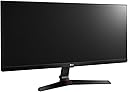
The LG 29UM69G is a 29-inch ultrawide IPS gaming monitor featuring a 2560x1080 resolution, 1ms motion blur reduction, and a 75Hz refresh rate with AMD FreeSync technology. Designed for immersive gaming and productivity, it offers customizable game modes and dynamic action sync to minimize input lag, delivering smooth, vibrant visuals without color distortion or tearing.
| ASIN | B06Y634VP9 |
| Adaptive Sync | FreeSync |
| Aspect Ratio | 21:9 |
| Aspect ratio | 21:9 |
| Brand | LG |
| Brand Name | LG |
| Colour | Black |
| Contrast Ratio | 1000:1 |
| Customer Reviews | 4.4 out of 5 stars 1,540 Reviews |
| Display Technology | LCD/LED |
| Display Type | Ips |
| Global Trade Identification Number | 05415247131403, 08806087300116, 08806087300130 |
| Hardware Connectivity | HDMI, USB Type C |
| Has Color Screen | Yes |
| Image Brightness | ANSI lumens |
| Image contrast ratio | 1000:1 |
| Item Type Name | LED Monitor |
| Item Weight | 5 Kilograms |
| Manufacturer | LG |
| Maximum Display Resolution | 2560x1080 pixels |
| Model Name | 29UM69G |
| Model Number | 29UM69G-B |
| Mounting Type | Wall Mount |
| Native Resolution | 2560x1080 |
| Network Connectivity Technology | HDMI Yes (ver1.4), Display Port Yes(1.2), USB-C Yes (DP Alt. Mode) |
| Picture Quality Enhancement Technology | 1ms Motion Blur Reduction, AMD Freesync, Dynamic Action Sync mode, Black Stabilizer, Game Mode |
| Power Consumption Size | 23.3 Watts |
| Product Features | VESA 75 |
| Product Warranty | 1 Year |
| Refresh Rate | 144 Hz |
| Resolution | FHD Ultra Wide 1080p |
| Response Time | 5 Milliseconds |
| Screen Finish Type | Flat |
| Screen Size | 29 Inches |
| Screen size | 29 Inches |
| Screen surface description | Flat |
| Specific Uses For Product | Gaming |
| Total HDMI Port | 1 |
| Total Video Out Ports | 2 |
| UPC | 719192609150 |
| Unit Count | 1.0 count |
| Viewing Angle | 178 Degrees |
| Voltage | 230 Volts |
R**R
Really good for gaming
Really good for gaming. Ultra wide for immersion in games and movies The monitor is very impressive. Colours are crisp and vibrant. The size is a great upgrade over the LG 25UM58-P and the stand is a lot better than the last years model (LG 29UM68) and I feel like the tilt mechanism is slightly better. This monitor, unlike the previously mentioned models, was specifically more tuned for gaming with motion blur reduction, crosshair inclusion, free sync, etc. Would only recommend turning MBR on if you're playing competitive FPS as it reduces response time but causes as sort of flicker due to the refresh rate being doubled with alternate blank frames to remove ghosting (explained on the product page of this monitor on the LG's UK website ), Personally I keep MBR off, as I prefer flicker free image and I do not really feel like there is that much difference the 5ms and approx 1ms. Recommend this monitor all the way. :) PS: Saw a reviewer talk about a dead pixel on a monitor, it's fairly common in the LCD panel manufacturing had the same problem with other monitors from other companies as well. It's mostly a chance of luck and I usually get a replacement for if that's the case. Also, company variations of MBR and free sync can't work together yet on my knowledge (probably due to it not being able to double the varied refresh rate in time).
D**S
Perfect for my needs!
Can't comment on how good it is for gaming but for programming, developing and designing, it's damn near perfect. Picture quality and Screen quality are bang on. Nice and wide but not so wide that it causes strain whilst using it. Peripheral viewing is great and would definitely buy again if needed!
E**.
Almost Perfection (for me anyways)
TL;DR - Monitor is perfect for what it is described as except for a line of dead pixels in the very bottom right corner but its usually covered by my toolbar. I kept it since it does not bother or hinder me (yet) and If i ever need another screen, id probably choose this one all over again :) THE GOOD - Its a fantastic upgrade from my 10+ year old 1650x1080 monitor, the IPS panel on my product had virtually no visible backlight bleed unless you have it on in a pitch black room. Colour is fantastic, doesn't say on the product page but it supports 8.BIT colour as well as a 75hz refresh rate. The viewing angles are perfect even when i use it vertically. Albeit the monitor is not "high end" or the "cheapest" it has alot of nice little extras which caused me to purchase this monitor such as: having a 75mm VESA mount for more options if i upgrade my workspace; a very user-friendly nipple button under the monitor for easy on/off and changing settings; and an ultrawide 21:9 ratio is a godsend when im working in CAD, PHOTOSHOP, etc for the extra space for toolbars without shrinking my drawing space. THE BAD - As a monitor there is nothing bad about it, everything that is listed works HOWEVER, after checking with 'DeadPixelBuddy' i did notice a line of 4-5 dead pixels at the very bottom right of the monitor and a single stuck purple pixel. This was never noticed by me untill i specifically went to look for them as it was hidden by my toolbar and since its so far down it really does not bother me but still, having a large clump of dead pixels is unacceptable and you should RMA if you're not as forgiving as me.
K**B
I am very happy
Had it for over 3 months now. Took a bit to gwt used to the ultrawide screen. Amazing for multitasking and other ultrawide experience. As far as the quality of the image. Definitely seen better pictures, but by expensive screens. This screen definitely delivers above average image quality but don’t expect to be blown away. Your are paying £300 for the ultrawide experience. Haven’t experiences flickering. Movies play just like on normal LCD monitor. Definitely watchable, but what will blow you away is a wide screen experience. Definitely go for it. I chose this over 4K, which was going to make this small and high res. Not my thing. But could be important for you. Good luck!
D**N
lg ultrawide
Very good monitor in reasonable price. Dimensions and IPS screen do its job. But still 75hz is only available for AMD graphics cards. In some of the games I`ve spotted screentearing at 75hz but this might be possibly fixed by some changes in game settings eg. unlocking the frames. Good product at this price bar!
T**R
Not impressed
The monitor came with a damaged screen the right side is dead or not working pixels, tge screws on the stand are very poorly made and round of with the smallest touch.
R**G
Great Ultrawide Monitor - With Freesync
Great monitor, I've had it about a year now and its fantastic, A good size, and good screen with zero defects. It also has freesync which I found out after upgrading my graphics card to a 2080ti, this works over the display port only I think. Buy it, it will not disappoint!
M**E
The good, the bad, the ugly
The Good: The good is its a ultrawide that reaching "above 99% of sRGB" (which means its really colour accrate to the original digital image) for just over ÂŁ200. Only LG's other monitors can compete at that price. The screen comes in essentially 3 parts, 2 for the stand and the monitor itself which is easy enough to assemble, however if your wall mounting it (yes its wall mountable -> looks like a 100x100 but please double check the spacing), you dont need to bother with the stand FreeSync is something that is advertised, but I completly missed, so it was a lovely suprise that I got a notification saying free sync was enabled when i plugged it into my AMD laptop The controls is simply a 4 way stick that you push/pull in the direction you wish, meaning that there isnt any "I cant see the button to change the brightness ... is it this one? nope I just changed inputs" The Bad: The bad is actually only one main complaint. PORTS.... Sure for most people, a single HDMI, a single DisplayPort and a single USB type C would be more then enough. However as someone who has a gaming pc (Only displayport and HDMI), personal laptop (While it has USB c, its not capable of display output as its too old (released 2018)) and a work laptop (whereby the usb c port is disabled), I sadly cant plug everything in. I personally much rather had 2 HDMI's and 1 Display port, but in the dongle world we live in, a USB type C port is nice for those people, so instead I would like to have seen a additional HDMI port (HDMI has been around since 2004 and isnt going anywhere soon, so most devices still use it as its only output). But I do know for most people, they will only use it for 1 computer. My other small complain is that it can't auto detect signels from a source its not on, so if your on HDMI and there isnt a HDMI signel coming though, but suddenly the DisplayPort is getting signel, it doesnt automaticly switch, instead you need to manually switch (I have looked in the settings and didnt find a toggle) The Ugly: If you know anything about technology, you have probably heard that gaming and ultrawides dont work well together. This is because games expect a aspect ratio of 16X9 while ultrawides are either 24x9 or 32x9 (this one being the formor). This means games that only expect a 16X9 screen (such as Apex Legends) will display as there normal monitor size with black bars on either side filling in the "ultrawide" bit. The monitor does has a setting to correct this (Menu -> Input -> Aspect Ratio) however this takes the 16X9 image and then streches it out across the screen which may look ok, but if you play a older game .... its noticable With that being said, most games that come out today (and a lot of older ones) do have SOME support for ultrawide. You may find that a cutscene will display in 16X9, but the main game will be in your native 24x9, or that some of the on screen elements (such as health bar, ammo counter, etc) will be placed in a position that expects a 16x9, but the actual game is 24x9 (both of these happen in GTA5 -> a game released in 2014) so while its not a huge deal, it can be ugly to look at
M**A
Ottimo per lavorare come doppio monitor
Ho acquistato questo articolo perché uso spesso lavorare con doppio monitor; il rapporto 21:9 consente di avere due finestre affiancate di dimensioni adeguate con un unico dispositivo (quindi meno cavi e minor ingombro) ad un prezzo conveniente. Pur essendo uno dei più economici direi che è un buon dispositivo. Non so valutare la qualità dell'immagine, ma per me è più che sufficiente.
D**L
perfeito para trabalho e jogos
perfeito para trabalho e jogos, atendendo os 2 publicos
A**O
Excellent moniteur au format 21:9
Ce moniteur LG 29UM69G ultrawide IPS dans sa version 2017 possède une connexion HDMI, une connexion display port, une connexion USB-C ainsi qu’une prise casque. Sa résolution de 2560x1080 est assez étrange au départ si vous avez un moniteur classique. Cependant, on s’y habitue très vite. D’ailleurs, il faut penser à installer le logiciel Onscreen contrôle qui est fourni avec le moniteur. Cela vous permettra de configurer l’affichage des fenêtres en mettant par exemple 2 internet explorer un à côté de l’autre, … Les réglages de l’image se font via un bouton joystick qui se situe en bas du moniteur. Au départ, c’est étrange mais on s’y habitue rapidement. C’est vraiment plus ergonomique que les boutons habituelles des autres moniteurs. Ce moniteur possède des hauts parleurs intégrés (que l’on peut désactiver). Au niveau des réglages, on peut rester en full wide, original, cinéma 1 ou cinéma 2, photo, jeu FPS, … Le moniteur est aussi freesynch. Il est par défaut à 60hz mais peut monter à 75hz. D’ailleurs dans ce mode, il est aussi possible d’activer le 1ms motion blur réduction afin de réduire le flou du mouvement. Par contre, on ne peut pas activer ce dernier mode en même temps que le freesynch. Ce moniteur est excellent et pratique. En effet, ce format permet de travailler plus facilement sur plusieurs documents (affichage de deux pages), pratique pour la photo et le montage vidéo et fonctionne aussi bien avec certains jeux comme les FPS. Le rapport qualité prix est imbattable à l'heure où j'écris ce texte.
M**S
Ninguna queja, buena calidad de imagen
Llevo meses con Ă©ll y la verdad es que es un gran monitor. No tiene demasiados bordes, 3 entradas (DisplayPort, HDMI y USB-C), los altavoces no suenan mal (hay que tener en cuenta que no es su principal valor), mogollĂłn de modos predefinidos y un buen brillo. Antes de comprarlo leĂ mucho acerca de problemas que tenĂa la gente con fugas de luz, pero la verdad es que yo no he tenido ningĂşn problema en ese sentido. Nada más abrirlo y montarlo en la pared me bajĂ© un perfil de color de TFTCENTRAL y lo puse a funcionar. Obligado instalar los drivers del monitor, asĂ todo va mejor. Con el software de LG puedes cambiar casi todos los aspectos del monitor sin tener que usar el OSD y tiene varios modos para el manejo de las ventanas en multitarea (que para mĂ es el principal interĂ©s en coger un monitor ultrapanorámico, aunque me cogĂ este porque tambiĂ©n me gusta jugar). La verdad es que es una delicia contar con más espacio, ya no veo necesario tener varios monitores porque en uno solo tengo todo el espacio de trabajo que necesito. Me gustan mucho los perfiles integrados, se agradecen a la hora de jugar a segĂşn quĂ© juegos y lo cierto es que todo se nota bastante fluido. Eso sĂ, advertir que no todos los juegos soportan el formato ultrawide y que para disfrutar algunos al máximo tendrás que descargar un fix de WSGF, pero por lo demás todo genial realmente. No tengo ninguna pega, el producto es para mĂ todo lo que promete, pero hubiera molado que viniera en la caja un cable DisplayPort. Por todo lo demás, genial, espero disfrutarlo muchos años.
O**.
Très bon écran. HDMI OK sur HD6870 mais ne fonctionne pas sur HD6850. Il faut passer par le Display Port
Très bon écran globalement. Typique d'un bon IPS semi mat, avec ses qualités (couleurs fidèles, angles de vision large, pas de reflet, bonne luminosité) et ses défauts (noirs pas très profonds, fuites de lumières dans les coins sur image noire) Dimension très immersive. Même taille et définition en hauteur qu'un 23/24", mais nettement plus large Marche très bien en Display Port sur MacBook Air Attention en HDMI à la carte video, la résolution native étant de 2560x1080, certaines anciennes cartes ne fonctionnent pas en HDMI. Par exemple: - la HD6870 fonctionne en HDMI - la HD6850 ne fonctionne pas en HDMI -> non seulement il n'y a rien à l'écran, mais le PC ne démarre même pas. Il faudra passer par le Display Port dans ce cas (vérifié sur 3PC, avec 4 cartes différentes et 3 écrans) Pourtant les deux cartes sont quasi identiques, mais il y a une toute petite différence sur le nombre de pixels gérés par le HDMI. Ce qui suffit à la 6870, mais pas la 6850. Seul le câble HDMI est fourni. Pas de bol...Donc avant de renvoyer l'écran, il faut tester avec un câble display port à acheter séparément pour quelques euros. Le Ugreen est très bien par ex: connecteur dorés, compatible 4K. Seul reproche concernant l'écran: non réglable en hauteur. ça lui coûte une étoile. Par contre il est compatible support Vesa, si on voulait vraiment le mettre en hauteur avec un support additionnel. Sur le modèle 2017, il y a une USB-C, ce qui est très bien, par contre pas de hub USB connecté à cet USB-C. Dommage, ça aurait fait une très bonne station d'accueil. Il faudra prévoir un hub externe alimenté pour souris clavier et alim si on veut brancher un portable en USB-C avec un seul connecteur.
Trustpilot
5 days ago
1 month ago