



Nebula Capsule 3 Laser
Product ID: 489447560
Details
- BrandNEBULA
- Connectivity TechnologyHDMI Aux Out
- Display resolution1920 x 1080
- Recommended Uses For ProductCamping
💡300 ANSI Lumens brightness
📏120-inch max screen size
🔋2.5-hour battery life
Desertcart purchases this item on your behalf and handles shipping, customs, and support to Tunisia.
🎥 Pocket-sized cinema, limitless adventures.
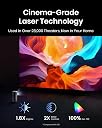
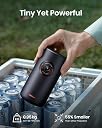
The NEBULA Capsule 3 Laser is a portable 1080p HD smart projector featuring a 300 ANSI lumen laser engine, capable of projecting up to a 120-inch screen. Weighing only 2 pounds, it offers 2.5 hours of video playback on a built-in battery, supports PD charging, and integrates Google TV, Netflix certification, and Dolby Digital sound for a premium entertainment experience anywhere.
| ASIN | B0BCWNQPQ7 |
| Additional Features | 1080P Laser Engine Powers, laser light source, Portable, Pocket-sized, Autofocus, Auto keystone, Built-in Battery, Dolby Audio, Google TV, Google Assistant and Chromecast |
| Antenna Location | Indoor/Outdoor, Camping, Backyard |
| Best Sellers Rank | #56 in Video Projectors |
| Brand | NEBULA |
| Brightness | 300 lumen |
| Built-In Media | Nebula Capsule 3, power adapter, manual, remote |
| Color | black |
| Compatible Devices | Smartphone |
| Connectivity Technology | HDMI , Aux Out, Type-C, Bluetooth, Wi-Fi, Screen Mirroring |
| Contrast Ratio | 500:1 |
| Control Method | App, Remote |
| Controller Type | Button Control |
| Customer Reviews | 4.3 out of 5 stars 7,179 Reviews |
| Display Resolution Maximum | 1920 x 1080 pixels |
| Display Type | DLP |
| Display resolution | 1920 x 1080 |
| Form Factor | Portable |
| Hardware Connectivity | Bluetooth, HDMI, USB |
| Item Dimensions L x W x H | 3.3"L x 3.3"W x 6.7"H |
| Item Highlight | Google TV, Netflix-Certified, Dolby Digital Sound, 120" Display, 2.5H Built-In Battery, Outdoor Wi-Fi Smart TV |
| Item Weight | 2 pounds |
| Lamp Wattage | 8 watts |
| Light Source Operating Life | 30000 hours |
| Manufacturer | Anker |
| Maximum Image Size | 120 inches |
| Maximum Throw Distance | 3.18 meters |
| Mfr Part Number | D2426111 |
| Minimum Image Size | 40 inches |
| Minimum Throw Distance | 1.06 meters |
| Model Name | D2426 |
| Model Number | D2426 |
| Mounting Type | Tripod Mount |
| Native Resolution | 1920 x 1080 |
| Number of Items | 1 |
| Picture Quality Enhancement Technology | MEMC, Intelligent Environment Adaptation Technology |
| Projector Maximum White Brightness | 300 ansi_lumens |
| Recommended Uses For Product | Indoor/Outdoor, Camping, Backyard |
| Software Update Supported to Date | unknown |
| Special Feature | 1080P Laser Engine Powers, laser light source, Portable, Pocket-sized, Autofocus, Auto keystone, Built-in Battery, Dolby Audio, Google TV, Google Assistant and Chromecast Special Feature 1080P Laser Engine Powers, laser light source, Portable, Pocket-sized, Autofocus, Auto keystone, Built-in Battery, Dolby Audio, Google TV, Google Assistant and Chromecast See more |
| UPC | 194644111939 |
| Unit Count | 1 Count |
| Video Encoding | AVC |
| Voltage | 20 volts |
| Warranty Description | 1 year |
| Wattage | 8 watts |
G**R
Amazing picture and sound for such a small device
I have been researching this and other Nebula projectors for months. I have now owned 9 projectors now ( I know I am a nut) and one is the original Capsule 1 100 ANSI lumens, and while it's a good projector and was so unique at the time it was released, it wasn't as bright as I'd like, the speaker is so/so and when using an external bluetooth speaker, the video and audio don't synch and that's frustrating as hell. I decided to order the Nebula Capsule 3 GTV (non laser version) and so glad I did. After adding to my cart and deleting and re adding to my cart multiple times, I finally bit the bullet and hit the place order now button and it arrived the next day. What an upgrade from the Capsule 1!! First off, it's a little larger and has built in Google Tv which is great. I only just turned it on yesterday, and I was in a hurry to watch NFL games, so I connected my Roku streaming stick since all my apps were already loaded, signed in etc. The old Capsule did not have a USB-A port so I couldn't connect a Roku. One of the reason I chose the Capsule 3 over the laser model was the USB-A, USB-C, HDMI and AUx out ports. I thought I might need to connect an external speaker so AUX port is handy, but more on that later. The picture was beautiful. SO colorful and bright enough during the day. I did close a curtain to darken the room, but I left a lamp on and the picture was fine. Last night we turned off all lights and the picture was amazing! So clear, in focus edge to edge which was such a nice surprise . Other projectors I own are clear in the center of the screen but blurry the further you get to the edges. This is particularly noticeable when text and scores are scrolling by at the bottom of the screen. This projector projects a very clear and vibrant picture edge to edge . I am using a 84" screen. There is a tiny bit of screen door effect on white images, but I didn't notice it after a while as the picture image was so beautiful and colorful. But the most impressive thing about this projector is the sound. WOW! I mean it sounds amazing. No need to hook up a blue tooth speaker or plug in an external speaker to the AUX port. No worry about audio and video synching. The sound from the Capsule 3 speakers is great..highs and lows are heard and sound great. After 1st turning on the Nebula Capsule 3, It took me about 15 minutes to realize I was listening to the projector speakers and not my bluetooth speaker. With my other projector, it automatically connects to my Bose when I turn it on. So I was blown away once I realized I was listening to the Capsule 3 speakers. I only had the volume at 40% and it was very loud and very clear. So happy about this feature. Today I plan on setting up Google TV and the apps I subscribe to on the Nebula Capsule 3. Hopefully they stream as smoothly as my Roku and I won't have to use a streaming stick. The remote is very nice and feels good in the hand. It has a few built in app buttons,Netflix, Prime video and Youtube. It also has handy backlighting so you can see the buttons in the dark.This is a very welcome feature. I haven't found all the fine tuning features as yet, but I did turn off the auto keystone as I was moving the little projector around on the stand a bit to get the picture to fit the screen perfectly, and each time I did, it would auto keystone again which was a pain so I turned it off. This model does have a zoom button, so you can reduce and increase the picture size. I don't think my Capsule 1 offered that. I also bought as a bundle the Nebula Capsule 3 carry case and it fits the projector and all the cords etc perfectly. I plan on bringing this with us when we travel so it will protect the Capsule 3 and be easy to transport and keep all accessories organized. My one recommendation to Nebula is for a longer power cord. It uses a UCB-C for the charging. It also has a built in battery which is rated for 2.5 hrs of play back in Eco mode. I will have to check that out. I will use the battery on occasion, but probably keep it plugged in so we can watch it at it's brightest and this is why a longer cord would be nice. I am so, so impressed in every way with the Nebula Capsule 3. And I think it offers more options than the Capsule 3 laser since it has the USB-A port. Save your money and get this Capsule 3. Don't think this will replace a larger dedicated home theater, but for an easy set up, portable projector with great picture and sound you will love it.
J**B
Great little projector!
Honestly wasn’t too sure what to expect. A little bit of a mixed bag in the reviews. However, this is a great little projector. Super easy to use and great quality for what we use it for, which is basically outdoors on a white sheet (can’t even tell it’s just on a sheet) and on our mildly textured bedroom walls (also can’t tell it’s textured behind it). In my opinion in and outside it looks almost as good as our TV and the autofocus and other picture features are a breeze. Watched a movie outside just after last light and it did great, a little bit of a louder neighborhood and some additional speakers might help if you have multiple people in different areas, but for our purposes for two people it’s great. Inside you can’t even tell the sound difference. Cool projector would definitely buy again.
J**Y
Pretty incredible
Very bright, detailed and colorful projection. Even in a daylit room, the image is impressive, in dark or dusk amazing. Given it's size, portability and battery life, there's nothing like it. If you want a handy YouTube or Netflix projector, this is clearly it. Mirroring your Android mobile screen is clunky, but possible. I sent back the recommended manufacturer carry case and tilt stand, far better ones are available.
M**A
Small, portable, and really great picture and sound for a projector
I love my projector more than I've ever loved my TV. After a move I sold my TV and kept my projector. The Nebula capsule 3 has really great sound and picture. I did some research when picking this one, and I preferred it for its small size, quality of picture and sound, portability, and price. I've projected on white closet doors and not really noticed the doors behind the image. Now, I use it in my living room on a light yellow wall and I can adjust the settings for the color of my wall. I like hosting people for movie nights and the projector is great because the picture is so big and no one has to fight for a good spot to see what we're watching. I like that it integrates with all of my streaming platforms too. It takes a minute to turn on, but otherwise it's a responsive system.
M**A
SO HAPPY With This-- but READ THIS FIRST!!
I feel like a lot of the negative reviews didn't do their research before choosing a projector, and didn't bother to actually read any instructions... I spent hours comparing and contrasting projectors and finally settled on this one because of the built in apps. You *can not* airplay copyrighted content from your phone onto ANY projector (ie. Netflix/Hulu). With other, cheaper projectors, people plug in an EXTRA streaming device in order to utilize these apps. So they had to buy a projector PLUS a fire stick or roku or had to get a cable for their phone... all a lot of hubbub I didn't want to deal with. This projector has the apps built into it, so they all run from the projector alone. A lot of people said it didn't work with iPhone and I feel like this is because they were trying to airplay content instead of using the apps on the projector itself. I actually was able to airplay from the iphone MTV app (before I found out that the projector had one to download) and the video quality was delayed a lot. So just use the built in apps. They're there for a reason. However, using a mobile device is still required in terms of navigating through your apps. The remote control works for the projector's menu, but some apps like Hulu require you to use your phone as the remote control through the Nebula app. It basically turns your phone into a trackpad and a mouse. Easy to get the hang of. There's also a keyboard that pops up which makes it easy to search titles or input login info through your phone so you don't have to select one letter at a time. The app works fine on my iPhone 13 without any lag or connectivity issues. **** Now here's where you really need to pay attention:**** the app comes with Netflix, YouTube, and Amazon Prime pre-loaded. Out of the box, you won't find Hulu US, Disney or HBO in the app store. Look on your main menu to see if there's an Upgrade button. If there is, go through those steps which will update the software and unlock those apps in the app store for you. If there isn't (or this doesn't work) send an email to their support asking to unlock the apps and they'll send you the instructions and a password to do so within 24 hours (seriously, they're really responsive even on weekends). Apparently they are still testing the projector's compatibility with these apps which is why it doesn't come default, but the updating process is simple (10 min) and all apps have run smoothly for me. I probably use Hulu the most out of all. The battery life has been pretty accurate for me-- 4 hours of watching straight before I get a notice that I'm low battery and need to charge. I've gotten down to 2%, then plugged it in and kept watching and that worked as well, so it charges faster than it burns battery which is nice. I also LOVE that there's an option to warp the projection image, which means if you have this projecting at an angle, you can adjust the picture so that it looks like it's being projected straight on and it's not stretched. We have it resting on our bed's headboard but the picture looks like it's being projected straight across the room. As it runs, there's a pretty subtle fan sound but that usually gets drowned out by the video's audio. It can get pretty loud (though we only watch it inside, not sure how it sounds outside). So overall, I think this is the BEST choice in projector if you don't want to deal with extra plugs, streaming devices, and you're willing to deal with the short update process even if that means emailing them. I've seriously enjoyed using it as a bedroom TV, as we had no place to put a physical TV but we had a big blank wall that works perfectly as a "screen" for this.
T**Y
Not impressed - welcome to dongle life
I wanted to like the Nebula Capsule projector. I really did ... the size and the speakers are delightful. To be fair, here is what I liked - small size - great sound (plenty loud enough) - able to install Amazon Prime Video and stream my movies over wifi HOWEVER, the Nebula Capsule has a number of issues that I can't stand. For prospective buyers, you need to be aware of these problems: 1. DIM PROJECTION -- If there is ANY ambient light, you will not be able to see the screen projected further than two feet. I can use it at night. Or in a bathroom with no windows. Or possibly camping under starlight. My kids can project onto a piece of paper a foot away. At short range, the image looks great -- but what's the point when a tablet is the same size with better screen? I've used pico projectors years ago when they first came out, and expected the Nebula capsule to be brighter. It isn't. 2. USB DONGLE LIFE -- I bought a 32gb (Fat32) USB flash drive to play back my movie collection. Unfortunately, the device ONLY has a micro-USB port so you have to use a dongle (included) to use USB flash drives. Now my projector has a permanent rat's tail poking off the back. This looks dumb and you can't charge the device while using the USB dongle. 3. REMOTE CONTROL REQUIRED -- This absolutely floored me. I assumed I'd be able to control the device entirely with buttons on the projector. Nope. You have to use the included remote control so you better not lose it. The capsule's amazing form factor becomes less impressive when you have to carry another accessory to make it work. The capsule phone app works pretty well but I'm not letting my kids have my phone just to pause their video. 4. THE ROCKER BUTTON KIND OF SUCKS -- The device has four buttons on a rocker. Volume Up, Volume Down, Power, and Bluetooth speaker mode. If my kids try to change volume -- or hold the device the wrong way -- the rocker activates the wrong button and the unit powers down or goes into bluetooth search mode. The children then bring the projector back to me so I can find their video or use my remote to cancel the bluetooth error message. Poor design. 5. CAN'T USE BUILT IN MEMORY -- I can't figure out how to do it. I assumed the built-in file explorer would have a function for copying files off the USB and moving them into internal storage, but I can't find this function. I've never used android before, but I believe this is some kind of stripped down "tv android." I tried plugging the projector into my clean Windows 10 PC and the Nebula doesn't show up as a storage device. What's the point of having all that memory if you can't put videos on it? For apps, I suppose. I tried searching for online manual or PC drivers and can't find any manuals on on anker/nebula's website. The tiny printed manual is less than helpful. I guess I'm stuck watching videos off the dongle. I'm sure you techies have some weird workaround, but people shouldn't have to jump through hoops for this function. 6. FIRMWARE -- failed a few times. Finally downloaded completely, but the device wouldn't let me update until the battery was charged to over 50%. It didn't matter that the device is plugged directly into the wall. This thing charges SLOW so I'm going to have to wait hours to install the firmware and see if it fixes any of these issues. Update: it didn't. 7. LOUD FAN -- I can live with this, but this is the loudest cooling fan I've ever had on a portable electronics device under five pounds. It almost sounds like white noise. Reminds me of the fan on my old 3000-lumen Epson projector - that device was 30 times brighter and used a halogen bulb, though. 8. HARD TO ANGLE -- the image is projected slightly upward and can't be aimed. The cylindrical shape and round footprint of the Nebula capsule make it hard to angle the device. If you slip a book under one edge, the capsule rolls over. The cube shaped projectors (like the Mars) are easier in this regard. You almost HAVE to get a tripod with this Nebula Capsule's round design. Summary - the Nebula capsule is a neat device, especially if it had come out years ago when the first pico projectors hit the scene. The form factor is cool and the sound is especially impressive for such a small gadget. However, the projected screen is dim and the projector requires dongles and remote controls to use properly. The Mars seems like a better option as it is brighter (though only 500 ansi lumens), has a full-sized USB jack (no dongles), and most importantly has ALL the control buttons on top. I generally like Anker products (especially their battery packs) and wish the company much success. However, I recommend passing on the Nebula Capsule. Mine is going back.
M**.
One of my favorite purchases in the last few years
I love this this little projector. It surpasses all my expectations, and honestly it's probably one of my favorite purchases from the last few years. It's essentially like a soda-can size TV set that can project an image many times the size of our actual TV, onto any suitable surface anywhere. It's like having a portable cinema in my pocket. We have a giant window in our living room with a white roller blind, and turns out it's the perfect surface for a projector—instant movie theater! We used it to play Mario Kart the other day, and it was really cool to play split screen on such a giant surface. We've also watched Youtube videos in bed while projecting it on our bedroom ceiling, and screened movies using a wall at a friend's house. The other day we held a party and used it to do video projections on a way for ambience. I was worried about the brightness, but the Nebula is impressively bright. Obviously it doesn't work well in bright daylight, but you only need the ambient light to be somewhat dim for this to work fantastically, and the smaller the projected area, the brighter it is. The three things that are most impressive to me are the sound, the battery life, and the size. It really IS the size of a soda can, and honestly I can't believe all that picture and sound and battery life fits into that tiny package. The sound truly is impressive. There have been multiple times when I'm watching something like a music video, and I suddenly realize with surprise that all this big sound we're hearing is all being projected from this tiny little can, and it's not actually hooked up to a sound system. The battery life so far has also surpassed expectations. I figured it would be enough to stream one movie, but the first week we got it we were affected by the Norcal blackouts, and we were able to stream two movies with it still going strong. If I could change one thing, it would be the fact that out of it the box, it locks you into their walled garden platform with their own app store, so the apps you install are not the actual Android apps from the Google store. We've so far used YouTube and Netflix, and they are each slightly wonky in their own way. The YouTube is some sort of weird generic YouTube app that doesn't let you log in to your own YT account. For me it means that if you want to play from your own playlists you have to search for it, and also I have to sit through commercials even though normally I have a paid Youtube Red account. Their Netflix app is essentially the desktop Netflix page. It doesn't respond to their remote and only works if you download their Nebula controller app on your phone. Apparently you can call customer support to get a developer code to unlock it, but I've yet to try that yet.
A**M
So Far, So Good
Just received today and set up. As the title states, good so far. Not great/excellent, but not a disappointment yet. To be honest, it has more features than I need at the moment - Verizon sent me a Stream TV unit for free, so everything's already programmed on there. Operation/functions are relatively straight forward. The manual doesn't specify that Keystone Correction is under settings and that auto correction can be turned off. VERY disappointed in the horizontal correction (it couldn't even recognize that it was throwing near a corner of my room). Focus wheel is pretty good, and quality is better than my previous projector which died a sudden bulb death over the weekend (RIP my little 100-Lumens pico buddy). Sound is also decent, but yes, I do hear the running hum from 8 feet away, with the sound up kind of high. Handy that there's a remote, means I don't have to get off my butt to turn it on or off every day! Batteries were a pain (putting it super nicely, rated G) to get into the back though; the latch wouldn't release at all. Had to use something to compress it. Guess it means they won't pop out if you drop the remote??? Packaging was sleek, efficient, and nice/modern. Always a good sign. Minimal waste. Very eco friendly (that's a big thing for me, might be for you too, just an fyi)FYI. I think the biggest CON so far for me is that the charging cord is so short (leaving the D out, rated G still). It's gotta be no more than 2.5 feet? Maybe 2. It's not that I don't want to use it's wireless function, but why use it if it's not necessary. It's got a modern battery like cell phones and laptops; charge and drain too often repeatedly, it's useless; leave it charged too often, also not that great. But I can't run it while charging since the cord is too short. That's it so far, I will update as I see fit. And/or if and when this dies on me. My pico buddy lasted me 5+/- years of almost constant/daily use, so it's got a lot to live up to. But I like Anker products, and own a lot of them, so I have faith. **UPDATE - JULY 2, 2025** OK, I've had this bad boy for roughly 2 years, and I just saw an 'online article' about ridiculous 100 inch screen TV sold at Walmart for 1.5k. Now, I'm not going to tell you how to spend your money, but I'd like to point out (or repeat) that this beauty IS THE SIZE OF A SODA CAN and fits in my purse. Including all of the accessories. I did eventually end up adjusting my set up and the view is a lot easier. There is not more cord fatigue or indecision. Just dusting. But back to the point of the update, the article was depressing - can you put a 100 inch TV in your purse? No. And, this review, I realize I did not clarify before, but it was originally throwing about 120 inch 'screen' from 14 feet. That's movie theater style. My new set up is about 60 inches, but I don't regret it. I'd sacrifice a little bit of clarity for a portable and bigger setup. I don't regret this buy or my previous projector at all. They were the best purchases. (My family tries to borrow it all of the time for holiday stuff. My younger brother bought the newer version. My older brother had to leave his TV behind because the mover guys were going to charge him an extra $500 across state lines. Let that sink in.)
E**C
ANKER Is The GOAT
Got this projector to run church programs outside. Works amazing. Super portable, great image quality, great sound, good battery life. Literally no complaints. Would however recommend waiting for sales (Black Friday, Prime days etc) to get a deal!
F**E
Scam
its been months I am using and now its making a sound and `i reported it via warranty and Nebula denied service as the seller is not authorised, this should have been mentioned here now i am stuck with this
D**N
WOW!
I've only been playing with it so far, haven't given it a really good test yet but so far this thing has seriously impressed me. The fan is hardly noticeable at all and that tiny little speaker? CRAP it does a good job. I mean if you're trying to watch a movie outside on a 10 foot screen with 30 people... temper your expectations. Put it in your bedroom or, in may case, have a movie night in the tent while out camping and this thing is perfect. I placed it not 2 feet from a wall just to see if it would actually focus that close up... YUP and the auto focus and keystone worked flawlessly. In fact, if you put it that close to a wall, you'll see what the shape of the picture should be and what the keystone correction has accomplished and it's amazing how well it works. I can't speak to the battery longevity yet, I've only used it while plugged in so I can't offer any insight there. The set up isn't terrible, which is nice because I was only trying to find the settings to check on the battery charge level and wound up having to set up all my accounts first. The remote is simple and works perfectly and it's even backlit for cripe sakes! The app though... so far... useless. It does absolutely nothing. It found and connected to the projector right away and then... nothing. Ah well, whatever. I got this on sale and at 500 Canadian I paid, I'd say it's worth it. At the regular 750 or whatever it was... wellllll then I'm not so sure. As a camping, portable projector, I'd say it's real hard to beat. Surprisingly small, great picture, quiet fan, loud clear speaker and a remote too. For a technical review, check out the videos on youtube, they do a far better job and I can. For a review from a non-technical, regular joe who's not a projector surgeon... this thing is awesome! Update... the app is working now, don't know why, it just is. I watched Edge of Tomorrow and still had 29% battery left. So it's good for a movie on battery power. It's only downfall is where the USB C connector is. To run it on power you need to plug into the USB C port. And that port is positioned such that you cannot lay it down flat and watch a movie on the ceiling. I'd call that a pretty small deal.
N**S
Best compact projector with in-built battery.
This projector is very high quality and highly recommended. Pros: - Google TV is in-built for all your streaming software - Supports Google Cast and Airplay (via Nebula software) - works even when it’s not too dark. - can be used as a standalone bluetooth speaker with dedicated button and quality is really good - automatic keystone adjustment and resize - compatible with camera tripods - compact size - very good picture 1080p resolution which is good enough for games and movies Cons: - doesn’t come with a stand or tripod - doesn’t come with a travel case - battery is good enough only for 1 movie - software sometimes freezes Despite the cons, this projector is the best compact projector I’ve seen especially for the price and portability.
O**O
Muy buen proyector y compacto
A pesar que es full HD la imagen es muy nítida muy buen sonido y es láser y un proyecto láser cuesta muy caro
Trustpilot
1 month ago
3 weeks ago