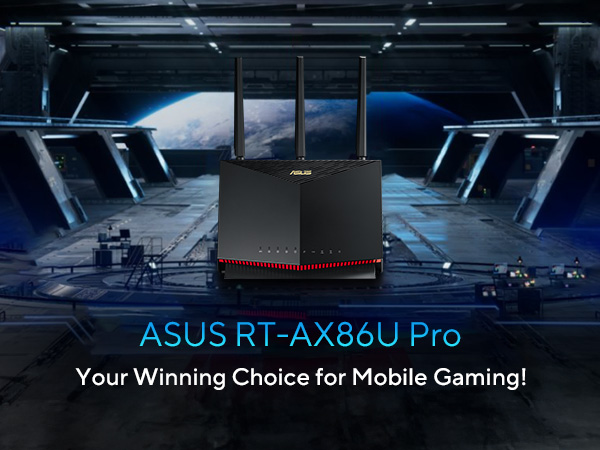
⚡ Dominate your digital domain with ASUS AX5700 — speed, security, and seamless control in one powerhouse router!
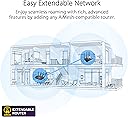
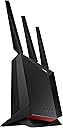
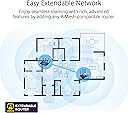
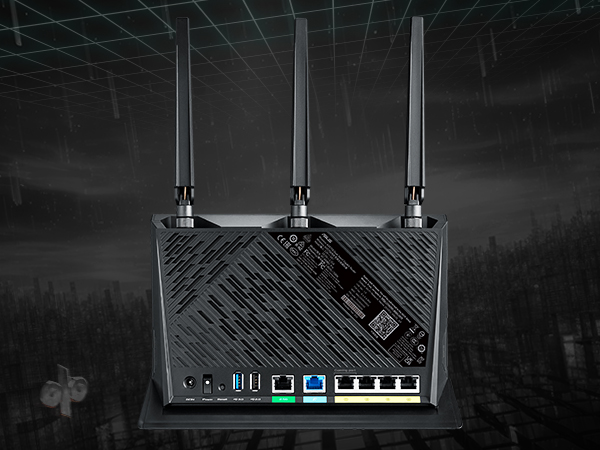
The ASUS RT-AX86U PRO is a dual-band WiFi 6 router delivering ultra-high speeds up to 5700 Mbps, equipped with a powerful quad-core 2.0 GHz CPU and a 2.5 Gbps wired port. It features Mobile Game Mode for low-latency gaming, advanced AiProtection Pro security powered by Trend Micro, and Instant Guard VPN for secure remote access. With AiMesh compatibility, it allows easy network expansion and seamless roaming, making it ideal for professionals and gamers seeking top-tier performance and robust security.


| Antenna Location | Gaming, Home |
| Antenna Type | Fixed |
| Asin | B0BQ417K47 |
| Best Sellers Rank | #65,606 in Computers (See Top 100 in Computers) #934 in Routers |
| Brand | ASUS |
| Built In Media | Power Adapter, Quick Start Guide, RJ-45 cable, RT-AX86U Pro WiFi router, Warranty Card |
| Color | BLACK |
| Compatible Devices | Laptop, Personal Computer |
| Connectivity Protocol | WIFI |
| Connectivity Technology | WiFi 6, Ethernet |
| Control Method | App |
| Controller Type | App Control |
| Coverage | Wide Wi-Fi Coverage |
| Customer Reviews | 4.4 4.4 out of 5 stars (1,272) 4.4 out of 5 stars |
| Data Transfer Rate | 5700 Megabits Per Second |
| Frequency | 5 GHz |
| Frequency Band Class | Dual-Band |
| Has Internet Connectivity | Yes |
| Has Security Updates | Yes |
| Is Modem Compatible | No |
| Item Dimensions L X W X H | 24.2L x 10W x 32.5H centimeters |
| Item Type Name | Router |
| Item Weight | 816 g |
| Lan Port Bandwidth | 2500 Mbps |
| Manufacturer | ASUS |
| Maximum Upstream Data Transfer Rate | 2850 Megabits Per Second |
| Mfr Part Number | RT-AX86U PRO |
| Model Name | RT-AX86U PRO |
| Model Number | RT-AX86U PRO |
| Number Of Antennas | 4 |
| Number Of Items | 1 |
| Number Of Ports | 6 |
| Operating System | ASUSWRT |
| Other Special Features Of The Product | WPS |
| Ram Memory Installed | 1 GB |
| Router Firewall Security Level | Advanced |
| Router Network Type | hybrid |
| Security Protocol | WPS |
| Unit Count | 1.0 Count |
| Upc | 195553768894 |
| Voltage | 110 Volts |
| Wi Fi Generation | Wi-Fi 6 |
| Wireless Compability | 802.11a, 802.11ac, 802.11ax, 802.11g, 802.11n |
User
Rock solid connectivity. Seamless integration with other iMesh devices
In 2021 I purchased an Orbi system (RBK753 or RBK753S which is the membership club equivalent) and it worked fine for a while, but it had one flaw that used to drive me crazy: Whenever there was a need to reboot the router, it would take 1 to 2 DAYS for my 10 nest cameras to sync and for all of them to be online again. After putting up with this for 2 years I had enough and after 2 decades of an exclusive relationship with Netgear, I decide to open myself up and go back to the router dating scene to see what had changed in 2 decades. To my surprise, apparently Netgear is no longer king, and this particular ASUS router was included in the top 5 router rankings on every publication and established website out there. Sometimes it would be ranked #1 sometimes #3 but it would always be in the top 5. So I purchased it. Going from a Netgear Orbi system with 5 satellites (6 if you count the router itself), I was curious as to how much of my 4000sqft home a single router could cover. My goal was, if possible, to do away with Mesh systems. Netgear also had a flaw where despite broadcasting the same SSiD on all satellites, some clients still could differentiate between the one they originally connected to and an identical satellite broadcasting the same SSiD in other parts of the house. Some of my light switches would even see the same SSiD listed several times despite technically being the same network.So I installed the ASUS RT-AX86U PRO and even though it didn’t cover the entirety of the 4000sqft, it did cover a solid 50%. Technically I was able to see and connect to its SSiD from anywhere in the house but in some far corners the signal would not be a solid or steady. I knew I was asking too much of a single router since my previous Orbi alone with no satellites could barely cover 20% of my home so the fact that this one was pushing 50% it was a huge accomplishment. So I decided to order another RT-AX86U PRO and add it to the first one as an iMesh node.In case you’re not familiar AiMesh is the proprietary ASUS technology that allows you to seamlessly add other ASUS products as Mesh network nodes to your main router. Just the future proofing benefits alone make this a brilliant concept. So once I added the second RT-AX86U PRO to AiMesh, with 2 clicks, the remaining part of the house that I was having issues with now had a rock solid signal. Not only that but the 4 LAN ports on that second router acting as a node were active! And allowed me to hardwire several legacy devices in that room for unparalleled speed. I still had 2 nest cameras in a far corner of the property that were actually out of the house in my backyard and only operated in the 2.4 ghz range and were struggling to connect to the network (understandable since now I was not only asking my router to broadcast successfully at that distance but also to penetrate siding and insulation and the odd slab of concrete which are tougher for a wireless signal to penetrate than the drywall inside the house). At 200 bucks a pop my wallet was a bit reticent to add a 3rd RT-AX86U PRO, so I settled for an ASUS RP-AX58 AiMesh extender. At only 80 bucks, if this thing really did what it said it did, which was integrating itself into my AiMesh network, talk to the other routers in the fast 5ghz channel and rebroadcast that data in the far corner of the house both in the 5Ghz and also in the 2.4 GHz frequency that is the only one my aging nest cameras could comprehend, it was a no brainer. And guess what: It did. So using 2 RT-AX86U PRO routers, one as a main and the second one as an AiMesh node, and one ASUS RP-AX58 AiMesh extender, I was now able to flawlessly cover my 4000sqft home. Something that with the Netgear Orbi it used to take 6 satellites to do. And the best part, if I ever needed to reboot the router, all my nest cameras would come back online within a minute. Not 2 days.I am extremely happy with my purchase and considering the 2 routers I just added to my network are top of the line, I expect to be able to continue to purchase the latest and greatest ASUS router every few years and use all existing hardware as AiMesh nodes.
User
Excelente router
Fácil de configurar, buen alcance y maneja bien múltiples conexiones. La app de control también es muy útil para manejar tu red doméstica.
User
Good
Good
User
Gran capacidad de este router
Para llevar WiFi a toda mi casa con gran velocidad
User
This Beast Solved All My Problems
Upgraded from previous Asus router RT-AC87R that was probably bought around 2015. With so many more devices connected, the old router simply didn't have enough horse power. Connectivity was suffering, with devices falling off or taking forever to connect. Also, started noticing buffering on video streaming.Have been running the new Asus router (RT-AX86U Pro (AX5700)) for a full week now, and am totally impressed. All the connectivity issues are gone, and the range is amazing! I have a large house with multiple devices OUTSIDE (cameras, light bulbs, outlets - all from Wyze) and they all stay connected now with no problems whatsoever. I have one camera running on an extender, but doubt if I even need it anymore. All devices inside connect no problem, and wi-fi range even upstairs/downstairs in remote corners is no issue at all.Paired with an updated Motorola modem (MB8600) I got last year, I am now (finally) able to take advantage of the 1G internet connection coming into my house. As you can see on the picture from my phone (!), I am running at 950 Mbps down and 50+ Mbps up. Truly amazing! Previously, my hardwired PC was lucky to get to 550-600 Mbps, and my phone on wi-fi was WAY lower.Setup was a breeze (especially since I was familiar with Asus already), and the phone app works really well, especially now that you can connect remotely now even when away from home to monitor. I am not that techy (slightly above average), so if I can figure this out, so can you. Just keep your wi-fi name and password the same, and all your devices will reconnect quickly as soon as you fire up the new router....presto! I was worried I was going to have to reconnect 60+ devices, but they all connected fine. Worst case, you may have to restart a couple devices which is fine - just didn't want to have to go through entire setup process.If you're an over-analyzer like me, stop your search and just go with this model. You won't be disappointed! I purchased in January 2024 and did not receive any compensation for the product or this review. I rarely write reviews, but was so impressed and pleased with this product that I wanted to share!
Trustpilot
3 weeks ago
2 months ago