


Desertcart purchases this item on your behalf and handles shipping, customs, and support to Tunisia.
🎹 Elevate your pedal game — the ultimate MIDI expression powerhouse!
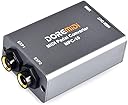
The DOREMiDi MPC-10 is a compact, versatile pedal converter and expander designed for professional musicians and producers. It supports dual pedal connections with automatic detection, offers USB and MIDI output compatibility across Windows, Mac, iOS, and Android, and allows deep customization of MIDI messages through dedicated software. Its durable metal construction and firmware upgradeability make it a future-proof essential for enhancing any MIDI setup.


| ASIN | B0BZ87CVJ7 |
| Best Sellers Rank | #10,522 in Musical Instruments ( See Top 100 in Musical Instruments ) #49 in Keyboard Pedals & Footswitches |
| Brand | DOREMiDi |
| Color | Silver |
| Compatible Devices | Desktop, Monitor, Laptop, Printer, Projector, Game Console, Headset, Positive Polarity Expression Pedals, Reverse Polarity Expression Pedals, Sustain Pedals, Double Switch Pedals, Electronic Drum Hats Compatible Devices Desktop, Monitor, Laptop, Printer, Projector, Game Console, Headset, Positive Polarity Expression Pedals, Reverse Polarity Expression Pedals, Sustain Pedals, Double Switch Pedals, Electronic Drum Hats See more |
| Connector Type | DIN |
| Customer Reviews | 3.9 out of 5 stars 122 Reviews |
| Finish | Matte |
| Item Dimensions | 2.76 x 1.73 x 0.94 inches |
| Item Type Name | Signal Converter |
| Item Weight | 0.15 kg |
| Item dimensions L x W x H | 2.76 x 1.73 x 0.94 inches |
| Manufacturer | DOREMiDI |
| Mfr Part Number | MPC-10 |
| Model Number | MPC-10 |
| Number of Items | 1 |
| Number of Ports | 3 |
| Package Quantity | 1 |
| Power Plug Type | No Plug |
| Specific Uses For Product | Musical performance, music production |
| Unit Count | 1 Count |
| Warranty Description | 1 Year |
L**N
Tiny and works well
No issues with configuration or with use on PC or iOS. The software is good. It's had a lot of updates, especially to fix Mac bugs. You can customize everything, even by setting CC curves natively. It supports drum kit pedals. The software has a built-in MIDI monitor, including values and an animation which displays the state of your pedals. Documentation is quite good. Easy, clear, and above average experience overall. Solid metal build, yet tiny and weightless. This has completely changed the way I look at MIDI keyboards. Every single keyboard I have can be played with a mod pedal now, including my Clavinova upright and my mini keys. A match made in heaven on both counts. Very useful converter.
V**H
About the only one of its kind.
Really great device for use with electro-harmonix standard expression pedal and Roland DP-10 half damper sustain pedal. Pedal Config Tool works great. I route the two pedals in Cubase DAW. Occasionally the tool gets confused on start up. I shut down and restart and it works fine. Would be nice if tool changed settings display when switching from one to the other pedal. It alway remembers the correct setings though.
M**S
Works well, but default settings aren't all that useful
Got this MPC-10 so I could use an expression pedal for recording MIDI with Logic Pro. (My keyboard controller only has a sustain pedal input.) It works just fine for that. But the factory settings can be a little confusing. And the app to configure it is a little quirky (though they've fixed a lot of the bugs mentioned in earlier reviews). More details: - The MPC-10 maps expression pedals to MIDI CC#21 by default. CC#21 is "undefined"—some instruments might treat it as vibrato, but most will probably ignore it. A better choice would be CC#11 "expression". You can either remap this in your DAW (e.g., Logic's MIDI FX "Modifier" plugin) or use DoReMidi's app to reconfigure the MPC-10 to send a different CC. - It maps single foot switches to MIDI CC#64 "sustain" by default. - It maps dual foot switches (or two single foot switches connected through a 1/4" TRS splitter) to CC#64 "sustain" and CC#66 "sostenuto" by default. - If you plug in two of the same type of pedal (one in each input), *both* will have the same behavior by default. Two expression pedals: both CC#21. Two single foot switches: both CC#64. Two dual foot switches: each pair will have one CC#64 and one CC#66. The only way to change this—so you get a different CC from each pedal—is in their config app. - All controller messages are sent on MIDI channel 1 by default. (You can change this in their app.) - It detects pedal type when it powers up. If you change pedals while it's on, it might get confused and you'll need to power cycle it. Set expression pedals somewhere in the middle or it might mistake them for foot switches. - The detection seems to work pretty well: it handles N/O and N/C single foot switches, and expression pedals with TRS connectors where either RS or TS is the fixed resistance. But it seems like dual foot switches *must* be N/O or it will get really confused. - It gets power from its USB-C connection (so for an iPad you'll also need a powered USB hub). It shows up as a class compliant MIDI device. About DoReMidi's configuration app: - I had trouble finding the software on their web site, which seems designed for extremely wide screens (and likes to change on rollover rather than click, so is really hard to navigate). The downloads section is at the right side of the top nav bar, hiding behind a pale gray arrow. You only need the Pedal Config Tool. - The app ran and mostly worked fine for me on macOS Sequoia 15.4. They seem to do regular app updates. Many complaints from earlier reviews have been fixed: the app is signed (so you don't need to bypass macOS security), and text is readable (though small) white on a dark gray background. - There's a "Set" button at the very bottom, and you have to click this after each change to see the effects. (I missed this at first.) - One bug: when you select a connected pedal in the Pedal Number popup, the settings area on the left doesn't always update to show the current settings for that pedal number, which gets really confusing. But the MIDI event log on the right seems accurate, so with a little poking around I was eventually able to get the behavior I wanted. (This is with Pedal Config Tool v3.0.4.) - The app can apply a curve to the expression pedal mapping, and can set min, max, and a fixed offset ("gain"). The default curve spreads out the pedal range for low values and compresses it for high ones. (I changed this to linear.) - The app has a bunch of other options for configuring pedals: it can map an expression pedal to pitch bend (works) or channel pressure (aftertouch—though I wasn't able to get this to work). It can also send MIDI note events in response to a pedal, and can send up to 16 different events for each pedal (I haven't tried any of that). - The MPC-10 remembers its settings when powered off, so once you've configured it you might not need the app much. The app can also save and load different configurations from files on your computer (though I haven't tried that). - The Pedal Config Tool also handles firmware upgrades, so you don't need their Upgrade Firmware Tool or any firmware downloads (which seem to be published in Windows-only rar format). The instructions say to put to put your MPC-10 in firmware upgrade mode, but don't tell you how to do that. Here's how: unplug USB power, then use a paperclip to hold in the recessed reset button (near the MIDI Out connection) while plugging USB back in. The power light will blink rapidly to indicate upgrade mode. Then in the app, choose Setting > Firmware Upgrade, and it will check for updates and download and install any available. - From what I can tell, the "Factory Reset" command doesn't actually do anything. I'm using the MPC-10 successfully with two of these Nektar expression pedals , and with several different foot switches I had sitting around and some generic 1/4" TRS splitters. [This review is for DoReMidi MPC-10, purchased in April 2025, sold by DRMD-LLC and shipped by Amazon. I paid for the product myself, and I don't accept gifts for reviews.]
R**S
great in concept, but absolutely NOT plug and play, and DID NOT WORK AT ALL- RETURNED
I so much wanted this to work. However, using it with a mac (osx 14.6.1 with Airbook silicon), plugging it in with USB, it was not recognized by my computer nor my DAW (logicPro). The microscopic (is 2 point text possible?) manual showed a web site where I went to download software. However, the software is NOT verified by apple and NOT something that can be installed on my mac. Please... if you have hardware that you want customers to be able to use, take some time in setting up your software correctly and do it through apple, etc. thank you.
N**Y
Awesome
I bought a Nektar LX88+ and it didn't have a input for an expression pedal. Ordered this and it solved the problem. Easy to set up and works great!
I**N
discrete size and just works.
This was purchased specifically for Maschine as it, unlike Ableton Push, it does not have an input for a sustain jack. This is far smaller than legacy options like midi solutions, and is usb powered.. plugged it in and it simply worked. can't complain and can highly recommend for any MI box that supports class compliant devices but no sustain jack
S**D
Two-fisted Review
Two-fisted review.... First the bad and then the recovery. First unit received would not communicate to DOREMIDI pedal config tool, after the config tool instructed to update the firmware. Basically the firmware update process bricked the unit, Returned the unit to Amazon and requested a replacement. Replacement unit arrived. Upgraded the firmware as before and the unit worked flawlessly. Performs exactly as advertised. In the end, I'm very satisfied but disappointed with all the churn to get a working unit.
J**N
Great product
This is a really excellent solution for me. I am connecting the DBA Photo Modulator to the SOMA Labs Meta Conformer, so that I can simultaneously control my Moog Minitaur and my Boss MD-200 with this and with my Arturia Keystep. It works! Now I can use the ribbon controller and get one style of modulation, but I can use this and have my photo sensor ready on the draw to hold against a light for modulation. I bought one of these for and my brother both.
C**.
Ottima interfaccia
È un ottimo prodotto, facile da configurare, con esso ho potuto connettere un pedale sustain alla mia tastiera che non aveva la presa dedicata. Da un lato l' ingresso per collegare 2 pedali. Dall' altro l' alimentazione USB( io l' ho collegata al computer) e l' uscita midi( anche questa l' ho collegata al computer con un adattatore da midi a USB). Funziona perfettamente. Il led lampeggia sino a quando non riconosce il dispositivo e poi è fisso.
C**N
Fàcil configuración
Puedes conectar 2 pedales de expresión a tu PC
K**R
Excellent
Works without issue so far. It's plug-and-play. Seems sturdy.
A**R
Ne vaut pas 50€ - Not worth 50€
Fait le boulot de temps en temps quand ça lui chante. Configuré correctement, fonctionne parfois pendant quelques jours, parfois une seule journée. Lorsqu'il arrête de fonctionner, il suffit de relancer l'utilitaire et de reconfigurer. Enfin seulement parfois, parce que d'autres fois ça refuse de fonctionner tout court. L'utilitaire est aussi vraiment pas intuitif même pour quelqu'un qui est habitué au MIDI. Si j'ai payé 50€, c'est pas pour avoir a faire du troubleshooting 3 fois par semaine. Does the job from time to time when it feels like it. Configured correctly, it sometimes works for a few days, sometimes only for one day. When it stops working, you just have to restart the utility and reconfigure. Well, only sometimes, because other times it refuses to work at all. The utility is also really not intuitive, even for someone familiar with MIDI. If I paid €50, it's not to have to do troubleshooting three times a week.
E**S
It Just Works
Ignore negative reviews. It is the only reasonable option right now to connect expression pedal to PC thru midi. Everything works, thanx.
Trustpilot
2 months ago
4 days ago