Desertcart purchases this item on your behalf and handles shipping, customs, and support to Tunisia.
🎯 Dominate your game with precision, style, and speed!
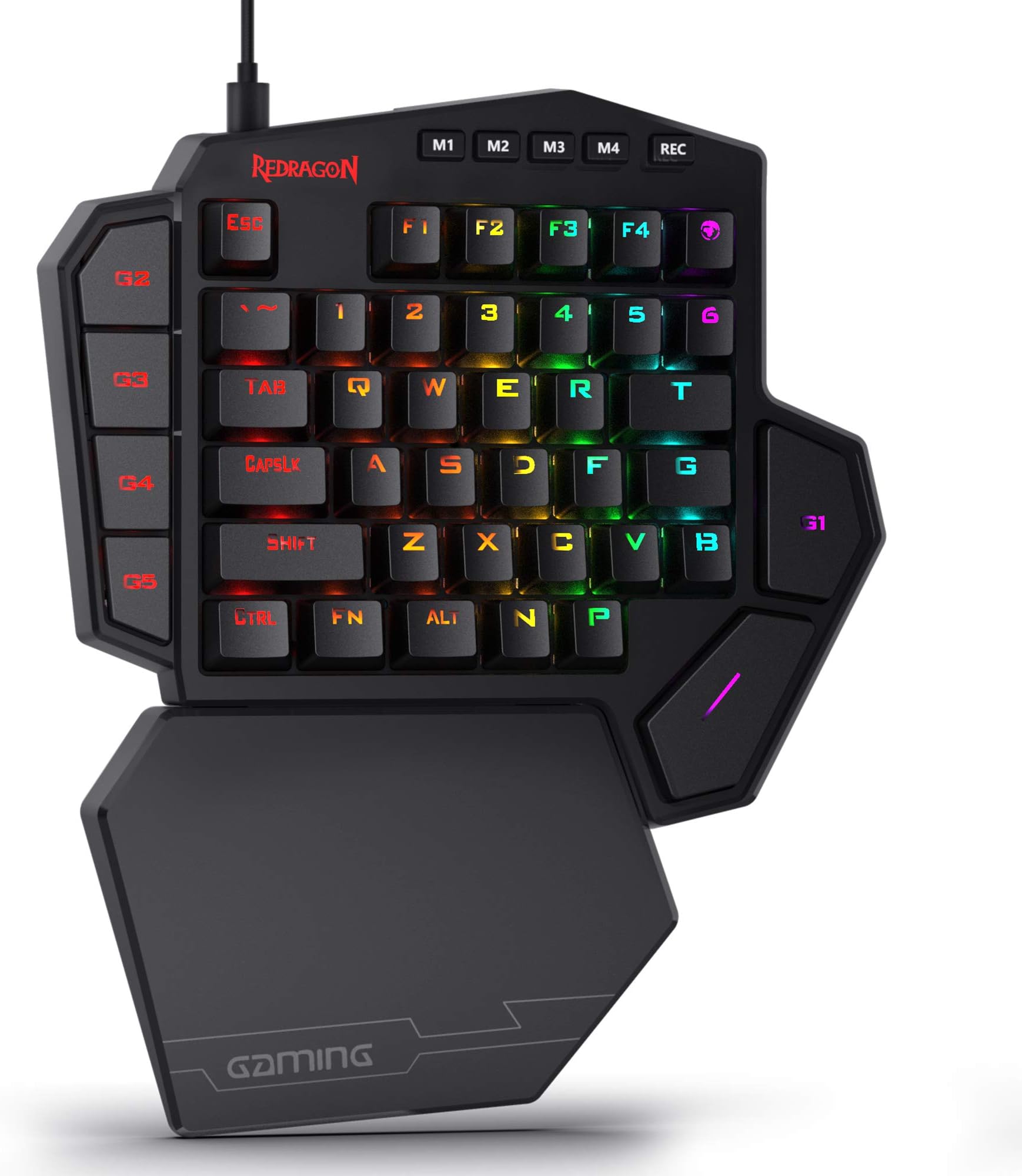
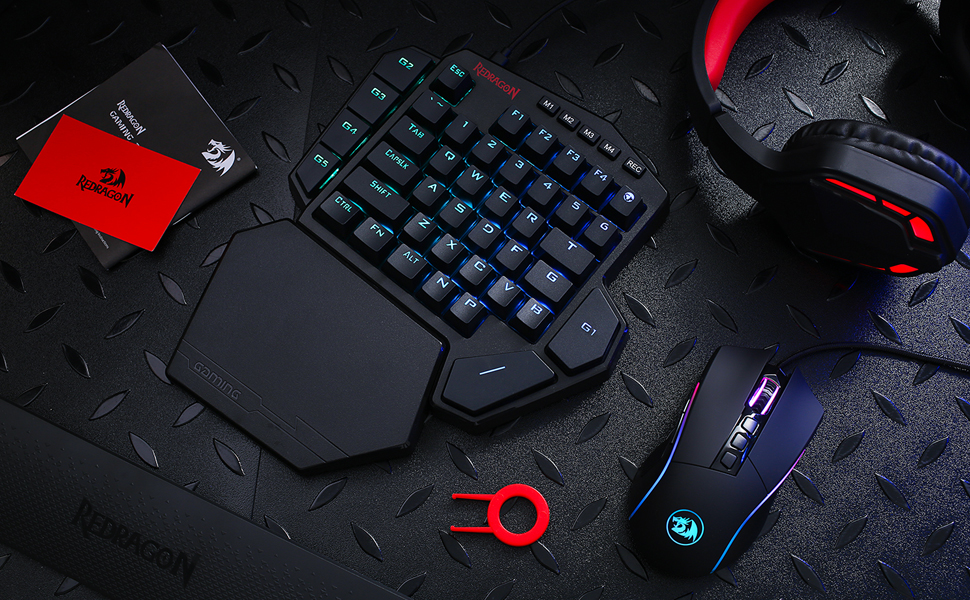
The Redragon K585 DITI is a professional-grade, one-handed mechanical gaming keyboard featuring 42 blue switch keys, customizable RGB lighting, and 7 onboard macro keys. Designed for gamers seeking compact efficiency, it includes a magnetic detachable wrist rest and Type-C wired connectivity with a USB pass-through port, delivering both comfort and high performance in a sleek, durable build.


| ASIN | B07NBJVH4G |
| Additional Features | Wrist Rest |
| Antenna Location | Gaming |
| Best Sellers Rank | #3,904 in Videogames ( See Top 100 in Videogames ) #272 in PC Gaming Keyboards |
| Brand | Redragon |
| Built-In Media | Keycap/Switch Puller, Spare Switches, USB Cable |
| Button Quantity | 5 |
| Color | Black |
| Compatible Devices | Laptop, PC |
| Compatible Tablet Computer Models | AAUB P30 |
| Compatible devices | Laptop, PC |
| Connectivity Technology | Wired |
| Connectivity technology | Wired |
| Customer Reviews | 4.4 out of 5 stars 7,200 Reviews |
| Enclosure Material | Other |
| Hand Orientation | Ambidextrous |
| Is Electric | Yes |
| Item Dimensions L x W x H | 27.9L x 22.9W x 5.1H centimeters |
| Item Type Name | gaming keyboard |
| Item Weight | 1.3 Pounds |
| Keyboard Backlighting Color Support | RGB |
| Keyboard Description | Gaming |
| Keyboard Layout | QWERTY |
| Keyboard description | Gaming |
| Manufacturer | Redragon |
| Mfr Part Number | 711210126 |
| Model Name | K585 WIRED |
| Model Number | K585 WIRED |
| Number of Items | 1 |
| Number of Keys | 42 |
| Number of Sections | 5 |
| Power Source | DC power supply |
| Recommended uses for product | Gaming |
| Series Number | 585 |
| Special features | Wrist Rest |
| Style Name | Classic |
| Switch Type | Clicky |
| Theme | games |
| Water Resistance Level | Not Water Resistant |
F**.
Beyond Expectations!
PROS: - Lightweight - Compact Size - Looks really appealing - Magnetic detachable wrist rest - Variety of RGB Colors and Lighting Patterns - Premium Quality (you can feel it) - Included are complete tools for the replacement of keys - Included 4 extra keys for replacement - Mechanical Feel - Very comfortable on the wrist - Fonts are clear - 1 USB port slot (on the keyboard itself) for usage - CONS: - Keys sounds are a bit loud (not for everyone's taste) - Feel and positioning of keys needs a bit of getting used to - Gaming company is not well-known
B**I
Even better than I imagined
I bought this after unequally wearing down certain laptop keys on my laptop in the past (WASD etc). This seemed a space saving, comfortable solution. It is! The blue clicky switches took a little while to get used to but you soon realise the advantage of minimal weight needing, accurate, keys when gaming over laptop keyboards. You can now have your mouse in front of you too. The RGB works really well and the additional programmable keys are very welcome. The USB input is useful too as my mouse tethers there. Just one cable to the laptop. The only tiny critisizm I could make is it'd be nice to have an off switch rather than unplugging when not needed. Solid build and recommended.
M**I
Amazing quality
Very good for gaming easy to use
M**S
Defective
Stopped working after few minutes
H**T
I mean... It's half a Keyboard! so yeah...
I can see this being handy for a gamer who uses a laptop. I have a full PC setup, keyboard, mouse, everything! so here's why I decided to purchase half a keyboard: The 'W' key on my Blackwidow Chroma (had it since 2016) has started to play up, when I hold it down it doesn't continuously register that I'm holding it down and as a gamer, I use the 'W' key constantly to walk forward so my characters keep walking and stopping and walking and stopping. I figured the rest of my keyboard is working just fine so why go purchase a brand new one if it's just one key playing up? Red dragon was the answer. Pros: It has 'just enough' buttons to use for gaming, You can install a program to change the lights, I prefer the pass-without-a-trace setting (only lights up when I press a key), and there are a few different settings to play with but don't expect to pay this much and have as many features as a razer device when it comes to RGB lighting. The price is right. It's ergonomic, I have had no wrist issues and the wrist rest is detachable also if you prefer not to use it. It's plug and play, plug it into a USB port and you are ready to go. The REC button is handy and there are other buttons available to set up macros, especially handy for MMORPGs. It has non-slip padding on the bottom. Having the 'Enter' key (G1 key) right there is super handy. The buttons are positioned in a way that makes them easy to reach during gameplay. Cons: you may need to re-bind some buttons such as the 'I' and the 'M' keys if you are playing a game that uses an inventory or map feature. Most newer games are using TAB for those features. The space bar takes a bit to get used to. There were complaints about having small hands in other reviews - I have tiny hands and I have no issues using this keypad. So if you absolutely have a use for a one-handed keyboard I highly recommend the Red Dragon. Obviously, it won't be as handy as a full-sized keyboard with all the keys present. But for what I need it for it is perfect. For FPS gamers it's perfect!
J**H
Super Comfortable, Easy to Use
While this seems to be larger than other popular keypads on the market, it is definitely comfortable. The included wrist wrest does a fine job of keeping my hand in a nice position and the spacebar placement is one of the biggest game changers in terms of comfort. Definitely better than using my normal keyboard at an angle. The build quality is as expected, plastic but sturdy. The keycaps themselves feel fine and the larger ones such as spacebar and macro keys don't have much of a wobble to them. I haven't spent much time using the macro recording feature so I can't comment on it but the 5 G keys along the side and above the spacebar work well. They are bound to F1-F5 by default which works fine for me as I didn't usually use those keys in-game as it is. G5 and G4 are easily accessible with my pinkie as they are near the shift key, so I tend to bind those to items I need quick access to or hud options such as opening a map or viewing my inventory. G3 and G2 are harder to reach but convenient enough to use as a mute toggle or similar interaction for comms or other programs running outside of the game itself. G1 requires some maneuvering but is convenient enough for binding a macro or lesser-used game bindings as it is still much more accessible than using the right side of a keyboard. The switches themselves feel adequate and match up to other blue style tactile switches I've used in the past. I tend to prefer linear switches but these do the job fine, though they are a bit loud. If you stream or plan to use this keyboard in situations where extra noise is an issue, go with the brown switch option. Overall this is a blast to use. The G keys combined with the extra keys already on my mouse give enough flexibility to stay in one position without reaching for out-of-the way keys elsewhere on my board. Solid product and definitely exceeded my expectations at the price.
A**Y
Fantastic in general, really good for the price
So, I'm coming from a Razer Tartarus V2, and I prefer this keypad so much more. Maybe because it works more like a keyboard, so you don't have to build up muscle memory as much. In terms of build quality, it's a bit light, but as it still uses mechanical switches, and it has extra switches that you can replace, I have no problems with it. The only issue I found is that white light isn't actually white, but light pink. I'm okay with that, but if you want white, you won't be able to get it here. In terms of ergonomics, the wrist rest is good, sometimes I wish it was made of a softer material, but in the end I think plastic is better because any soft materials are just going to make my wrist sweaty. The other thing I hear a lot in the reviews is that the space key is too far out, which I personally did not find at all, as I always have my thumb a little extended, as seen in the picture. Finally, the software for customizing macros is good, it lets you set different profiles, allowing you to set macros to every key, and allowing for different lighting options. The lighting options are definitely a little limited though, and I couldn't actually find a setting that would give me a solid color (not an swirling or wave effect) that wasn't red. Overall, very solid purchase, still not sure how long it's going to last as I just bought it, but hopefully it lasts a while. If it does break, I will probably buy another one.
F**P
Nicht nur gut für Gaming sondern auch fürs Arbeiten Top!
Diese Einhandtastatur ist nicht "nur" für Gaming zu gebrauchen. Ich habe mich für diese Tastatur entschieden da ich beim Arbeiten gerne Macros verwenden wollte um dedizierte Tasten für verschiedene Befehle zu haben. So kann man z.B. beim Videoschnitt funktionen wie Abspielrichtung, Compressor oder im Prinzip alles was man per Tastenanschläge realisieren kann. Die Möglichkeiten sind daher nahezu endlos. Auch könnte ich mir vorstellen das man als Streamer diese Tastatur gut und gerne verwenden könnte um seinen stream zu steuern. So könnte man in OBS seine Sczenen per Tastendruck wechseln. Und wenn man Fertig mit arbeiten ist - einfach das Profil wechseln und rumballern. Aber mehr zum einzelnen Hardware positiv: -Blaue Taster und sogar ein paar Ersatztaster falls es Probleme geben sollte. Diese sind besonders beliebt bei PC Spielern und geben einem einfach mit das beste Feedback wenn man die Taste gedrückt hat. -Gute Keycaps, keine Folierten dinger wo das nach kurzer benutzen abgeht. -Sauberer gut lesbarer Font mit guter RGB beleuchtung -Starke Magneten um die Handauflage zu befestigen. -gutes gesleevtes Kabel -eingebauter USB 2.0 Hub (1 Anschluss für z.B. Maus) -Macros werden im Gerät selbst im Speicher gehalten nicht auf dem PC -Hochwertiges stabiles Plastik insgesamt guter Eindruck -Profil-Tasten um schnell umzuschalten (z.B. Photoshop macros auf M2 -> umgeschaltet auf M1 zu Fortnite oder sowas) -Alle Tasten können mit Macros belegt werden (außer Profil/Rec tasten) negativ: -etwas groß -Fragwürdige Tastenverschiebung - die P Taste ist unten rechts wo M sein müsste und das M ist die Taste ganz oben rechts. kein wirkliches problem - kann man in der software sehr leicht ändern da alle Tasten Makro-fähig sind Außerdem wurde das M mit einem Globus-symbol versehen (Map)... kann man mögen aber ich weiß nicht wieso -wenn man wirklich meckern will könnte man sich noch wünschen das weniger Plastic sondern vielleicht Alu verwendet wird, aber wirklich auch nur wenn man meckern will -keine haptische(gefühlte) Unterscheidung der Tasten. Es ist üblich das die F Taste einen kleinen Hubbel hat um auch ohne hinzusehen seine Position auf der Tastatur wieder zu finden. der Fehlt hier leider. Man hätte ihn hier auch auf die WASD Tasten legen können da hier der Fokus nicht auf schreiben sondern auf Gaming liegt. Man kann sich also auf der Tastatur im schlimmsten Falle mal kurz "verlaufen". Ich denke das ist Eingewöhnungszeit. Software positiv: -klein und leicht bedienbar -keine werbung oder ähnliches -nicht schwer zu verstehen und schnelle übersicht. -einstellbare USB Report Rate -auch ohne software nutzbar negativ: -Standard ist 50ms verzögerung bei jedem Tastendruck, und das verdoppelt sich auf 100ms je Taste jede Taste runter wie rauf registriert wird. Daher ergibt sich dann natürlich 100ms. das ist selbst dann ein wenig langsam wenn man "Hello World" eintippt. Meine Empfehlung ist bei Taste runter 10ms und die Taste hoch auf 0ms(leider geht nicht 5ms die Verzögerungszeiten sind in 10ms schritten aufgebaut). Der Befehl wird dann Problemlos sequenziell abgearbeitet. Es lohnt sich also ein Wenig finetuning zu betreiben. -leider kann man nicht mehrere Einträge gleichzeitig im macro bearbeiten, so dass es bei langen Befehlsketten schon eine weile dauern kann bis man das Perfekt eingestellt hat -kein macro an/aus toggle (wäre schön wenn man ein sich wiederholendes Macro schreiben könnte das so lange läuft bis man die Taste erneut drückt) hier sind Zyklen eingebaut. d.h. man kann z.B. ein Macro 10mal wiederholen lassen bevor man es erneut startet. Das kann man mit diverser Software ergänzen - z.B. X-Mouse Button Control oder beliebige andere Auto-klicker Als letzter positiven Punkt möchte ich den Support nennen. Dieser ist sehr nett und hilfbereit. Wie ich bei anderen Produkten dieser Firma festgestellt habe - sehr verlässlich - sehr gut. Insgesamt eine sehr gute Anschaffung. Ich habe es als geschenk bekommen und bin begeistert. Wer also nicht eine zweite Tastatur an seinem Arbeitsplatz haben möchte und dann mit Autohotkey und anderen Wundermittel versucht sich mehr Möglichkeiten zu geben (siehe Linus Tech tips) - der kann sich diese Tastatur holen und hat sich viel Bastelarbeit gespart. Und natürlich ist gaming hier im Fokus - das schafft sie auch problemlos. Der Preis und die Ausführung sind sehr gut. Die Hardware ist ebenfalls sehr gut. Es bleibt wenig zu Meckern, die Bedienung zu erleichtern (Multi-select) wäre z.B. ein Punkt und auch ein An/Aus toggle für Macros. Es bleibt ein sehr gutes Produkt und ich denke es hat 5 Sterne für diesen Preis verdient.
H**D
رائعة
ممتازة واستجابتها سريعة وصوتها كويس وكمان الممتاز جدا فيها امكانية تعديل الزرائر الإضافية دا غير إن ليها سوفتوير بينزل من الموقع الرسمي بيعدل فيها كل حاجة وممكن يتم تسجيل أكتر من ماكرو
Trustpilot
4 days ago
1 month ago