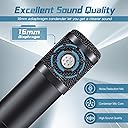
🎧 Elevate your voice, own the stream.
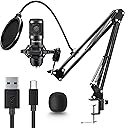
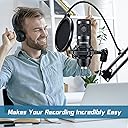
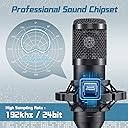
The USB Gaming Microphone PC by ovedisa-Newmic delivers professional-grade 192kHz/24Bit audio with an advanced chipset, featuring plug & play USB Type-A connectivity and omnidirectional sound capture. Its sleek black design is tailored for streamers, podcasters, and gamers seeking effortless setup and studio-quality recordings.


S**T
Extremely good value and quality of sound given the pricepoint.
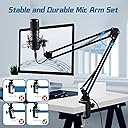
This is a rather amazing microphone and worth more than I paid for it, in my opinion. For under $20, you get a nice setup. This is used for gaming for my kids, and is natural sounding, does a decent job of filtering background noise, and the pop shields really work. I intentionally spoke loudly into the pop filter using "p" "t" and "s" words and found that the hard consonants did not pop, nor did the "s" words sizzle. I'm impressed! Also, the mic is isolated from the swing arm so sound does not transfer to it when moving the articulating arm. The arm is light to medium weight, so maybe if you are a hardcore user, it would need to be beefed up, but I give this an A+ for what it is used for, and the price is astounding.
D**H
Sounds great. Easy set up.
Sounds great for the price. Easy plug and play. The arm leaves a lot to be desired but serves the purpose.
J**N
Great for it's price, but missing pieces
Bought this along with my pc upgrade and was surprised to see it arrive early.Easy to set up but sadly mine came missing some hardware. I don't have the clamp mount for the pop filter or the bolt to lock the mic arm to it's mount.
P**A
Buen producto calidad precio
Buen producto, funciona sin problemas.
O**5
Important information
Okay overall the microphone is pretty good but the mount to the table or desk is a bit small and it bent when trying to tighten it and it does stay still when trying to move it that’s a big downside of the product for me because of the mount is too small and easy to bend
B**S
Read this if you don’t know how to turn it on
I have a MacBook and I tried plugging in the USB into my device and it was not working. I kept trying to look in the instructions page, but there were no directions on how to turn it on. I thought it was broken, so I almost returned it. But if you have a MacBook or Apple device the way to use the mic is to go into your settings click sound and click input then click on the microphone USB. That changes where your mic is coming out from instead of your computer, it will come through the microphone. I was struggling for around 20 minutes until I learn how to do it. I hope this helps!
P**R
Works great
Easy to install
M**E
Different brand, bad quality
After just a couple months it stopped working and I had to throw it away. The microphone boom arm was horrible. It was loud, it moved a lot, and the rubber pad where it mounts to my desk ripped off after a couple days. Besides the bad build quality, the sound quality was ok, but not worth the damage on your desk.
Trustpilot
2 months ago
1 month ago